


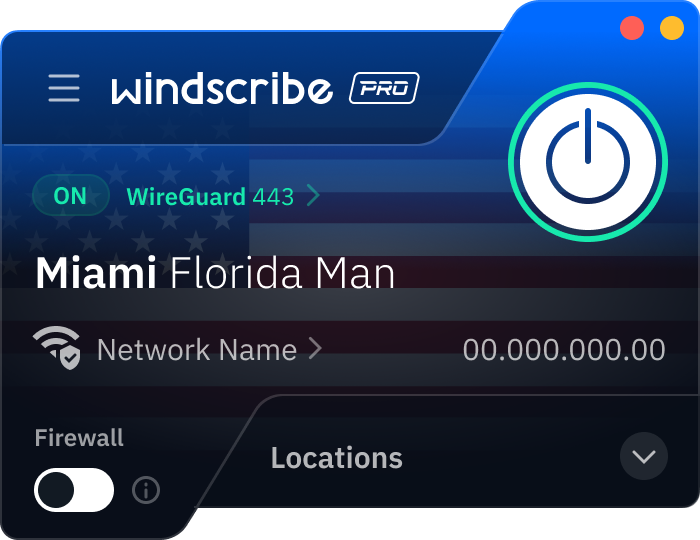
Step 1
Get the App
Step 2
Install the App
Step 3
Sign up
Why Use a VPN for Miami
Grab a Miami IP Address

Access Miami-Hosted Services

Stream Local TV Anywhere

Dodge Sports Blackout Zones

Run Geo-Targeted Campaigns

Secure Your Connection in The 305

Encrypt Your Connection

Avoid Digital Scams
Stay Safe on Miami’s Wi-Fi



Loved & Trusted by Over 100 Million Users
Features

6 Encryption Protocols
Widest Server Reach
Most 10 Gbps Servers
Industry-Leading Ad Blocker
Privacy: Audited & Court-Proven
Features

Other VPNs
6 Encryption Protocols
Widest Server Reach
Most 10 Gbps Servers
Industry-Leading Ad Blocker
Privacy: Audited & Court-Proven
FAQs: Top Questions About Miami VPN Answered
How do I switch my IP to Miami?


For starters, download Windscribe and create an account. Then, just open the Windscribe app, scroll to the United States, and select Miami. Once you hit connect, your traffic is routed through the Magic City. This is a lifesaver if you're traveling abroad and need to access local Florida banking, manage city service portals, or just want your Google results to show you the best mojitos in Little Havana instead of somewhere in Europe.
How much does a VPN cost in Miami?
You can usually expect to pay between $3 and $15 USD per month for a premium service. While many providers want you to sign a multi-year contract to get a decent rate, our Build-A-Plan is a favorite for people who like to stay flexible. You can add the Miami server and unlimited data for just $3 USD a month. To get a VPN for Miami, check out our upgrade page.
Is using a VPN legal in Miami?
Yes, 100%. Using a VPN in Miami and throughout the US is completely legal. In fact, with Florida's new age-verification laws and ISP tracking on the rise, using a VPN is a standard best practice for keeping your browsing habits private. Just remember the golden rule: a VPN is a security tool, not a "get out of jail free" card. If an activity is already illegal, doing it behind a VPN doesn't change the law.
What is the best VPN for Miami?
We’re partial to Windscribe, and for good reason. We have servers in Miami and 30 other cities across the US. In general, we have servers in 69+ countries and 135+ cities around the globe, so you can switch your virtual location whenever you need to. Plus, our strict no-identifying-logs policy means we don’t log anything, ever.
What are the benefits of using a VPN at a Miami university?
Whether you're at Miami University (OH) or the University of Miami (FL), campus Wi-Fi is essentially a massive, shared public network. Using a VPN like Windscribe ensures your CaneID or UniqueID logins aren't exposed. Plus, our R.O.B.E.R.T. feature blocks the malicious links and trackers that often plague open networks, keeping your academic work strictly private. Also, if you’re traveling abroad and need to access the university’s portal, you can use Windscribe to grab a Miami-based IP address. This helps you avoid being flagged by security filters that might block suspicious login attempts, letting you access your email, Canvas, or registrar tools just as if you were still in Florida.
Can I get a Miami IP address using a browser extension?
Yes! If you’re just looking to change your location for a single browser window, our extension for Chrome, Firefox, and Edge is the quickest way to grab a Miami IP. It’s perfect for accessing Florida-only portals or local news sites without affecting the rest of your computer’s connection. However, if you need to secure your entire device, including email apps, Slack, or Zoom, the full Windscribe app is your best bet for system-wide encryption.
How can a VPN improve my sports streaming in Miami?
Miami is a massive sports hub, and between Inter Miami CF matches and the Miami Grand Prix, there’s always something to watch. If you’re traveling and get hit with a "content not available in your region" error on Apple TV or ESPN+, you can use Windscribe to hop onto a US server and get back to the action. It also helps on congested Wi-Fi at hotels or stadiums; by encrypting your traffic, it prevents the network from identifying and throttling your video stream, leading to much smoother 4K playback.