


Windscribe

Free VPN for Chromecast.

No App?No Problem!

Chromecast with Google TV runs our app natively. The classic dongle works through your router or computer. Either way, you're covered.
Get Windscribe
Rated 4.7 by Trustpilot • 13K reviews
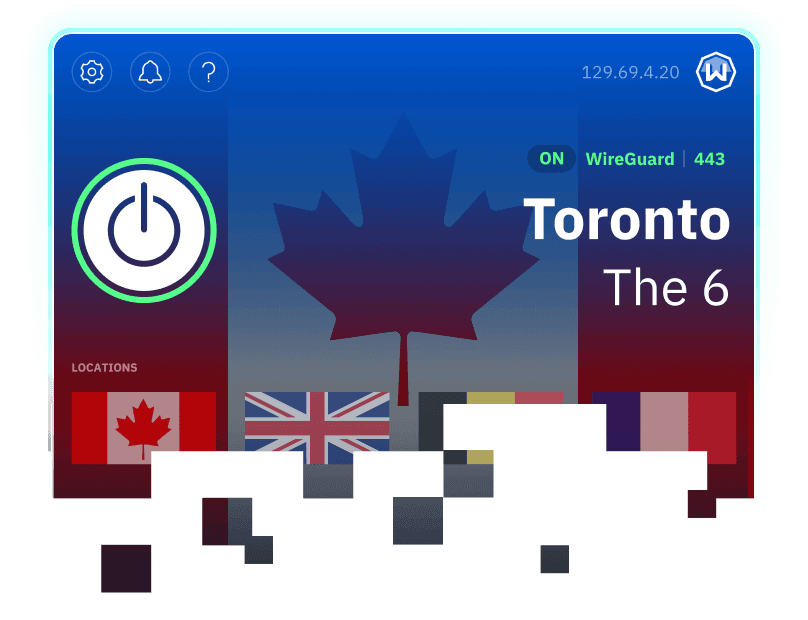
Windscribe for Chromecast, connected and sitting over the planet

Built for Both Kinds of Chromecast

Small TV gadget. Large privacy opinions.
  • Operating System
    Android TV & Google TV
  • Hardware
    Chromecast with Google TV & Google TV Streamer
  • Installation
    Google Play Store
  • Sign-In
    Lazy Login, 6-Digit Code
Classic Chromecast (no remote)? It has no app store, so protect the network it uses instead: a router setup or Secure Hotspot from a compatible Windows PC.
Windscribe on Chromecast specifications

Privacy You Can Verify

How to install

Set Up Windscribe on Chromecast

  1. 1. Head to Google Play
    Search for Windscribe on your Google TV and install it.
  2. 2. Sign In With Your Phone
    Lazy Login shows a code; type it on your phone.
  3. 3. Connect and Stream
    Pick a server and press play.
Free vs Pro

What You Get for Free (and What Pro Adds)

Windscribe Free has Pro's encryption, with a monthly data cap and fewer locations.
Data
Locations
Devices
Setup
Extras
PopularFree$0, forever
Data
10 GB data per month: 2 GB before you confirm your email
Locations
10 countries: US, Canada, Germany, Switzerland and 6 more
Devices
Unlimited devices: No cap on devices you can use at once
Setup
Secure Hotspot: Share your PC's Windscribe connection with a classic Chromecast
Extras
Same encryption as Pro: AES-256 and a strict no-logs policy

RecommendedProfrom $3/mo
Data
Unlimited data: No strings attached
Locations
69+ countries, 135+ cities: The full suite of Windscribe locations
Devices
Unlimited devices: No cap on devices you can use at once
Setup
Router Configs: Protect your Chromecast and the rest of your home Wi-Fi
Extras
Static IP add-on: The same IP every time for fewer proxy errors

Free Forever. Why?

Free is our marketing budget. We don't run ads, sell your data, or sneak you into a paid trial.
Need more data or countries? Go Pro. Post about us on X and get an extra 5 GB every month. Yes, really.
Get Windscribe

4 Ways to Use Windscribe With Chromecast

  • Google Play
    The native app for Chromecast with Google TV.
  • Router
    Covers classic dongles and everything else on Wi-Fi.
  • PC Hotspot
  • Streaming Stick
    No remote? Plug in a Fire TV Stick instead.

Stream What You Actually Want to Watch

Part of Windscribe's job is bringing the shows that aren't always available in your region to your living room.

Get Windscribe for Chromecast

Cast wide, stream far, and mask your home IP address.

Frequently Asked Questions

Does Chromecast support a VPN?

It depends on the model. Chromecast with Google TV and the newer Google TV Streamer run the Windscribe app natively from Google Play. The classic dongle has no app store, so you protect the network it connects through instead, using your router or a computer hotspot.

Which Chromecast do I have?

If it came with a remote and shows a home screen full of apps, it runs Google TV, so install the app. If there's no remote and you control everything by casting from your phone, it's the classic dongle, so use one of the workaround methods.

How do I install a VPN on Chromecast?

On Chromecast with Google TV, open Google Play, install Windscribe, sign in with Lazy Login, and connect. On a classic dongle, set up Windscribe on your router or share a VPN connection from your computer with Secure Hotspot, then connect the Chromecast to that network.

Why won't Netflix change region when I cast with a VPN on my phone?

Because casting usually just hands the Chromecast a link, and the Chromecast fetches the video over its own connection. Your phone's VPN never touches the stream. Put the Chromecast on a VPN-protected router or hotspot, or use the native app on Google TV.

What's the best VPN for Chromecast?

One that covers both models. Windscribe has a native Google TV app with Lazy Login, router configs and Secure Hotspot for classic dongles, unlimited devices, and a strict no-logs policy. The free plan lets you test your setup first.

Can I use a free VPN with Chromecast?

Yes. Windscribe Free gives you 10 GB a month with a confirmed email (2 GB without), enough to set things up and stream a little. On a classic dongle, use Secure Hotspot, since router configs need a paid plan.

Do I need a router to use a VPN on Chromecast?

No. A router covers the whole home in one go, but it's rarely the easiest option. For most people, the native app or a computer hotspot is faster to set up and does the job.

Will a VPN slow down Chromecast streaming?

A little, since encryption adds some overhead. With WireGuard and a server reasonably close to you, the difference is hard to notice in HD and most 4K.

Does Windscribe work on the Google TV Streamer?

Yes. Google's newer streaming box runs Google TV, just like Chromecast with Google TV, so you install Windscribe from Google Play the same way.

Does Windscribe have a kill switch on Chromecast with Google TV?

Not a system-wide one. Google TV doesn't let third-party VPN apps enforce it, so traffic can briefly slip out if the app drops. For a fail-closed setup, run Windscribe on your router instead.