




If you’ve spent any time on the internet lately, you’ve probably seen VPNs marketed as a sort of digital invisibility cloak that turns you into a 90s-movie-style hacker god. Between the breathless YouTube sponsorships and the "Best VPNs in 2026" lists (which are often just "Which VPN Provider Paid Us the Most in 2026" lists), it’s hard to find a straight answer.
The truth is, a VPN is a great security tool, but it’s not an invisibility cloak. It’s great for some things, okay at others, and completely useless for a few specific tasks. Most companies in this industry are so terrified of losing a sale that they’ll never tell you when not to use their product.
But we aren't most companies. We believe that if we’re honest about the limitations of the technology, you’ll actually trust us when we tell you what it’s actually good for. So, let’s strip away the marketing fluff and look at what’s actually happening under the hood.
What Does a VPN Actually Do?
Think of your normal internet connection like sending a postcard through the mail. Every postal worker, sorter, and nosy neighbor along the route can see exactly who it’s from, where it’s going, and what’s written on the back.
Without a VPN, your ISP is that nosy post office, and they're definitely reading your mail. A VPN takes that postcard, places it in a sealed, tamper-proof envelope, and then drops it into a private mailbox somewhere else in the world.
To pull this off, the software encrypts your traffic using protocols like WireGuard or OpenVPN so your data looks like scrambled gibberish to anyone trying to peek. It also masks your IP address by replacing your digital home address with the address of the VPN server, effectively routing your traffic through a remote location. Hence, it appears you're browsing from a different city or country entirely.
When a VPN Is Absolutely Worth It
There are specific scenarios where a VPN is actually worth your money. If you want the wider list of things you can do with a VPN and the full list of VPN benefits separately, including the ones most providers avoid mentioning.
Your ISP Is Watching (And Selling What It Sees)
Your ISP sits between you and everything you do online. Unlike Google or Facebook, which only see what happens on their own platforms, your ISP sees traffic across your entire connection. It's worth knowing exactly what your ISP can still see when you use a VPN, and that gives it a broader view of your habits than most people realize.
“Okay, Windscribe, but what about HTTPS?”
We’re glad you asked. HTTPS encrypts the contents of your traffic, so your ISP usually cannot read the exact message you sent, the password you typed, or the full page content. But it can still see the domains you visit. It knows whether you went to a rehab clinic website, a divorce lawyer, or a political forum. It can also see when you visit, how often, and how long you stay.
In fact, ISPs have treated user data as a business asset for years. A 2021 FTC report found that major ISPs collected large amounts of sensitive data and used it to sort users into ad-targeting categories that could reveal information such as race, ethnicity, political leanings, and religion. There’s also plenty of precedent for aggressive tracking behavior. Verizon was fined for using persistent “supercookies” that allowed advertisers to track users even after standard browser cookies were cleared. AT&T also tested a model that charged users extra for greater privacy.
A VPN changes that relationship. Instead of letting your ISP see every destination you connect to, a VPN creates an encrypted tunnel between you and the VPN server.
From the ISP’s perspective, your traffic becomes far less revealing. It can usually see that you’re connected to a VPN, but not the sites you visit, how often you visit them, or the patterns that make up your online life.
Public Wi-Fi Is Still a Risk (Just a Smaller One)
Ten years ago, using public Wi-Fi without a VPN was like walking through a crowded market with your wallet hanging out of your back pocket.
Back then, plenty of sites were still unencrypted, so some bored kid at Starbucks really could snoop on your passwords. Today, things are better. HTTPS is ubiquitous, WPA3 is widely adopted, and the classic public Wi-Fi horror story is less common than it used to be.
Still, “safer” is not the same as “safe.” The owner of that airport Wi-Fi, or someone operating a fake hotspot that appears legitimate, can still see useful metadata. They may not be able to read your Slack message, but they can see that you opened your bank app, logged into a medical portal, or connected to a company server.
You probably won’t get hacked during your coffee run, but the risk is not zero, especially when you’re logging into email, banking, or work accounts, and it's worth being clear on whether a VPN protects you from hackers before you rely on one. A VPN adds another layer of encryption, so even if the network is sketchy, badly configured, or fake, your traffic is much harder to inspect.
Access Content From Anywhere
The internet was supposed to be borderless. In reality, it’s a patchwork of locked gates. Streaming platforms restrict shows by country, governments block social media, and your location often decides what you’re allowed to see. A VPN acts like a digital passport, routing your traffic through servers in other countries so your IP no longer works like a permanent GPS tag.
For entertainment, the appeal is obvious. Streaming libraries, sports broadcasts, and services like BBC iPlayer are often region-locked. But this is a constant cat-and-mouse game. Platforms actively detect and block VPN IP addresses, so even a strong VPN is not a 100% guarantee. Plus, while using a VPN this way is generally legal, it may still violate a platform’s Terms of Service.
In more serious cases, a VPN is a necessity to access information. In countries such as China, Iran, or Russia, and on restrictive school and office networks, access to basic information can be filtered or blocked. In those environments, standard VPN traffic is often easy to detect, which is why stealth or obfuscation features are important. They make VPN traffic appear as normal HTTPS, helping people access a less-filtered version of the internet.
Stop Your ISP From Throttling You
If your internet speed mysteriously falls apart the moment you start streaming 4K or downloading a big game, there’s a good chance your ISP is throttling you.
Many providers use Deep Packet Inspection (DPI), to inspect traffic and figure out what you’re doing. If they detect high-bandwidth activity, such as Netflix or P2P downloads, they may slow that traffic to manage network load.
A VPN makes that harder to pull off. Because your traffic is encrypted, your ISP cannot easily tell whether you’re streaming a movie or opening a text file.
If they cannot identify the activity, they cannot selectively throttle it as easily. That said, a VPN isn’t a magic speed upgrade. It won’t increase your plan's maximum speed, but it can help you get more of the speed you are already paying for.
Save Money on Flights, Hotels, and Subscriptions
One of the most popular VPN claims is digital arbitrage: airlines, hotels, and subscription platforms may show different prices based on where they think you are. Yes, there’s clear evidence that this happens. Some booking sites have been caught charging wildly different prices for the same room depending on the user’s IP location.
That said, a VPN is not a magical half-off button, either. Modern pricing systems also look at cookies, browser fingerprints, and sometimes your account history.
So if you want to test it properly, use a VPN with an incognito window and a cleared cache. It won’t work every time, but switching to a lower-priced region before booking a flight, hotel, or annual subscription can sometimes surface cheaper offers. It’s a quick experiment, and when it works, it can save you a lot.
Protect Your Work-From-Home Setup
The line between office and home is basically gone. If you work remotely, your home internet now carries company data, internal tools, and client conversations. Your employer may give you a corporate VPN for specific work systems, but a personal VPN adds another layer of protection for everything else happening on that same connection.
That matters even more for freelancers and contractors, who usually don’t have an IT team locking things down for them. A personal VPN helps keep your browsing, research, and logins encrypted and separate from the rest of your household traffic.
Even if you already use a company VPN, your own VPN helps stop your ISP or anyone snooping on a weak home network from piecing together your work life. It’s an easy, set-it-and-forget-it way to add real security without turning your house into a server room.
Torrent Safely and Privately
If you use BitTorrent or any other P2P protocol, you’re basically standing in a digital town square wearing your home IP on a name tag. Everyone in the swarm can see everyone else’s IP, which makes it easy for ISPs to monitor P2P traffic and for copyright trolls to collect addresses for legal threats.
A VPN helps by replacing your home IP with a shared server IP, so people in the swarm cannot trace the activity back to your home. That makes it a solid privacy layer for legal file sharing, whether you’re downloading Linux ISOs or sharing Creative Commons content.
When a VPN Isn’t Worth It (The Brutal Truth)
We sell VPNs for a living, so you might expect us to tell you that you absolutely need one 24/7. We won’t. The truth is that while a VPN is a powerful tool, it isn't a silver bullet for every digital problem.
In many situations, it’s unnecessary. In others, it’s completely redundant. Here is the honest breakdown of when a VPN isn’t worth your time or money.
What a VPN Can’t Protect You From
If a company sells a VPN as a complete security solution, they’re overselling it. A VPN is a secure tunnel, not a bodyguard. It protects your data in transit, but it won’t stop you from downloading malware, falling for a phishing page, or using a terrible password. It can encrypt the connection while you make a bad decision, but it cannot make the right decision for you.
There are also tracking methods that a VPN doesn’t solve. Browser fingerprinting can still identify you based on your device and browser setup, even if your IP changes. And if you stay logged into Gmail, Facebook, or anything else, those companies already know who you are. A VPN helps with privacy, but it doesn’t make you invisible.
Then there is blocking. Streaming services, banks, and some gaming platforms often blacklist VPN IPs, so sometimes you still have to disconnect to get something done, though once you know why banks flag VPN traffic, there are fixes that don't involve switching the VPN off.
“But HTTPS Already Encrypts Everything”
The most common argument against using a VPN usually comes from the tech-savvy crowd: "It’s 2026, every site uses HTTPS now, so a VPN is redundant." The people who say this aren’t wrong about what HTTPS does, but they are often wrong about what it doesn't do.
HTTPS is great at protecting the contents of your traffic. Your ISP usually cannot see your passwords, bank balance, or the exact page content. But it still sees the metadata around that traffic: which domains you visit, how often, and how much data you use.
And it gets worse. The DNS request that translates a site name into an IP address is often still visible, and even when newer tools like DNS-over-HTTPS (DoH) are in play, your ISP can often infer where you’re going from the destination IP and other connection clues.
So yes, HTTPS made some old-school snooping harder, but it doesn’t stop your ISP from building a behavioral profile around your activity. A VPN still does the bigger job: hiding both what you’re doing and where you’re going from the company providing the pipe.
The Speed Trade-Off
A VPN will not make your internet faster.
It has to encrypt your traffic and route it through another server, so there’s always some speed tax. Older protocols like OpenVPN could easily chop 30% to 50% off your bandwidth, which was brutal on slower connections.
Modern protocols like WireGuard are much better. On a solid connection, the slowdown is usually closer to 5% to 15%, which most people will barely notice while browsing or streaming. The bigger factor is often distance. A server across the world will almost always be slower than one in your own city.
At Windscribe, we lean on WireGuard and an optimized server network to keep that hit as small as possible. But if your home internet is already limping along at 5 Mbps, a VPN might be the thing that finally pushes it over the edge. In that case, the privacy boost may not be worth the loading wheel.
When You Probably Don’t Need a VPN
It may sound strange coming from us since we’re a VPN company and all, but plenty of people can get by without a VPN.
If you live somewhere with strong privacy laws, only use secure home Wi-Fi, never touch public networks, don’t really care about unblocking streaming content, and are not especially bothered by your ISP or government seeing your browsing patterns, a VPN may be overkill.
For some people, modern browsers and HTTPS are good enough for their actual risk level. If you’re fine with a simpler setup and the tradeoff that comes with less privacy, you may not need another layer running all the time. We’re not here to sell you a fix for a problem you don’t have.
But if even one of those privacy or access gaps bothers you, a VPN is probably worth it for the peace of mind alone.
Free VPNs: The Hidden Cost of “Free”
If you’re looking for a VPN because you’re tired of your ISP monetizing your data, the last thing you should do is hand that same data to a shady free VPN provider.
The free VPN market is a minefield of questionable ethics. Since these companies aren't making money from subscriptions, they have to keep the lights on somehow, and that usually involves you becoming the product.
An ICSI study that 38% of free Android VPN apps contained malware, while others were caught injecting ads or tracking code. When a provider sees 100% of your internet activity, trusting a free service with no clear business model is often significantly riskier than using no VPN at all.
That is where paid VPNs make sense. You’re not just paying for encryption. You are paying for the servers, the engineers, and the legal work needed to actually protect your privacy. Paid services usually give you unlimited data, faster speeds, and better protocols like WireGuard. And it’s less than your average Starbucks venti latte.

We also think the claim that “all free VPNs are scams” is a weak argument. That is why Windscribe offers a free plan with the same core security as the paid version, but with a 10GB monthly cap. No data selling, no injected ads, and no credit card required. We fund it through paid subscribers because basic privacy should not be paywalled.
How to Choose a VPN That’s Actually Trustworthy
Since a VPN routes all your internet traffic through its own servers, you're basically firing your ISP and hiring someone else to handle your internet traffic, so this should be an upgrade, not an out-of-the-frying-pan-and-into-the-fire move.
Here’s what to pay attention to when choosing your VPN provider. We've also got longer guide on which VPN to choose, if you'd like to give it a read (it's worth it!)
1. A Real No-Identifying-Logs Policy
The most important rule of a VPN is that it shouldn't know who you are or what you’re doing. A true no-logs policy means the provider does not store your browsing history, your source IP address, or connection timestamps.
But since any company can say they don’t log, you should look for third-party audits or, better yet, court-tested results where a provider was legally forced to hand over data and had nothing to give.
At Windscribe, we take this a step further with RAM-only servers. Because these servers run entirely in volatile memory and have no hard drives, all data is physically wiped the moment a server is rebooted or unplugged. And we have actual proof that our no-logs policy works.
In April 2025, after a nearly two-year case in Greece tied to activity from a Windscribe server in Finland, our CEO, Yegor Sak, went to court, and the case was dismissed because there were no logs to hand over.
2. Modern Encryption and Protocols
Encryption is the envelope around your data. You want the industry standard: AES-256.
When it comes to the protocol (which is the set of instructions that tells the VPN how to connect), you should look for WireGuard. It’s the modern gold standard because it’s faster and has a much smaller code base for security researchers to audit.
OpenVPN is the older, battle-tested alternative that is still great for stability, but if a VPN only offers outdated protocols like PPTP or L2TP, run the other way.
3. Essential Fail-Safes
If a VPN connection drops for even a second, your computer will immediately revert to your ISP’s standard connection, exposing your activity.
A Kill Switch (which we call a Firewall) is non-negotiable for any VPN you choose. It cuts your internet entirely if the VPN disconnects, preventing your IP from being exposed.
You also need protection against DNS leaks, which occur when your browser inadvertently sends requests through your ISP rather than the VPN tunnel. If your VPN doesn't have these, it's essentially a screen door on a submarine.
4. The VPN Ownership Chain
This is the part most VPN review sites won't tell you: the VPN industry has consolidated into a few massive corporate groups.
For example, Kape Technologies, which began as an ad-tech firm, now owns ExpressVPN, CyberGhost, and Private Internet Access, as well as several popular VPN review sites that recommend their own products. You can see those relationships clearly mapped out in our VPN Relationship Map.
When a few giants own the majority of the market and the review sites that rate them, true transparency disappears. Windscribe is 100% independent. We have no parent company, no outside investors, and we don't own any review sites. We answer only to our users, not to a board of directors at a conglomerate.
What You Didn’t Know Your VPN Could Do
Most people think of a VPN as a simple on/off switch for their IP address. If that’s all your VPN does, you’re not using your VPN to its full potential.
Because a VPN sits between your device and the rest of the internet, it can act as a sophisticated filter for your entire digital experience.
Ad, Tracker & Malware Blocking
Remember when we mentioned that a standard VPN doesn't stop ad trackers or malware? Oh, but Windscribe kinda does.
We're not your standard antivirus software, but we do have a built-in tool that blocks ads, trackers, malware, and malicious domains. That’s R.O.B.E.R.T., our customizable, server-side DNS filter.
Instead of just encrypting the ads and trackers your ISP sends you, R.O.B.E.R.T. blocks them at the source. Because this occurs at the DNS level, it works across all apps on your device, not just your browser. This means your battery lasts longer and you use less data because your phone isn't wasting energy downloading high-resolution "Hot Singles in Your Area" banners.
On our free tier, R.O.B.E.R.T. includes the Malware and Ad & Tracker blocklists by default, effectively addressing the tracking problem most other VPNs ignore.
For Pro users, it becomes a full-scale remote control for your internet, allowing you to block entire categories such as gambling sites, social media networks, or even other VPNs. Pretty much, R.O.B.E.R.T. actually cleans up the mess the modern internet tries to dump on your screen.
Split Tunneling
One of the most annoying parts of using a VPN is when a smart device, like a wireless printer or a local Plex server, stops working because your computer thinks it’s in another country.
Our Split Tunneling feature solves this by letting you choose exactly which apps use the VPN and which stay on your regular connection.
For instance, you can set your torrent client always to use the VPN while letting your banking app or low-latency video games run over your direct ISP connection. It gives you the privacy you need without the technical headaches of breaking your local network.
Browser Extension
Oh, one more thing, remember how we said that one of the biggest limitations of a standard VPN is that it can’t stop browser fingerprinting?
That’s the sneaky way websites identify you by your screen resolution, fonts, and even your timezone. If your VPN says you’re in London, but your browser’s clock says it’s 2:00 pm in New York, the websites you’re trying to access know exactly what's up.
Of course, we built a fix for that as well. It’s called the Windscribe browser extension, and its whole job is to make your identity harder to pin down than a greased taco at a street fair with a suite of pretty cool features.
Split Personality swaps your user agent so sites stop getting a clean read on your browser and operating system.
Language Warp and Time Warp make your language settings and timezone match your VPN location, which helps sell the lie a little better. Location Warp spoofs your geolocation because some websites are nosy little freaks that cannot mind their own business.
And Anti-Fingerprinting scrambles just enough of your browser data to throw trackers off the trail without turning half the internet into a broken mess.
VPN vs. The Alternatives
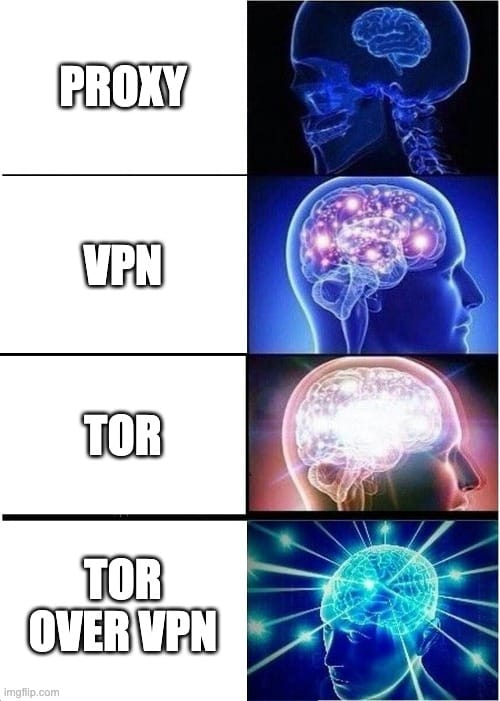
A VPN isn’t the only privacy tool on the internet. It’s just the only one that doesn’t completely fall apart the second you ask it to do something useful.
Incognito Mode is the biggest scam in this category. It doesn’t make you private. It just hides your history from the next person who opens your laptop. Your ISP still sees what you’re doing, sites still know you’re there, and advertisers don’t suddenly go blind because you opened an incognito tab.
A proxy is basically a VPN with commitment issues. It can change your IP address, sure, but it usually doesn’t encrypt your traffic. That means it’s fine for basic location spoofing and not much else. If security is the goal, a proxy is bringing a pool noodle to a knife fight, and our full proxy vs VPN breakdown shows exactly where it falls short.
Then there’s Tor. Tor is the paranoia king. It bounces your traffic through multiple relays, which is great if you’re a whistleblower, investigative journalist, or doing something that needs serious anonymity. It’s also slow as hell for normal life. Streaming over Tor is like trying to drink a milkshake through a coffee stirrer.
That’s why a good VPN is still the sweet spot for most people. It gives you real privacy, solid speeds, and a setup you can actually live with. Not fake privacy theater, not bargain-bin IP spoofing, and not anonymity so intense your webpage loads by candlelight.
Real-World Scenarios: A Day With and Without a VPN
To understand if a VPN is worth it, you have to stop looking at it as a piece of software and start looking at it as a digital bodyguard that follows you through your day. Most of the time, it’s just standing there looking cool, but every once in a while, it earns its paycheck.
Imagine that you’re…
At the Coffee Shop
You wake up, grab your phone, and shuffle into a coffee shop to pretend you’re about to do something productive. The Wi-Fi is free, the espresso is overpriced, and you decide this is the perfect time to check your bank balance.
Without a VPN, that cute little café network is basically a public corkboard. The owner of the Wi-Fi, the guy two tables over, and anyone else poking around the same network can see where you’re going. Maybe not your password, thanks to HTTPS, but definitely enough to know you’re logging into your bank.
With a VPN, that traffic first passes through an encrypted tunnel. To everyone else on that network, you’re just a blob of unreadable nonsense.
Traveling Abroad
Maybe for work, maybe for fun, maybe because you jumped too quickly on that cheap Ryanair flight and now you’re in an Airbnb with a shower in the kitchen. You open Netflix, Hulu, or whatever keeps you emotionally functional, and suddenly your usual library is gone.
A VPN solves this issue by letting you connect to a server back home, and your usual content appears as if nothing happened. Same account, same couch-rotting routine, different country.
Streaming Netflix During Peak Time
At some point in the evening, your stream starts buffering for no obvious reason. Everything else works, but Netflix suddenly acts like your internet gave up on life. That is often ISP throttling. Some providers slow streaming traffic during busy hours, especially when the network is crowded.
A VPN cannot make your base connection faster, but it can make your traffic harder to classify. Your ISP can still see that you are online, but it cannot easily tell whether you are streaming, gaming, or just wasting time with conviction. That makes selective throttling a lot harder.
Searching Something Sensitive
Then there is the kind of browsing you do when you don’t want the internet taking notes. Maybe you’re looking up a health issue, legal advice, debt help, relationship problems, or anything else that’s none of your ISP’s business and definitely none of a data broker’s business.
Even if you’re using Incognito Mode, those searches can still reveal a lot through the domains you visit, the timing, and the pattern of your activity. That’s enough to help build a profile around you, even if the page content itself is encrypted.
A VPN helps obscure that trail by hiding more of your destination and wrapping your activity in an encrypted tunnel. It’s not magic invisibility dust, but it does make your private moments feel a lot more private.
Is Using a VPN Legal?
The short answer for most people is: yes, absolutely. In most of the world, including the US, the UK, Canada, and the EU, using a VPN is a perfectly legal way to protect your digital privacy. However, if you find yourself in a place like China, Russia, Iran, or North Korea, VPN use is either heavily restricted or technically illegal.
When it comes to streaming, the legality is more about fine print than handcuffs. Using a VPN to access a different Netflix library technically violates their Terms of Service. While it isn’t a criminal offense, streaming platforms are under pressure from content owners to block VPN users.
In practice, the risk is low. They usually just block the VPN’s IP address rather than banning your personal account, resulting in a proxy error message rather than a knock on your door.
FAQs: Everything Else You Want to Know
Should I leave my VPN on all the time?
Not necessarily, but it’s a good habit. You should keep it always-on if you live in a country with heavy surveillance, frequently use public Wi-Fi, or want total privacy from your ISP’s data collection. However, you might want to toggle it off for speed-critical tasks or when accessing a specific site that blocks VPN traffic. For most people, Split Tunneling is the perfect middle ground, allowing you to stay protected while keeping certain apps on your direct connection.
Does a VPN drain my phone battery?
Technically, yes, but the impact is much smaller than it used to be. Encryption requires CPU power, which consumes energy. However, using modern protocols like WireGuard is significantly more efficient than older standards like OpenVPN. On most modern smartphones, the battery drain is minimal and usually worth the privacy trade-off. For a deeper dive into the numbers, check out our guide: Does a VPN Drain Battery?
Can my employer see what I do on a VPN?
If you’re using a company-provided VPN on a work laptop, then yeah, they can most likely see everything. If you’re using a personal VPN on your own device, your employer can’t see into that. The grey area is using a personal VPN on a company-owned device. In that case, your employer might have monitoring software (such as a keylogger or screen capture) that records your activity before it reaches the VPN tunnel.
Does a VPN protect me from viruses?
No. A VPN encrypts the pipe your data travels through, but it doesn't scan the files inside that pipe for malicious code. If you download a virus, it will simply be delivered to your computer securely. While Windscribe’s R.O.B.E.R.T. can block you from visiting known malware-hosting domains at the DNS level, it isn't a replacement for dedicated antivirus software. You still need to be careful about what you click.
Is a VPN worth it for gaming?
It can be, depending on your goal. A VPN is worth it for gaming if you want to prevent DDoS attacks, bypass ISP throttling on gaming traffic, or access games that haven't been released in your region yet. In rare cases, if your ISP has poor routing, a VPN server may provide a more direct path to the game server and slightly reduce your ping.


