



The short answer is yes. Using a VPN drains your battery more than not using one.
Any app that encrypts your data, routes it through a remote server, and maintains a constant secure tunnel is going to sip some extra juice.
But in real-world testing, a well-optimized VPN typically adds just 1-5% extra battery drain per hour. Which is not really that much.
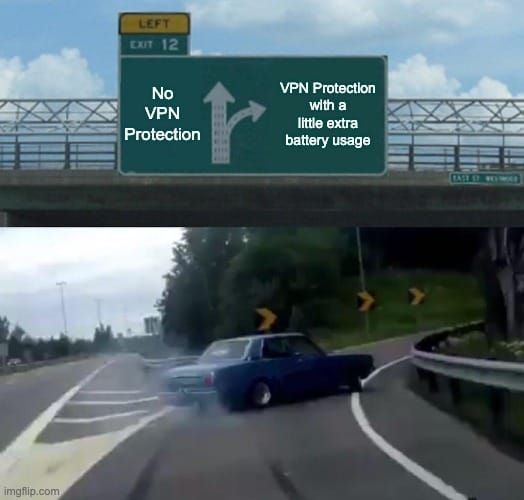
To put that in perspective, cranking your screen brightness up by a couple of notches or scrolling through a video-heavy social feed for ten minutes will cost you significantly more power than leaving your VPN on all day. The drain exists, but for most modern devices, it’s practically a rounding error, which is a big part of why leaving your VPN on all the time on your phone is usually the right call.
The real question isn't whether a VPN drains your battery, but whether that drain is actually worth worrying about. And well... it isn't. Still, if you want to optimize your device's battery for any reason (maybe your phone has been running on fumes, and you're out and about without a charger), there are some things you can do.
We’re going to show you exactly how to optimize your battery with the VPN running in the background so you can stay private without living next to a wall outlet.
Why VPNs Use Battery
If your phone’s battery is a fuel tank, a VPN is just a slightly heavier foot on the gas. Here are the four technical reasons why that happens.
Reason 1: Encryption processing
Every single byte of data leaving your device must be scrambled into unreadable gibberish before it hits the open internet. When it comes back, your device has to unscramble it. This constant math requires CPU cycles.
The good news? Modern phones (iPhone 12+ or anything with a high-end Snapdragon chip) have hardware acceleration. They have tiny, dedicated chips that handle this math with almost zero power. If you’re using an older device, the main processor has to do the heavy lifting, which burns more juice.
Reason 2: Data routing overhead
A VPN bloats your data packets a tiny bit (because, again, encryption) and sends them to a middleman (the VPN server) before they reach their destination. On a rock-solid Wi-Fi connection, your phone barely notices.
But on cellular data, your phone’s radio is a notorious battery hog. Sending that extra data means the antenna stays active for longer, and it lands on your data plan too, because a VPN uses more data than a bare connection. If you're on a train or moving between cell towers, your radio is already working overtime. The VPN just gives it a slightly heavier backpack to carry.
Reason 3: Background keepalives
To keep your connection secure, some VPNs act like a needy partner. They constantly send keepalive packets to the server just to make sure the tunnel is still open.
Older protocols like OpenVPN do this frequently, which wakes up your phone’s radio even when it’s sitting in your pocket.
WireGuard, the newer gold standard, is much smarter. It goes completely silent when you aren't using data, allowing your phone’s hardware to actually sleep.
Reason 4: Network conditions multiplier
A weak signal is a battery killer by itself because your phone cranks up the power to the antenna to find a tower.
When you add a VPN to a struggling 5G connection, especially if your phone is constantly bouncing between 4G and 5G, the reconnection process happens through the encrypted tunnel.
This creates a loop of high-power activity that can drain your battery significantly faster than a VPN on a stable, high-speed connection.
How Much Battery Does a VPN Actually Use?
Most people treat VPN battery drain like a major power leak, but the data tells a much more boring story.
In a 144 battery-drain test from a major VPN provider, the biggest difference during a 1-hour YouTube streaming test was just 0.29 percentage points of battery use between VPN off and on.
To understand why worrying about your VPN is usually a waste of energy, you have to compare it to the things that actually kill your phone’s battery.
| Activity | Extra Battery/Hour | Impact Level |
|---|---|---|
| Screen brightness at maximum | +20-30% | MASSIVE, yet nobody worries about this |
| GPS / navigation active | +10-15% | SIGNIFICANT |
| Mobile gaming | +15-25% | HEAVY |
| Video streaming (no VPN) | +8-12% | MODERATE |
| Social media scrolling | +5-8% | MODERATE |
| VPN (WireGuard, nearby server) | +1-3% | NEGLIGIBLE |
| VPN (OpenVPN, distant server) | +5-7% | MINOR |
The math speaks for itself, doesn’t it? A VPN uses less additional battery than turning your screen brightness up by two notches.
So, if you’re stressing about your VPN’s power consumption but walking around with your screen at 100% brightness, you’re optimizing the wrong thing. In the grand scheme of your phone's daily power budget, a modern VPN is a rounding error.
Which VPN Protocol Drains the Least Battery?
Not all VPN protocols are created equal. If you are using a protocol from 2001, your phone is going to act like it’s from 2001: hot, slow, and dead by noon. To save your battery, you need a protocol that understands how modern mobile hardware works.

Here’s how the main protocols compare in terms of battery drainage.
| Protocol | Battery Impact | Idle Behavior | Reconnection | Windscribe |
|---|---|---|---|---|
| WireGuard | +1-3%/hr | Silent when sleeping | Instant (<1 sec) | Default (auto-select) |
| IKEv2 | +2-5%/hr | Minimal keepalives | Fast (1-2 sec) | Best for mobile roaming |
| OpenVPN UDP | +5-8%/hr | Periodic keepalives | Slow (5-15 sec) | Available |
| OpenVPN TCP | +8-12%/hr | Frequent keepalives | Slowest (10-20 sec) | For restricted networks |
Clearly, WireGuard is the best option. It’s newer, lighter, and usually only takes about 1–3% more battery. So why does it use less power in the first place?
A lot of it comes down to how your phone handles encryption. Newer phones process VPN traffic far more efficiently.
iPhone 12 and newer models, along with many Android flagships released since 2021, have hardware acceleration for AES encryption.
That means protocols like OpenVPN and IKEv2 can run with very little extra battery drain. Older or cheaper phones usually do not have that advantage, so the main CPU has to do the work, which uses more power. Battery is only one axis, though, and the difference between WireGuard and IKEv2 shows up just as much in handshake time and roaming behavior.
That is where WireGuard pulls ahead. It uses ChaCha20 instead of AES, which is much faster on devices without hardware acceleration.
On an older Android phone, that can make a noticeable difference for battery life. On a newer iPhone or flagship Android, the gap is usually smaller.
WireGuard is also more efficient when your phone is just sitting in your pocket.
Older protocols like OpenVPN are more chatty and send keepalive packets to hold the connection open, which can keep waking your phone’s cellular radio. Those small wake-ups add up over time. So if you leave your VPN on overnight or all day, WireGuard is usually the better choice for battery life.
VPN Battery Drain by Device
Depending on what device you're using the VPN on, the battery hit will range from non-existent to slightly annoying. That's mostly because not every device handles encryption the same way.
iPhone
iOS is famously aggressive about managing background power, which works in your favor here. Apple’s native support for IKEv2 is rock-solid, but WireGuard via the Windscribe app is equally efficient for modern iPhones.
In recent testing on an iPhone 15, researchers found that leaving a VPN on 24/7 resulted in less than a 1% difference in total daily drain. iOS also features On-Demand VPN triggers that can be set to only activate when you leave your home Wi-Fi.
Android
Android gives you more freedom, but it also gives your phone more ways to screw up. The biggest battery drain on Android isn't the encryption, but the reconnect loop.
If Android’s battery saver kills the VPN, the app has to constantly restart, which nukes your juice. Plus, Android’s Always-on VPN setting is great for security, but it prevents the network radio from fully powering down.
To prevent the OS from optimizing Windscribe into oblivion, go to Settings > Apps > Windscribe > Battery and select Unrestricted. This ensures your tunnel stays open without the app constantly having to restart, which actually saves battery in the long run.
Laptop (Windows/Mac)
Laptops have massive batteries and CPUs that eat encryption for breakfast. On a MacBook or a modern Windows laptop, the impact of a VPN is almost impossible to measure without lab equipment.
If you’re working away from a charger and every minute counts, you’re better off lowering your screen brightness by 10% than turning off your VPN.
How to Minimize VPN Battery Drain (Windscribe Tips)
If you’re still worried about that 1-5% drain on your phone’s battery, there are some things you can do to minimize it. Here is how to optimize Windscribe so it sips power instead of gulping it.
Tip #1: Stick to WireGuard
There is no reason to use older protocols unless you are in a country with heavy censorship. WireGuard is the default in Windscribe for a reason: it has the lowest overhead and the best sleep behavior for your battery.
You can find this in Settings > Connection > Protocol. If you leave it on Auto, we’ll usually pick WireGuard for you anyway.
Tip #2: Leverage Auto-Secure Networks
This is the ultimate battery-saving hack that most people overlook. You don't necessarily need a VPN while you’re on your home Wi-Fi or at your office.
In Windscribe, go to Network Options > Auto-Secure. You can tell the app to stay disconnected on trusted networks (like home) and automatically kick in the second you connect to an untrusted network (like a coffee shop or airport).
This results in zero battery cost while you’re at home, with full protection the moment you leave.
Tip #3: Turn on Split Tunneling
Do you really need to encrypt your Spotify stream or your GPS navigation? Probably not. Use Split Tunneling to exclude apps that don't handle sensitive data.
By only routing your browser and banking apps through the VPN, you reduce the total amount of data the CPU has to encrypt, which keeps your phone cooler and your battery fuller.
Tip #4: Pick the Best Location
The further your data has to travel, the harder your phone’s radio has to work to maintain the stream. Use the Best Location feature in the server list. Connecting to a server in the same city, or at least the same country, minimizes routing overhead and keeps your radio's power consumption low.
Tip #5: Prioritize Wi-Fi
Cellular radios (especially 5G) are power-hungry monsters. A VPN’s impact on a Wi-Fi connection is almost undetectable, but on a weak 5G signal, it can be amplified. Whenever possible, jump on a stable Wi-Fi connection to give your antenna a break.
Tip #6: Clean up your background apps
Every app that is quietly working in the background creates a data stream that the VPN app has to encrypt. If you have 20 apps running updates and syncing data at the same time, your VPN is working 20 times harder. Close what you aren't using.
Tip #7: Offload to a VPN router
If you spend most of your time working from one location, stop making your phone do the heavy lifting. When you install Windscribe on your router, the router will handle 100% of the encryption math. This way, your phone connects to the Wi-Fi like normal, enjoys full VPN protection, and experiences exactly zero battery drain.

Does a VPN Drain Battery? Frequently Asked Questions
Should I leave my VPN on all the time?
For maximum security, yeah, especially on public WiFi or mobile data, where your traffic is most vulnerable. The battery cost is minimal, typically adding just 1-5% extra drain per hour. However, you can be tactical about it. Use Windscribe’s Auto-Secure feature to automatically engage the VPN on untrusted networks and keep it off on your encrypted home WiFi. This gives you the best of both worlds: total protection when you're out and zero battery cost when you're home.
Does a VPN drain battery when not in use or idle?
It depends entirely on your protocol. WireGuard is designed to go completely silent when your phone sleeps, resulting in virtually zero idle drain. Older protocols like OpenVPN are chattier, sending periodic keepalive packets that wake up your phone's radio. Over an 8-hour overnight period, OpenVPN can drain 20% of your battery just staying connected, while WireGuard stays in the 5-10% range. If you leave your VPN on overnight, stick to WireGuard.
Do free VPNs drain more battery?
Usually, yes. Many free VPNs stay free by running background tracking scripts and displaying ads that hog your GPU and CPU. They also often lack modern, efficient protocols like WireGuard. Windscribe’s free tier is a rare exception. It uses the same high-efficiency app and WireGuard protocol as our Pro version.
Does a VPN drain battery more on cellular than WiFi?
Yeah, significantly. Cellular radios require far more power than WiFi radios to maintain a connection. Independent tests have shown up to 10x more battery drain when using a VPN on 4G/5G compared to WiFi. Because a VPN adds a small amount of data overhead, it forces that power-hungry cellular radio to stay active longer. When you're low on juice, switching to WiFi will save you more battery than turning off your VPN.
Is VPN battery drain worse on older phones?
Yup! Modern flagship phones (2022 and newer) have dedicated hardware to handle encryption, resulting in a negligible 1-3% battery hit. Older phones (pre-2020) lack this hardware and must use the main CPU to scramble and unscramble every byte of data, which can lead to a 5-10% drain. If you’re rocking an older device, WireGuard (ChaCha20) is your best friend, as it’s specifically designed to run fast on hardware that lacks dedicated encryption chips.
So, Does a VPN Drain Your Phone’s Battery?
No, not really. The myth that a VPN will kill your phone's battery by lunch belongs in the same graveyard as 3G networks and CDs. In 2026, the data is clear: on modern hardware, a VPN is one of the least power-hungry things you do. It’s less taxing than your high-res screen, your GPS, and even the smart AI features your phone uses to answer your questions and predict the best emoji.
Plus, there are things you can optimize if you're truly worried about your battery life. By choosing WireGuard, leveraging Auto-Secure to only encrypt when necessary, and using Split Tunneling to exclude heavy-data apps like YouTube, you can use a VPN with a battery hit that is practically a rounding error.
You shouldn't have to choose between a dead phone and an exposed identity. With Windscribe, you don't have to. Download Windscribe for your Android or iPhone now.


