

Windscribe maakt verbinding maar er is geen internettoegang


Als de VPN-app verbinding maakt met onze servers maar u eigenlijk geen toegang heeft tot internet, kunt u tegen een aantal problemen aanlopen.
Servergerelateerd probleem
Het eerste wat u altijd moet proberen, is verbinding maken met verschillende andere servers om te zien of het probleem gerelateerd is aan de specifieke server waarmee u verbonden was. Als dit probleem alleen op die server voorkomt, is het gebruik van een andere server uw beste oplossing.
Onjuiste DNS-instelling
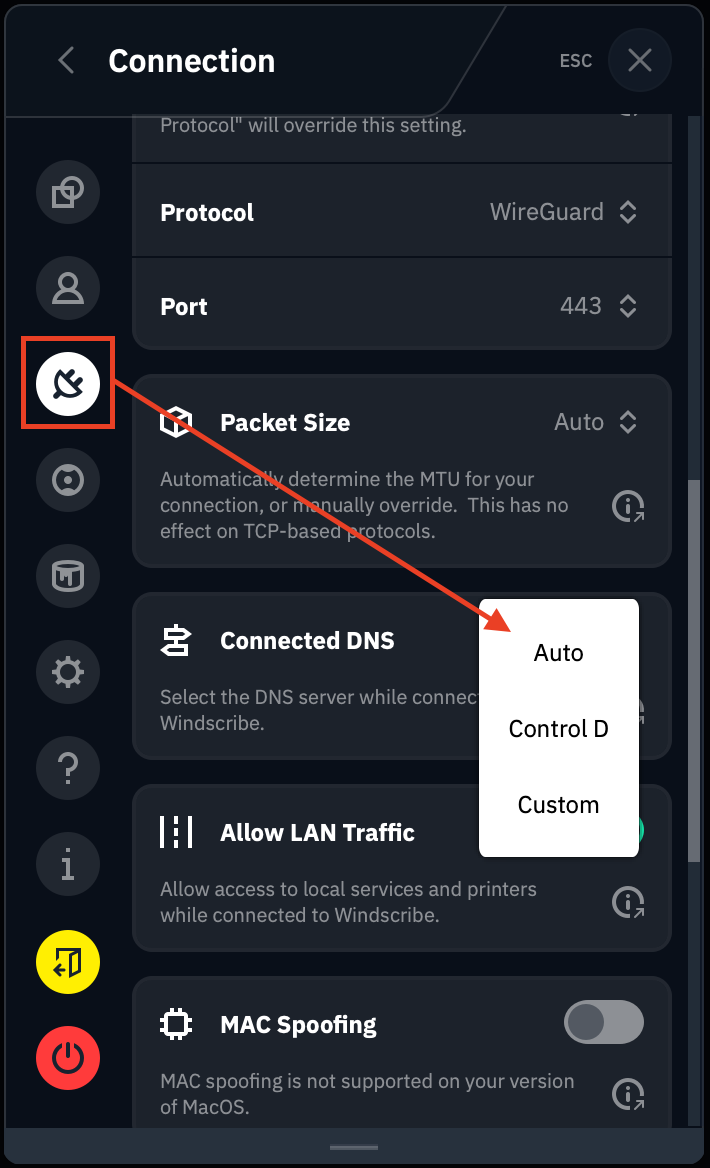
Een andere zaak om te controleren is de aangepaste DNS-configuratie in de Windscribe-app zelf (voor het geval u dit onjuist heeft gewijzigd), evenals de DNS-instellingen van uw webbrowser. Het terugzetten van de instelling naar Automatisch zou moeten helpen.
Blokkering door antivirus- of firewallsoftware
Antivirus-/Anti-Malware-/Firewallsoftware kan u "beschermingen" bieden die uiteindelijk het VPN beïnvloeden. Het kan uw verkeer scannen of verbindingen blokkeren via onze VPN-interfaces, of een verscheidenheid aan andere dingen doen die ervoor zorgen dat de VPN-verbinding mislukt.
Probeer in dit geval de antivirus-/anti-malware-/firewallsoftware volledig te sluiten (gebruik Taakbeheer indien nodig) en verbind daarna het VPN opnieuw om te zien of dat de problemen voor u oplost.
Restricties op netwerkniveau
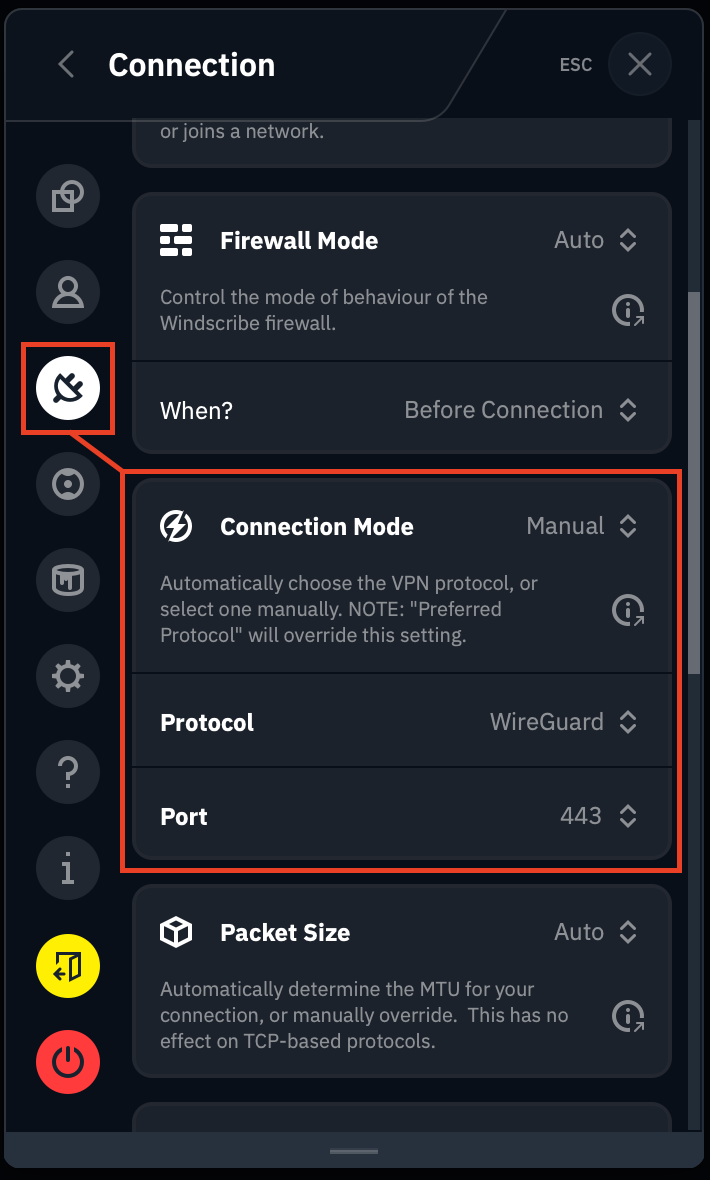
Sommige netwerken, met name openbare netwerken zoals op een school, kantoor of zelfs in een land met internetbeperkingen, kunnen VPN-blokkades implementeren die na het verbinden problemen veroorzaken. Als dit het geval is, probeer dan te wisselen tussen verschillende protocol- en poortkombinaties om te zien welke beter werken.
U kunt deze instellingen vinden door naar Voorkeuren > Verbinding te gaan en de Verbindingsmodus op Handmatig in te stellen. Wijzig vervolgens het Protocol en de Poort. Maak verbinding met verschillende VPN-locaties om te zien of de nieuwe protocol-/poortkombinaties werken.
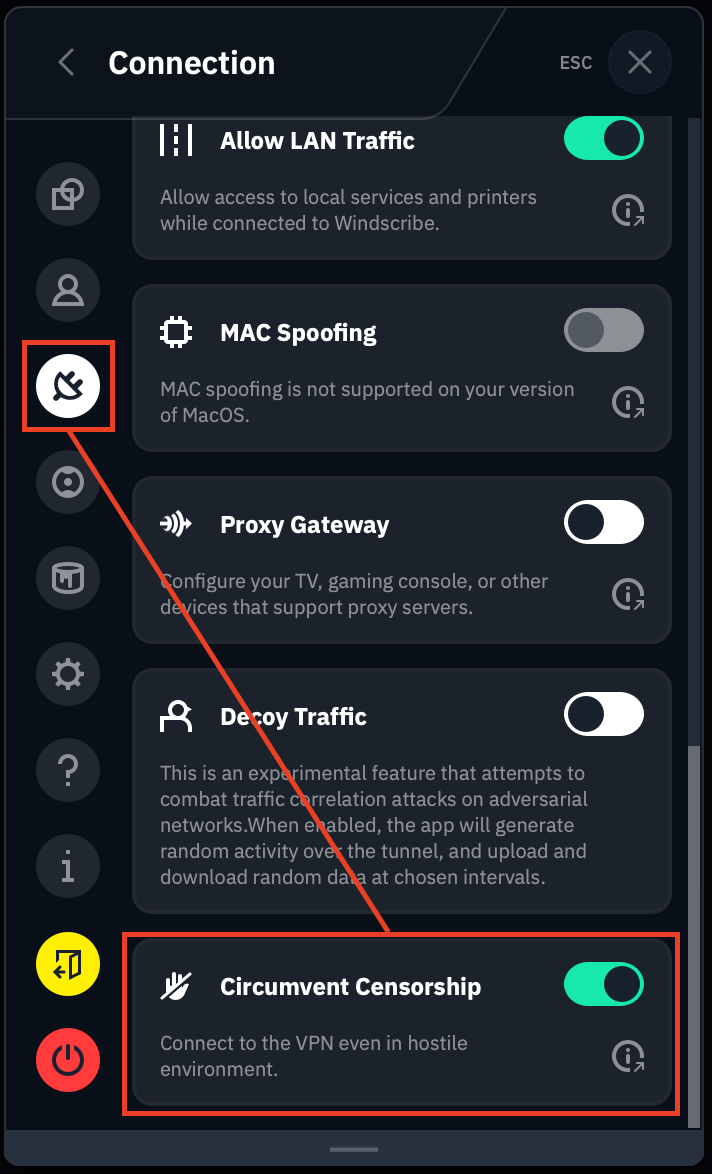
Als u zich in een land bevindt waar censuur wordt toegepast, of op een bijzonder restrictief openbaar netwerk, overweeg dan ook onze functie Censuur omzeilen in te schakelen, die zich onderaan hetzelfde Verbindingsmenu bevindt.
Als u de extensie gebruikt, raden we u aan in plaats daarvan de desktopapplicatie te gebruiken, omdat er in de extensie eigenlijk geen instellingen zijn om netwerkbeperkingen te omzeilen. Het enige wat u met de extensie kunt doen is andere servers proberen.
Neem contact op met ondersteuning
Alles buiten dit zou meer informatie vereisen over de specifieke situatie/het apparaat/de verbinding enz., en ook een foutopsporingslogboek. Neem contact op met ons ondersteuningsteam via https://windscribe.com/contact-support zodat we dit nader kunnen onderzoeken.