

Waar kan ik mijn OpenVPN-inloggegevens vinden?

Winder S
Feb 25, 2026

Je OpenVPN-inloggegevens vind je op het tabblad Configuratiegenerator in Mijn account. Je moet ingelogd zijn op je account en een betaald abonnement hebben (Pro of Build-a-Plan) om het te gebruiken.
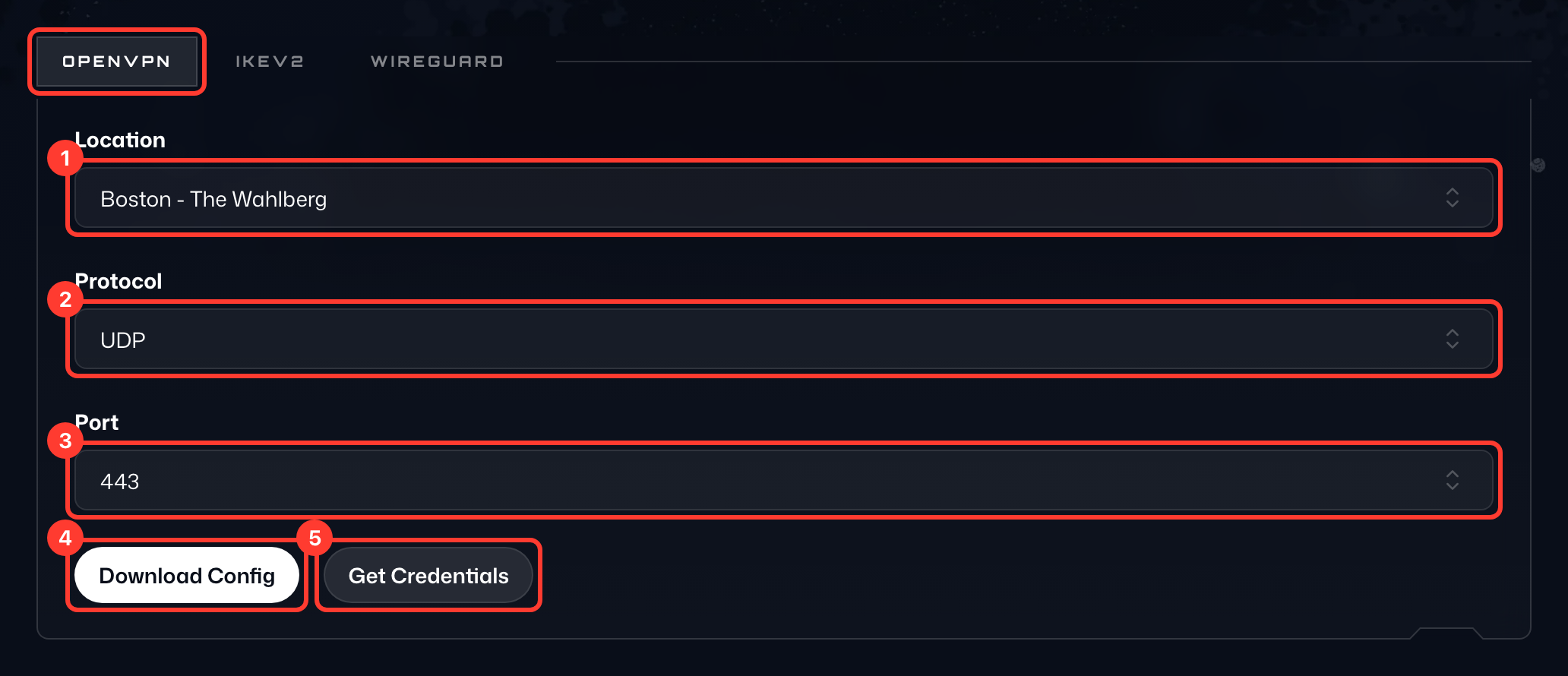
Open het tabblad OpenVPN van de kaart en doe dan het volgende:
- Selecteer de gewenste Locatie (1) in de vervolgkeuzelijst. Kies je een van je statische IP's, selecteer dan ook het bijbehorende Apparaat.
- Selecteer je Protocol (2), UDP of TCP.
- Selecteer je Poort (3); gebruik 443 als je het niet zeker weet.
- Druk op Config downloaden (4) om de configuratie op je apparaat op te slaan.
- Druk op Inloggegevens ophalen (5) om onder de knoppen de Gebruikersnaam en het Wachtwoord (6) voor de verbinding te zien. Dit zijn niet de gegevens waarmee je inlogt bij Windscribe.