

Wat is Malware Evader in de browserextensie?


De Malware Evader blokkeert de toegang tot bekende malware-, phishing- en andere verdachte domeinen.
U kunt het openen in de Windscribe-browserextensie door naar Voorkeuren > Blokkeerder te gaan en Malware Evader in te schakelen. De schakelaar wordt blauw weergegeven wanneer deze functie is ingeschakeld.

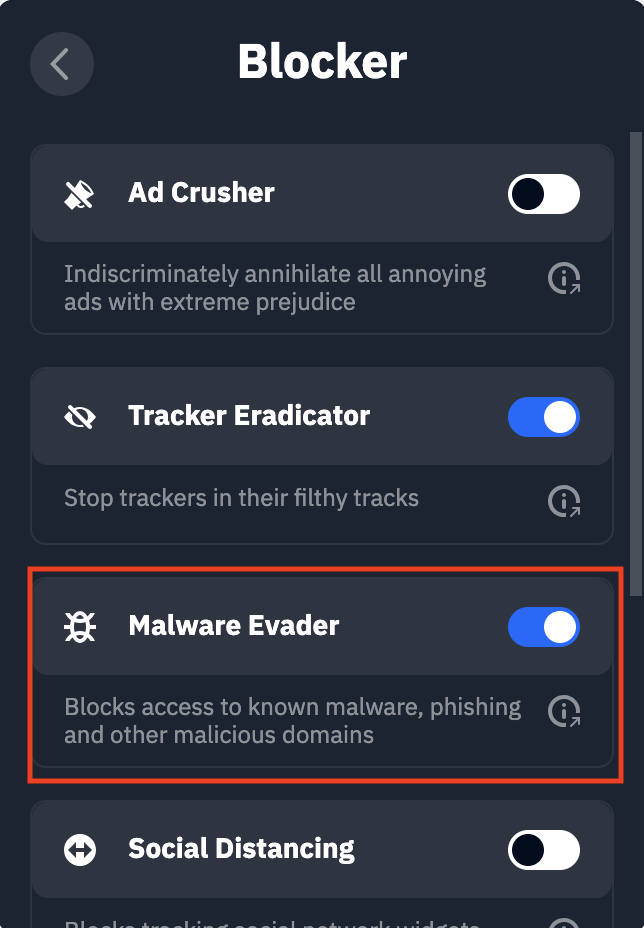
Deze functie helpt u online te beschermen door honderdduizenden bekende malware-verspreidende websites, phishing-domeinen en domeinen voor botnetbeheer te blokkeren. Tenzij er een zeer specifieke reden is waarom u dit soort sites moet bezoeken, raden we u aan dit altijd ingeschakeld te laten.
De Malware Evader-functie is alleen beschikbaar in de Firefox/MV2-versie van de browserextensie. Als u de Chrome/Edge-versie van de browserextensie gebruikt, is deze functie gecombineerd met Tracker Eradicator en Ad Crusher in één schakelaar genaamd Ad Crusher.