

Wat is Niet storen in de browserextensie?


Als u Niet storen selecteert in de Instellingen van de browserextensie, kunt u alle sites blokkeren zodat ze u geen meldingen meer sturen.
Veel sites vragen u om hen toestemming te geven u meldingen te sturen. Hierdoor kunnen die sites u spammen via meldingen op besturingssysteemniveau, zelfs wanneer u niet op die site surft. Dit heeft legitieme gebruikssituaties, maar de meeste sites misbruiken deze browserfunctie voor marketingdoeleinden.
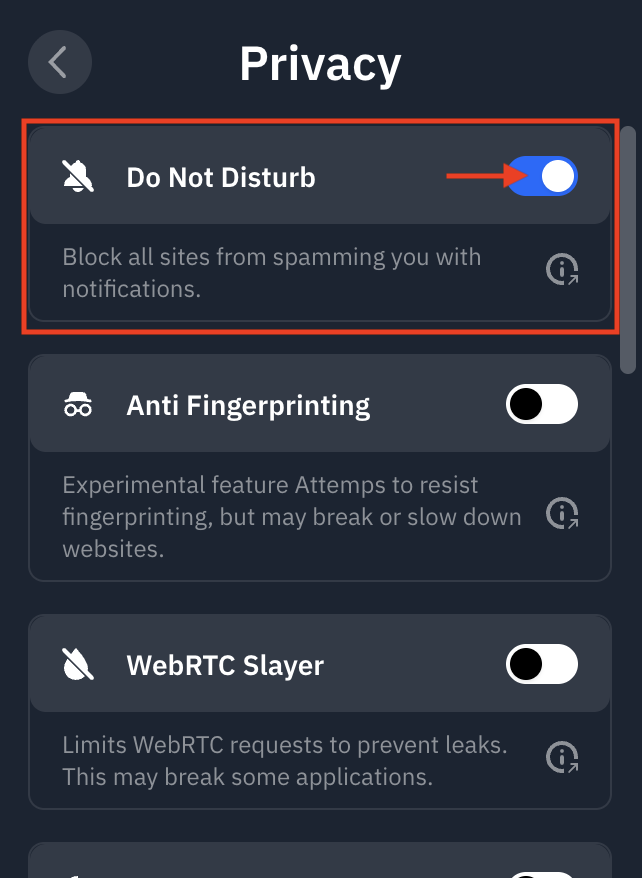
U vindt de functie Niet storen in de extensie door naar Instellingen > Privacy te gaan en Niet storen in te schakelen:
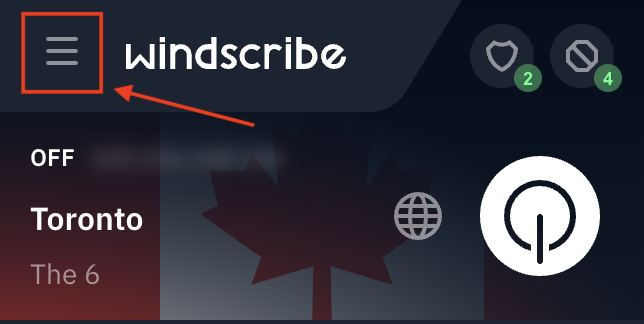
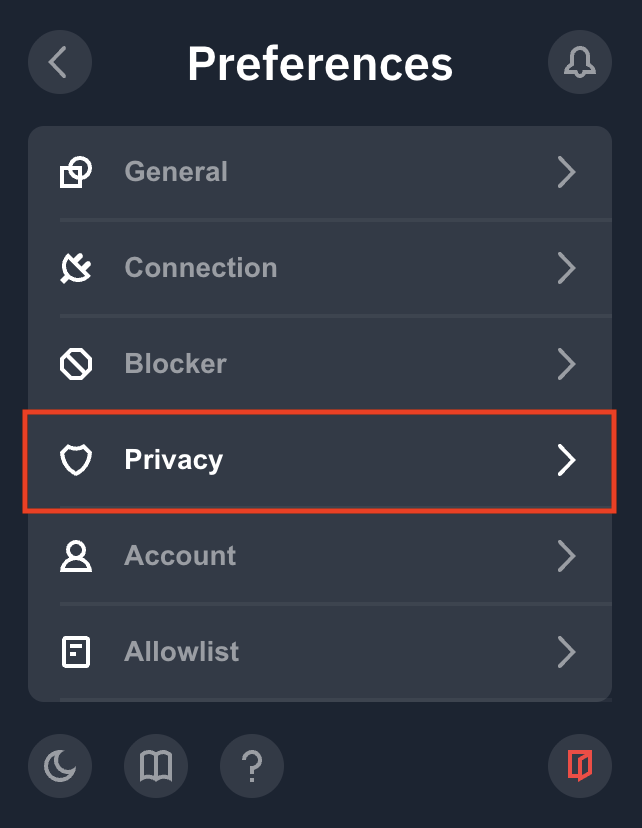
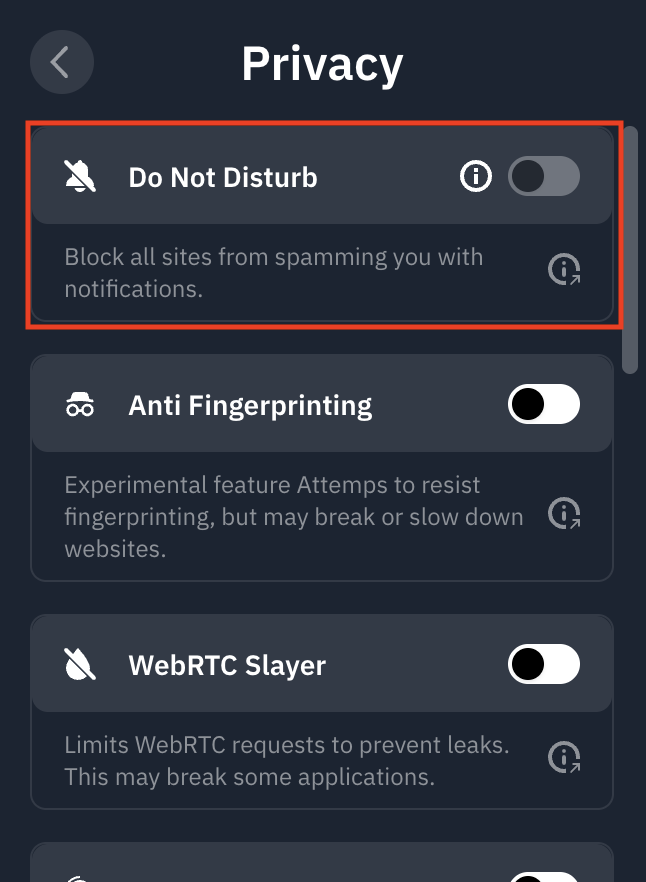
Als u de functie voor het eerst gebruikt, zult u zien dat deze grijs is en extra machtigingen vereist. Klik op het i-pictogram links van de schakelaar en volg de stappen:
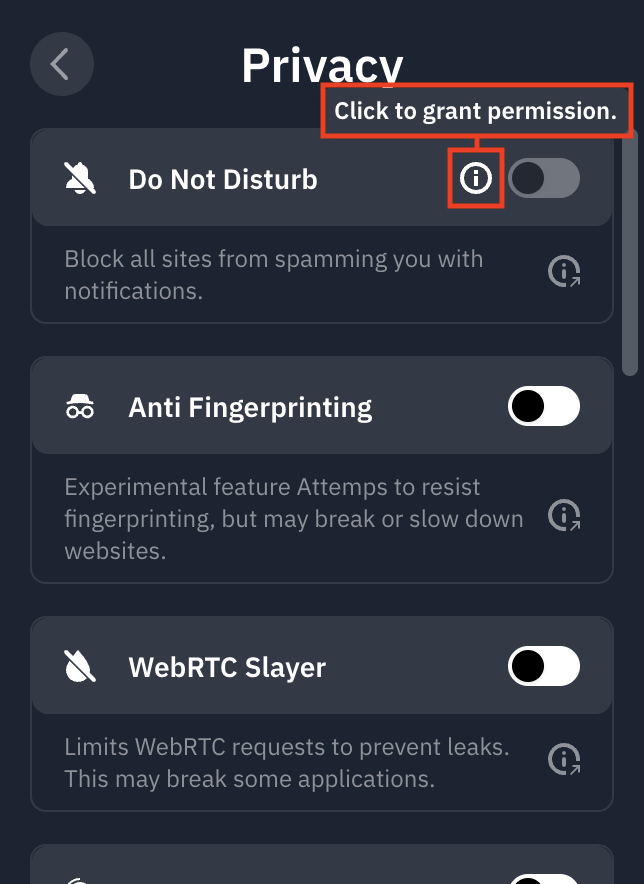
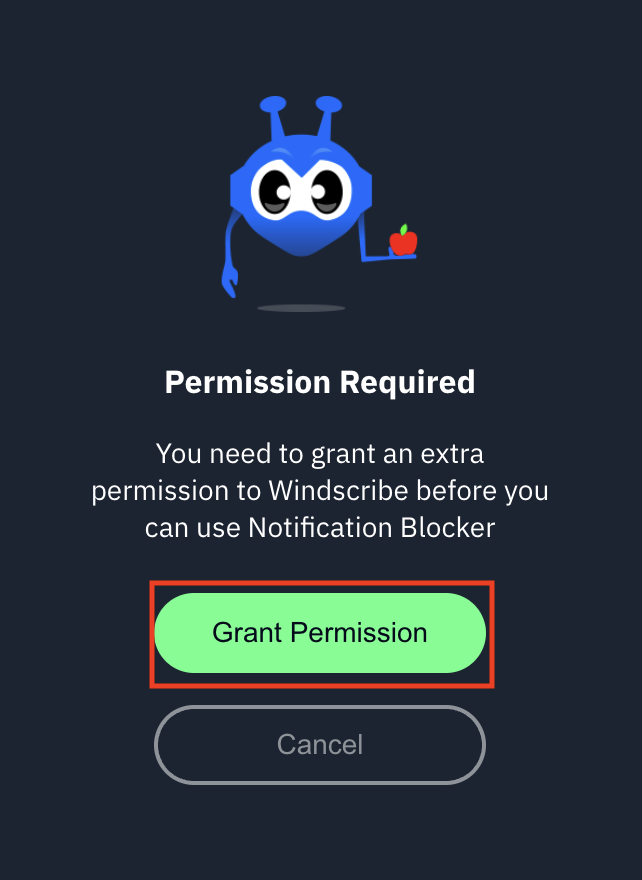
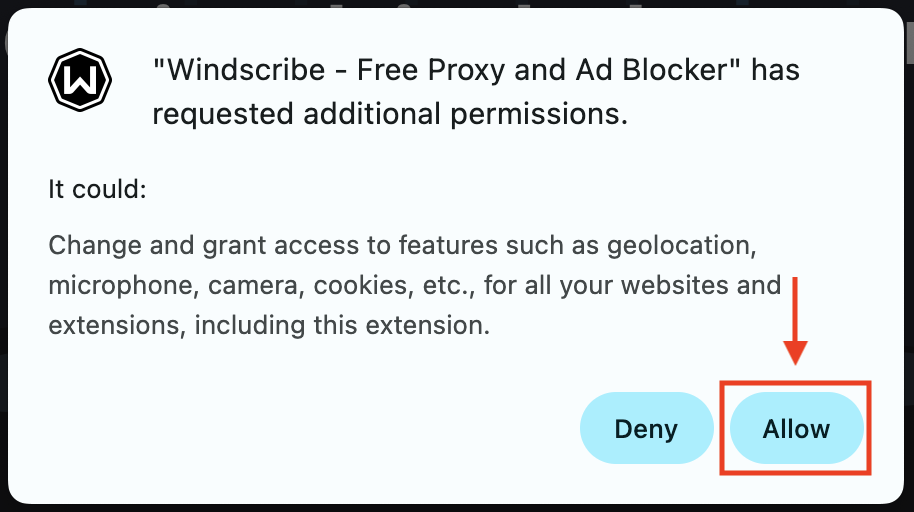
Zodra dit is voltooid, kunt u de schakelaar aan (blauw) en uit zetten om de functie te gebruiken:
Ontdek deze en andere privacyfuncties in onze uitgebreide VPN Chrome-extensie.