

Wat is "Cookie Go Away" in de browserextensie?


De functie Cookie Go Away in de Windscribe-browserextensie blokkeert al die vervelende "Wij gebruiken cookies"-banners op de websites die je bezoekt.
Je kunt deze functie in de extensie openen door het menu Blocker te openen via de rechterbovenhoek van de hoofdinterface van de extensie, en vervolgens omlaag te scrollen om Cookie Go Away te vinden. 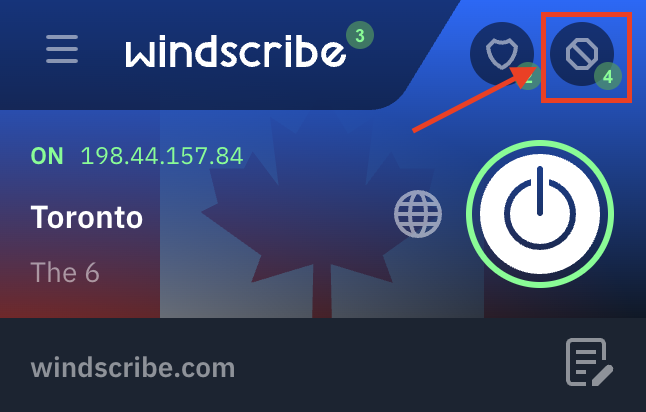
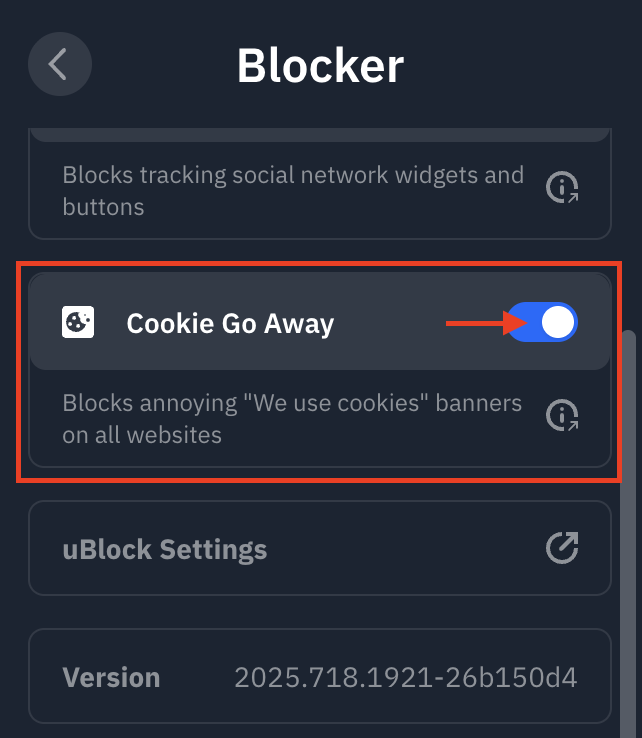
De schakelaar verschijnt blauw wanneer deze functie is ingeschakeld.
Wees gerust, we zeggen niet stiekem "Ja" tegen alle cookies. Deze functie schakelt een filterlijst in (met behulp van het ingebouwde uBlock-hulpprogramma in de Windscribe-extensie) die bekende cookiepopups blokkeert/verwijdert, zodat het verzoek gewoon nooit wordt gedaan door de webpagina's die je bezoekt.
Cookie Go Away is slechts een van de vele privacyfuncties in onze Windscribe VPN voor Chrome, ontworpen om je uitgebreide controle over je browse-ervaring te geven.