

Wat doet "LAN-verkeer toestaan"?


Door LAN-verkeer toe te staan kun je verbinding maken met andere apparaten op hetzelfde netwerk. Dit is handig voor printen, netwerktoegang tot bestanden en het is de voornaamste reden waarom we het hebben toegevoegd: Chromecast.
Zonder deze optie ingeschakeld is je apparaat beschermd tegen andere apparaten op hetzelfde netwerk wanneer de VPN actief is — handig op openbare wifi op plekken zoals cafés of luchthavens, of als je samenwoont met mensen die je niet volledig vertrouwt maar die dezelfde router gebruiken.
LAN-verkeer toestaan inschakelen
Weergegeven in de desktop-app — dezelfde instructies gelden voor de Android-app*. Deze optie is niet beschikbaar in de iOS-app.
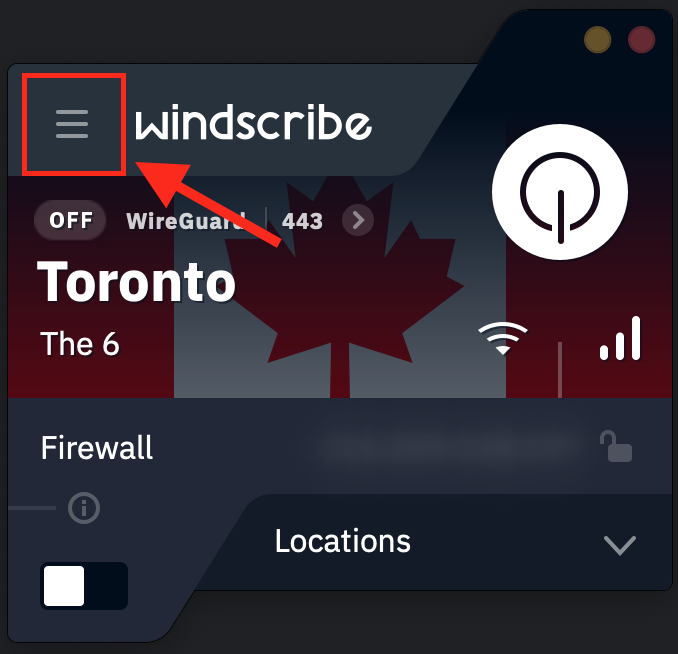
- Open de Windscribe-app en tik op de menuknop linksboven
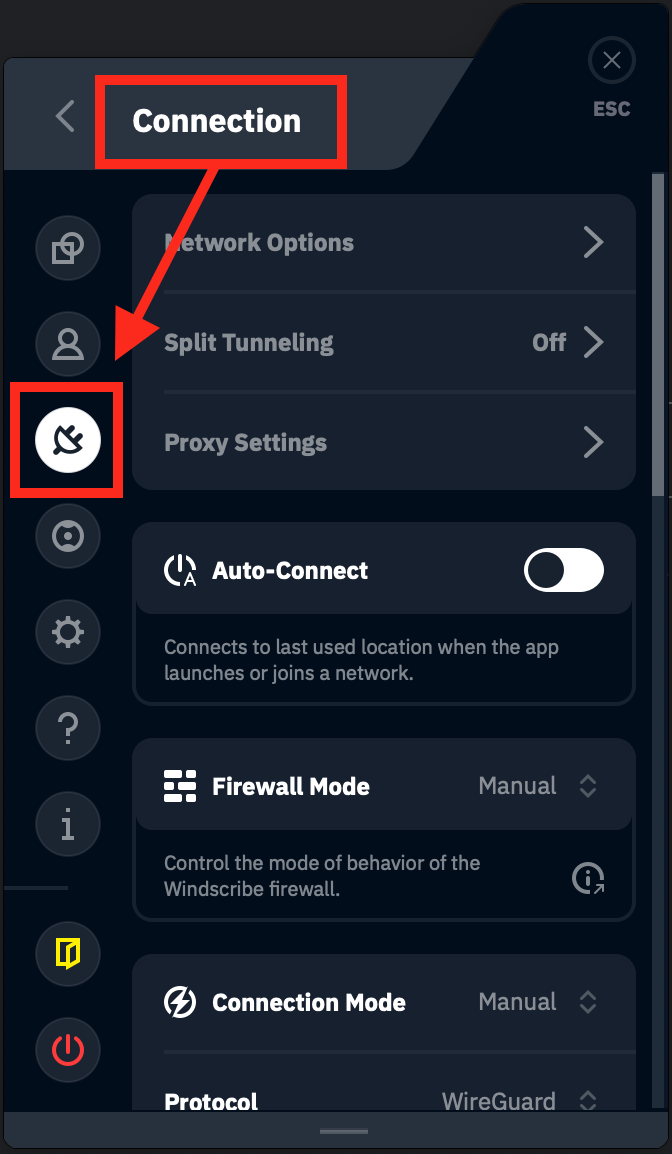
- Ga naar het submenu Verbinding
- Scroll naar beneden naar LAN-verkeer toestaan
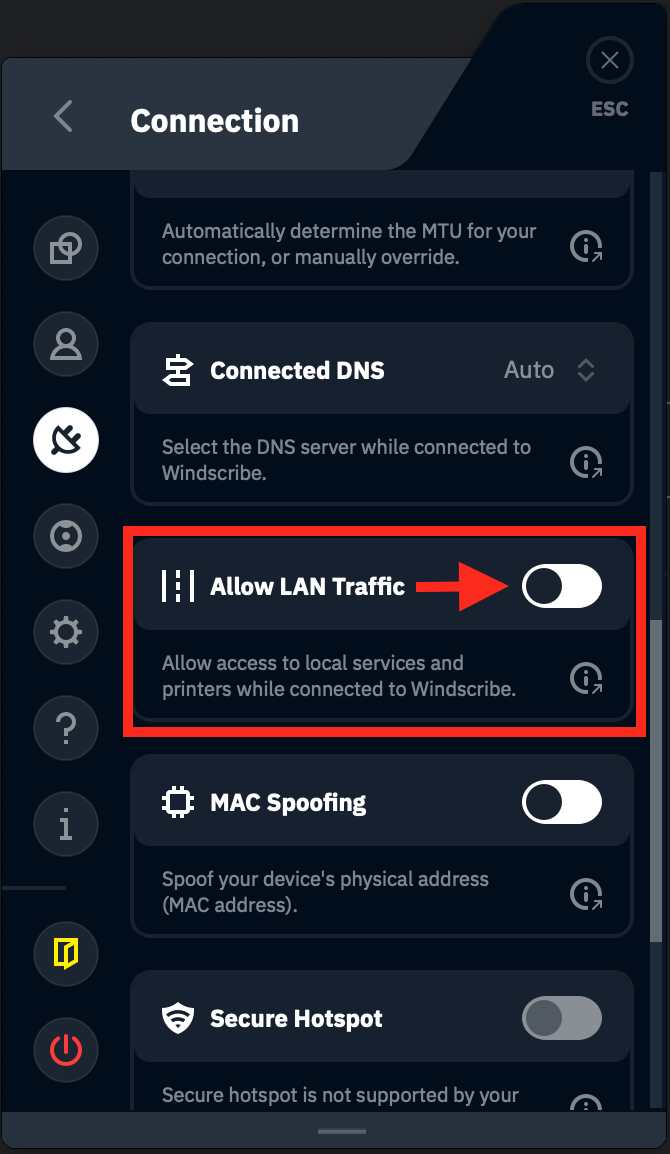
- Zet de schakelaar aan om LAN-verkeer toe te staan. Wanneer dit correct is gedaan, verschijnt deze optie als groen
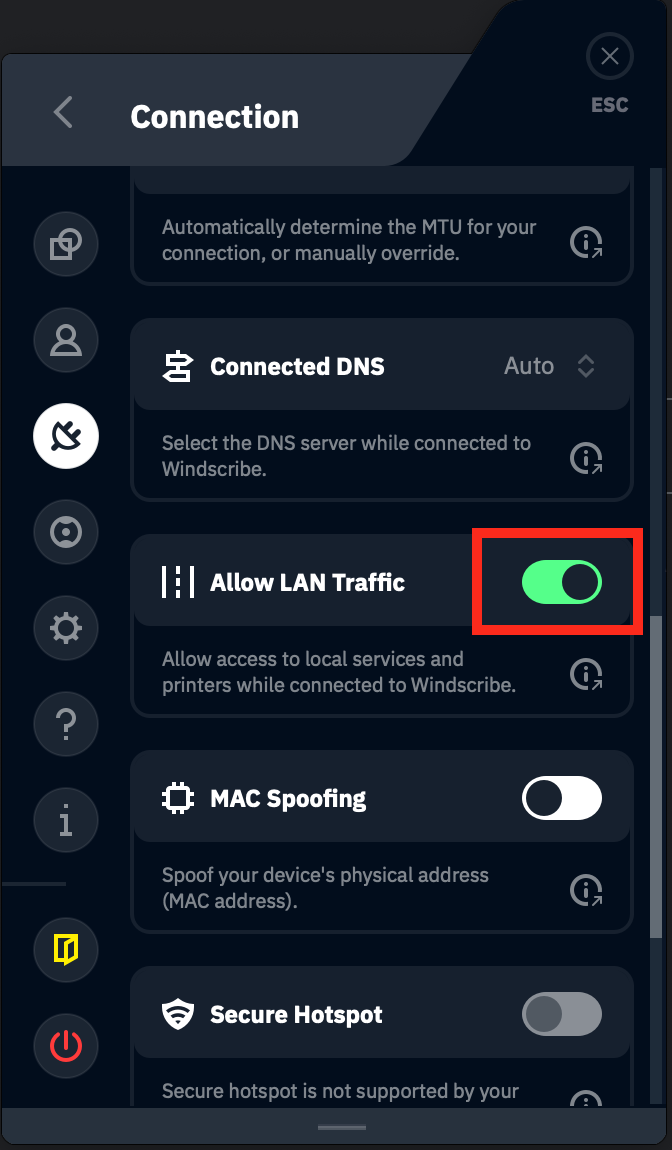
Dat is alles! Je hebt LAN-verkeer ingeschakeld. Je zou nu met alle andere apparaten op je netwerk moeten kunnen communiceren.
*Android-instellingen hebben een optie om "Verbindingen zonder VPN blokkeren". Deze instelling MOET uitgeschakeld zijn als je toegang wilt tot andere apparaten op je netwerk terwijl je nog verbonden bent met de VPN.