

Verbindingsproblemen in Iran met de mobiele app


We doen wat we kunnen om gebruikers in Iran te helpen verbinding te maken met de VPN, maar we kunnen momenteel geen garanties geven dat het zal werken vanwege de zware internetbeperkingen daar.
Hier zijn enkele suggesties om te proberen of je verbinding kunt maken:
Probeer eerst onze functie Censuur omzeilen in te schakelen via Voorkeuren > Verbinding.
Deze functie maakt deel uit van onze uitgebreide Windscribe Android-app die is ontworpen om beperkingen te omzeilen met geavanceerde protocollen en mogelijkheden voor censuuromzeiling."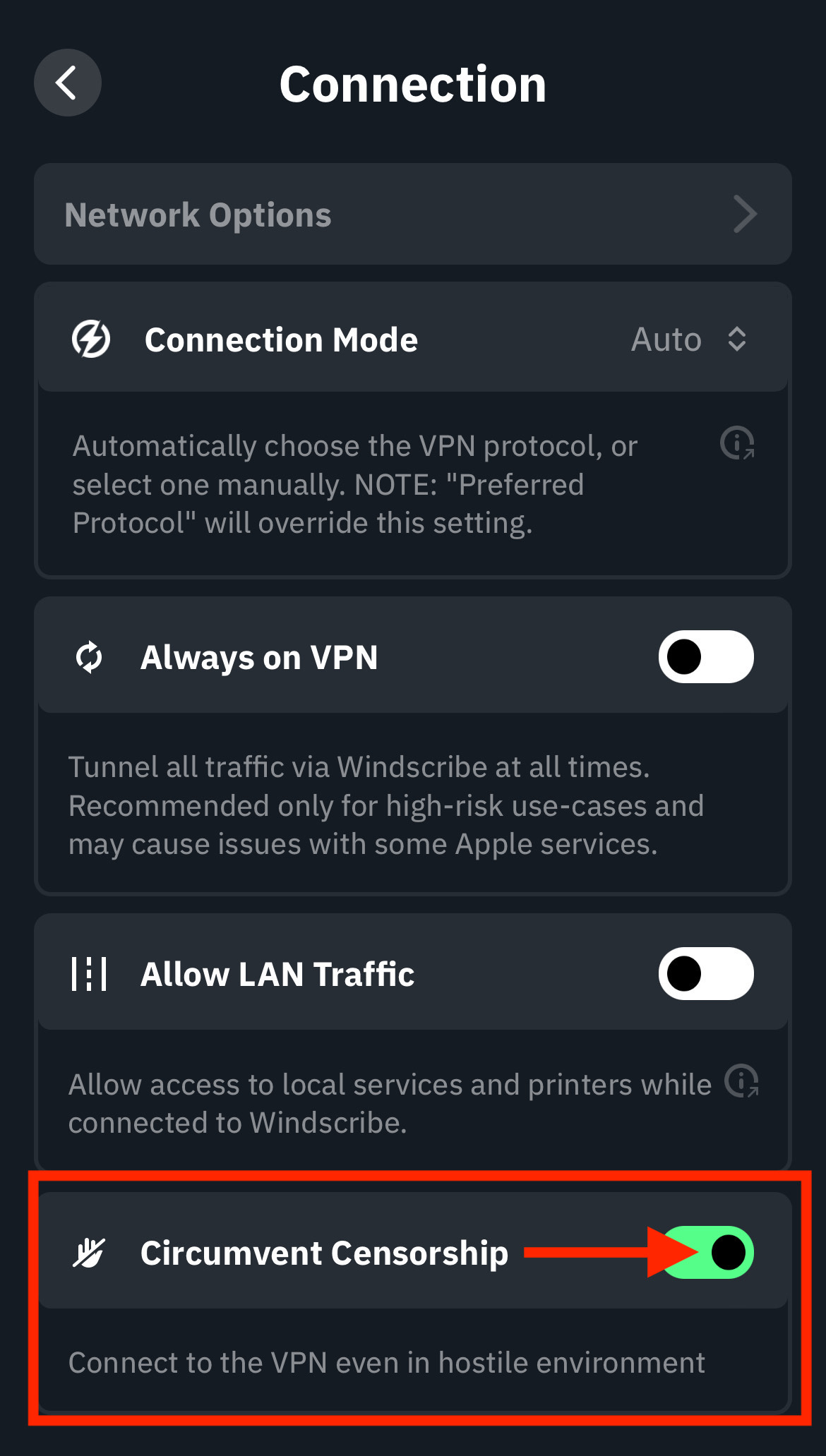
Probeer vervolgens verbinding te maken met meerdere servers om te zien of een van hen voor jou werkt.
Als dit niet werkt, probeer dan het protocol te wijzigen. Dit kun je doen via Voorkeuren > Verbinding met deze instellingen:
Verbindingsmodus: Handmatig
Protocol: Stealth
Poort: 443
Probeer na het doorvoeren van die wijzigingen opnieuw verbinding te maken met meerdere servers om te zien of een van hen verbinding maakt. Als je nog steeds problemen hebt, probeer deze instellingen met meerdere VPN-servers:
Verbindingsmodus: Handmatig
Protocol: WStunnel
Poort: 443
Probeer na het doorvoeren van die wijzigingen opnieuw verbinding te maken met meerdere servers om te zien of een van hen verbinding maakt.
Als je nog steeds verbindingsproblemen hebt, kijk dan of je toegang kunt krijgen tot een ander netwerk. Schakel bijvoorbeeld WiFi uit en gebruik mobiele data of verbind je met een ander WiFi-netwerk als dat mogelijk is. Volg dan dezelfde stappen hierboven om te proberen verbinding te maken met de VPN.
Als je na dit alles nog steeds problemen ondervindt, laat het ons weten door een ticket in te dienen en we kijken wat we verder kunnen doen.