

Verbindingsproblemen in Iran met de desktopapp


We doen wat we kunnen om gebruikers in Iran te helpen verbinding te maken met de VPN, maar er zijn momenteel geen garanties dat dit zal werken vanwege hoe zwaar het internet daar beperkt is.
Hier zijn enkele suggesties om aan uw kant te proberen om te zien of u verbinding kunt maken:
Functie Censuur omzeilen
Schakel eerst onze Censuur omzeilen-functie in via Voorkeuren > tabblad Verbinding:
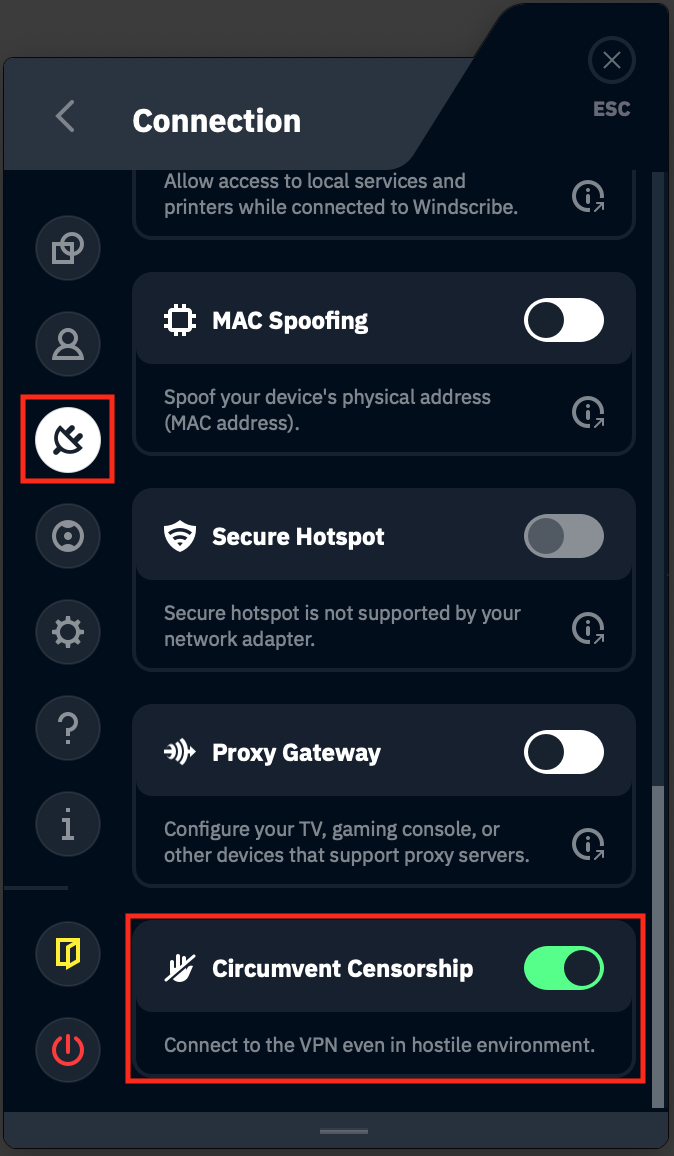
Meerdere locaties proberen
Probeer vervolgens verbinding te maken met meerdere servers om te zien of een van hen voor u werkt. Vaak zijn sommige locaties geblokkeerd maar werken andere prima.
VPN-protocollen wijzigen
Als het wijzigen van locaties niet werkt, probeer dan het protocol te wijzigen. U kunt dit doen door naar Voorkeuren > Verbinding te gaan en deze instellingen te gebruiken:
Verbindingsmodus: Handmatig
Protocol: Stealth
Poort: 443
Probeer na het aanbrengen van deze wijzigingen opnieuw verbinding te maken met meerdere servers om te zien of een van hen verbinding maakt. Als u nog steeds problemen ondervindt, probeer dan in plaats daarvan deze instellingen met meerdere VPN-servers:
Verbindingsmodus: Handmatig
Protocol: WStunnel
Poort: 443
De browserextensie van Windscribe proberen
U heeft mogelijk meer succes met de browserextensie van Windscribe. Deze zal alleen de browser-internettoegang deblokkeren, maar als niets anders werkt, is dit mogelijk uw beste optie.
U kunt de extensie hier ophalen:
Chrome - https://chrome.google.com/webstore/detail/windscribe-free-proxy-and/hnmpcagpplmpfojmgmnngilcnanddlhb
Firefox - https://addons.mozilla.org/en-US/firefox/addon/windscribe/
Na het installeren van de extensie logt u in en probeert u verbinding te maken met enkele servers.
Als u na dit alles nog steeds problemen ondervindt, laat het ons dan weten door een ticket in te dienen en we zullen kijken wat er nog gedaan kan worden.