

IP-vastpinnen instellen

Rebecca Rosenberg
Nov 26, 2025

Met IP-vastpinnen kun je verbinding maken met hetzelfde IP-adres elke keer dat je verbinding maakt met een specifieke locatie. Het is handig voor services die geen nieuwe IP bij elke sessie kunnen hebben, zoals bankieren of werkdashboards.
Opmerking: deze functie is voor Pro-gebruikers en Build A Plan-gebruikers (alleen betaalde locaties)
Hoe je het inschakelt in de app:
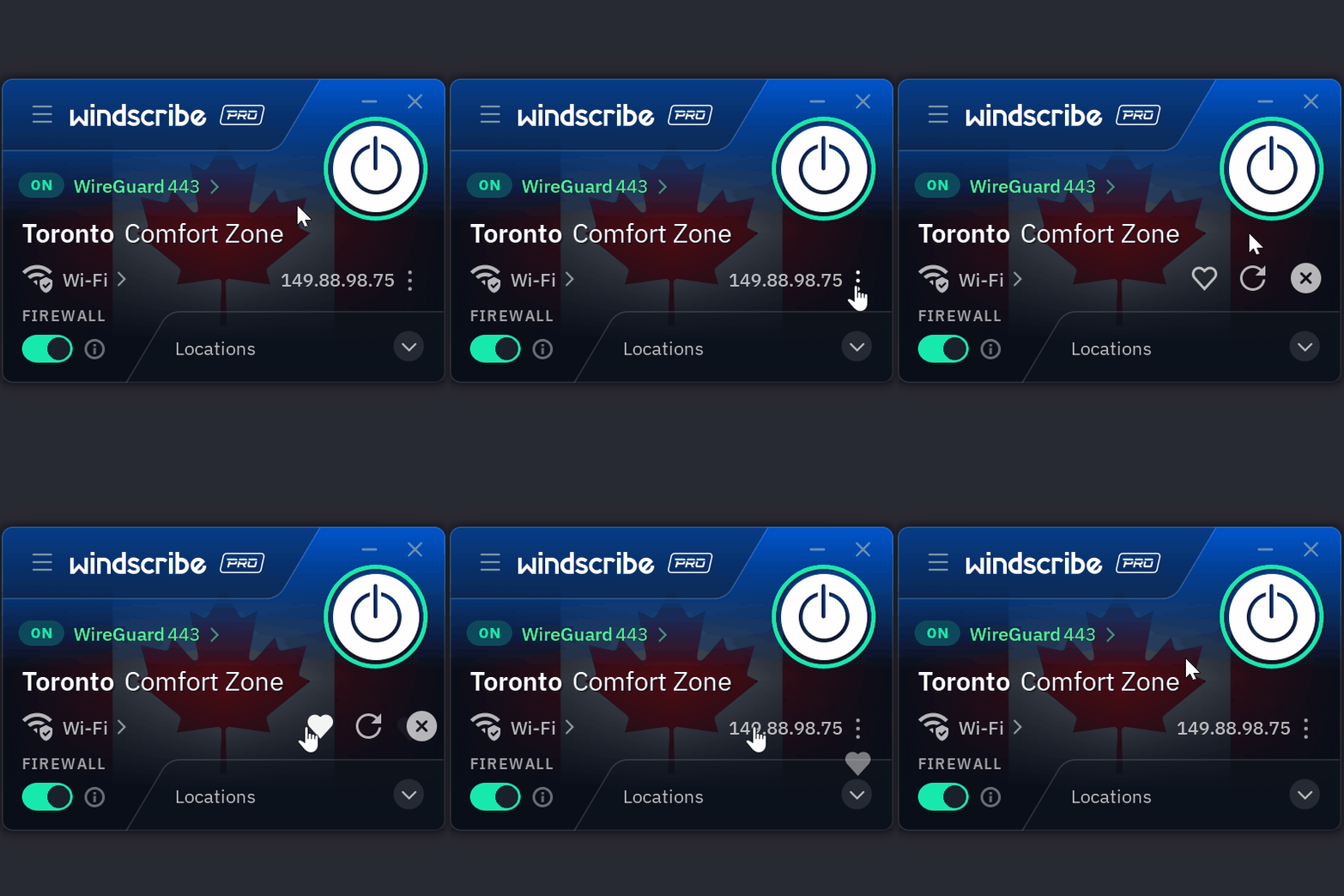
- Klik terwijl je verbonden bent in de Windscribe-app op de drie puntjes naast je verbonden IP
- Klik op het Hartpictogram
- Je IP is nu vastgepind
Windscribe doet zijn best om je elke keer opnieuw met dat IP-adres te verbinden.
Meer details? Lees de volledige blog hier.
Disclaimer: vastgepinde IP's zijn op basis van best-effort. Als het IP wordt ingetrokken, moet je een nieuwe kiezen.