Windscribe
FunctiesAbonnementenDownloadenInloggen
Windscribe
DownloadenWijzigingslogboekPrijzenShopOndersteuningFunctiesOpen sourceEen vriend uitnodigenGratis DNSEthiek en filosofieVPN-servers
Apps
VPN voor WindowsVPN voor AndroidVPN voor MacVPN voor LinuxVPN voor ChromeVPN voor FireTVVPN voor FirefoxVPN voor Apple TVVPN voor MS EdgeVPN voor HuaweiVPN voor iPhoneVPN voor routersWindscribe F-Droid
Bedrijf
Over onsPrivacyVoorwaardenVDPVacaturesBlogInfoGang
Windscribe logo
YouTube
Reddit
Discord
X
Telegram
Instagram
TikTok
© 2026 Windscribe Limited
How to Rotate Your IP
Author
Rebecca Rosenberg
Nov 26, 2025
Divider
Help
>
Guides

IP Rotation lets you instantly switch to a new IP address without disconnecting. Helpful if your current IP is blocked or you just want a fresh one.

Note: this feature is for Pro users and Build A Plan users (paid locations only)

How to enable it in the app:

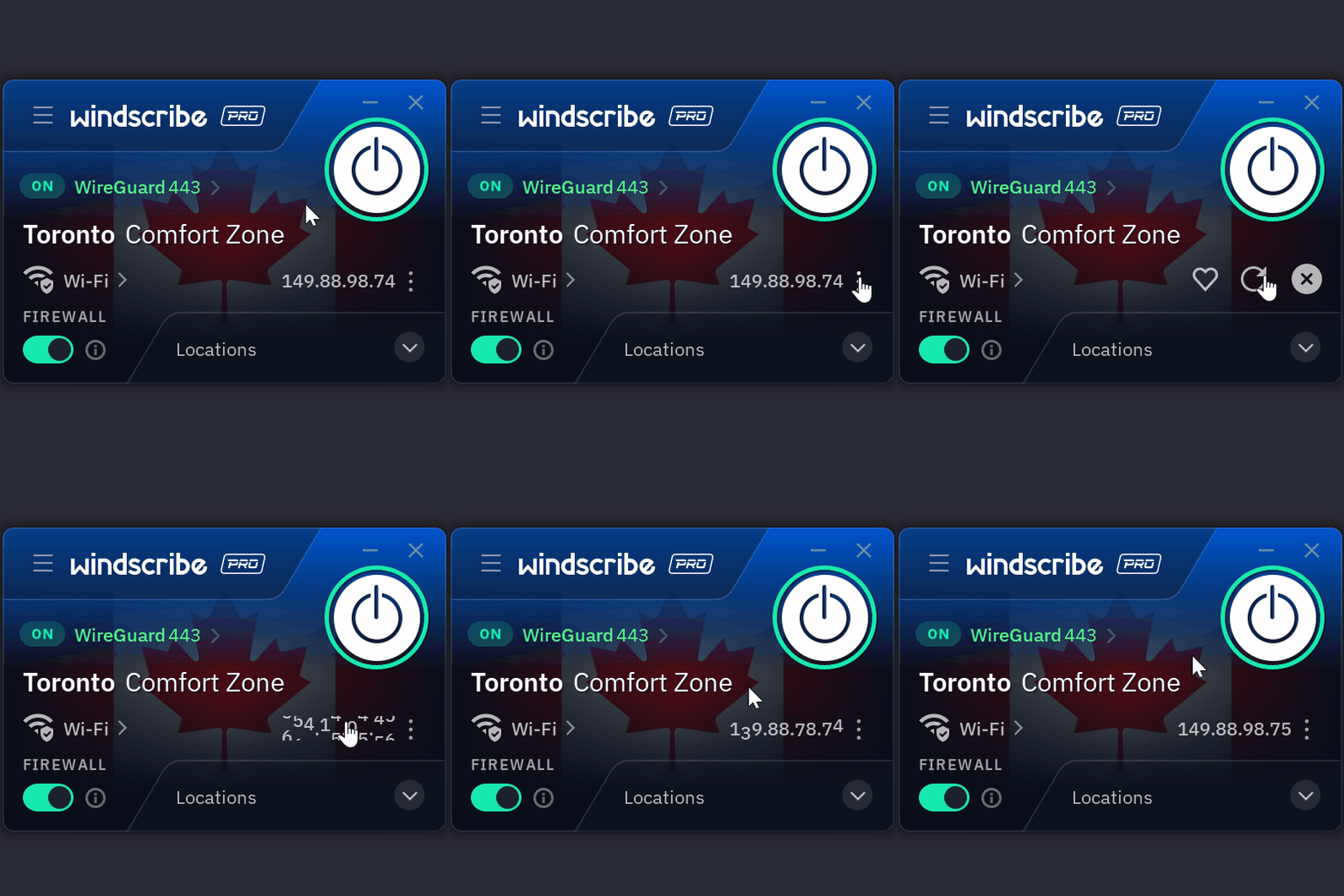
1 IP Rotation Screenshot

  1. While connected in the Windscribe app, click on the three dots next to your connected IP

  2. Click on the circular arrow

  3. Your IP has now been rotated and you have a new IP

No reconnects, no interruptions.

Want more details? Read the full blog here.


Get in touch

r/Windscribe

Find solutions, discuss ideas and share your feelings on our subreddit.

Discord

Join the discussion with our active community and make real friends!

Contact Support

Feeling completely lost? Contact Support.