

De iOS-app opnieuw installeren


Om Windscribe opnieuw te installeren op uw iOS-apparaat, moet u eerst de huidige app verwijderen door deze stappen te volgen.
Houd eerst het Windscribe-pictogram op uw apparaatscherm ingedrukt totdat het trilt en het scherm voor het verwijderen van de app verschijnt.
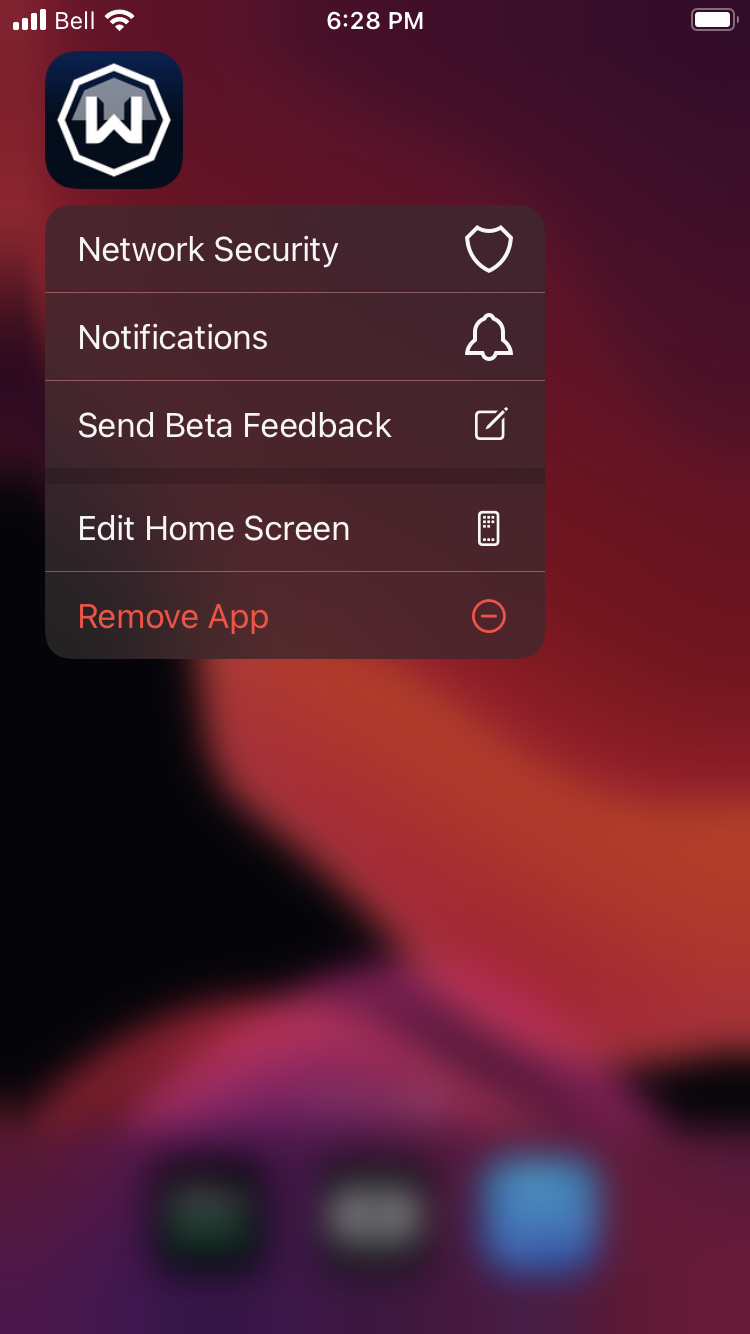
Tik op "App verwijderen" en vervolgens op "App verwijderen".
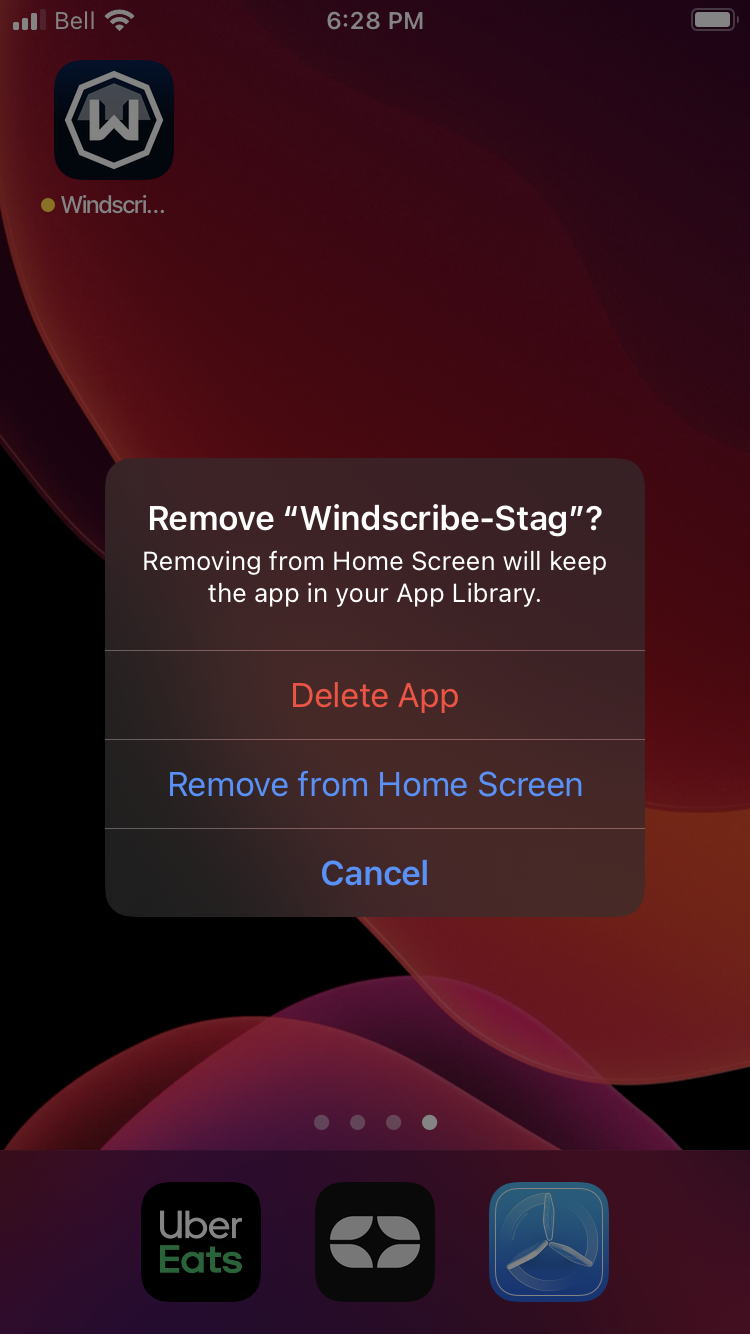
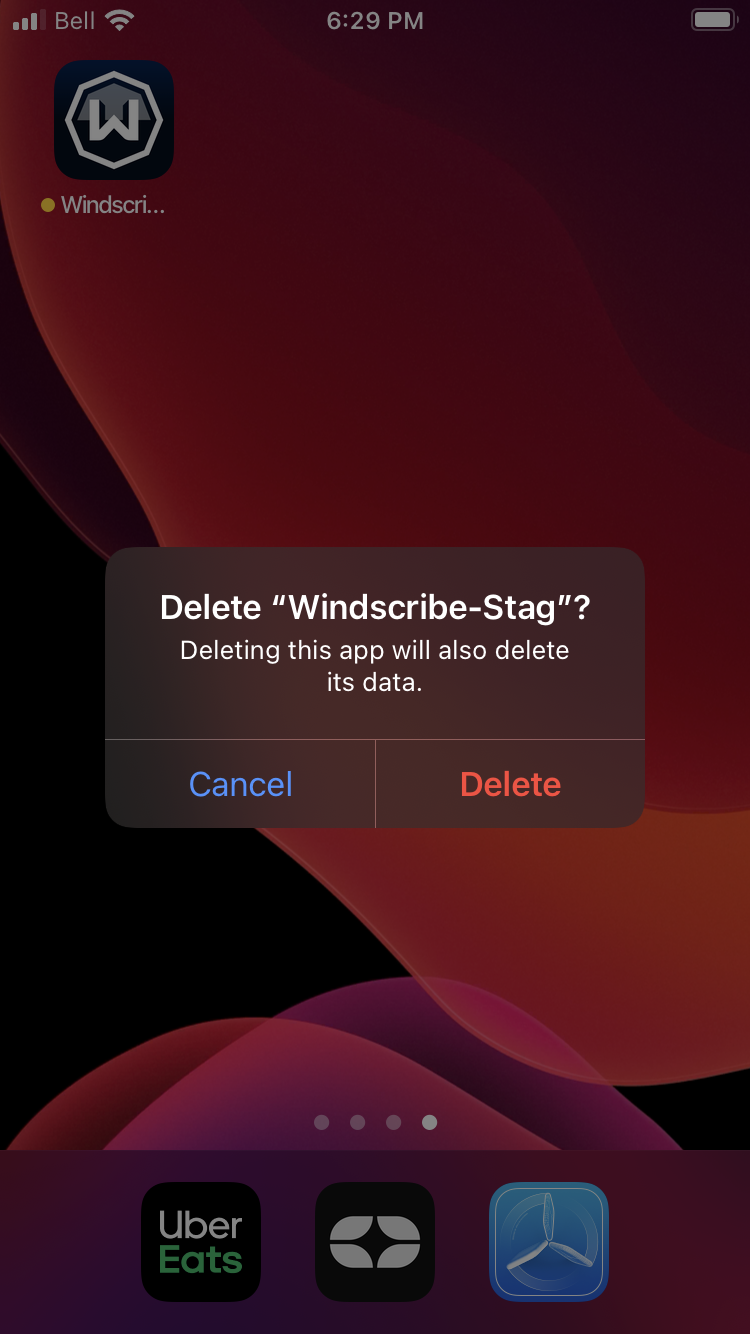
Tik vervolgens op "Verwijderen" om de app van uw apparaat te verwijderen. Verwijder ook eventuele andere versies die u heeft, zoals testversies, als u die ook wilt verwijderen.
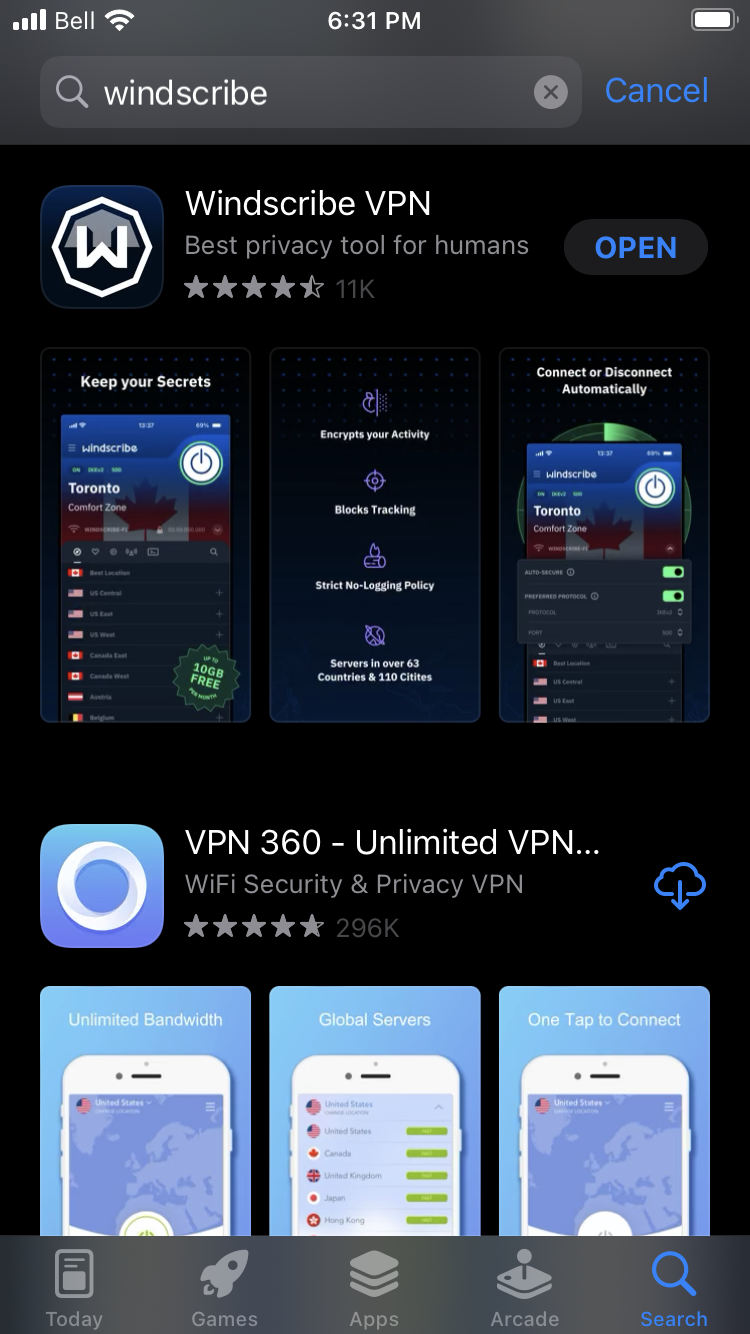
Ga vervolgens naar de App Store en download Windscribe opnieuw. Open de applicatie en meld u aan bij uw account.
Na het opnieuw installeren kunt u alle functies ontdekken die beschikbaar zijn in onze VPN voor iPhone, inclusief geavanceerde beveiligingsprotocollen en privacybescherming die speciaal zijn ontworpen voor iOS-apparaten.