Windscribe
FunctiesAbonnementenDownloadenInloggen
Windscribe
DownloadenWijzigingslogboekPrijzenShopOndersteuningStatusFunctiesOpen sourceEen vriend uitnodigenGratis DNSEthiek en filosofieVPN-servers
Apps
VPN voor WindowsVPN voor AndroidVPN voor MacVPN voor LinuxVPN voor ChromeVPN voor FireTVVPN voor FirefoxVPN voor Apple TVVPN voor MS EdgeVPN voor HuaweiVPN voor iPhoneVPN voor routersWindscribe F-Droid
Bedrijf
Over onsPrivacyVoorwaardenVDPVacaturesBlogInfoGang
Windscribe logo
YouTube
Reddit
Discord
Twitter
Telegram
Instagram
TikTok
© 2026 Windscribe Limited
How do I reinstall the Windscribe Mac app?
Author
Winder S
Oct 17, 2025
Divider
Help
>
About
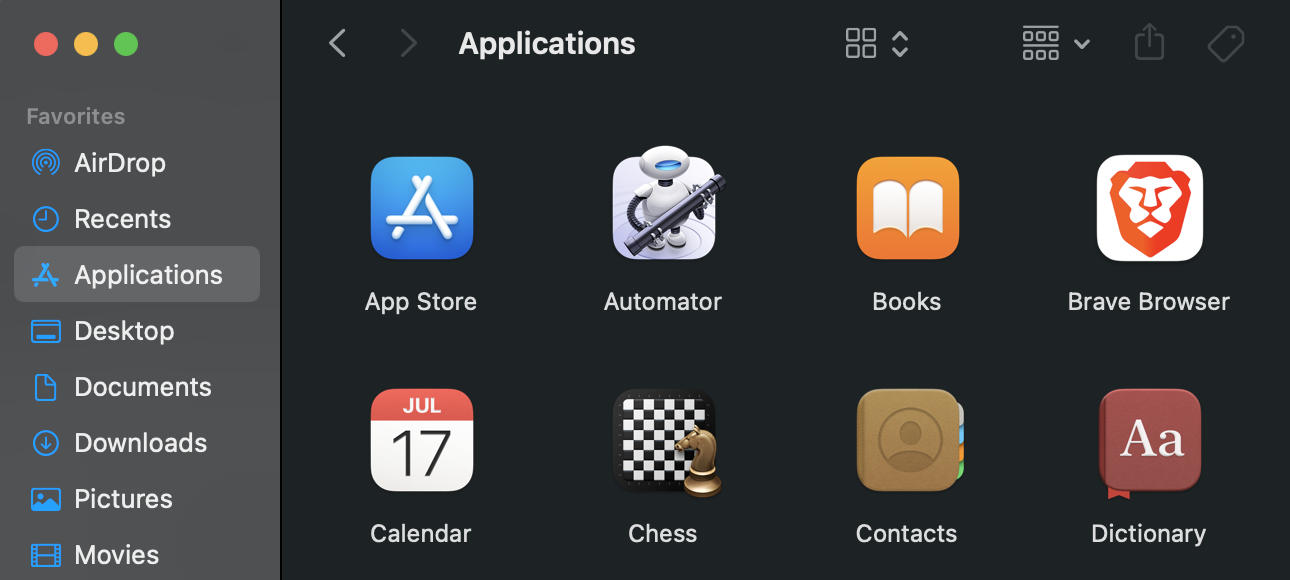
  1. Open Finder and go to the Applications folder in the sidebar. 
    Image (6)
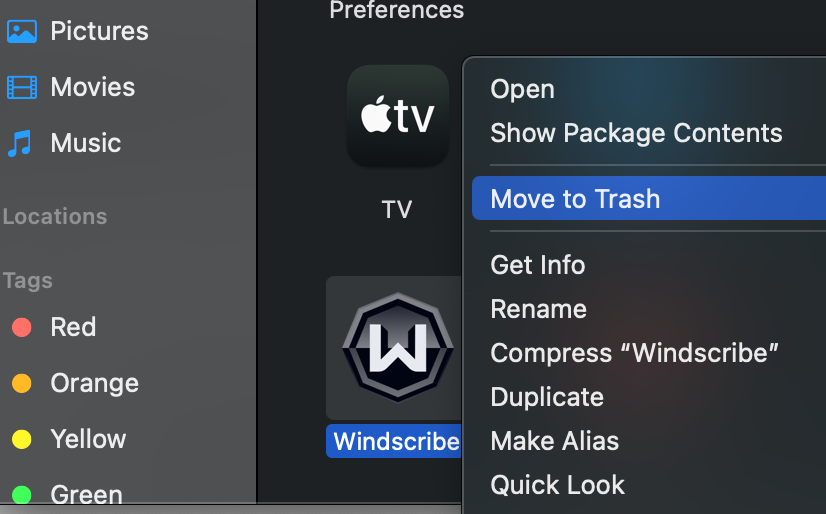
  2. Drag the Windscribe app to the Trash folder on Dock, or select the app and choose File > Move to Trash. You can also right-click the app and select Move to Trash.
    Image (7)
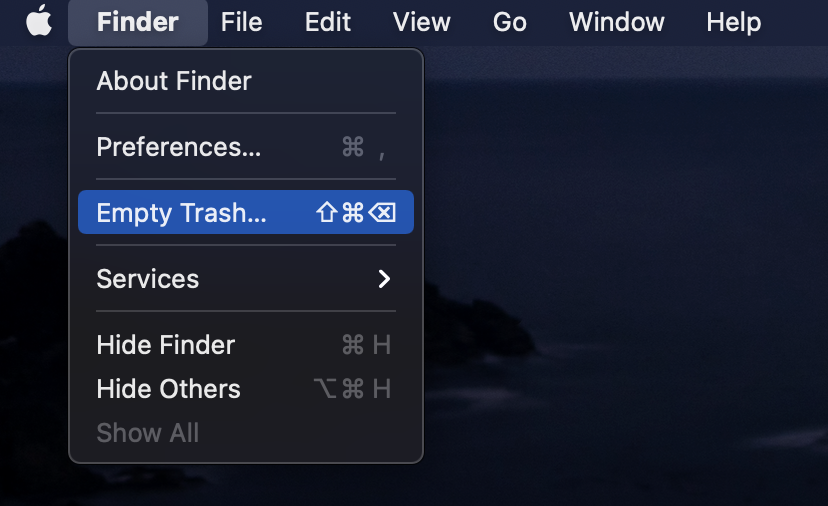
  3. Once the app has been moved to the trash, to completely delete the app, choose Finder > Empty Trash. You can also reboot your system at this point to clear out any potential temporary files.
    Image (8)
  4. Download the Windscribe VPN desktop app for Mac
  5. Click on the downloaded installer file to begin the installation.
  6. Once the installer finishes, you can then open Windscribe again, login and connect to the VPN.
Get in touch

r/Windscribe

Find solutions, discuss ideas and share your feelings on our subreddit.

Discord

Join the discussion with our active community and make real friends!

Contact Support

Feeling completely lost? Contact Support.