

Hoe kan ik Windscribe gebruiken als mijn netwerk het blokkeert?


Je kunt een restrictief netwerk overwinnen door onze desktop-app te gebruiken. We hebben verschillende verbindingsprotocollen die je kunt inschakelen om netwerkbeperkingen te omzeilen. Je kunt een combinatie van protocollen en poorten proberen om te vinden wat het beste werkt.
Zo verander je je Protocol en poorten in je desktop-app:
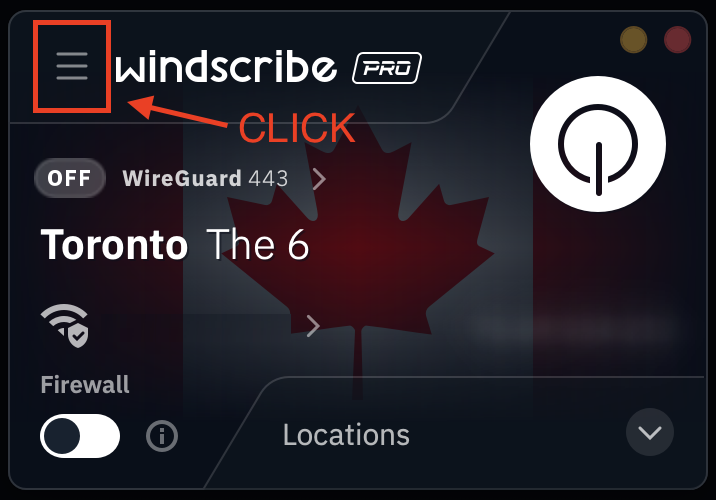
1. Klik op het pictogram Voorkeuren/Menu in de linkerbovenhoek van de app
2. Klik op het submenu/-tabblad Verbinding (stekerpictogram)
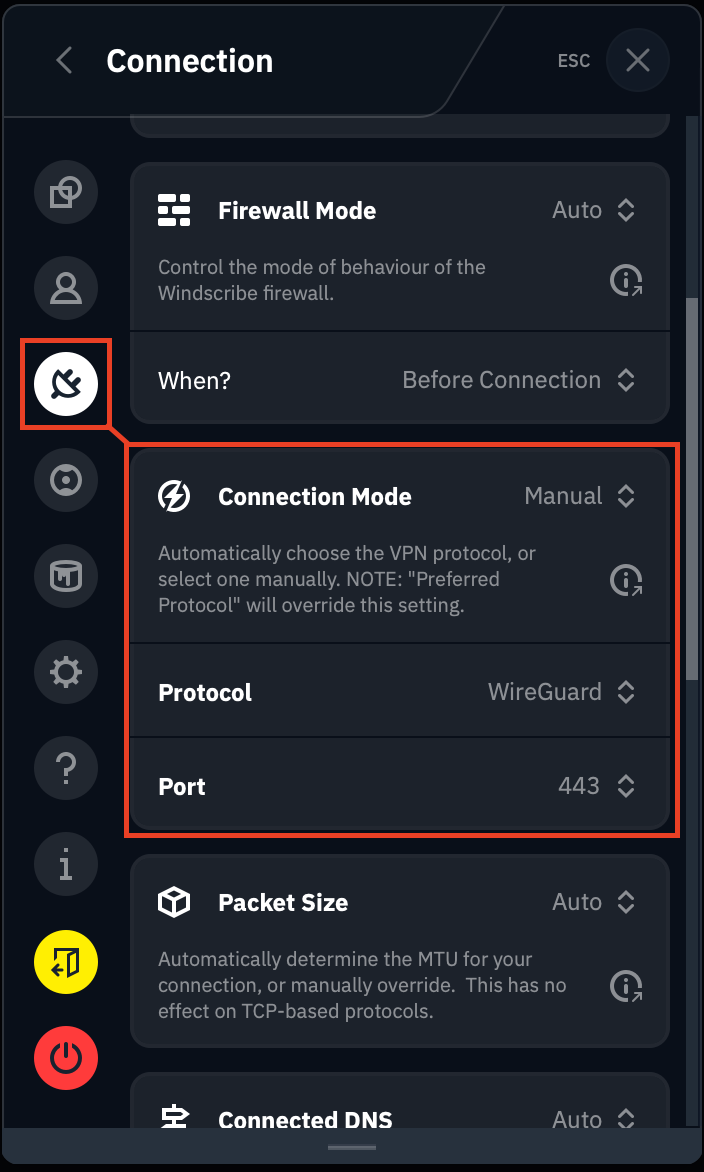
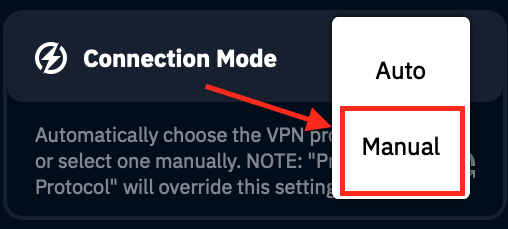
3. Klik op de optie Verbindingsmodus en selecteer Handmatig
4. Selecteer vervolgens een nieuw protocol uit de lijst met opties
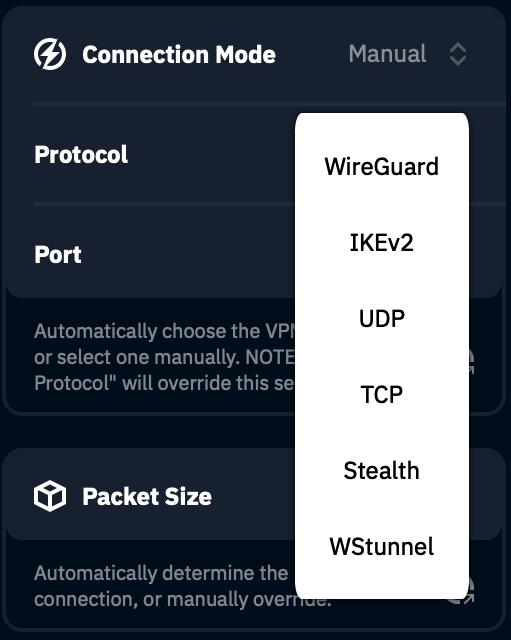
Voor gebruikers op restrictieve netwerken zoals een school, werkplek of openbare WiFi is het Stealth-protocol een goed startpunt. Mogelijk moet je verschillende protocollen uitproberen om er een te vinden die werkt. Proberen en fouten maken is de enige manier om dit te bepalen.
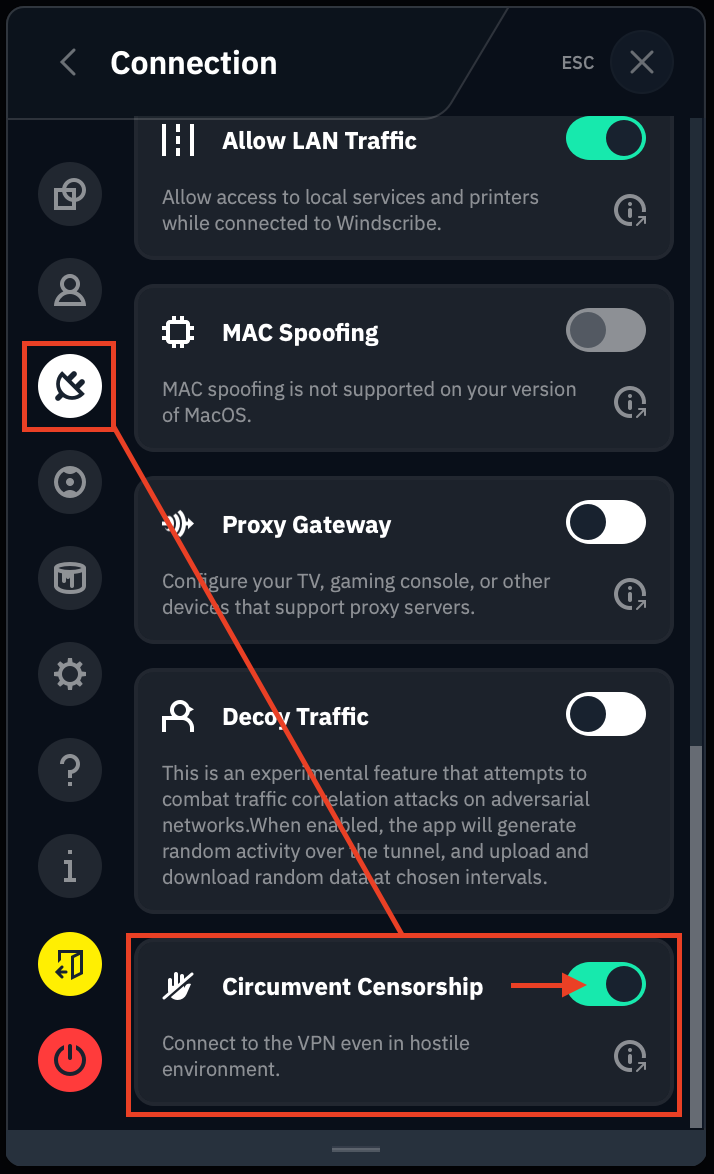
Als je zich in een restrictieve of sterk gecensureerde regio bevindt, overweeg dan ook onze functie Censuur omzeilen in te schakelen. Deze staat ook in het Verbindingsmenu:
Zodra je je gewenste protocol hebt geselecteerd, probeer opnieuw verbinding te maken. Als je al verbonden bent, zorg er dan voor dat je de verbinding verbreekt en opnieuw verbinding maakt na het wijzigen van het protocol (of de poort) om de wijzigingen te activeren.