

Hoe kan ik mijn gebruikersnaam wijzigen?


Sinds november 2025 kunnen Pro-gebruikers hun gebruikersnaam zelf wijzigen op het tabblad Account in Mijn account:
- Klik in de kaart Accountgegevens op Bewerken (het potloodpictogram) in de rij Gebruikersnaam.
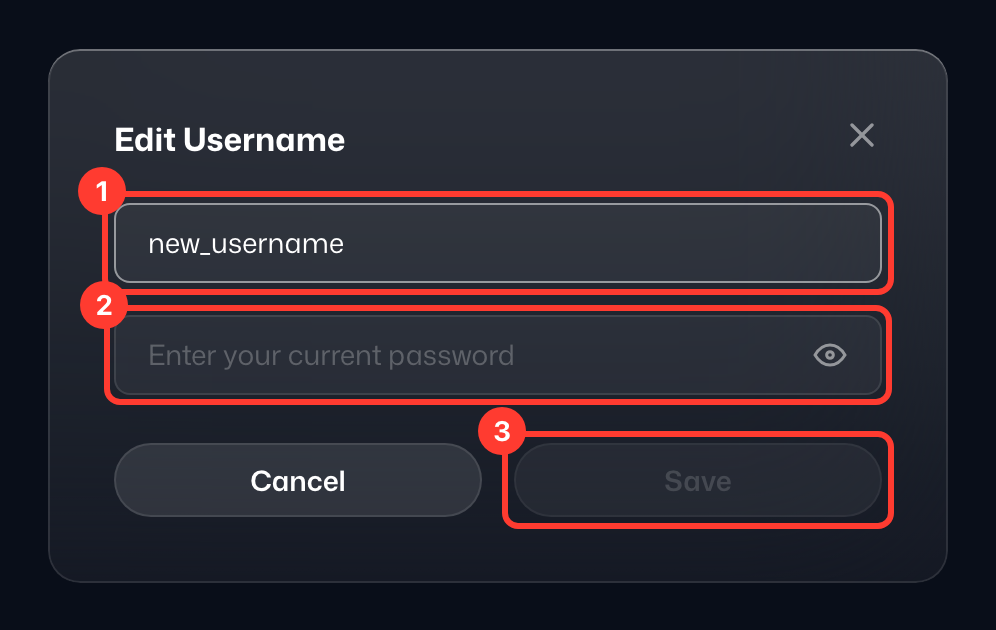
- Vul in het venster Gebruikersnaam bewerken de velden Nieuwe gebruikersnaam (1) en Huidig wachtwoord (2) in.
- Klik op Opslaan (3).
- De melding Gebruikersnaam bijgewerkt bevestigt de wijziging.
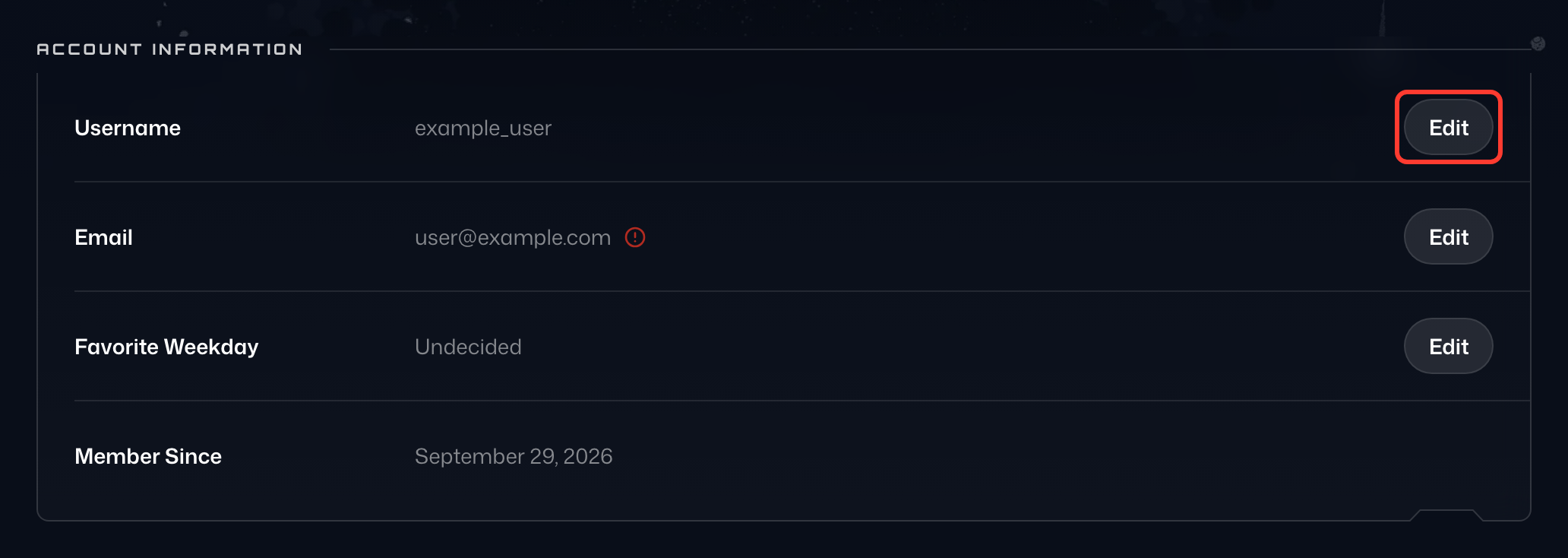
Bij een gratis account staat in de rij Gebruikersnaam in plaats daarvan Upgrade om te wijzigen.
Als je problemen hebt of geen Pro hebt, neem dan contact op met ons supportteam (https://windscribe.com/contact-support) via Garry (onze handige supportbot) met 3 keuzes voor je nieuwe gebruikersnaam, op volgorde van voorkeur. We passen degene toe die beschikbaar is.
Houd er rekening mee dat we miljoenen geregistreerde gebruikers hebben, dus de meest voorkomende gebruikersnamen zullen al in gebruik zijn (probeer getallen toe te voegen).
Als je account een betaald abonnement bevat, voeg dan op verzoek ook de details van je laatste betaling toe als eigendomsbewijs.