


Door de recente internetbeperkingen in Rusland kun je mogelijk problemen ondervinden bij het verbinden met de Russische VPN-locaties. Probeer het volgende om verbinding te maken.
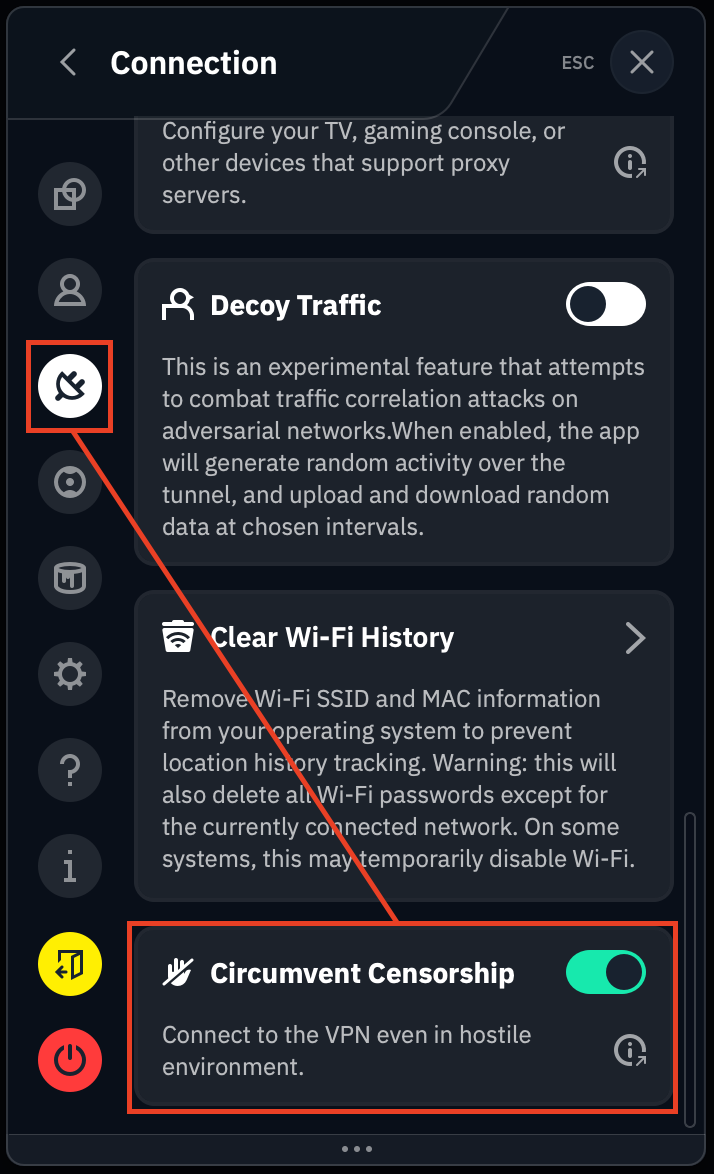
Schakel eerst onze Censuur omzeilen-functie in via het tabblad Voorkeuren > Verbinding:
Probeer vervolgens verbinding te maken met meerdere servers om te zien of een van hen werkt. Er zijn gewoonlijk meerdere opties beschikbaar voor de Russische locatie; probeer ze allemaal, want de ene werkt misschien niet maar een andere wel.
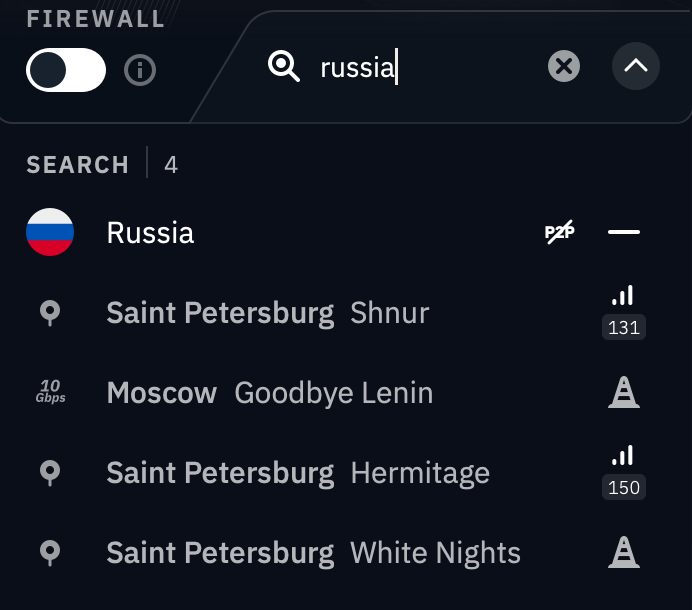
Sommige locaties zijn mogelijk al geblokkeerd afhankelijk van jouw regio, en de serverstatus zelf.
Als het bovenstaande niet werkt, moet je mogelijk Double Hop gebruiken om verbinding te maken met een Russische server. Dit werkt alleen op een desktopcomputer omdat het vereist dat je een browserextensie installeert, en het stuurt alleen je browserverkeer door de Russische VPN-locatie. Alle andere apps worden getunneld via de locatie die is gekozen in de desktop-app.
Download en installeer onze desktop-app en browserextensie: https://windscribe.com/download
Verbind in de desktop-app met een locatie zoals Canada of de VS.
Terwijl je verbonden blijft in de desktop-app, ga je terug naar de browserextensie en zou je opnieuw verbinding met Rusland moeten kunnen maken.