


Split Tunneling is beschikbaar voor Windows-gebruikers via IP/Hostname of app. Hier lees je hoe je deze functie op je Windows-apparaat inschakelt:
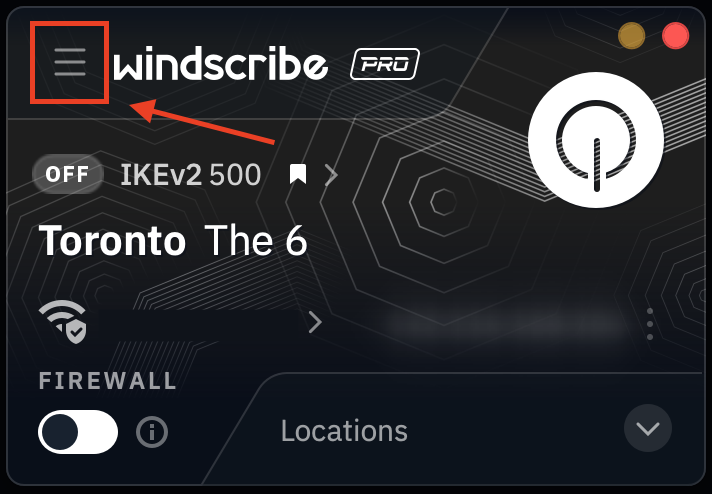
Open de Windscribe-desktopapp en klik op de knop Preferences/Menu linksboven
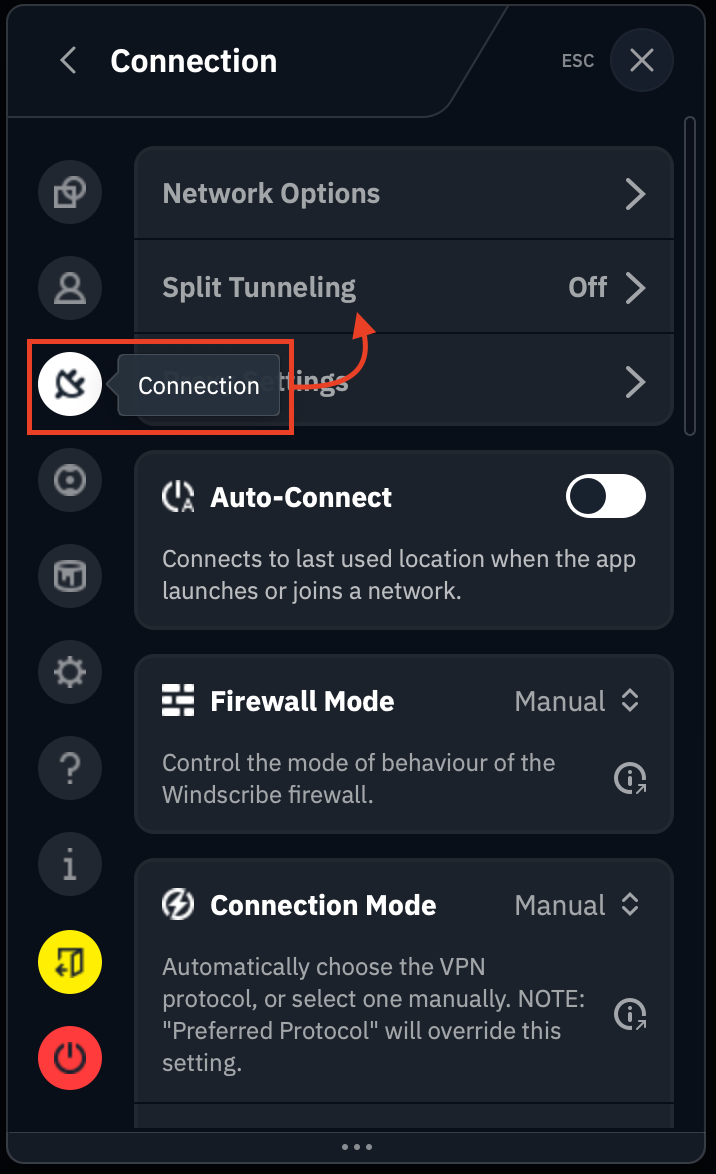
Ga naar het tabblad/submenu Connection (stekker-icoon) & selecteer de optie Split Tunnel
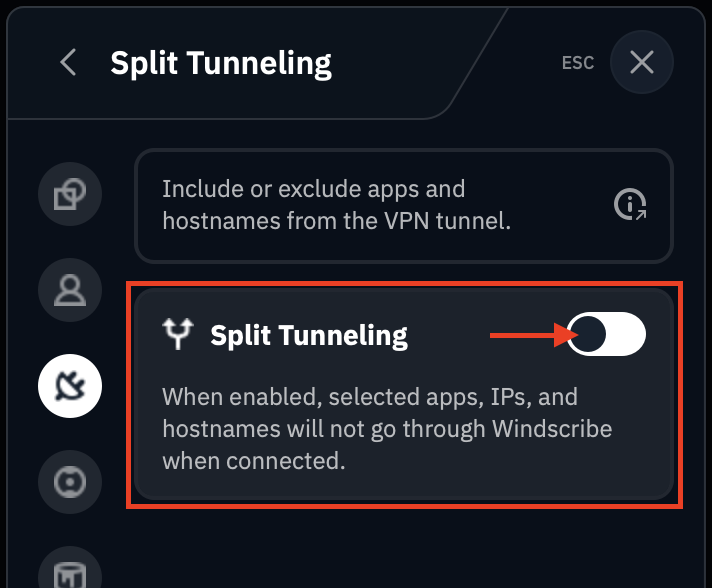
Zet de schakelaar op de positie AAN (groen)
Kies de Split Tunneling-modus die je wilt gebruiken: Exclusive of Inclusive
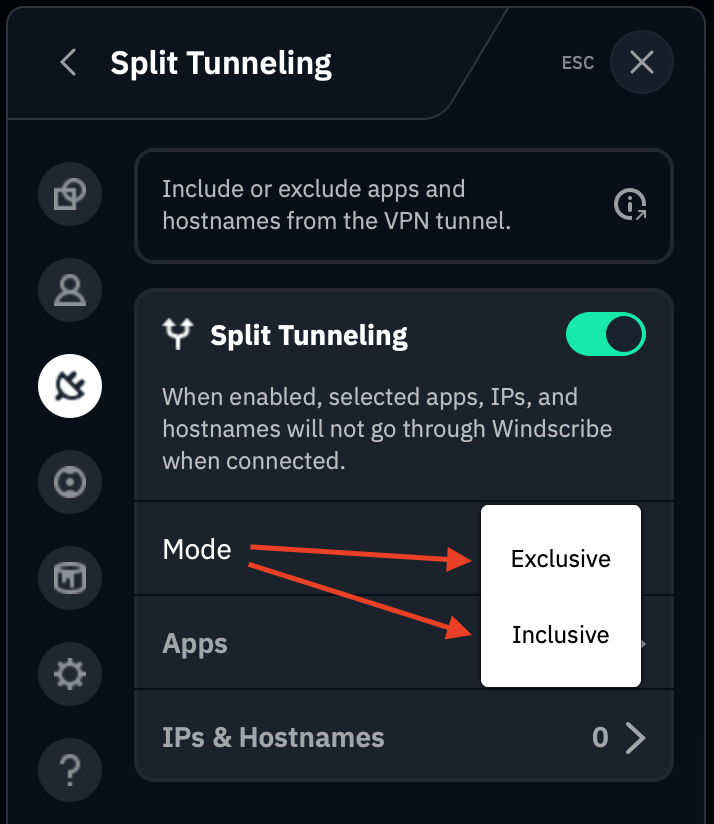
Op dit punt moet je kiezen hoe je je Split Tunnel-lijst wilt samenstellen: via App of IP/Hostname.
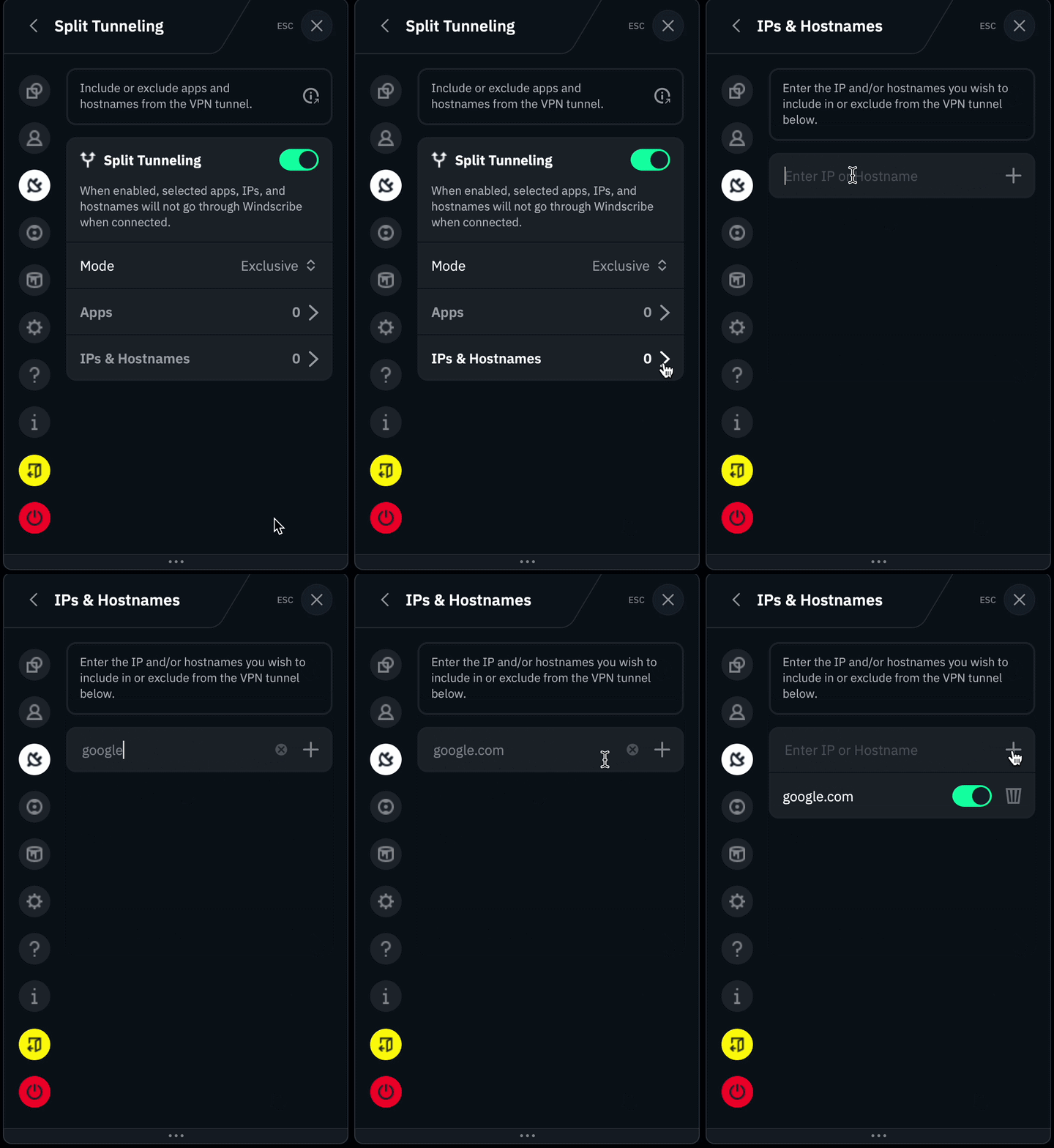
Applicaties toevoegen
Let op: alleen traditionele software die wordt uitgevoerd vanuit een uitvoerbaar bestand (.exe) wordt ondersteund. Windows-apps die zijn gedownload vanuit de Microsoft Store, zoals Mail, werken anders en zijn niet compatibel met Split Tunneling.
Er zijn twee manieren om applicaties te selecteren voor de Split Tunneling-functie van de desktopclient:
Zoekfunctie/Recent geopend (dit is de eenvoudigste van de twee methoden)
Druk op de optie Apps om de lijst met applicaties te openen die aan de Split Tunneling-lijst zijn toegevoegd
Klik op het zoekicoon om een korte lijst van recent geopende applicaties te openen. Let op: er wordt alleen gezocht in de meest recente applicatielijst, niet in alle applicaties op de computer
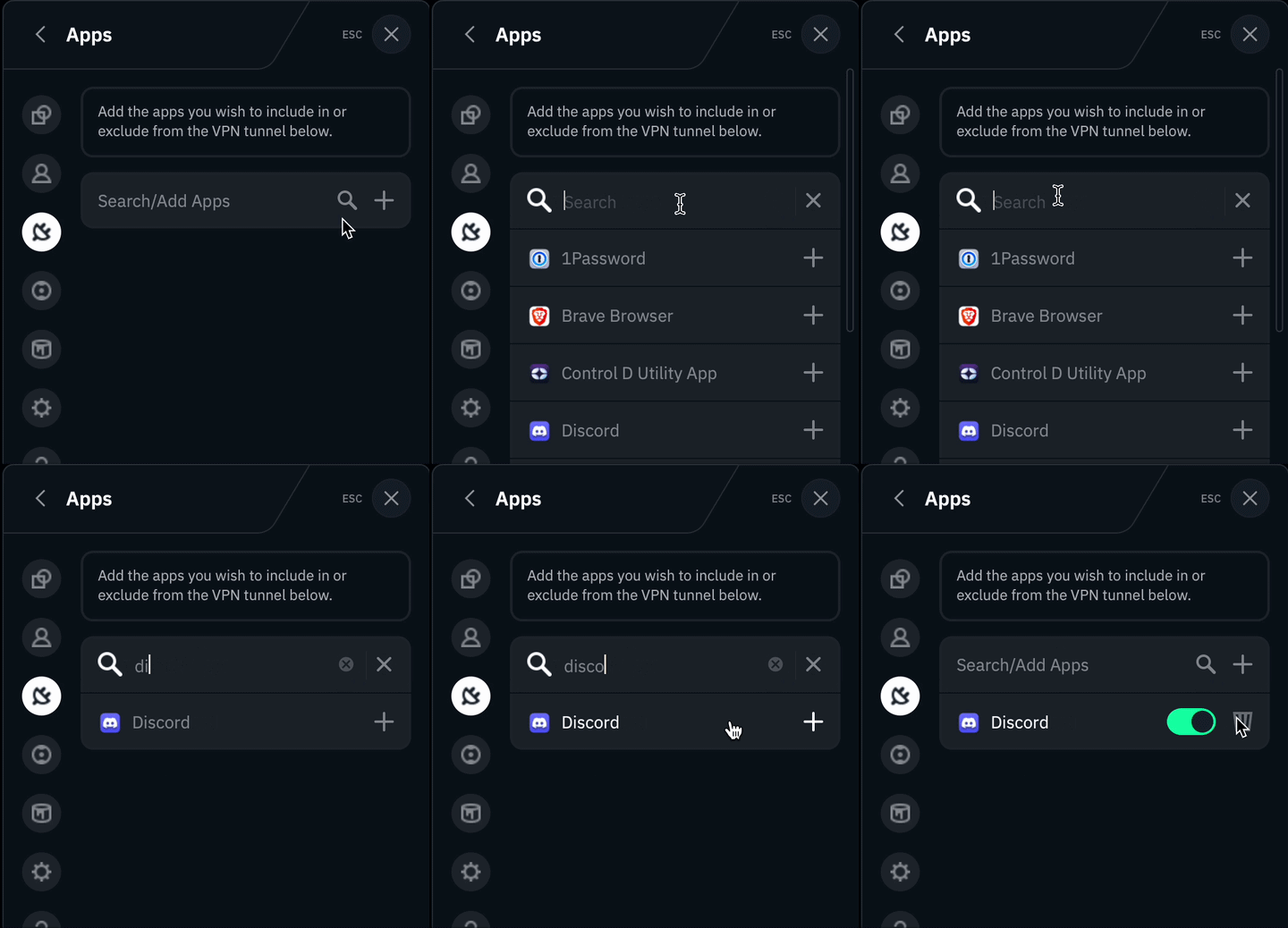
Je kunt ook het +-icoon gebruiken om handmatig te zoeken naar specifieke applicaties (.exe) op je apparaat.