The less you do, the more you earn. FuttBux Rewards are live. Earn now.

Windscribe
Apps
Company


© 2026 Windscribe Limited
The less you do, the more you earn. FuttBux Rewards are live. Earn now. 

Two ways to allow ads on a specific site
The Windscribe browser extension supports three Allowlist functions:
The Allow Connection option allows users to have specific domains go through their ISP connection rather than the extension's proxy. To do this, please perform the following:

The Allow Ads option enables users to let advertisements come through the extension's proxy for specific websites. This function can be executed without having to disable the Ad Blocker function completely. To do so, please perform the following:

Finally, the Allow Privacy Settings function lets users to disable the Privacy Settings they've enabled for certain domains. To do so, please perform the following:

To confirm any of these changes, once you've refreshed you should see a green checkmark in the bottom right corner of the extension to let you know that your settings have been applied to the current domain you're visiting

In order to disable the ad blocker function from the extension for a specific website, you need to Allowlist the domain using the Allow Ads function. There are two ways to go about this.
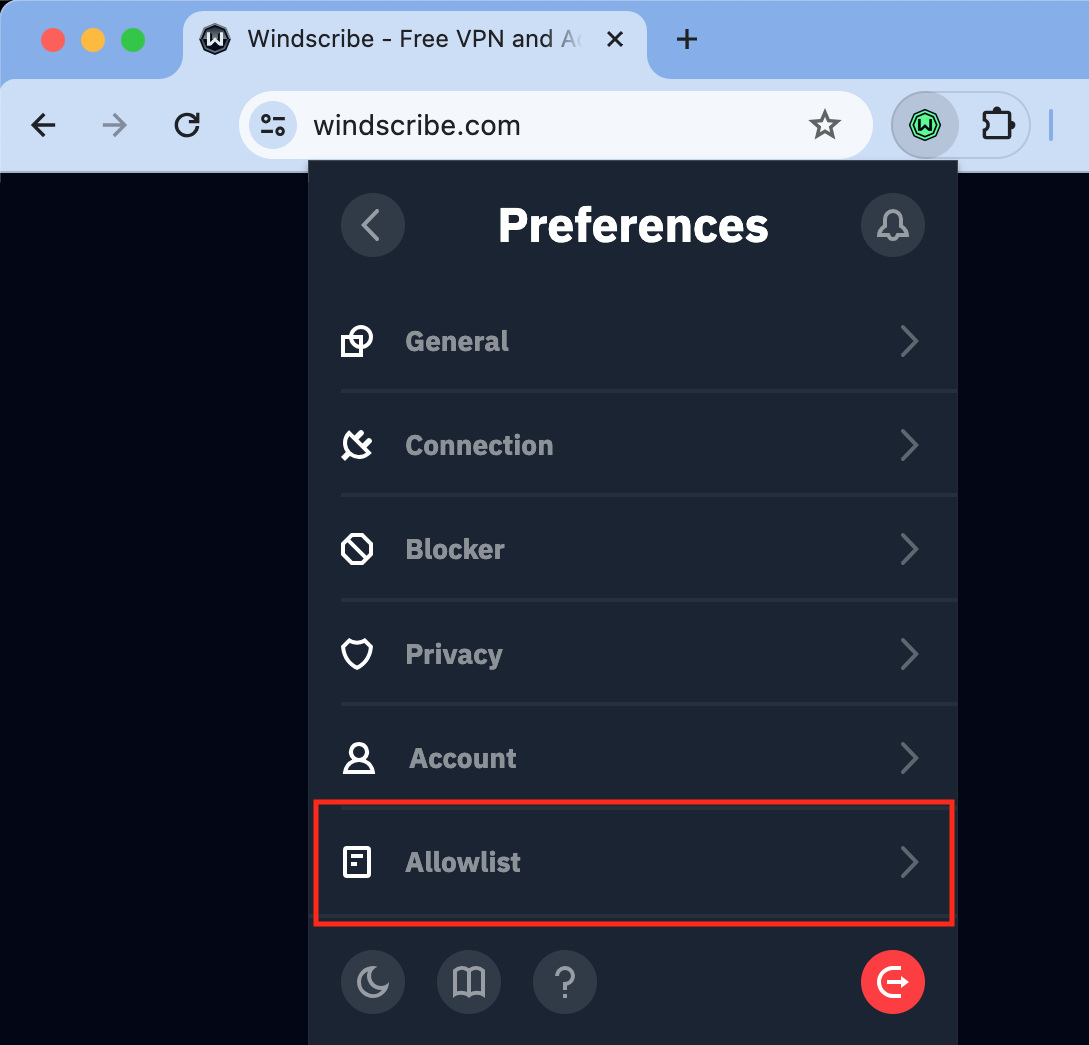
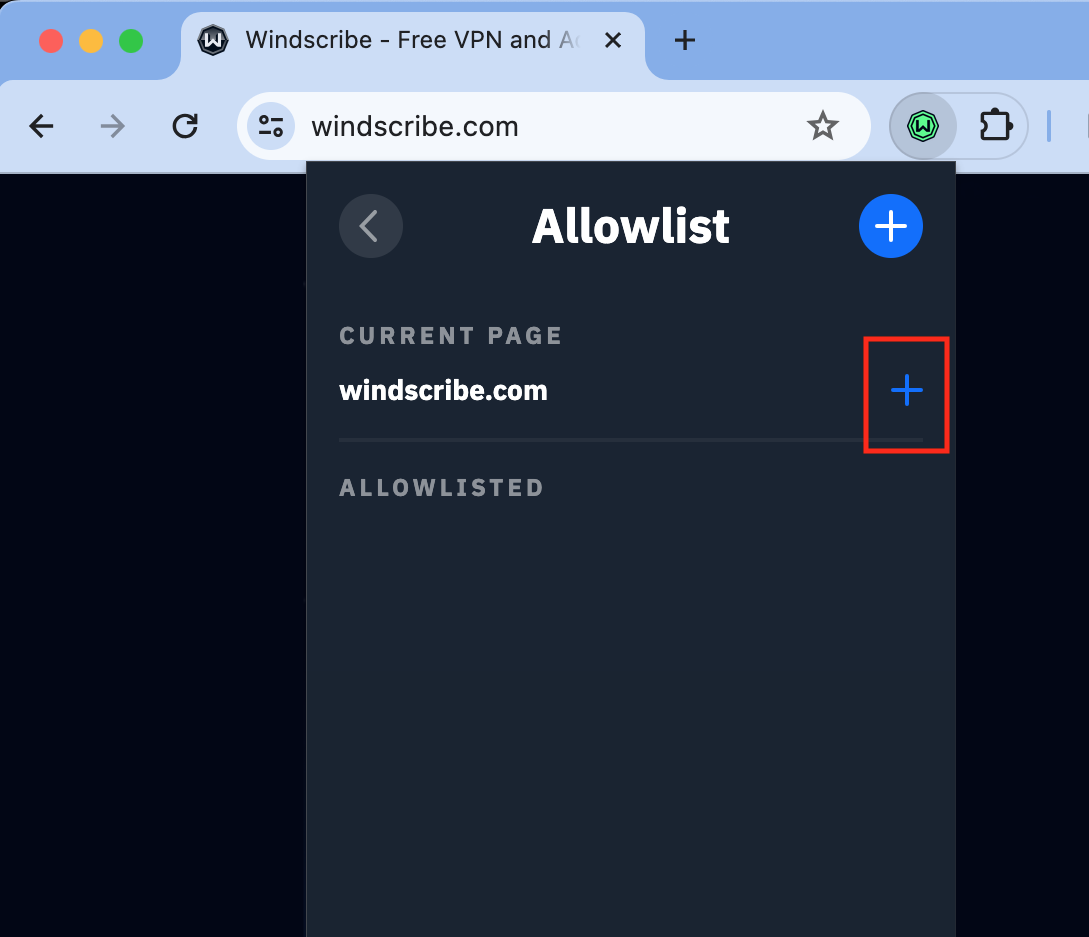
The first way is to manually add the domain to the extension:
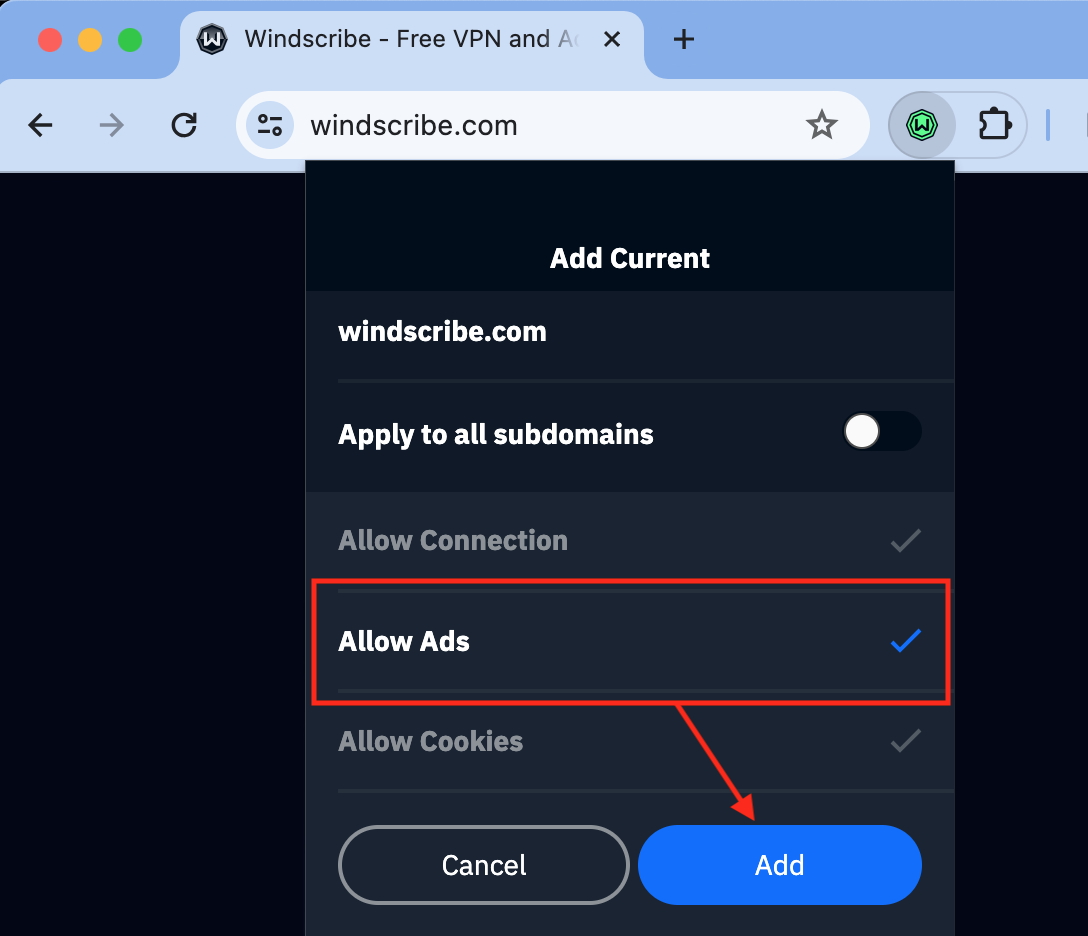
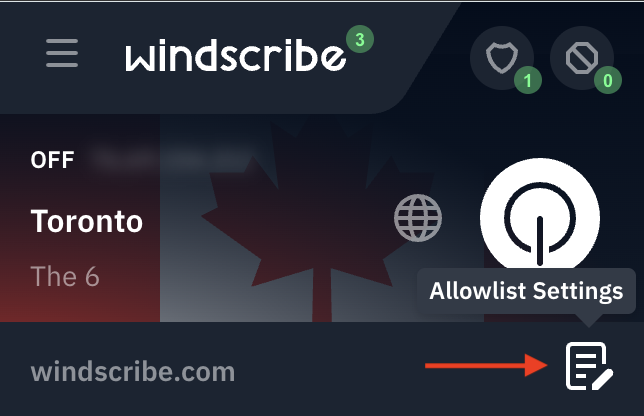
The other way to Allowlist specific domains for advertisements is through the main interface of the extension. After connecting and accessing the domain, open the extension and click on the Allowlist settings button located on the bottom right hand corner:
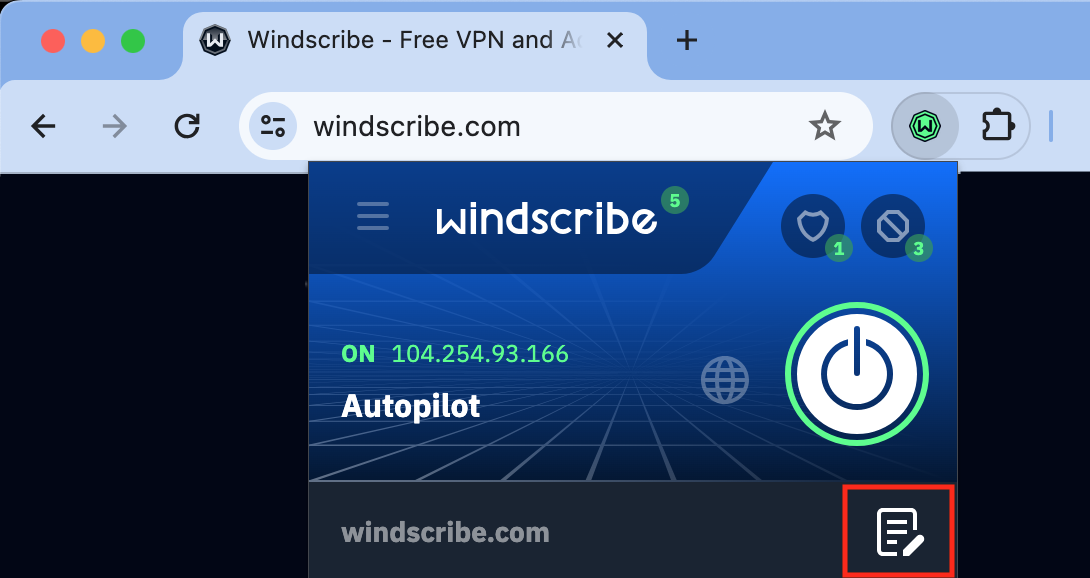
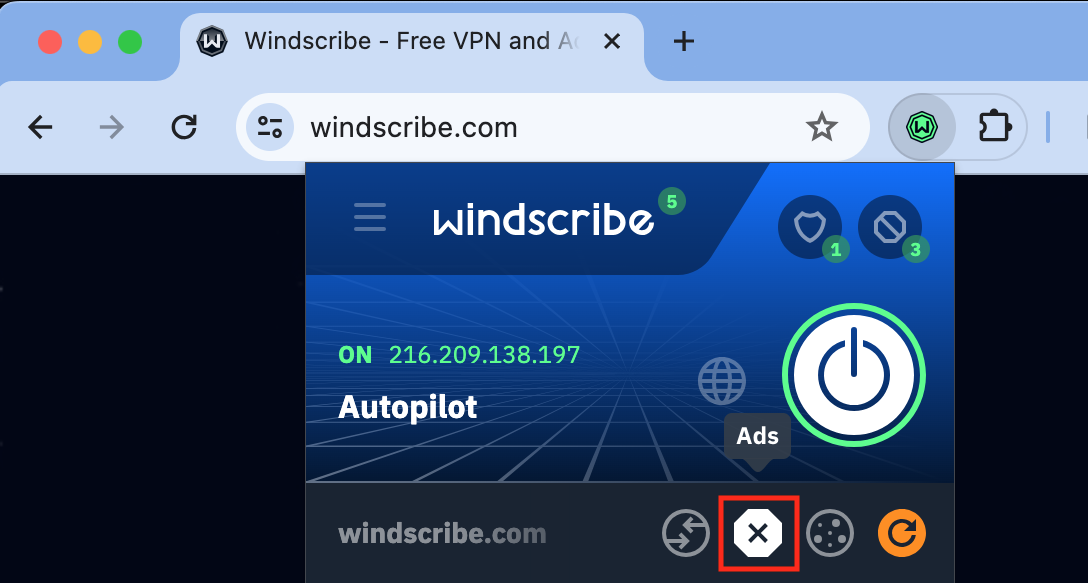
Then, click on the Ads button before hitting the refresh (orange arrow icon):