

Comment me déconnecter de tous mes appareils ?


Pour vous déconnecter de tous vos appareils, vous devrez utiliser Supprimer les identifiants et Se déconnecter partout.
Pour cela, suivez les étapes ci-dessous :
- Rendez-vous sur https://windscribe.com/login et connectez-vous à votre compte.
- Cliquez sur le bouton Mon compte en haut à droite ou accédez-y directement via ce lien : https://windscribe.com/myaccount
- Ouvrez l'onglet Sécurité et repérez la carte Accès et appareils.
- Sur la ligne Supprimer les identifiants VPN, cliquez sur Supprimer les identifiants, puis confirmez avec Supprimer les identifiants VPN dans la fenêtre.
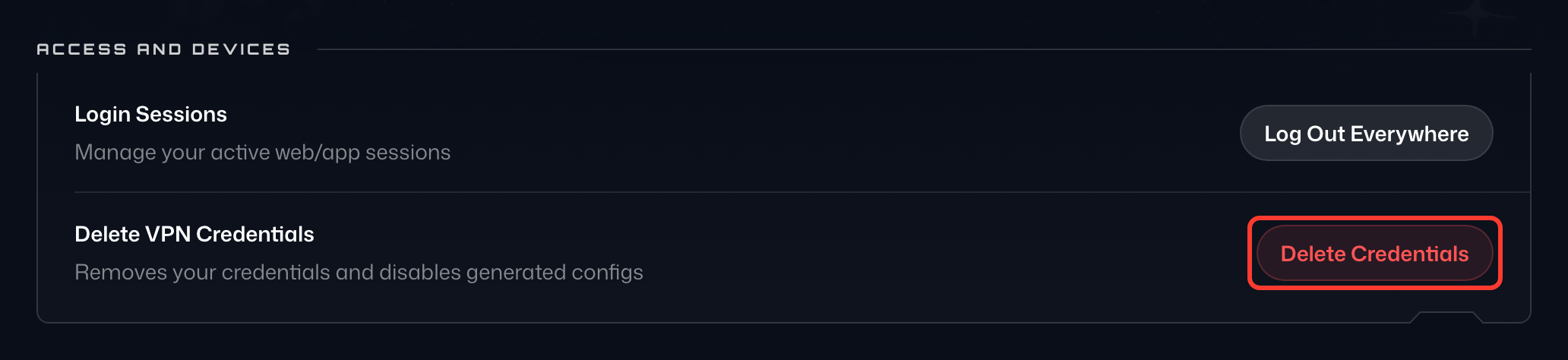
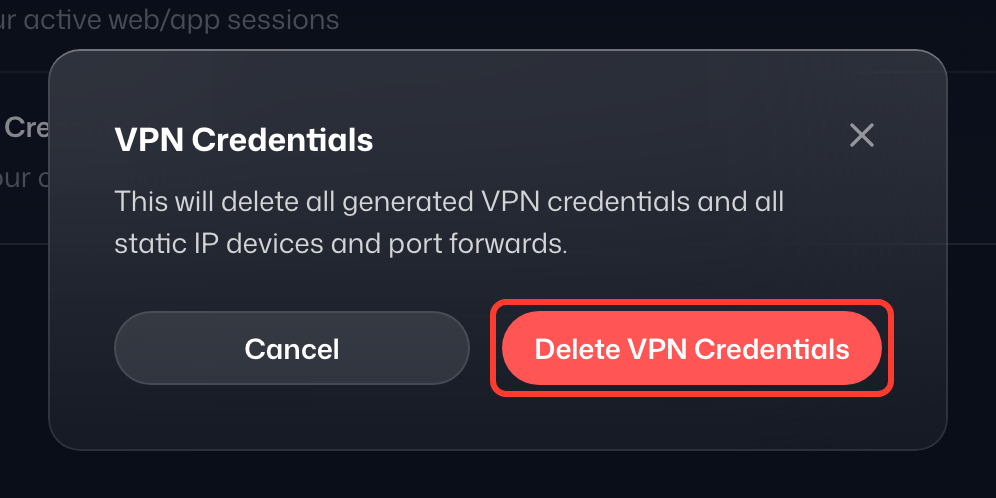
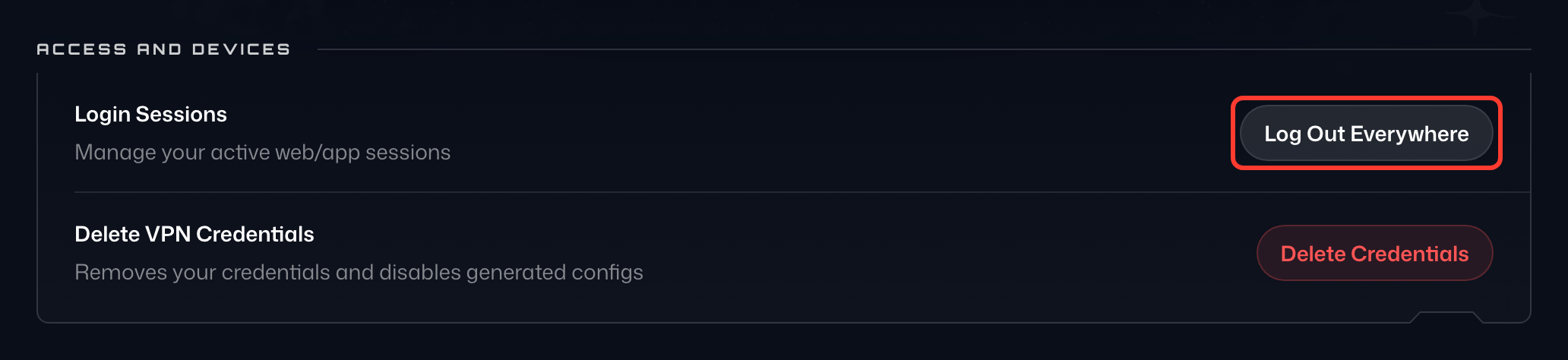
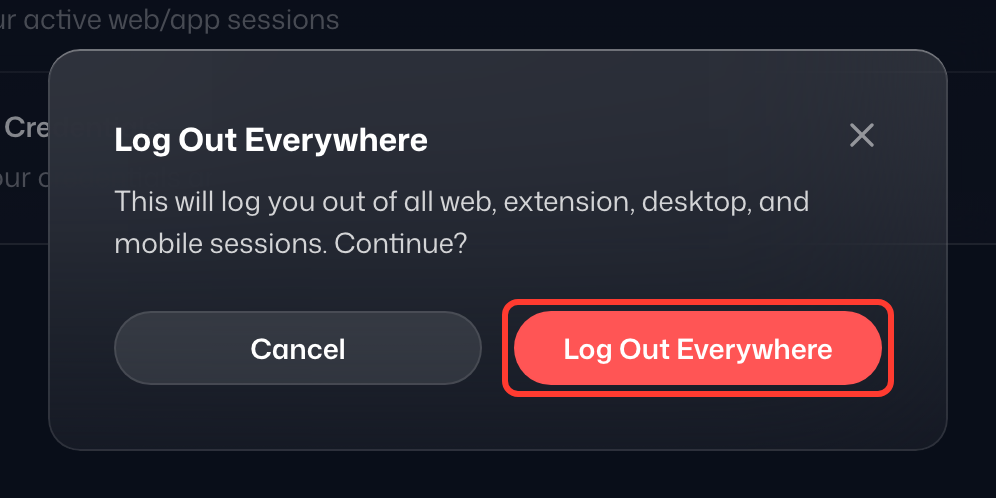
Cela met fin à toutes les sessions VPN liées à votre compte. Gardez à l'esprit que cela invalide aussi tous les identifiants de vos configurations personnalisées pour IKEv2, OpenVPN et WireGuard, ainsi que les appareils à IP statique et les redirections de ports que vous avez créés. Vous devrez les générer à nouveau si vous les utilisiez. - Sur la ligne Sessions de connexion, cliquez sur Se déconnecter partout, puis confirmez avec Se déconnecter partout dans la fenêtre. Cela déconnecte tous les appareils, y compris le navigateur que vous utilisez : faites-le donc en dernier.
- Si vous faites cela parce que vous soupçonnez quelqu'un d'utiliser votre compte, nous vous recommandons aussi de changer votre mot de passe et d'activer la 2FA.
Que signifient « Se déconnecter partout » et « Supprimer les identifiants » ?
Se déconnecter partout: Ce bouton supprime toutes les sessions en cours (là où vous êtes connecté) et vous oblige à vous reconnecter aux applications et au site Windscribe. C'est très utile pour plusieurs raisons : si vous vous êtes connecté temporairement sur un autre appareil, avez changé d'ordinateur, pensez avoir été piraté ou voulez simplement vous déconnecter partout rapidement pour avoir l'esprit tranquille.
Supprimer les identifiants: Ce bouton supprime tous les identifiants des serveurs VPN – comme ceux des configurations manuelles – et vous devrez les générer à nouveau depuis notre site. Il ne s'agit pas de votre nom d'utilisateur et de votre mot de passe Windscribe habituels, qui restent inchangés. Se déconnecter partout met fin à toutes vos sessions, mais uniquement dans les applications Windscribe. Supprimer les identifiants VPN permet de déconnecter aussi des éléments comme les configurations VPN sur routeur, pour qu'aucune connexion ne reste active. Vous l'utiliserez par exemple si vous pensez que votre compte a été piraté et que quelqu'un a installé vos configurations sur son routeur, ou si un ancien routeur contient encore des identifiants que vous voulez annuler. C'est là que ce bouton intervient.
Le plus simple et le plus efficace est d'appuyer sur Supprimer les identifiants puis sur Se déconnecter partout, dans cet ordre. Si le but est d'éjecter tout le monde de votre compte ou de nettoyer toutes vos anciennes sessions, appuyez sur les deux boutons, attendez une minute, et vous repartirez de zéro session et zéro connexion.
Si vous pensez ou savez que votre compte a été compromis et souhaitez une aide supplémentaire, nous voulons vous aider à tout régler au plus vite : n'hésitez pas à nous contacter via Garry, notre assistant de support. Si nécessaire, Garry transmettra votre demande à notre équipe d'assistance.