

Comment modifier mes paramètres R.O.B.E.R.T. ?


Il existe deux façons de modifier vos paramètres R.O.B.E.R.T. :
Via l'onglet R.O.B.E.R.T. de l'application de bureau
Si vous souhaitez simplement modifier vos filtres de listes de blocage actifs (comme Pubs + traqueurs), vous pouvez le faire à la volée depuis l'onglet R.O.B.E.R.T. du menu Préférences :
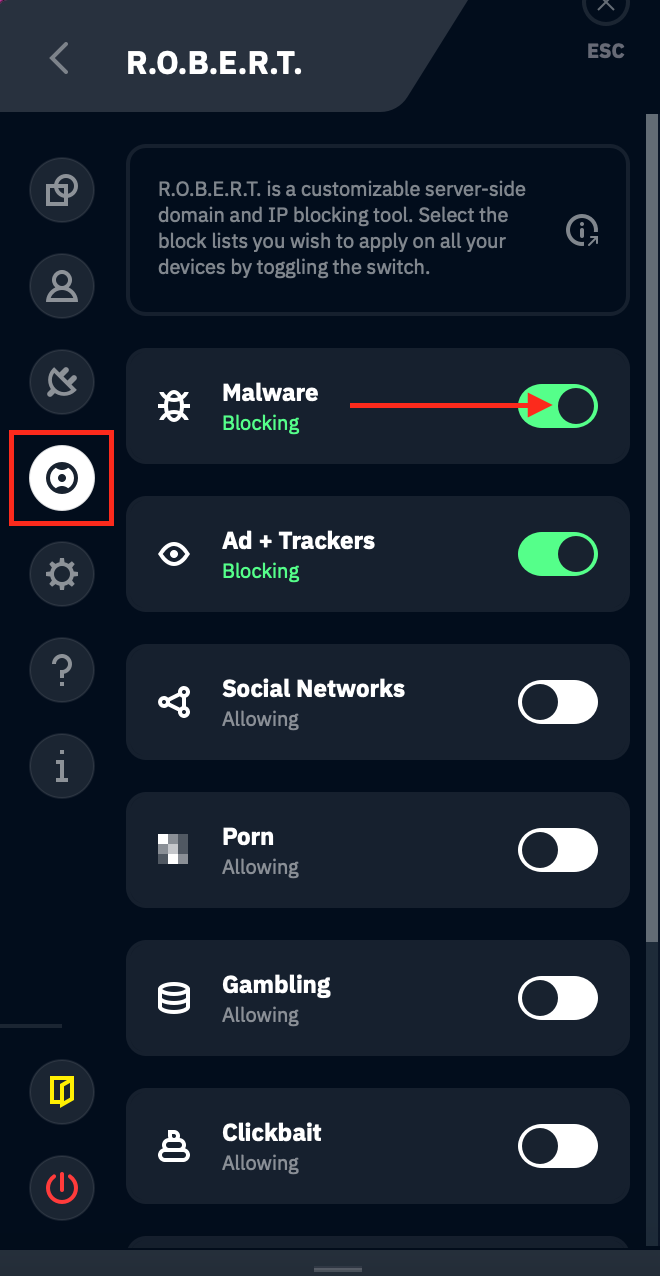
Cliquez sur l'interrupteur de la liste de blocage que vous souhaitez activer (vert) ou désactiver (blanc). Reconnectez-vous après vos modifications pour qu'elles soient bien appliquées.
Via la page Mon compte de notre site web
La méthode la plus complète consiste à vous connecter à votre page Mon compte et à ouvrir Sécurité dans la barre latérale. R.O.B.E.R.T. y dispose de trois pages : Catégories de blocage, Règles personnalisées et Débogage.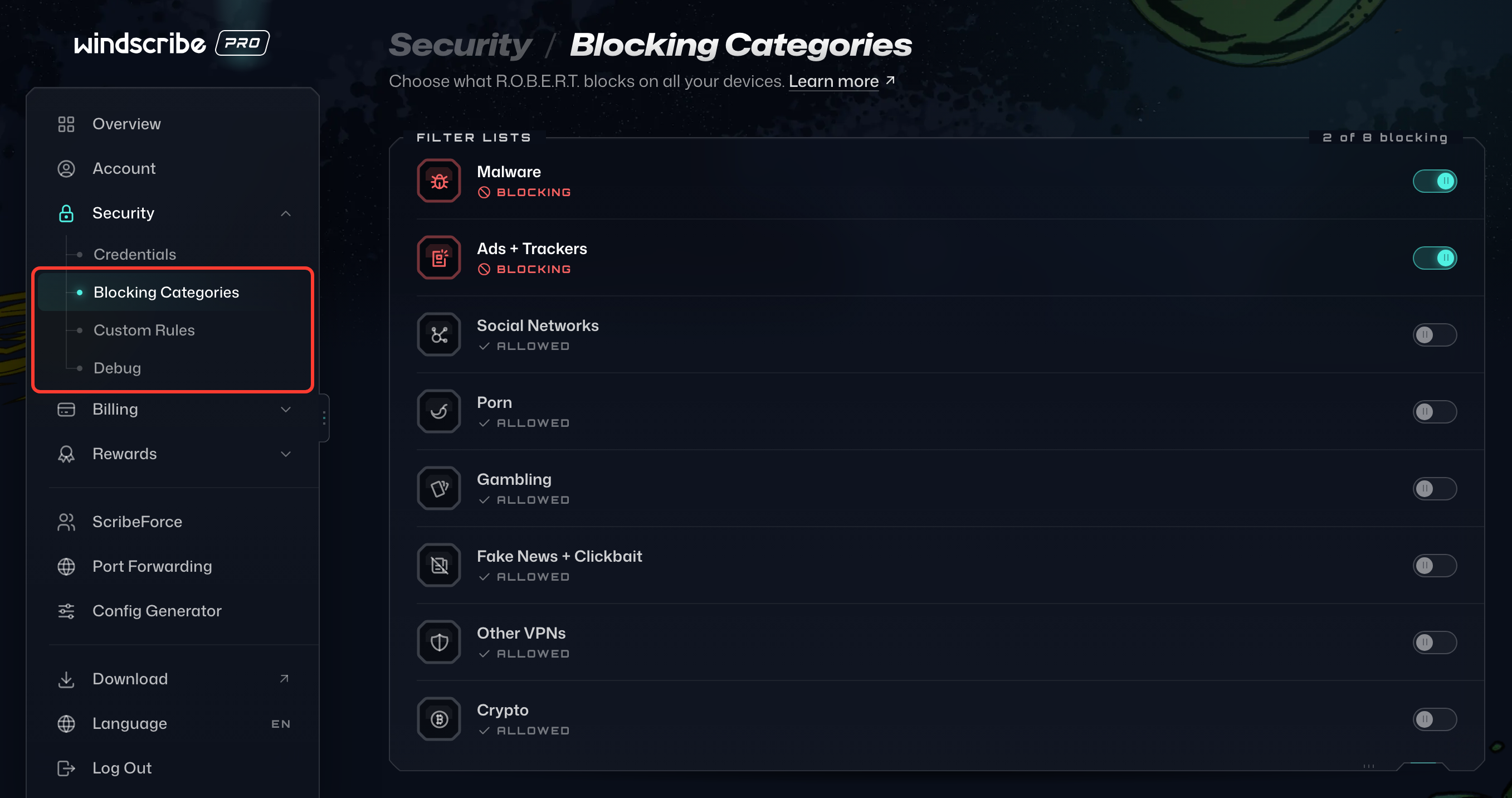
Sur la page Catégories de blocage, vous choisissez lesquelles de nos listes de blocage sélectionnées vous voulez activer à l'aide de l'interrupteur à droite. Une liste affiche Bloqué lorsqu'elle est activée et Autorisé lorsqu'elle est désactivée :
Vous pouvez aussi autoriser, bloquer ou usurper n'importe quel domaine ou adresse IP sur la page Règles personnalisées. Les onglets Tout, Domaines et IP en haut de la carte filtrent vos règles, et Ajouter une règle en crée une nouvelle :
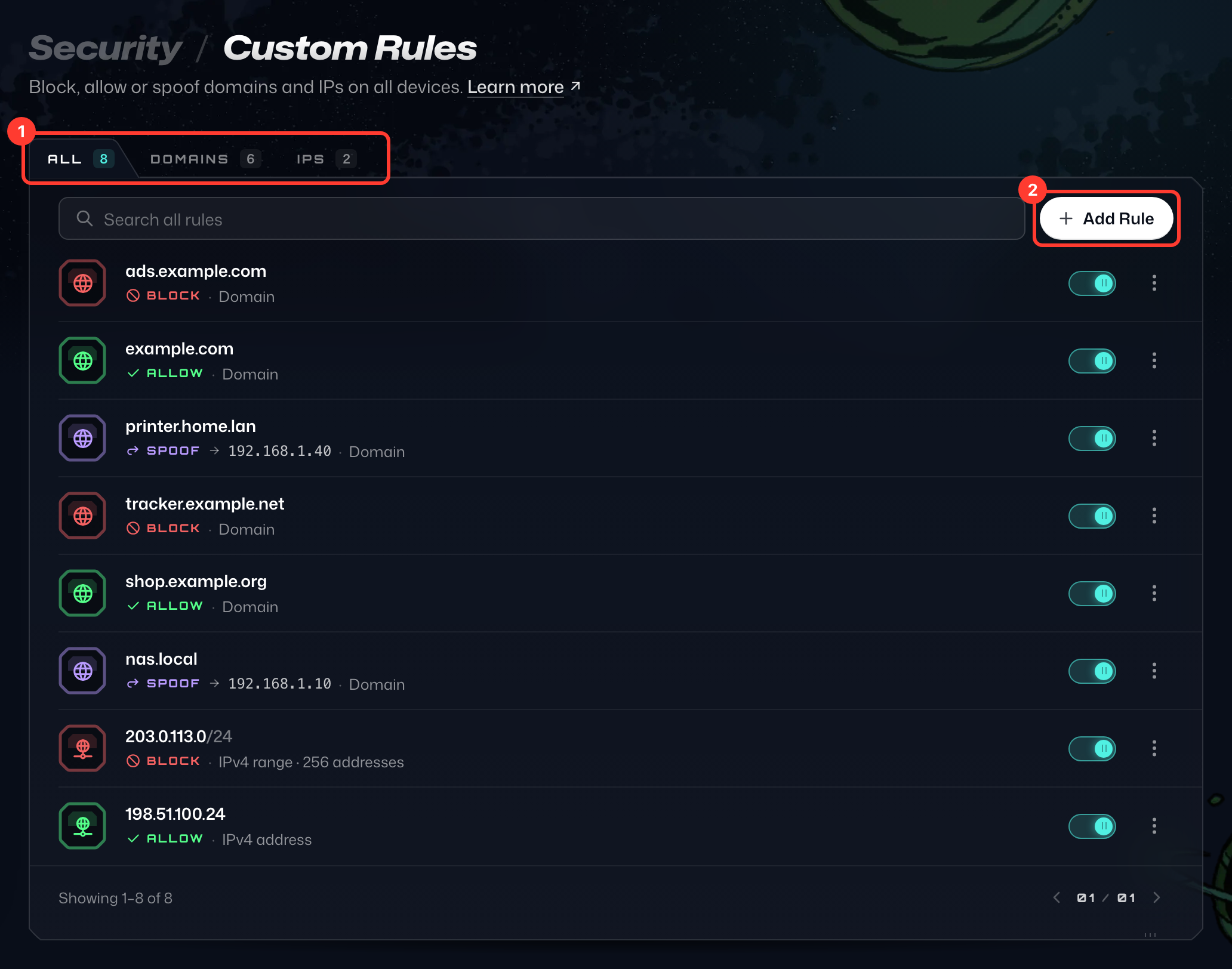
Cliquez sur Ajouter une règle, choisissez Domaine ou IP / CIDR comme Type de règle, saisissez le domaine ou l'adresse IP, puis choisissez Bloquer, Autoriser ou Usurper comme Action (Usurper ne s'applique qu'aux domaines). Pour Usurper, saisissez aussi sous Résoudre vers l'adresse IP vers laquelle le domaine doit être résolu (nous avons sélectionné Usurper dans l'image ci-dessous). Cliquez ensuite sur Ajouter une règle :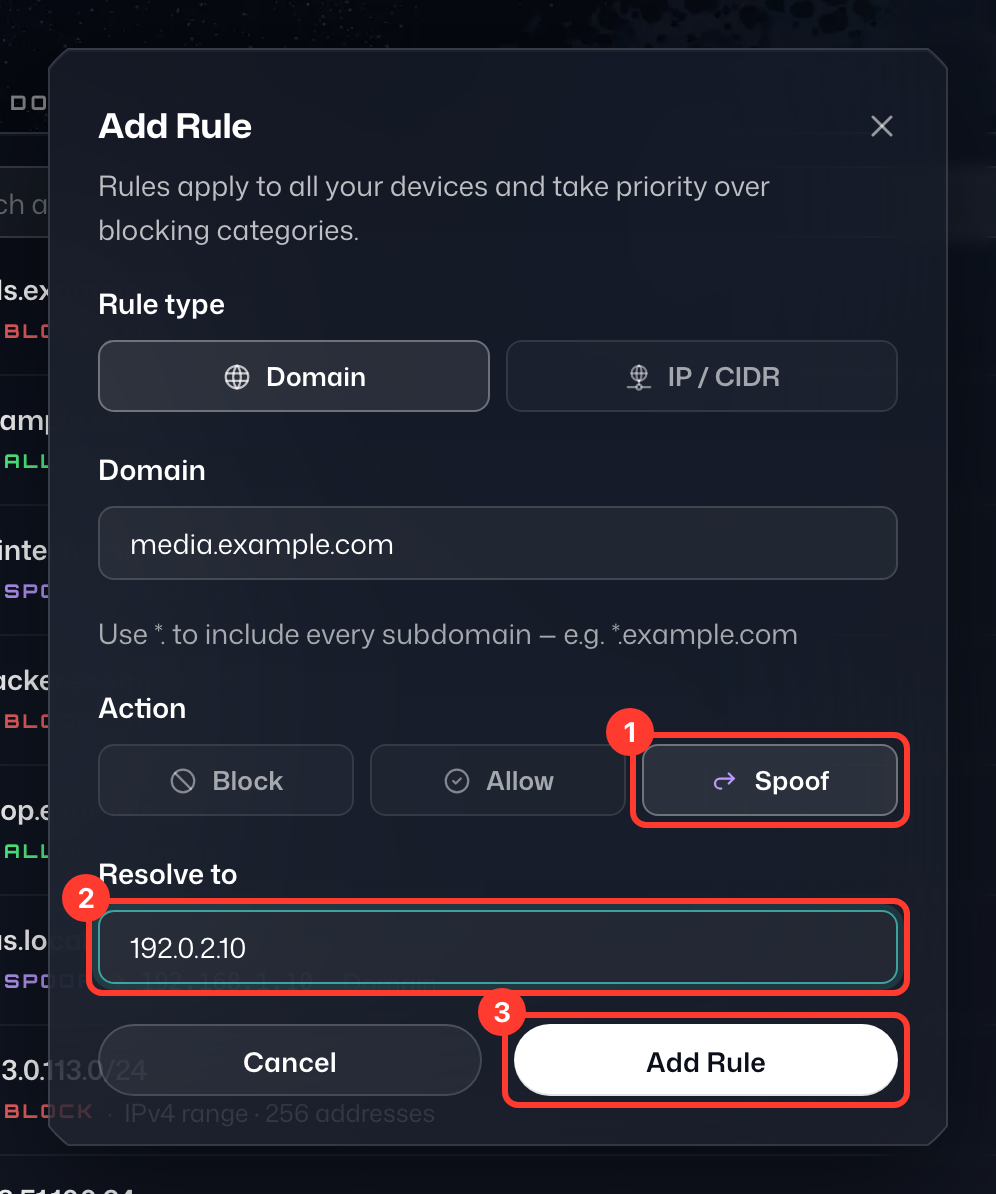
Vos modifications se synchronisent automatiquement sur tous vos appareils connectés, vous n'avez donc rien d'autre à appliquer. Pour modifier ou supprimer une règle plus tard, ouvrez le menu ⋮ sur sa ligne.
Pour savoir précisément comment autoriser un domaine avec R.O.B.E.R.T., consultez cette page.