




Windscribe

Free VPN for Vizio TV.

10 GB/Month.No Credit Card.

No Vizio app? Use Windscribe free through a Fire TV Stick or Windows Secure Hotspot, or on your router with a paid plan.
Get Windscribe
Rated 4.7 by Trustpilot • 13K reviews
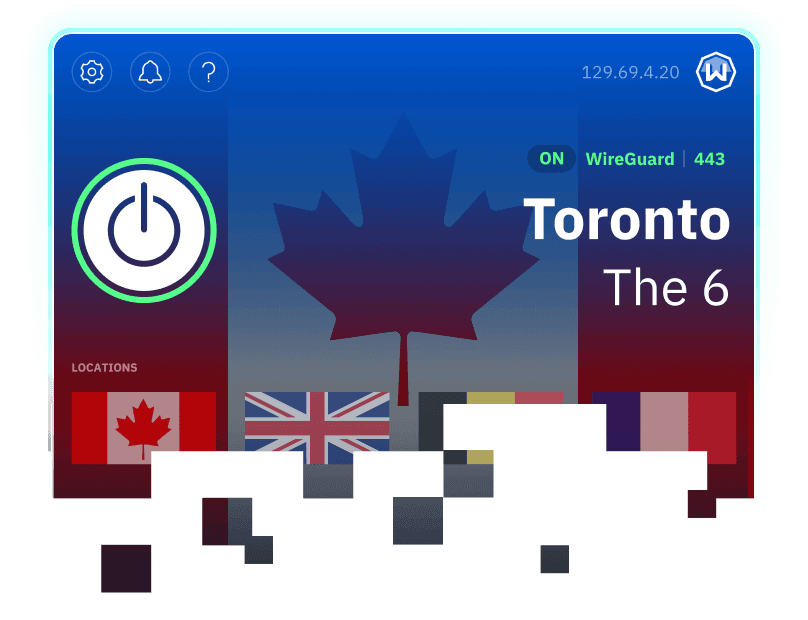
Windscribe for Vizio TV, connected and sitting over the planet

Built for Vizio Smart TVs (VIZIO OS / SmartCast)

You can't install Windscribe on a Vizio, but you can run it on a device it connects to.
  • Operating System
    SmartCast / VIZIO OS
  • Hardware
    Vizio Quantum, M-Series, V-Series & D-Series
  • Installation
    Fire TV Stick, Windows Secure Hotspot, Router, Smart DNS
  • Sign-In
    Lazy Login, Streaming Stick Only
"SmartCast Home Not Available in Your Region"? Try a U.S. server on your router or Windows Secure Hotspot, then restart the TV. Still blocked? Use a streaming stick instead.
Windscribe on Vizio TV specifications

Privacy You Can Verify

How to install

Set Up Windscribe on Vizio TV

  1. 1. Pick Your Method
    Fire TV Stick, Windows Secure Hotspot, or router.
  2. 2. Get Windscribe Running
    Connect to a server on the device you picked.
  3. 3. Hook Up the Vizio
    Join the protected Wi-Fi or flip to the stick's HDMI input.
Free vs Pro

What You Get for Free (and What Pro Adds)

Windscribe Free is the same TV app and same encryption as Pro, with a monthly data cap and fewer locations.
Data
Locations
Devices
Setup
Extras
PopularFree$0, forever
Data
10 GB data per month: 2 GB before you confirm your email
Locations
10 countries: US, Canada, Germany, Switzerland and 6 more
Devices
Unlimited devices: No cap on devices you can use at once
Setup
Fire TV App & Windows Secure Hotspot: Cover your Vizio without paying a cent
Extras
Same encryption as Pro: AES-256 and a strict no-logs policy

RecommendedProfrom $3/mo
Data
Unlimited data: No strings attached
Locations
69+ countries, 135+ cities: The full suite of Windscribe locations
Devices
Unlimited devices: No cap on devices you can use at once
Setup
Router Configs: Cover SmartCast apps and every home device
Extras
Static IP add-on: The same IP every time for fewer proxy errors

Free Forever. Why?

Free is our marketing budget. We don't run ads, sell your data, or sneak you into a paid trial.
Need more data or countries? Go Pro. Post about us on X and get an extra 5 GB every month. Yes, really.
Get Windscribe

4 Ways to Use Windscribe With Vizio TV

  • Router
    Covers SmartCast apps and every device at home.
  • Windows Secure Hotspot
    Share your PC's VPN connection. Needs a compatible Wi-Fi adapter.
  • Fire TV Stick
    Plug it in and stream through its own app.
  • Control D
    Switch supported apps by DNS location. No VPN tunnel or encryption.

Stream What You Actually Want to Watch

Part of Windscribe's job is bringing the shows that aren't always available in your region to your living room.

Get Windscribe for Vizio TV

No app? No sweat. Pick a setup and stream privately tonight.

Frequently Asked Questions

Does my Vizio TV have a built-in VPN?

No. SmartCast (now called VIZIO OS) ships without a VPN, and its app row doesn't offer one. To use Windscribe, plug in a Fire TV Stick, share a connection with Windows Secure Hotspot, or set it up on your router with a paid plan.

Can I sideload a VPN app on my Vizio TV?

No. SmartCast has no sideloading at all. Guides that show APK or Kodi installs on a "Vizio" are describing Android-based TVs, not SmartCast.

How do I set up a VPN on my Vizio TV?

Pick the method that suits your home. A Fire TV Stick gives you the Windscribe app on its own HDMI input, and Windows Secure Hotspot shares a protected connection from your PC; both work on the free plan. A router config (paid plan) covers SmartCast and every other device. Control D's Smart DNS can also help with supported apps, without encryption.

What's the best VPN for Vizio TV?

One that gives you real ways around SmartCast's no-app rule. Windscribe offers a Fire TV app with Lazy Login, Windows Secure Hotspot, router configs on paid plans, and Control D for Smart DNS, plus unlimited devices. You can test the stick and hotspot methods free.

Why does my Vizio say "SmartCast Home Not Available in Your Region"?

SmartCast is region-limited, and the TV often checks your location by IP. Try connecting your router or Windows Secure Hotspot to a U.S. Windscribe server, set the TV's timezone to match, and restart it. If Vizio still blocks SmartCast, use a streaming stick with the Windscribe app instead.

Can I use a free VPN on my Vizio TV?

Yes, with Windows Secure Hotspot or a Fire TV Stick. Windscribe Free gives you 10 GB a month with a confirmed email (2 GB without). Router configs need Pro or Build-A-Plan, and Control D is a separate service with its own pricing.

What's the difference between Smart DNS and a VPN?

A VPN encrypts your traffic and changes your IP address. Smart DNS, like Control D, can change your apparent location for supported apps, with no encryption. It's quicker to set up on a TV, but your ISP can still see which services you use.

Will a VPN stop Vizio from collecting my viewing data?

Not on its own. Vizio's Viewing Data feature fingerprints what's on screen, even over HDMI, and Vizio paid a $2.2 million FTC settlement over it in 2017. A VPN encrypts those reports in transit but doesn't stop the TV from sending them, so turn off Viewing Data in your TV's settings.

Why does Netflix show a proxy error on my Vizio?

Netflix has blocked that server's IP. Switch to another Windscribe server in the same country and try again. On Control D, change your location in its dashboard instead.

Will a VPN slow down streaming on my Vizio?

A little. With a WireGuard config and a nearby server, you likely won't notice in HD. For 4K, which needs around 25 Mbps, pick a city close to you.