


Step 1
Get the App
Step 2
Install the App
Step 3
Sign up
Why Use a VPN for Colorado
Choose a Denver IP Address

Access Denver-Hosted Services

Escape Regional Sports Blackouts

Watch Local TV Anywhere

Run Geo-Specific Tests

Bulletproof Your Connection In The Queen City

Encrypt Your Connection

Outsmart Cyberthreats

Browse Securely on Free Wi-Fi



Loved & Trusted by Over 100 Million Users
Features

6 Encryption Protocols
Widest Server Reach
Most 10 Gbps Servers
Industry-Leading Ad Blocker
Privacy: Audited & Court-Proven
Features

Other VPNs
6 Encryption Protocols
Widest Server Reach
Most 10 Gbps Servers
Industry-Leading Ad Blocker
Privacy: Audited & Court-Proven
FAQs: Top Questions About Denver VPN Answered
How can I switch my IP to Denver?


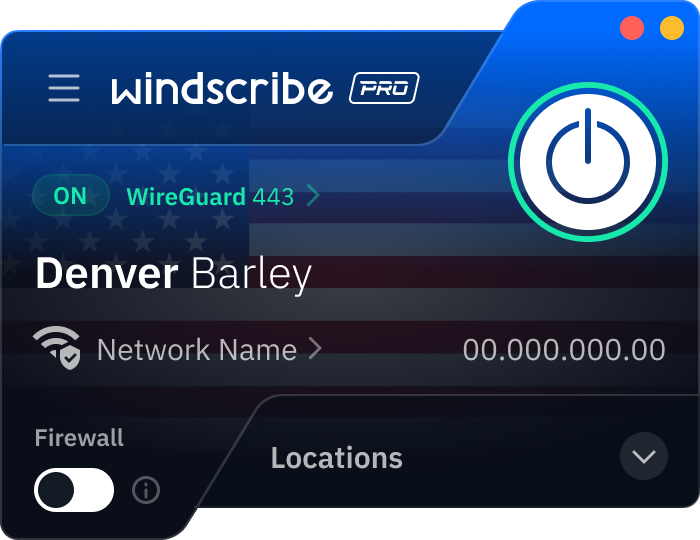
Download Windscribe and create your account, if you haven’t already. In the Windscribe app, scroll to the United States and select Denver. Once the ON button turns green, your traffic is routed through local hardware in Colorado, assigning you a Denver IP address.
Is it legal to use VPNs in Colorado?
Yes, using a VPN is 100% legal in Denver and throughout the Centennial State. In a city with a massive tech workforce, encrypted tunnels are a standard tool for security. However, keep in mind that Colorado’s privacy laws (like the Colorado Privacy Act) protect your data from corporations, but a VPN isn't a license to break the law. If an activity is illegal without a VPN, it's still illegal with one.
How much does a VPN cost in Colorado?
VPN pricing in Colorado is the same as anywhere else since it’s an online service. Paid VPNs typically run a few dollars up to around $15 USD per month, depending on the plan. Free plans exist, but they usually come with limits. Windscribe's Build-A-Plan is a local favorite for its flexibility. You can add the Denver server and unlimited data for just $3 USD a month. To get a VPN for Denver, check out our upgrade page.
Which VPN has Denver servers?
We do! At Windscribe, we have physical 10 Gbps servers located in Denver. This means that if you want to browse with a Denver IP, you can!
What VPN is the best for Denver?
It’s Windscribe! We have physical, high-speed servers located right in Denver, and we offer access to servers in 69+ countries and 135+ cities around the world. Plus, we have some pretty cool privacy features, browser extensions, and a strict no-identifying-logs policy.
Can I use a VPN as a student at the University of Denver?
Absolutely. While the University of Denver (DU) requires students to use the GlobalProtect VPN to access internal resources, that school-issued tool is strictly for academic business. Using Windscribe alongside it is a smart move for personal privacy, as it prevents campus IT from logging your private social media or banking activity. Plus, Windscribe can help you connect to the DU’s internal portal from out-of-state by giving you a Denver IP address, so you appear to be logging in from Denver.
Can I access Denver Health resources securely from abroad with a VPN?
If you are a patient, you can generally access the Denver Health MyChart portal from abroad, though you may encounter regional blocks because many healthcare providers restrict international IP addresses to defend against cyberattacks. To ensure the MyChart page or app loads correctly while you are traveling, you can use a personal VPN like Windscribe to connect to a Denver-based server, which makes the portal believe you are browsing from within Colorado.