


Step 1
Get the App
Step 2
Install the App
Step 3
Sign up
Why Use a VPN for Boston
Grab a Boston IP

Access Boston-Hosted Services

Stream Local TV Anywhere

Stay In-Market for Sports Broadcasts

Run Local SEO & Geo-Targeted Testing

Protect Your Connection in The Hub

Encrypt Your Data

Browse With Peace of Mind

Stay Safe on Boston’s Wi-Fi



Loved & Trusted by Over 100 Million Users
Features

6 Encryption Protocols
Widest Server Reach
Most 10 Gbps Servers
Industry-Leading Ad Blocker
Privacy: Audited & Court-Proven
Features

Other VPNs
6 Encryption Protocols
Widest Server Reach
Most 10 Gbps Servers
Industry-Leading Ad Blocker
Privacy: Audited & Court-Proven
FAQs: Top Questions About Boston VPN Answered
How to get a Boston VPN?


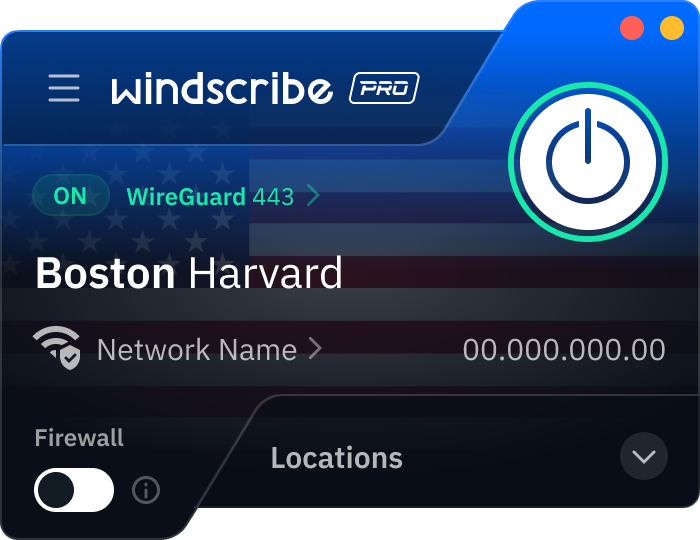
To get a Boston VPN, you just need to download the Windscribe app on your phone or computer. Once you're logged in, look through our United States server list for the Boston location. Just tap that location, and once the big ON button turns green, you’re officially browsing with a Boston IP address.
How much is a VPN for Boston?
A VPN for Boston can cost anywhere from $3 to $15 USD per month. The price depends on the VPN you choose, its features, and how advanced your plan is. Windscribe’s pricing starts as low as $3 USD per month for our Build-A-Plan plan. This is a great way to skip the massive "all-inclusive" price tags and just pay for the U.S. and Boston servers you actually need. To get a VPN for Boston, check out our upgrade page.
Are VPNs legal in Boston, Massachusetts?
Not only are they legal, but Massachusetts is actually pushing some of the most aggressive digital privacy laws in the country right now. As of early 2026, the Massachusetts Senate has been moving forward with Senate Bill 2608, also known as the Massachusetts Data Privacy Act. This bill, along with House Bill 4746, aims to give you more control over your personal data and limit how companies track your precise geolocation, which is exactly what a VPN helps you do anyway. While the state works on these big-picture protections, using Windscribe is a perfectly legal way to take your privacy into your own hands. Just remember that the law still applies to what you do online. A VPN protects your identity, but it isn't a license to break the law.
What’s the best VPN for Boston?
If you want the home-field advantage, Windscribe is the way to go. We have 10 Gbps servers located directly in Boston, which means you won't deal with the lag that comes from routing your data through a server in another state. Beyond that, you get a ton of privacy features and servers in 69+ countries and 135+ cities around the globe. Plus, our no-identifying-logs policy means your private business stays exactly that: private
How can a VPN help people at Boston College and Boston University stay secure online?
A VPN encrypts your connection so campus Wi-Fi snoops can’t easily peek at your logins, emails, or browsing. It’s great for everyday privacy on BC/BU networks and anywhere you’re working remotely. For campus-only systems, you’ll still need the school’s official VPN.
Can a VPN help protect kids online at Boston Children’s Hospital or at home?
Yes. A VPN can encrypt traffic on a hospital or home Wi-Fi, which helps keep browsing and app activity more private. If you use a VPN with content filtering like R.O.B.E.R.T., you can also block harmful sites, ads, and sketchy trackers.
Is a VPN useful for staff at Boston Medical Center?
Definitely for general privacy on public or shared Wi-Fi. A VPN encrypts your connection so logins and messages are harder to intercept while you’re on the move. For internal hospital systems or patient records, you’ll still need whatever secure remote access the hospital requires.