


Step 1
Get the App
Step 2
Install the App
Step 3
Sign up
Why Use a VPN for Atlanta
Get an Atlanta IP

Use Atlanta-Based Services Anywhere

Beat Sports Blackouts

Stream Atlanta TV From Anywhere

Preview Georgia Search and Ads

Stay Secure in The Big Peach
Encrypt Your Connection

Dodge Malicious Sites

Use Public Wi-Fi Safely



Loved & Trusted by Over 100 Million Users
Features

6 Encryption Protocols
Widest Server Reach
Most 10 Gbps Servers
Industry-Leading Ad Blocker
Privacy: Audited & Court-Proven
Features

Other VPNs
6 Encryption Protocols
Widest Server Reach
Most 10 Gbps Servers
Industry-Leading Ad Blocker
Privacy: Audited & Court-Proven
FAQs: Top Questions About Atlanta VPN Answered
How to change your VPN to Georgia?


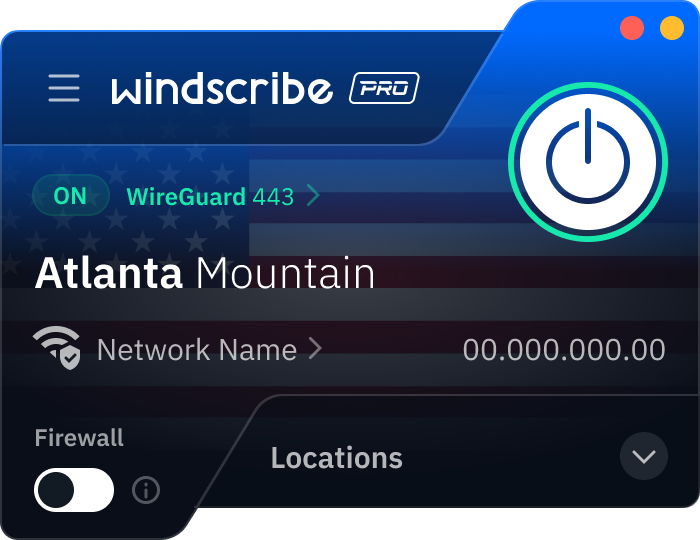
First, download the Windscribe app for your desktop or mobile device and log in. In the server list, scroll to the United States and click the arrow next to US South or search directly for Atlanta. Once you click to connect, your real IP address is masked by an Atlanta-based one, virtually placing your device in the heart of Georgia.
How much does a VPN in Atlanta cost?
Same as anywhere else. Most paid VPNs run about $3 to $15 USD per month, depending on the plan length and features. Free plans exist, but they usually have limits. To get a VPN for Atlanta, check out our upgrade page.
Can I use a VPN in Georgia?
Yes, absolutely. Using a VPN is 100% legal in Atlanta and throughout the state of Georgia. In fact, following the 2025 and 2026 updates to digital privacy regulations, more residents are using VPNs as a standard security measure to prevent ISPs and third-party advertisers from tracking their browsing habits. While the software is a legal tool for privacy, it does not grant immunity for illegal acts. Anything prohibited without a VPN, such as fraud or copyright infringement, remains illegal while using one.
Which VPN has Georgia servers?
We do! At Windscribe, we have servers in Atlanta. This means that you can get an Atlanta IP address from wherever you are.
What is the best VPN for Atlanta, Georgia?
It’s us, duh! Windscribe has 10 Gbps servers located right in Atlanta. We also have servers in 30+ cities across the United States and 69+ countries around the world. Plus, we offer cool privacy features, browser extensions (because a desktop app is sometimes not enough), and a strict no-identifying-logs policy.
Can a VPN help keep my Telegram use private in Atlanta?
Yep. A VPN encrypts your connection, which helps keep your Telegram traffic harder to snoop on, especially on public Wi-Fi or shared networks. It also hides your IP, so it’s tougher for websites and networks to tie your activity to your real location.
How do I download a VPN on my PC and phone in Atlanta?
Just install a VPN app on each device. On a PC, download it from the provider’s website (Windows/macOS/Linux). On mobile, grab it from the App Store (iOS) or Google Play (Android). Sign in, connect, and you’re good to go on any network.