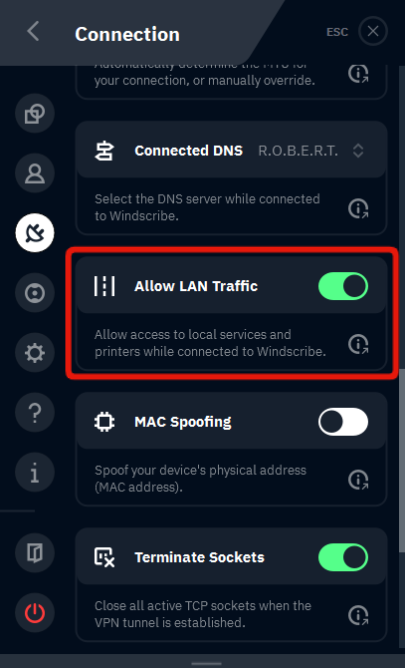
I can't connect to other devices on my network when the VPN is on

Winder S
Mar 19, 2024

In your Windscribe Desktop or Mobile app, go to Preferences > Connection, scroll to 'Allow Lan Traffic' and toggle this option on. Once you do this, reconnect the VPN and you should be able to connect to all devices on your network.