

Qu'est-ce que Ne pas déranger dans l'extension de navigateur ?


Sélectionner Ne pas déranger dans les Préférences de l'extension de navigateur vous permet de bloquer l'envoi de notifications par tous les sites.
De nombreux sites vous demandent l'autorisation de vous envoyer des notifications. Cela leur permet de vous envoyer du spam même lorsque vous ne naviguez pas sur ce site, via des notifications au niveau du système d'exploitation. Cela a des usages légitimes, mais la plupart des sites abusent de cette fonction du navigateur à des fins marketing.
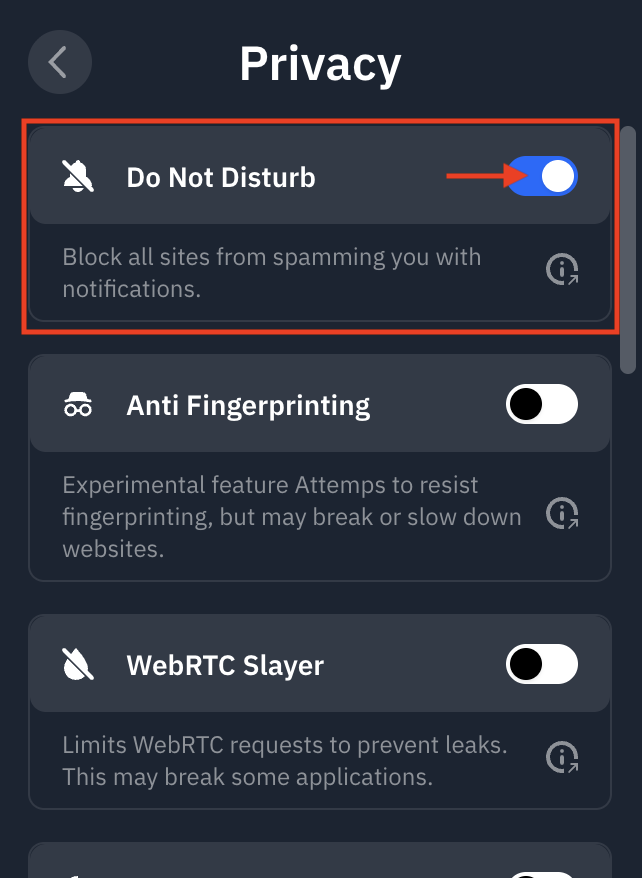
Vous pouvez trouver la fonctionnalité Ne pas déranger dans l'extension en allant dans Préférences > Confidentialité et en activant Ne pas déranger :
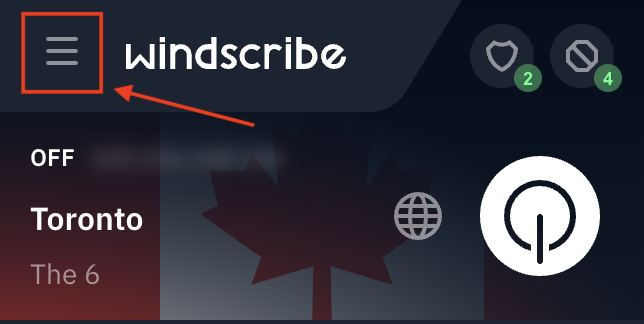
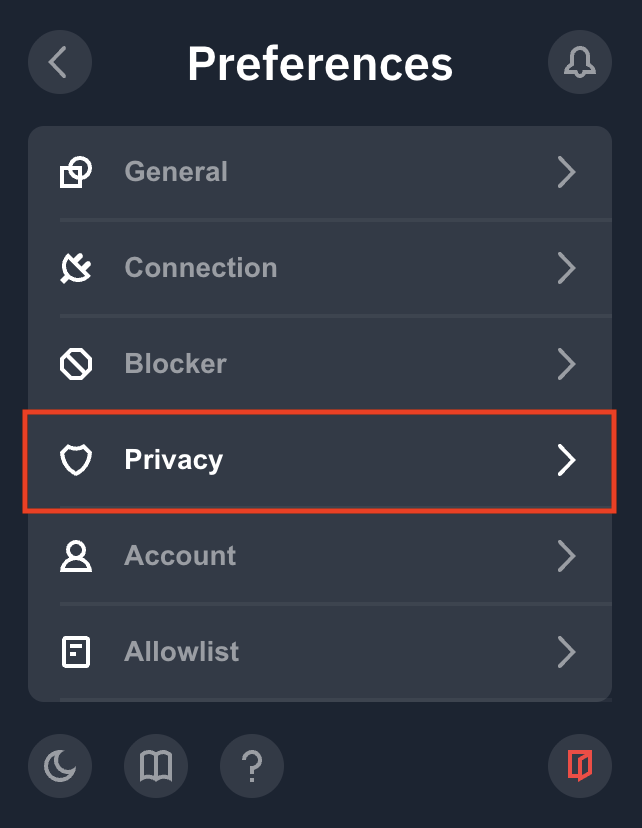
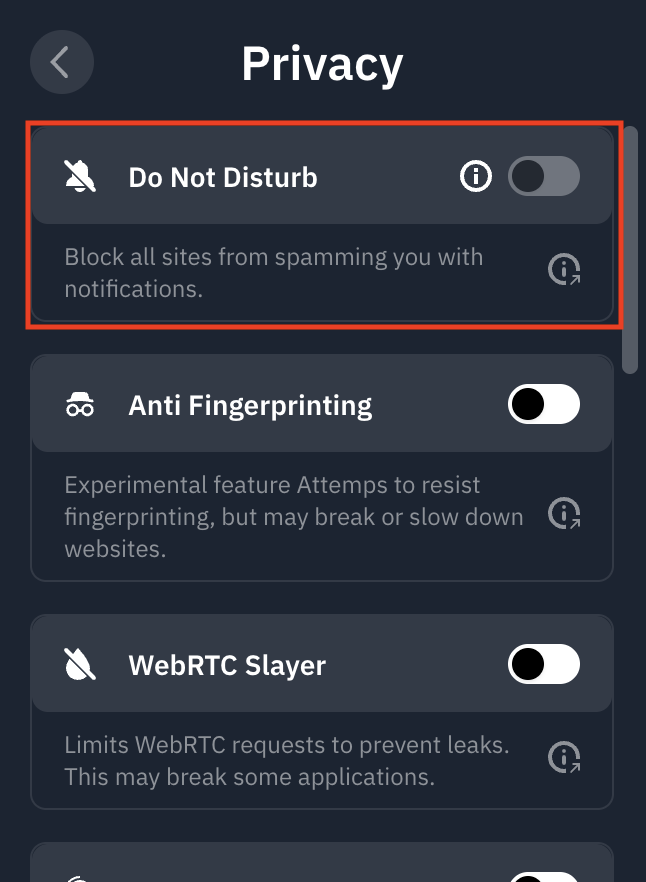
Si c'est la première fois que vous utilisez cette fonctionnalité, vous remarquerez qu'elle est grisée et nécessite des autorisations supplémentaires. Cliquez sur l'icône i à gauche du commutateur et suivez les étapes :
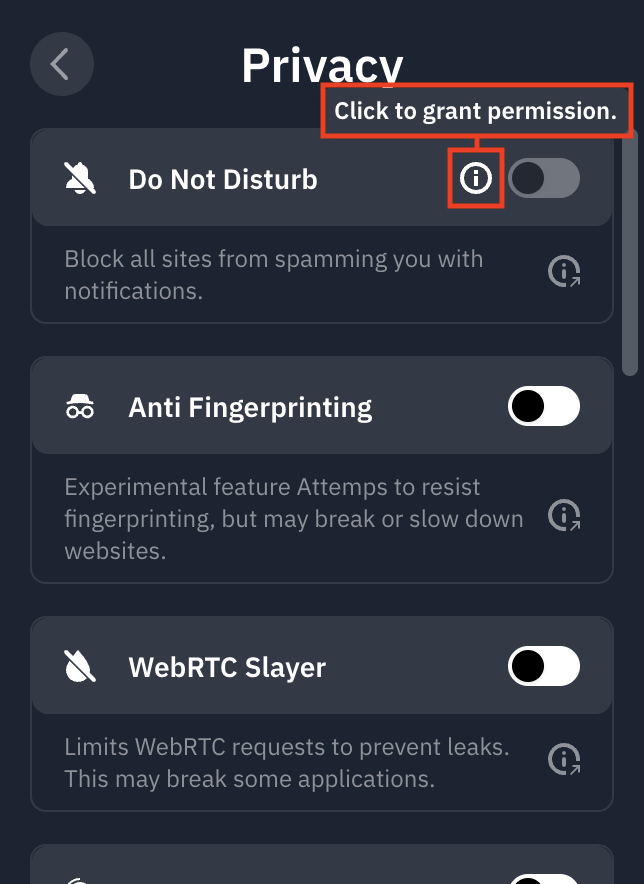
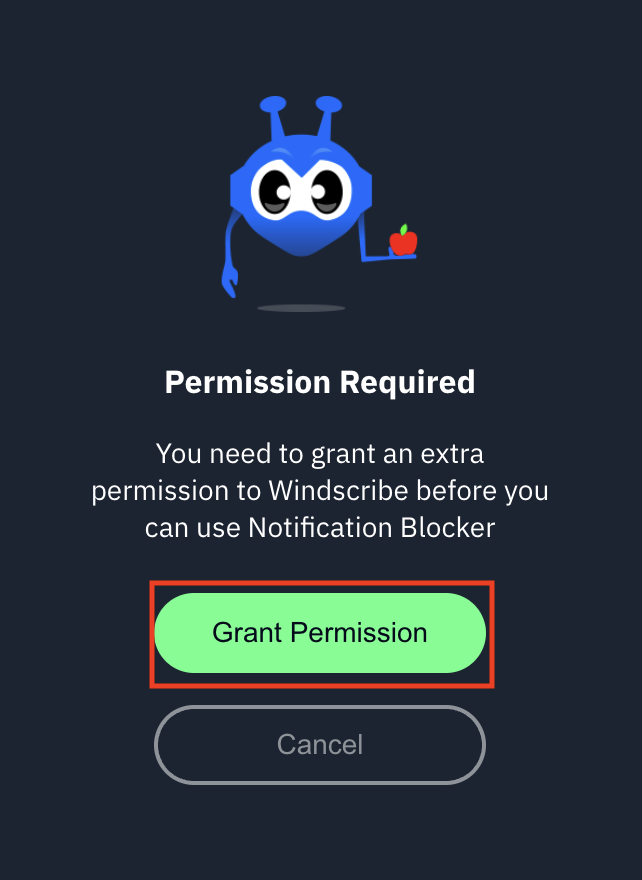
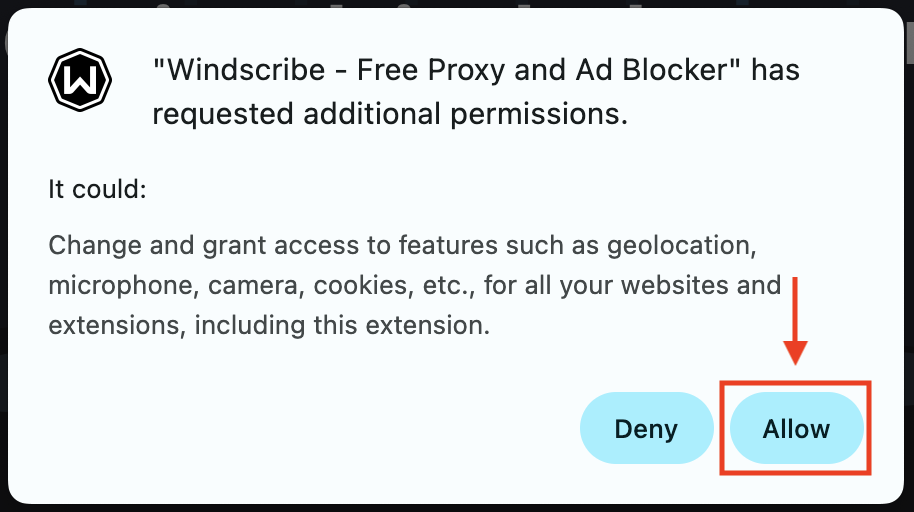
Une fois terminé, vous pourrez activer (bleu) et désactiver le commutateur pour utiliser la fonction :
Explorez cette fonctionnalité et d'autres dans notre complète extension VPN Chrome.