Comment mettre un réseau sur liste blanche pour ne pas utiliser le VPN


Notre fonctionnalité de liste blanche réseau vous permet d'exclure certains réseaux de l'utilisation du VPN. Cela vous donne un meilleur contrôle sur le moment où le VPN est activé, sans avoir à vous connecter et vous déconnecter manuellement lors des changements de réseau.
Par exemple, si vous souhaitez utiliser le VPN au café sur leur WiFi public, mais désactiver le VPN lorsque vous êtes de retour sur votre réseau domestique, la fonctionnalité de liste blanche réseau vous permet de le faire. Il vous suffit de configurer cette option dans l'application et elle s'adaptera automatiquement lorsque vous changez de réseau.
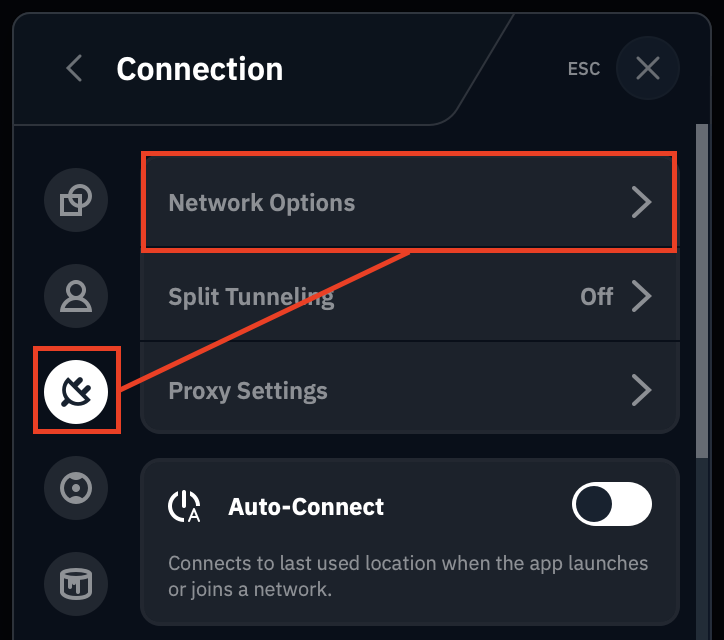
Pour ce faire, accédez à Préférences > Connexion > Options réseau.
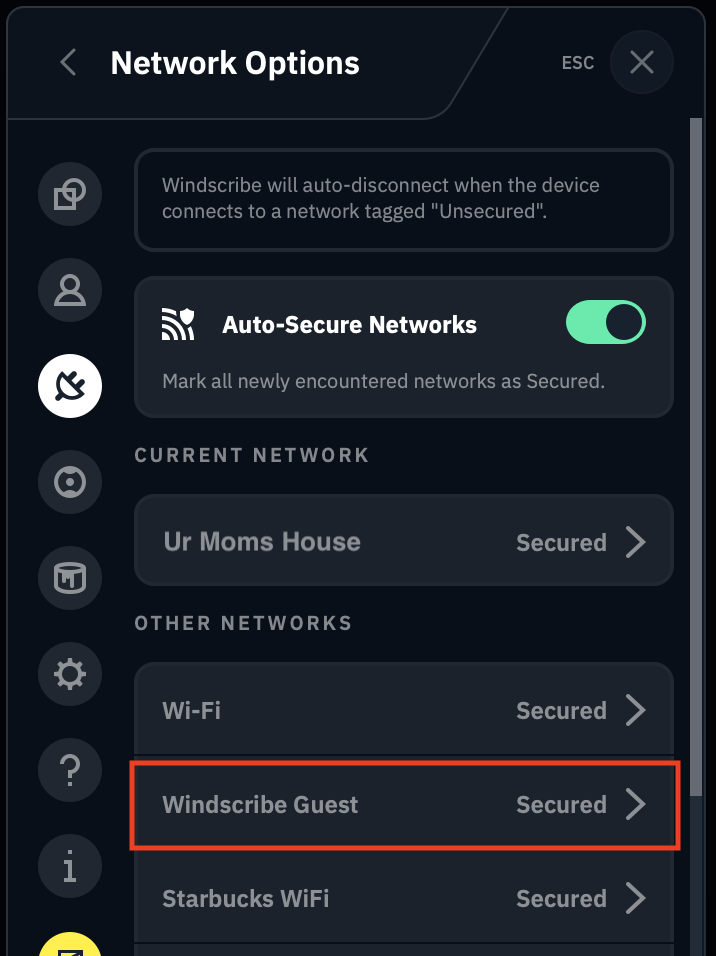
Vous verrez ici une liste de tous les réseaux WiFi identifiés par l'application. Sélectionnez le réseau dont vous souhaitez modifier le comportement.
Activez ou désactivez ensuite l'option de sécurisation automatique du réseau.
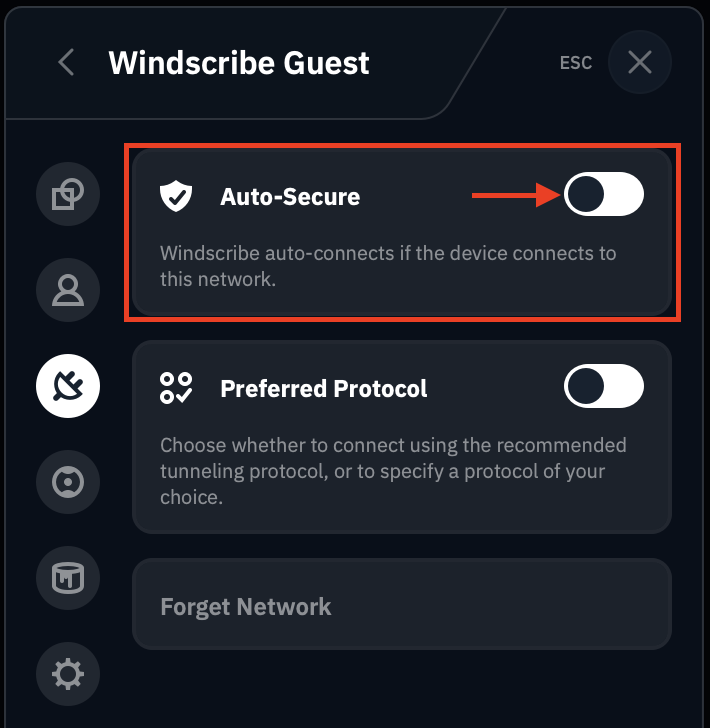
Il existe 2 paramètres principaux :
- Sécurisé (option de sécurisation automatique DÉSACTIVÉE) : Windscribe sécurisera votre appareil sur ce réseau. Autrement dit, le VPN sera activé sur ce réseau
- Non sécurisé (option de sécurisation automatique ACTIVÉE) : le VPN sera désactivé lorsque vous serez connecté à ce réseau et ne sera pas sécurisé par Windscribe
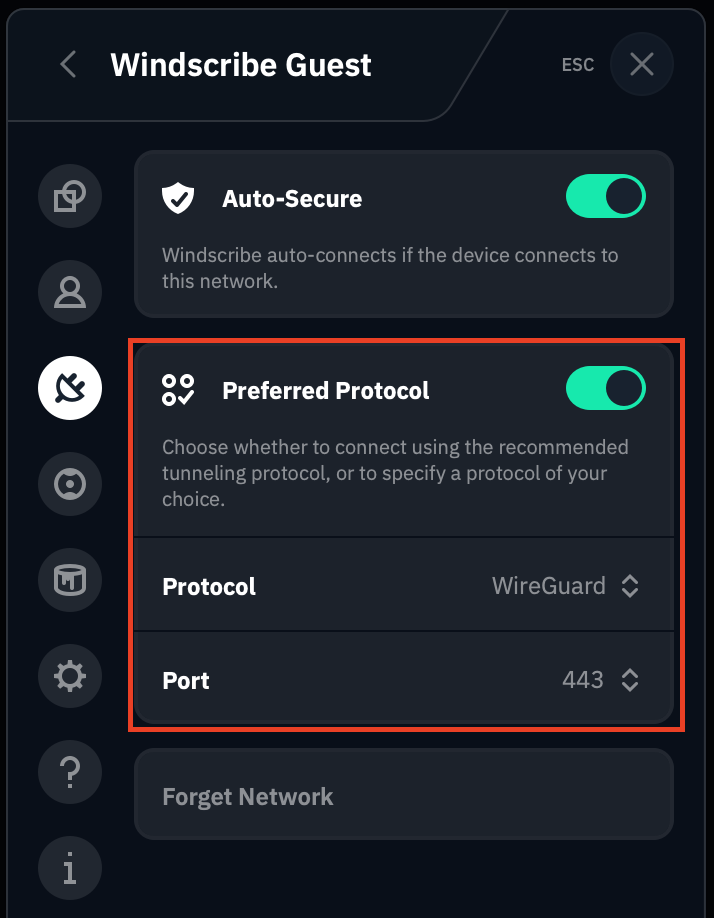
Vous pouvez également modifier le protocole préféré sur chaque réseau. Si vous utilisez habituellement IKEv2 sur tous les réseaux mais que le réseau de la salle de sport ne fonctionne pas avec IKEv2, vous pouvez modifier le protocole pour que l'application bascule automatiquement vers un autre protocole comme WireGuard.