

Comment faire pivoter votre adresse IP

Rebecca Rosenberg
Nov 26, 2025

La rotation d'IP vous permet de basculer instantanément vers une nouvelle adresse IP sans vous déconnecter. Pratique si votre IP actuelle est bloquée ou si vous souhaitez simplement en obtenir une nouvelle.
Remarque : cette fonctionnalité est réservée aux utilisateurs Pro et aux utilisateurs de Build A Plan (emplacements payants uniquement)
Comment l'activer dans l'application :
-
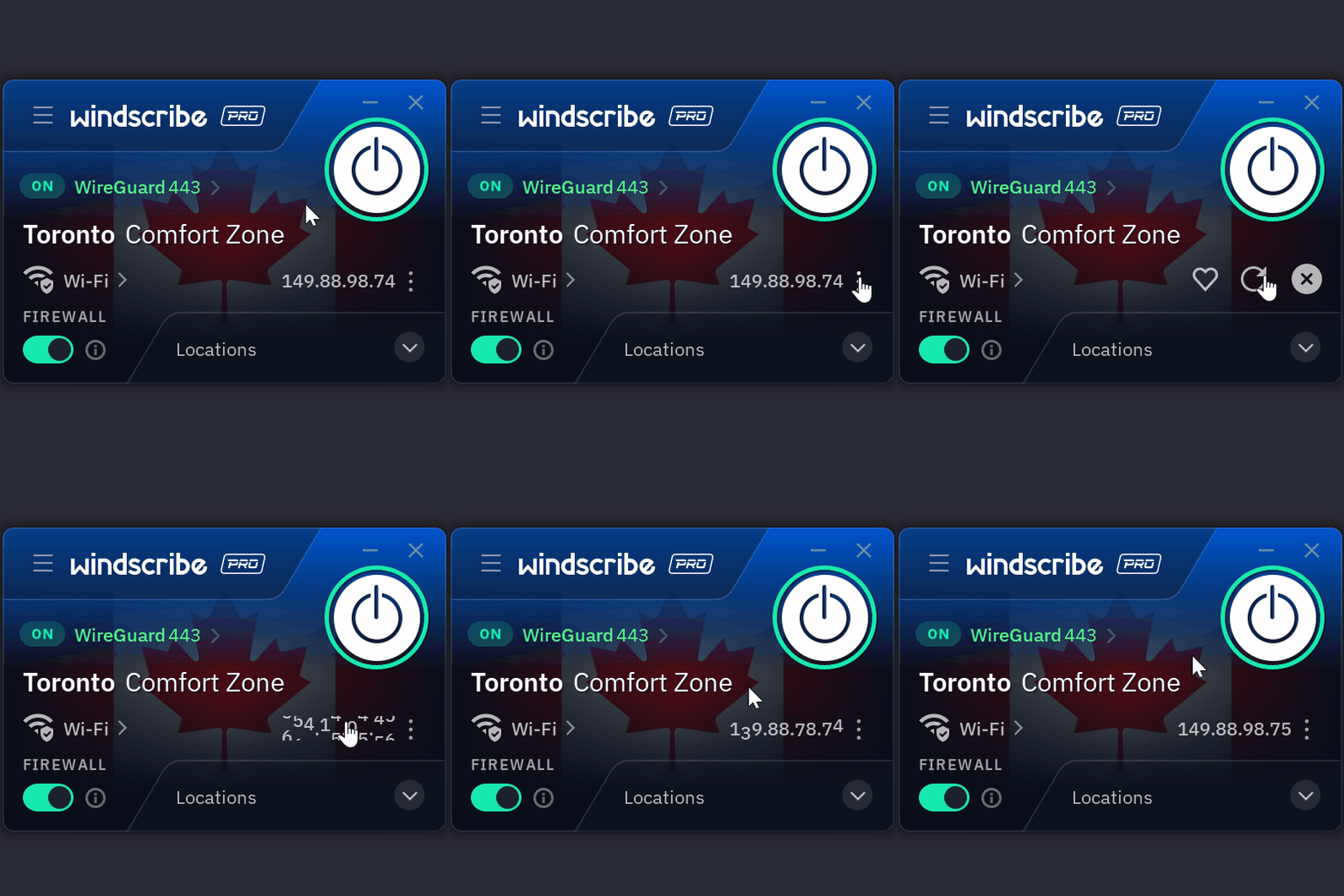
Lorsque vous êtes connecté dans l'application Windscribe, cliquez sur les trois points à côté de votre IP connectée
-
Cliquez sur la flèche circulaire
-
Votre IP a maintenant été changée et vous disposez d'une nouvelle adresse IP
Aucune reconnexion, aucune interruption.
Vous voulez en savoir plus ? Lisez l'article de blog complet ici.