

Comment réinstaller l'application iOS


Pour réinstaller Windscribe sur votre appareil iOS, vous devez d'abord supprimer l'application existante en suivant ces étapes.
Appuyez d'abord longuement sur l'icône Windscribe sur l'écran de votre appareil jusqu'à ce qu'il vibre et que le message de suppression de l'application apparaisse.
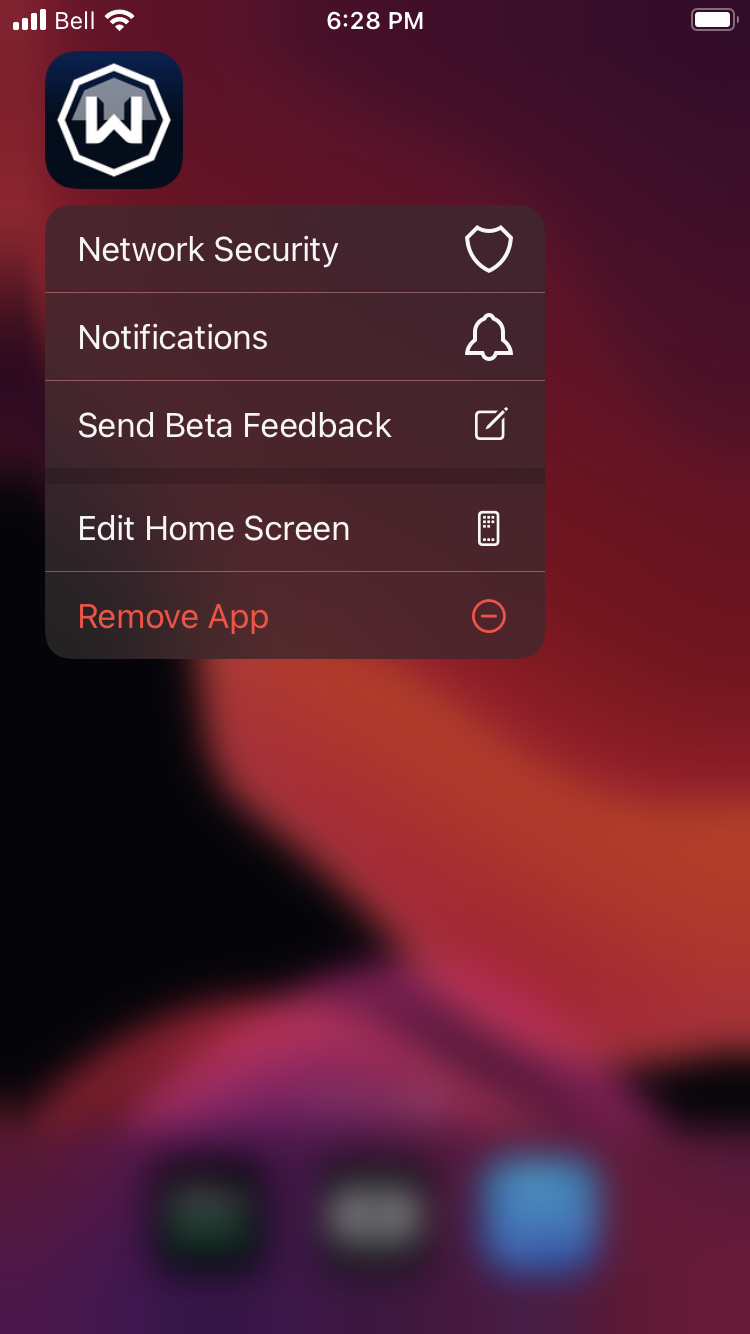
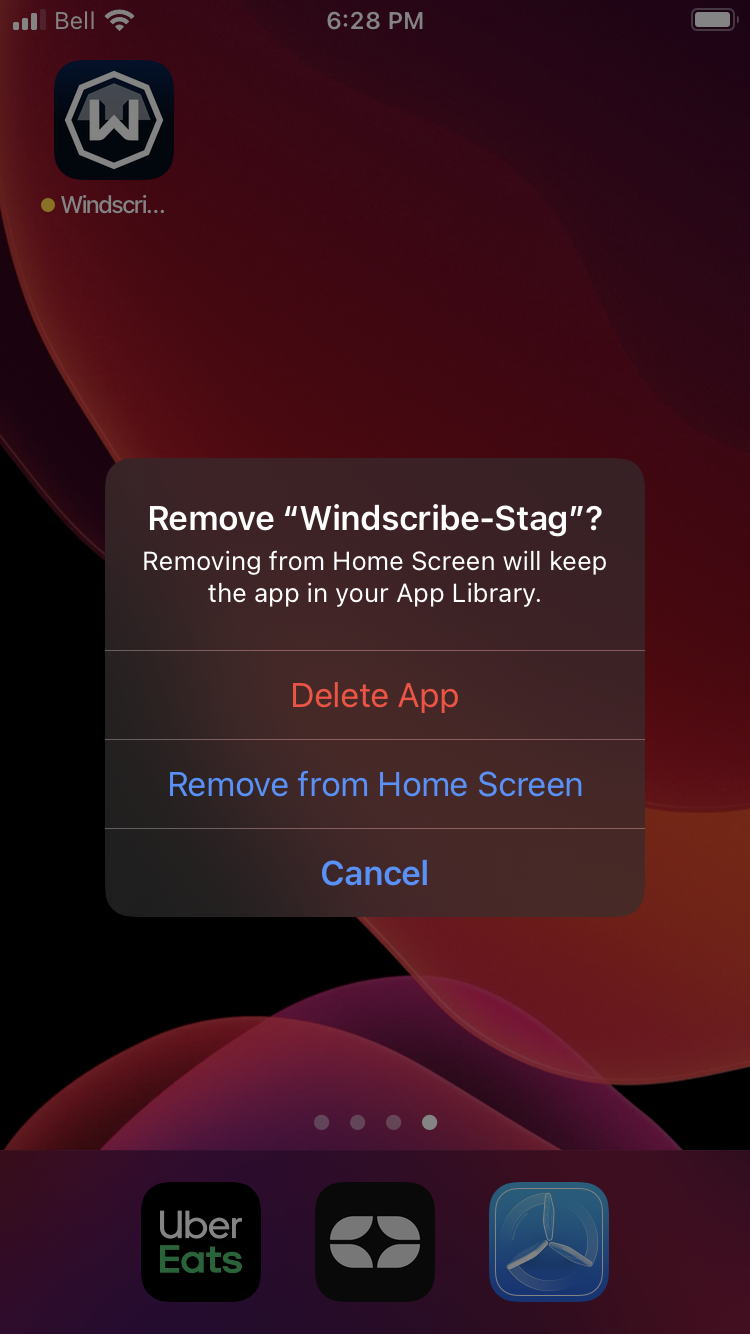
Appuyez sur « Supprimer l'app » puis sur « Supprimer l'app ».
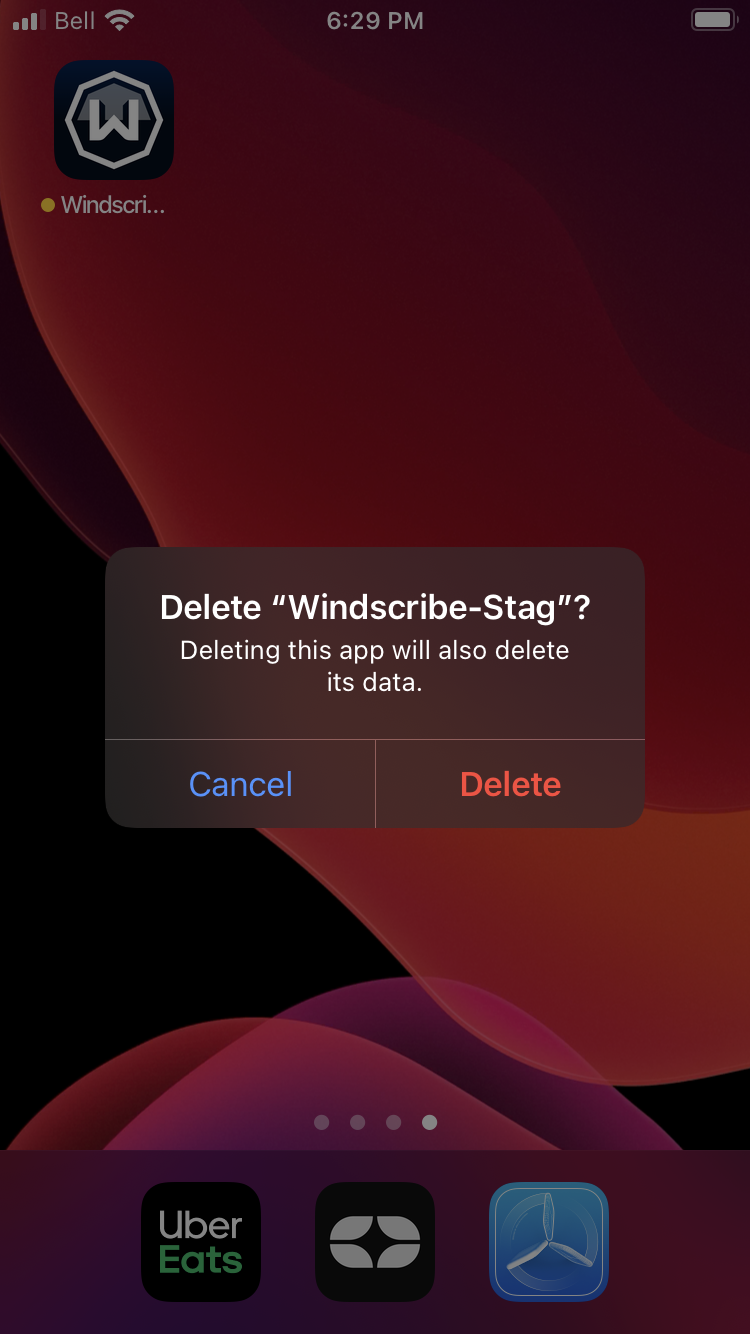
Appuyez ensuite sur « Supprimer » pour retirer l'application de votre appareil. Supprimez toutes les autres versions que vous possédez, comme les versions de test, si vous souhaitez les retirer également.
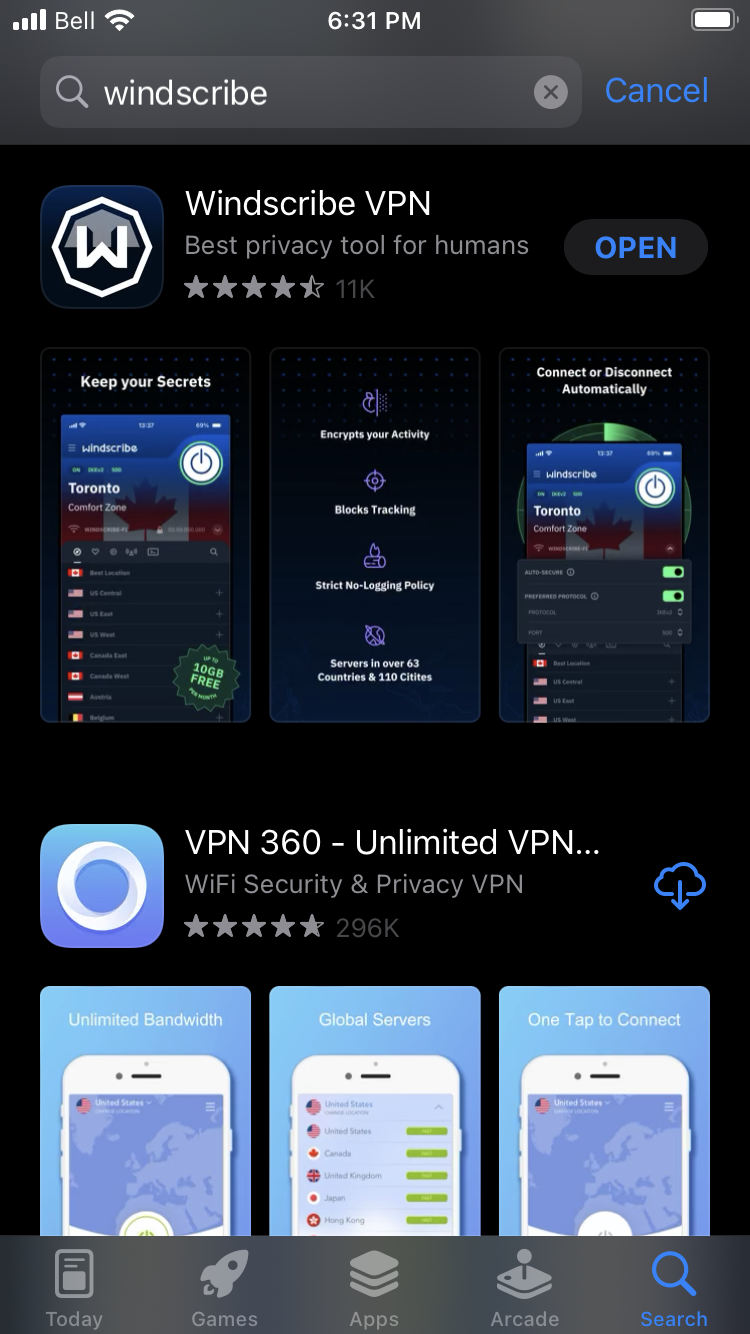
Rendez-vous ensuite sur l'App Store et téléchargez à nouveau Windscribe. Ouvrez l'application et connectez-vous à votre compte.
Après la réinstallation, explorez toutes les fonctionnalités disponibles dans notre VPN pour iPhone, notamment les protocoles de sécurité avancés et les protections de confidentialité conçues spécifiquement pour les appareils iOS.