

Comment activer le tunnel fractionné sur Android


Le tunnel fractionné sur les appareils Android est limité aux applications. Voici les étapes pour l'activer sur votre appareil Android :
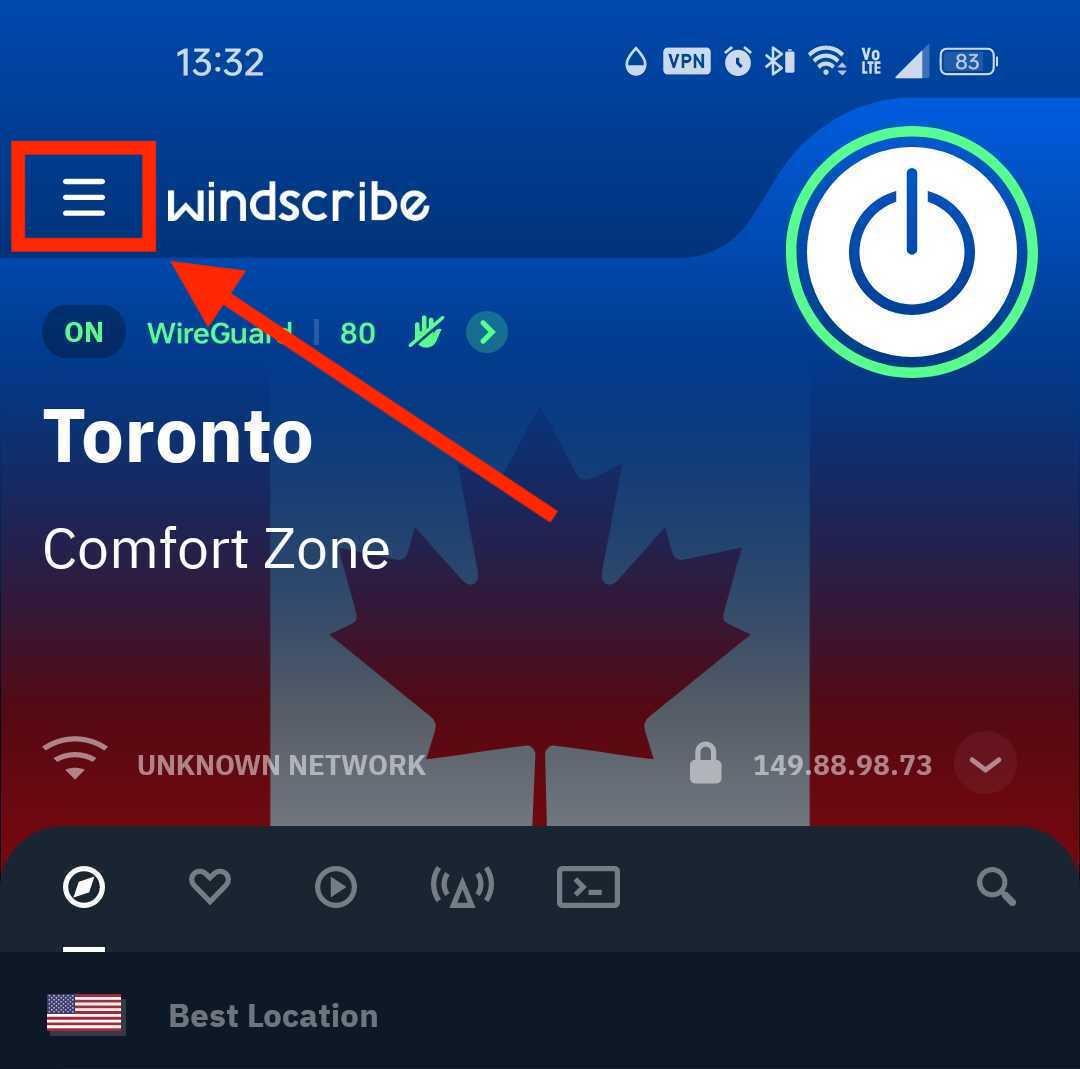
1. Ouvrez l'application Windscribe sur votre appareil et appuyez sur l'icône Préférences/Menu en haut à gauche
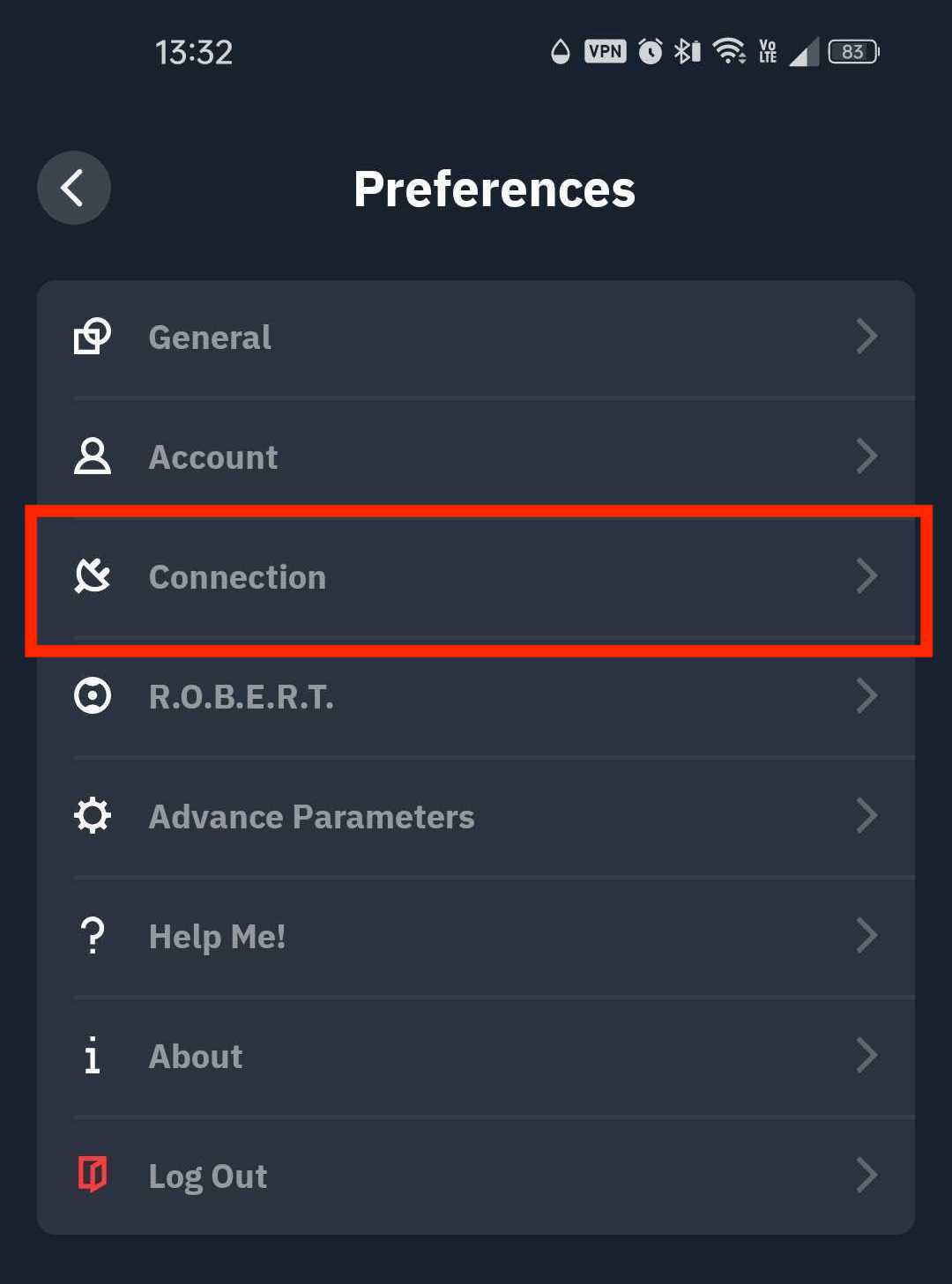
2. Allez dans le sous-menu Connexion
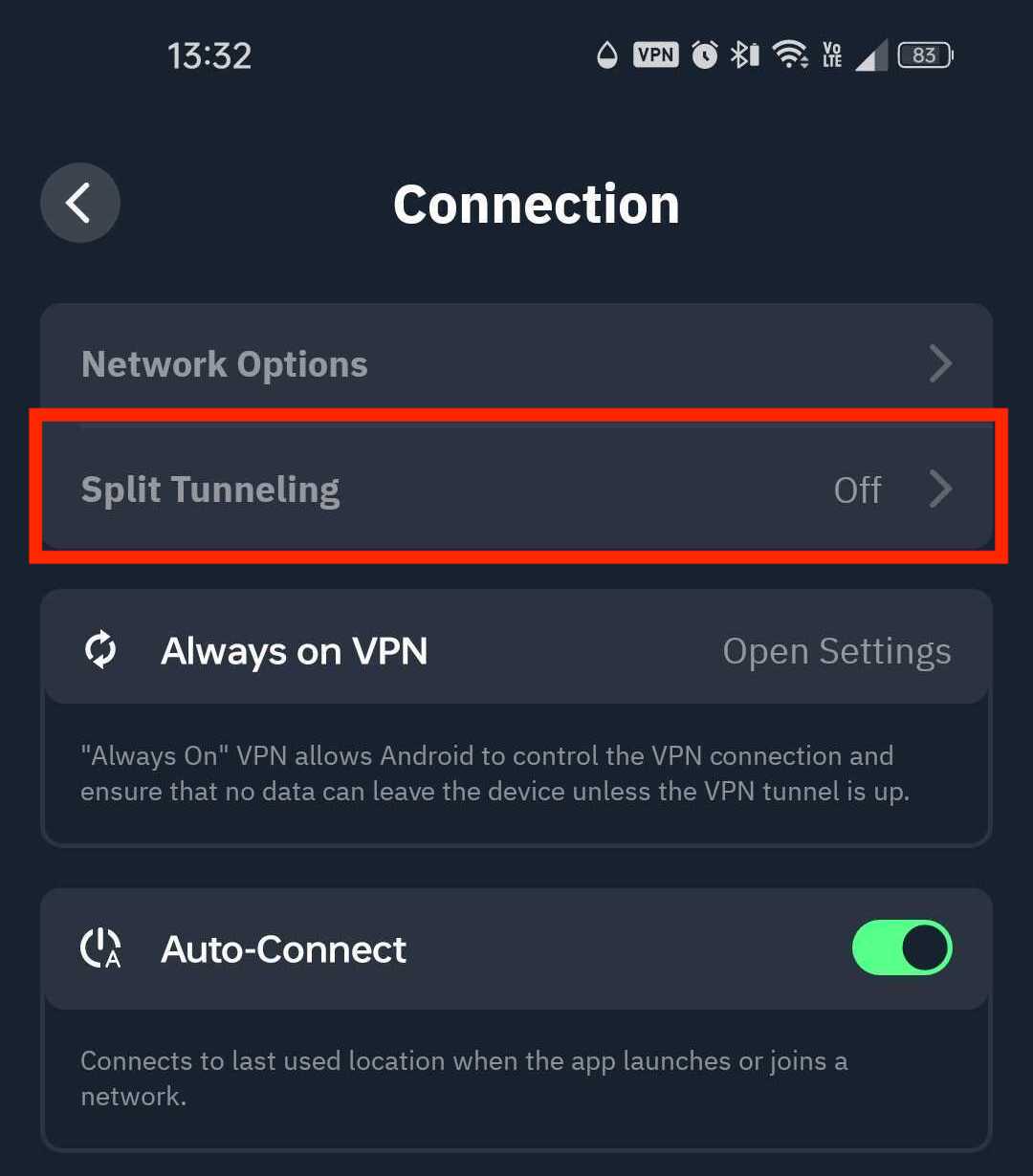
3. Sélectionnez l'option Tunnel fractionné
4. Activez le commutateur sur ON (vert) pour activer le tunnel fractionné
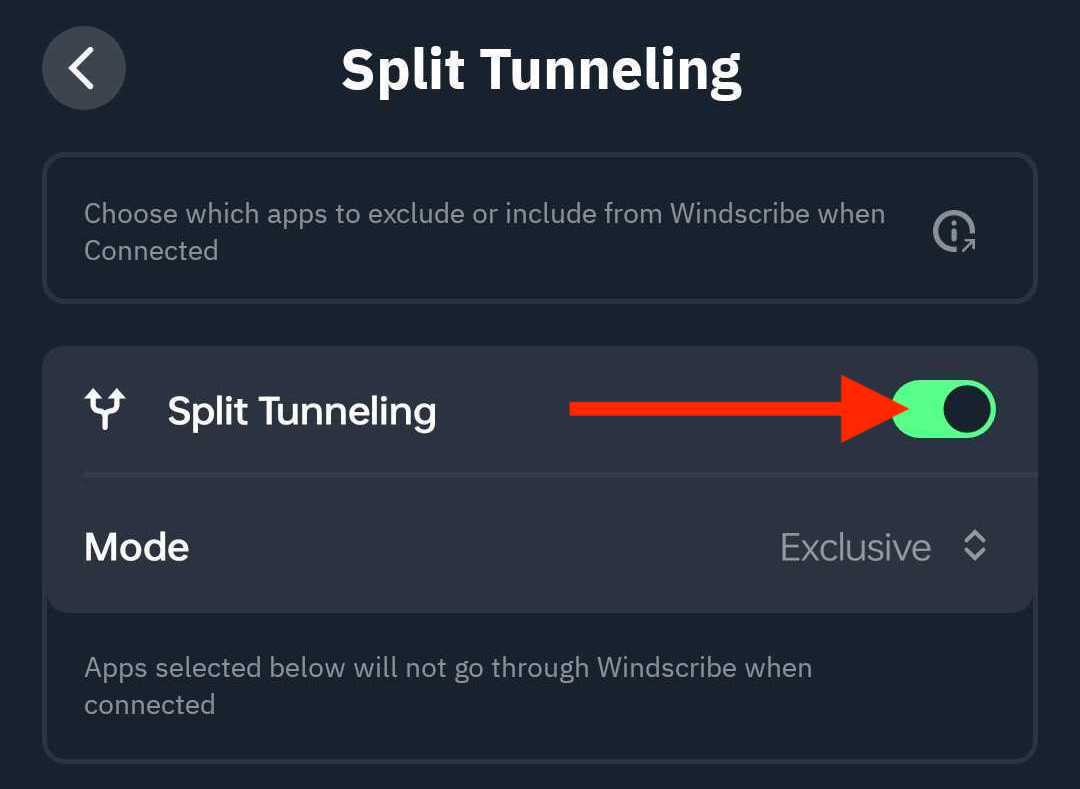
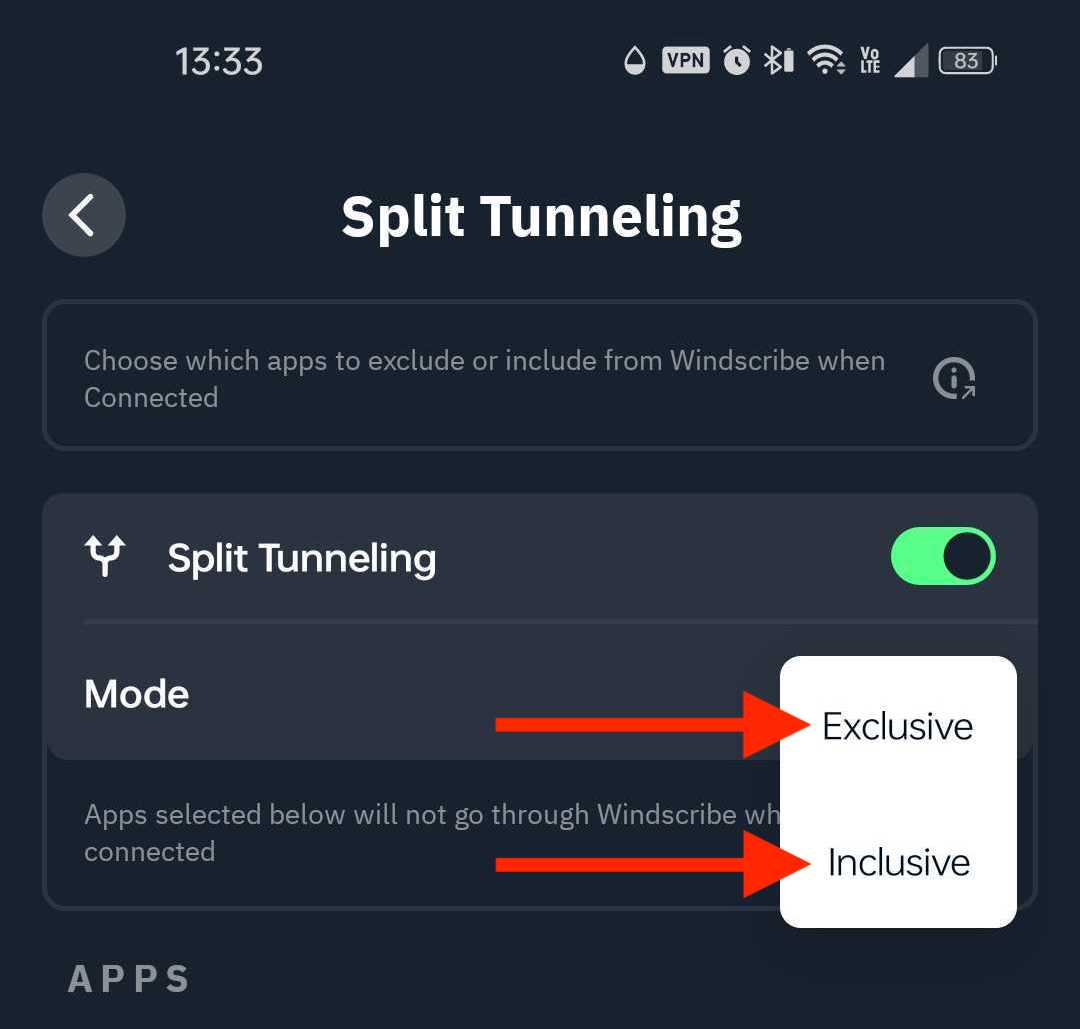
5. Choisissez le mode de tunnel fractionné que vous souhaitez utiliser : Exclusif ou Inclusif
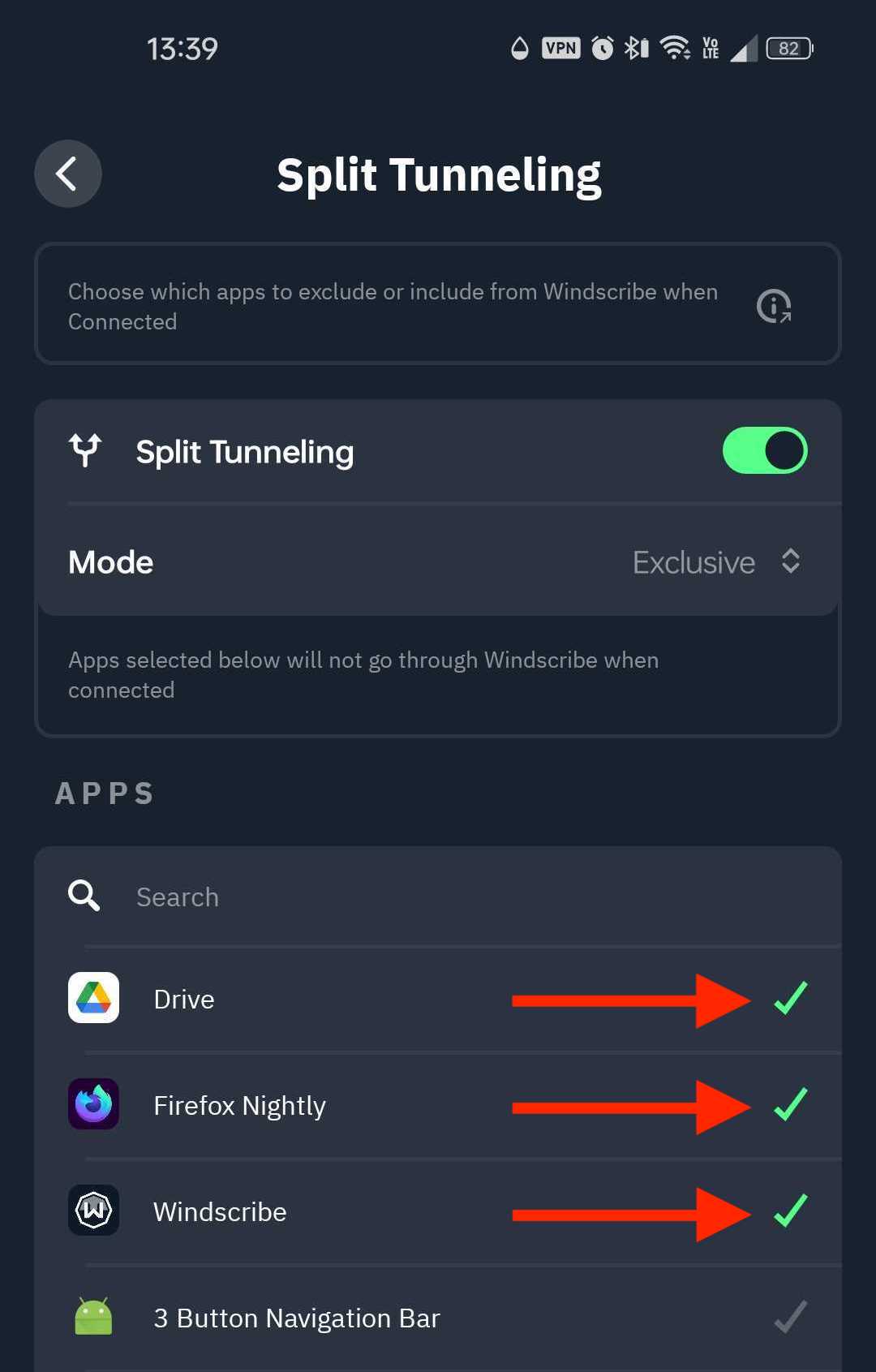
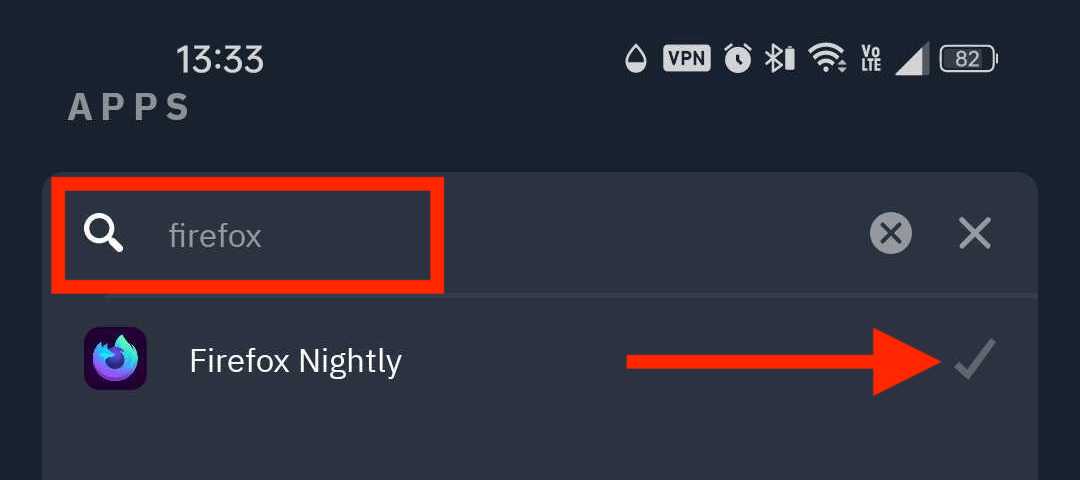
6. Faites défiler la liste des applications ou utilisez la barre de recherche pour trouver l'application souhaitée, puis cliquez sur la coche pour l'ajouter au tunnel
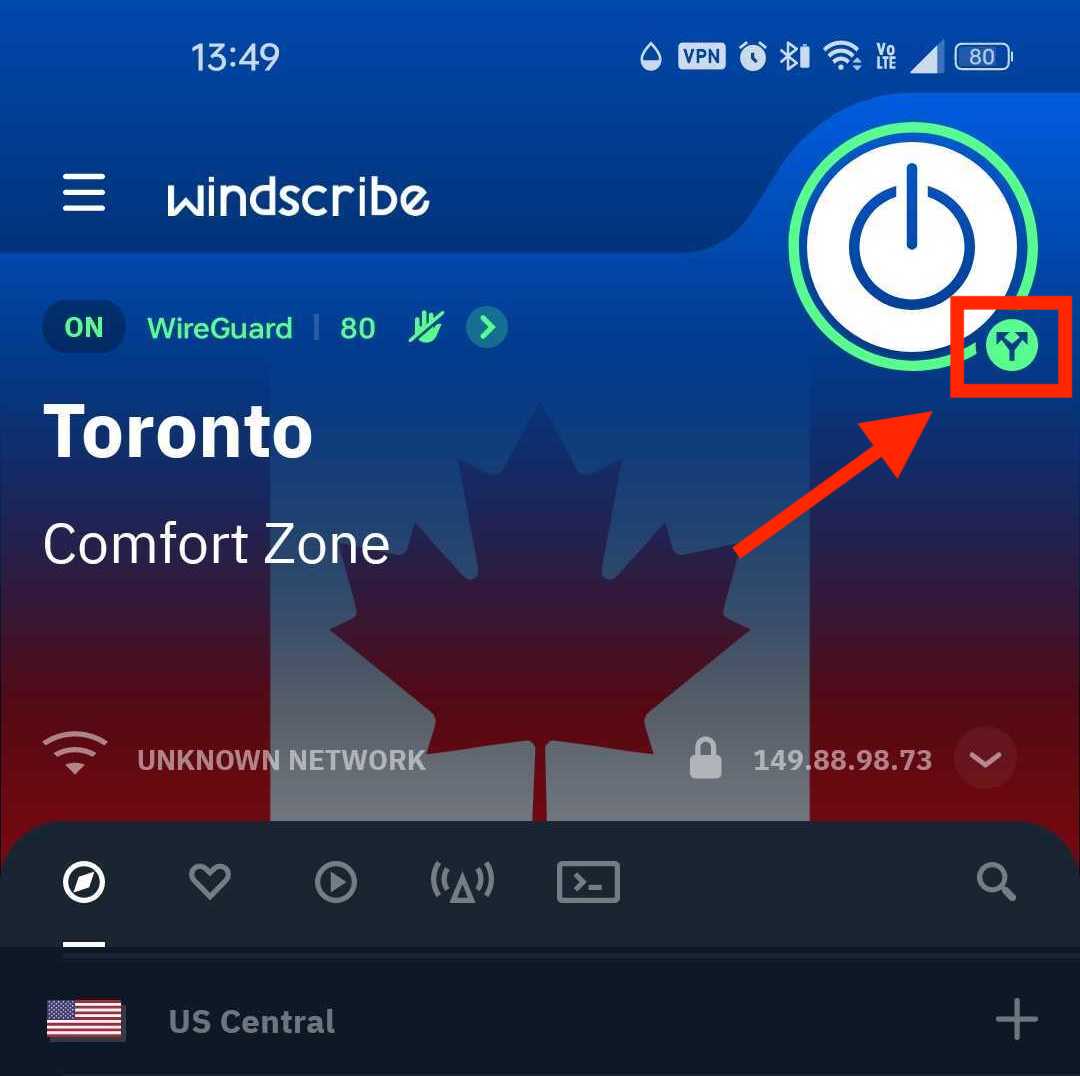
7. Enfin, revenez à l'écran principal de l'application, déconnectez-vous du VPN et reconnectez-vous. Une petite icône de flèches divergentes apparaîtra sous le bouton de connexion lorsque le tunnel fractionné est actif
Remarque : Si Always ON VPN est activé et que Bloquer toutes les connexions n'utilisant pas le VPN est également activé, le mode Exclusif ne fonctionnera pas, car les connexions hors VPN seront bloquées (comme prévu).