Windscribe
FonctionnalitésOffresTéléchargerConnexion
Windscribe
TéléchargerJournal des modificationsTarifsBoutiqueAssistanceFonctionnalitésOpen SourceParrainer un amiDNS gratuitÉthique et philosophieServeurs VPN
Applications
VPN pour WindowsVPN pour AndroidVPN pour MacVPN pour LinuxVPN pour ChromeVPN pour FireTVVPN pour FirefoxVPN pour Apple TVVPN pour MS EdgeVPN pour HuaweiVPN pour iPhoneVPN pour routeursWindscribe F-Droid
Entreprise
À proposConfidentialitéConditionsVDPEmploisBlogInfosGang
Windscribe logo
YouTube
Reddit
Discord
X
Telegram
Instagram
TikTok
© 2026 Windscribe Limited
How to enable/disable notifications from the Windscribe browser extension
Author
Winder S
Oct 27, 2025
Divider
Help
>
Guides

The Windscribe extension will send you system notifications whenever it connects or disconnects. These are useful in cases where the connection suddenly drops for whatever reason, you'll be notified immediately so you can reconnect or change locations.

Learn more about all available features in our Edge VPN extension or VPN extension for Chrome.

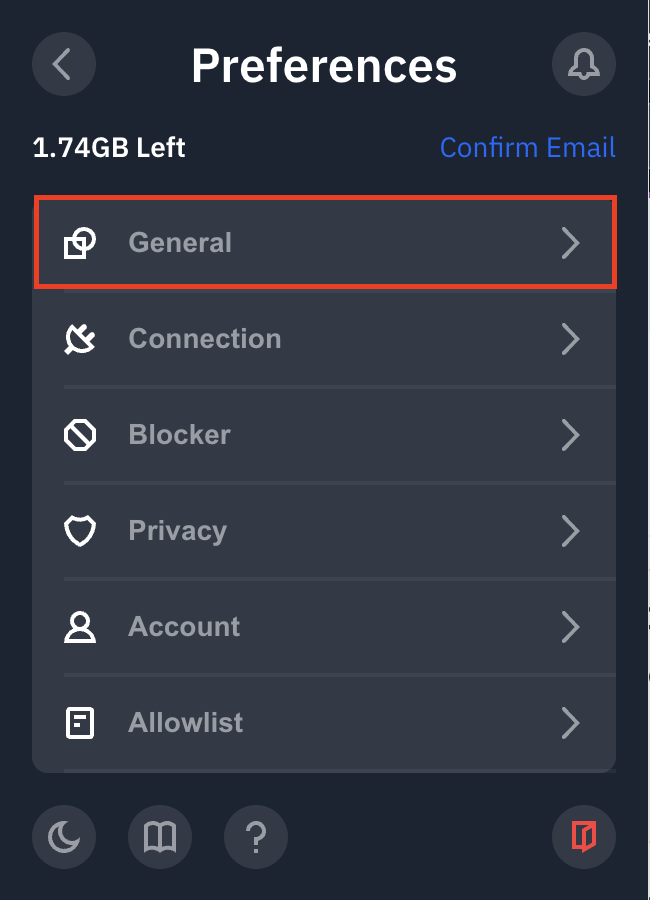
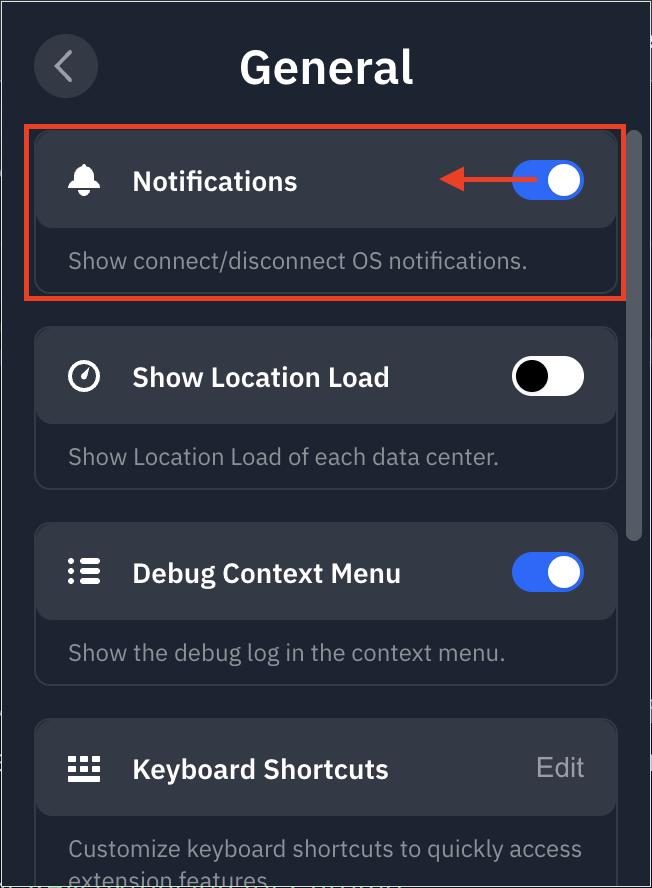
If you don't want to get notifications from the Windscribe extension or if they are disabled but you want them turned on, you can toggle this option by opening the extension, going to Preferences > General and toggling the Notifications option on or off (blue = on).

Preferences Menu Location

General Menu Location

Notifications Toggle Location


Get in touch

r/Windscribe

Find solutions, discuss ideas and share your feelings on our subreddit.

Discord

Join the discussion with our active community and make real friends!

Contact Support

Feeling completely lost? Contact Support.