

Comment supprimer votre compte Windscribe


Vous pouvez supprimer votre compte Windscribe en quelques clics depuis l'onglet Compte de votre page Mon compte : https://windscribe.com/myaccount/account
Faites défiler jusqu'à la carte Zone de danger en bas de la page et cliquez sur Supprimer le compte :

La fenêtre Supprimer le compte Windscribe s'ouvre :
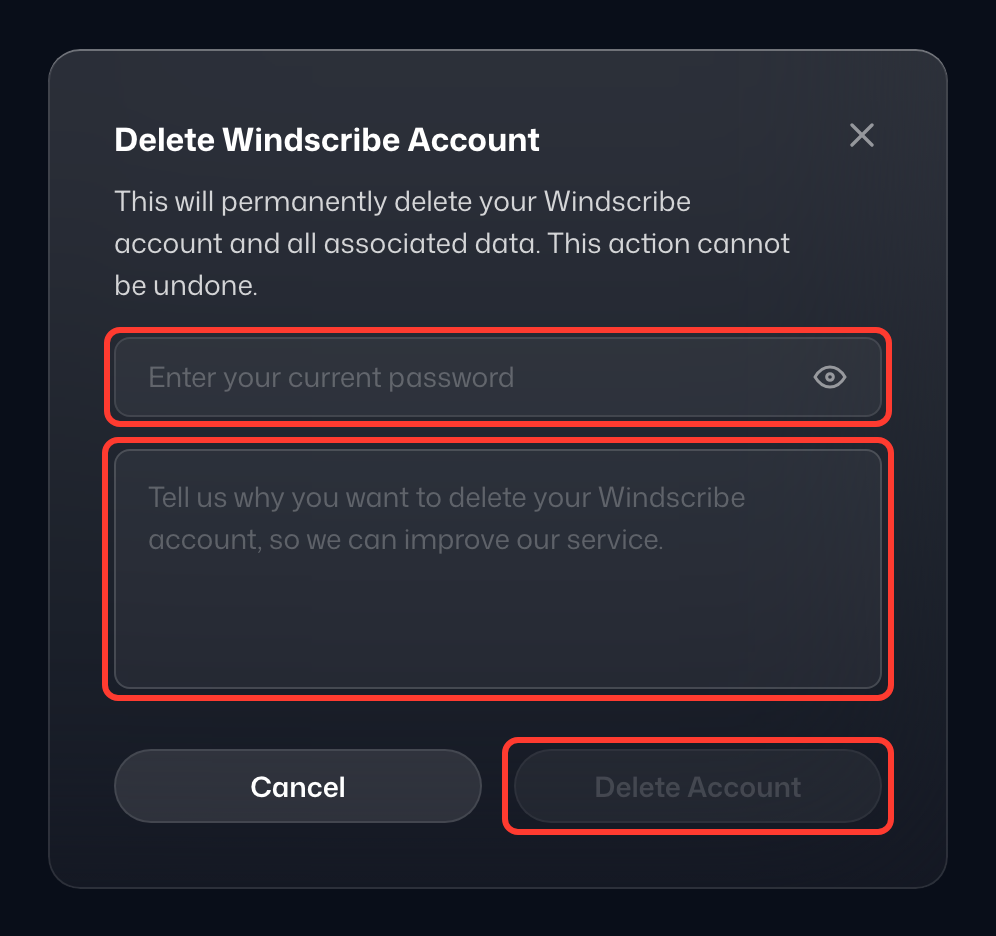
Saisissez votre mot de passe actuel (1), indiquez-nous pourquoi vous partez (2), puis cliquez sur Supprimer quand même (3) ; le bouton reste désactivé tant que les deux champs ne sont pas remplis. Rester avec Compy ferme la fenêtre sans rien supprimer. Si vous avez un forfait payant, le temps restant est perdu et ne peut pas être remboursé. Une fois la suppression confirmée, votre compte est supprimé et vous êtes déconnecté.
Gardez à l'esprit qu'il s'agit d'une action permanente, donc la récupération du compte une fois supprimé n'est PAS possible.