

Comment utiliser un code promo, bon ou code de réduction

Winder S
Mar 11, 2025

Passer à Pro ou activer un plan de données supplémentaire
Si vous avez un code pour ajouter des données ou passer à un plan Pro, voici comment l'utiliser :
- Connectez-vous sur notre site web ici : https://windscribe.com/login
- Ouvrez Abonnements sous Facturation dans votre compte : https://windscribe.com/myaccount/billing
- Dans la carte Informations sur le forfait, cliquez sur Utiliser un bon à côté de votre forfait. (Le bouton Utiliser un bon n'apparaît pas si vous avez déjà un forfait Pro.)

- Saisissez votre code (1) et cliquez sur Utiliser (2).
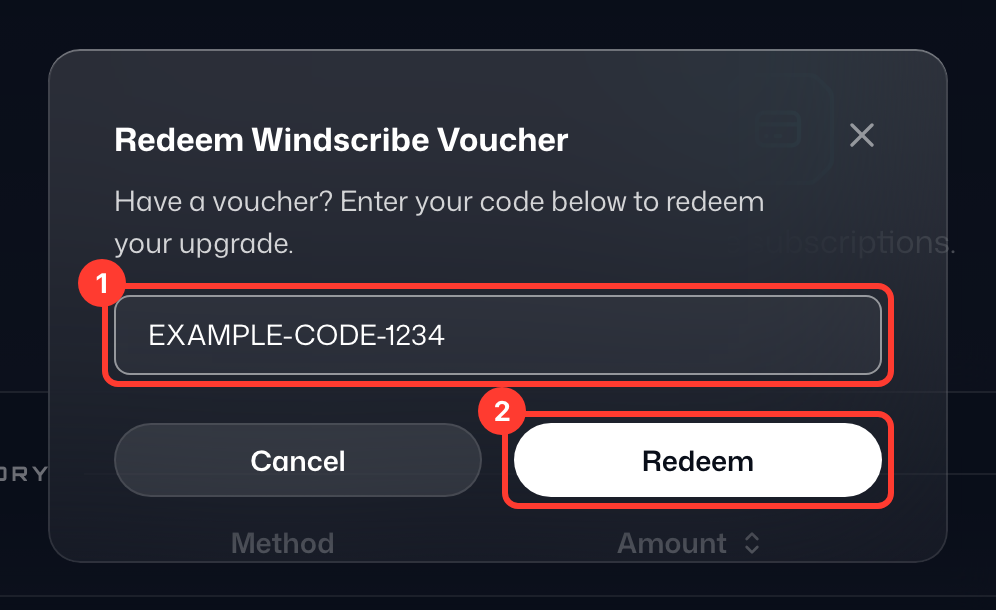
- Terminé ! Vous devriez voir la mise à niveau immédiatement. Veuillez noter que si vous avez un compte gratuit, vous devez avoir une adresse e-mail confirmée pour obtenir plus de données.
Activer un code de réduction pour un achat
Si vous avez un code pour activer une remise sur un plan payant, voici comment l'activer :
- Connectez-vous sur notre site web ici : https://windscribe.com/login
- Rendez-vous sur la page de tarifs/mise à niveau ici : https://windscribe.com/upgrade
- Faites défiler jusqu'à voir le bouton "Vous avez un code promo ?" :
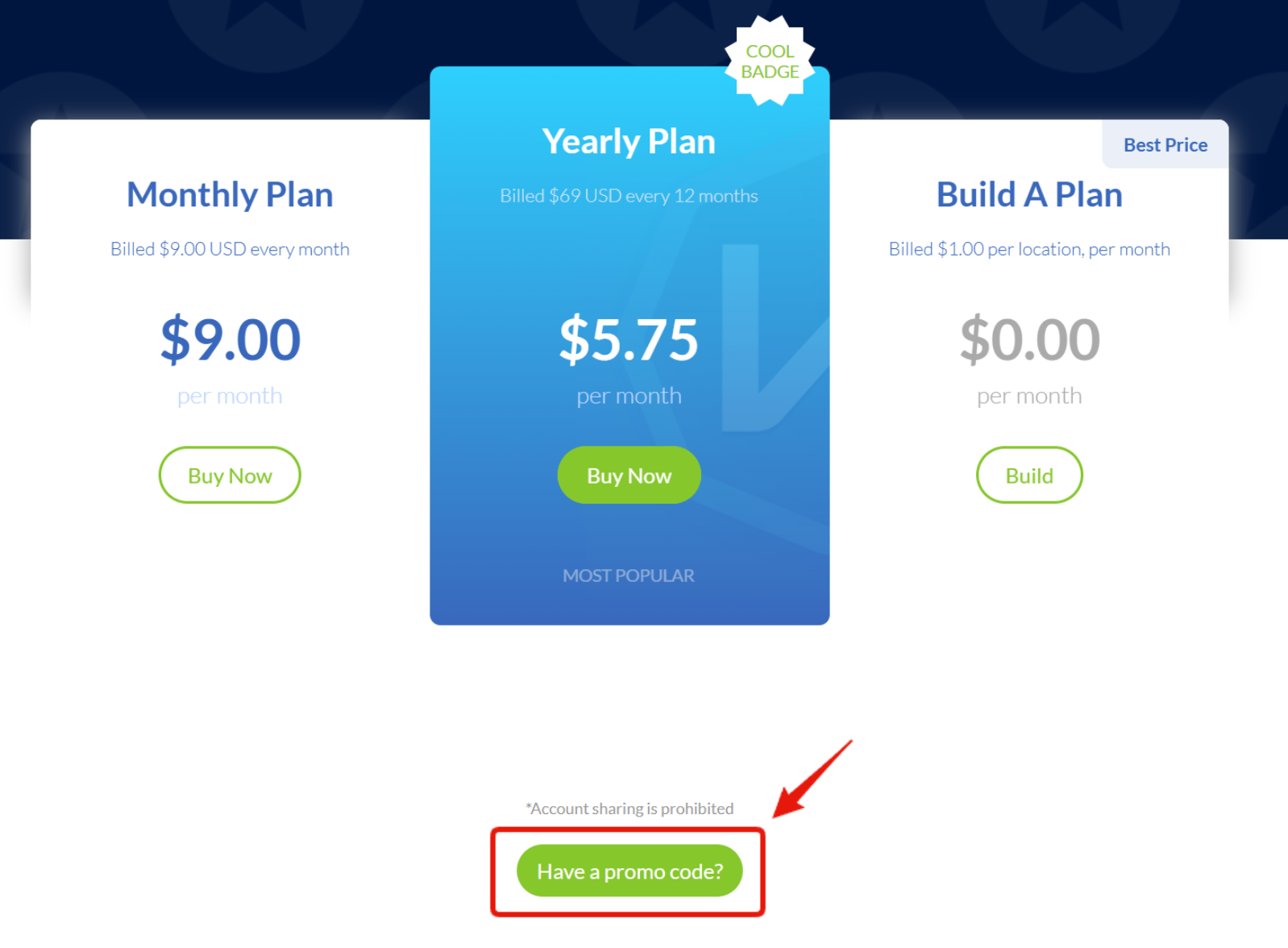
- Cliquez sur ce bouton et une zone de texte apparaîtra
- Saisissez votre code promo puis cliquez sur Valider pour activer la remise :
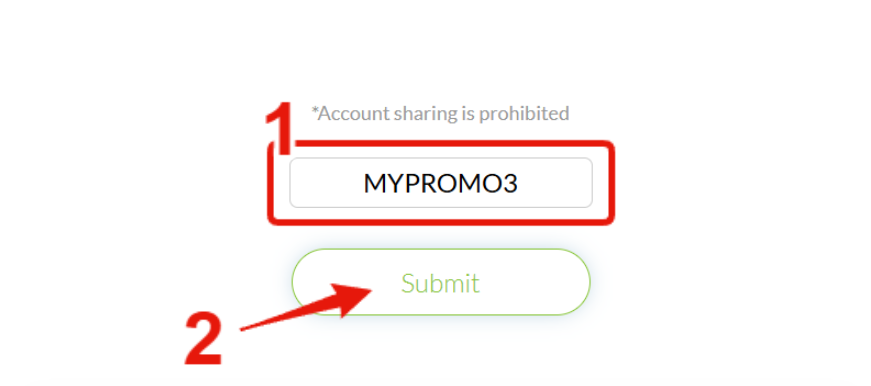
- Et voilà ! La page devrait se rafraîchir et la remise sera active.
Vous pouvez aussi saisir un code de réduction dans la fenêtre Utiliser un bon sous Facturation › Abonnements. Après avoir cliqué sur Utiliser, cliquez sur Poursuivre l’achat pour voir votre forfait à prix réduit et finaliser l'achat.
Si à tout moment vous souhaitez visiter la page de tarifs d'origine sans la remise active, vous pouvez utiliser le lien suivant : https://windscribe.com/upgrade?promo=NOPROMO
Restez informé des codes promo et offres Windscribe en cours.