

Comment modifier le DNS interne dans l'application Windscribe


Nous avons récemment mis à jour une fonctionnalité qui permet aux utilisateurs de profiter d'une sélection de services DNS tiers tout en étant connectés au VPN Windscribe.
Après avoir installé la dernière version de l'application bureau Windscribe, voici comment modifier le DNS interne :
- Assurez-vous que le client bureau est déconnecté et que le pare-feu a été désactivé. C'est important
- Cliquez sur l'onglet Préférences (en haut à gauche, à côté du logo Windscribe)
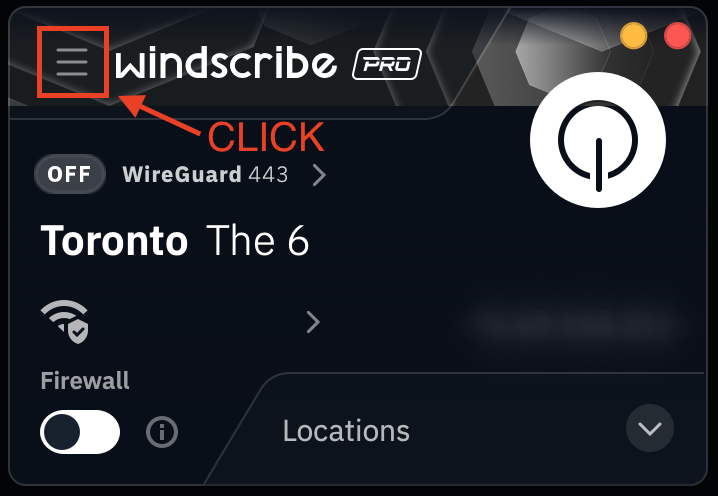
- Ensuite, sélectionnez Options avancées (icône engrenage)
- Faites défiler vers le bas et cherchez l'option DNS interne de l'app
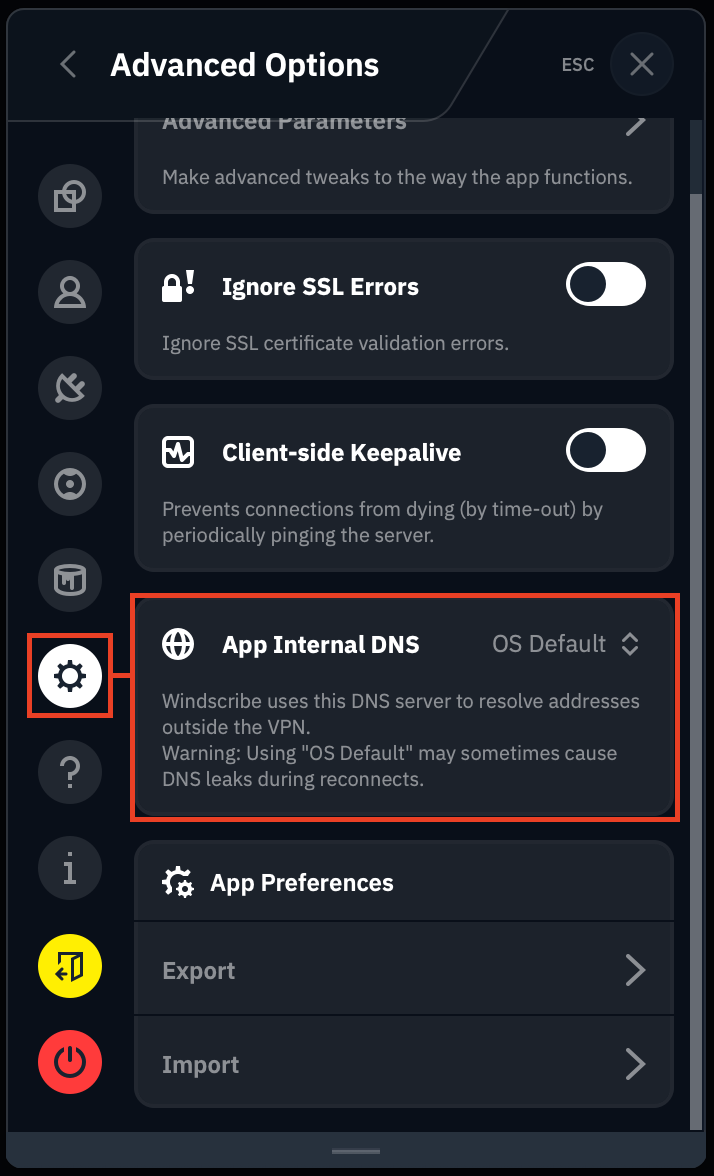
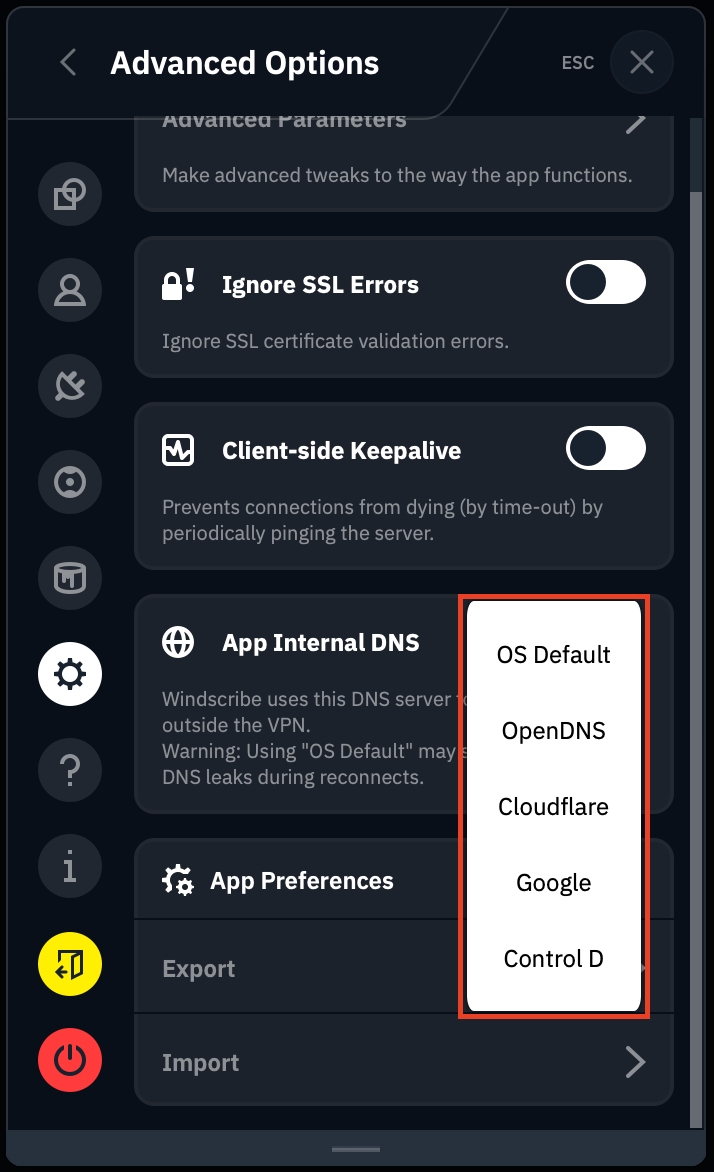
- Dans la liste déroulante, sélectionnez le service DNS que vous souhaitez utiliser
- Revenez à l'écran principal du client bureau et connectez-vous à un emplacement
- Une fois connecté, ouvrez l'Invite de commandes (Windows) ou le Terminal (Linux ou macOS) et lancez un test nslookup sur n'importe quel domaine. Ici, nous avons effectué un test sur twitch.tv, en utilisant Google :
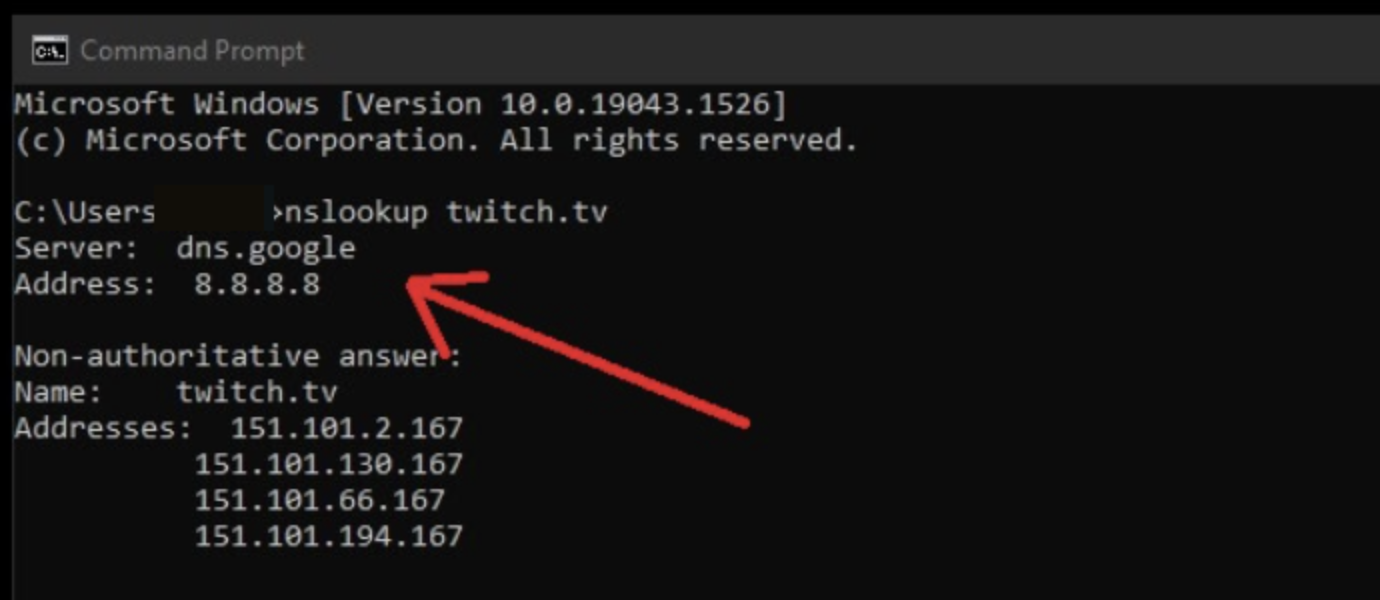
Après avoir exécuté le test nslookup, vous devriez obtenir un résultat DNS pour le service DNS tiers. Vous pouvez également effectuer un test de fuite DNS pour confirmer que vos requêtes ne fuient pas vers votre FAI.
REMARQUE : Gardez à l'esprit que lors de l'utilisation du DNS personnalisé, vos paramètres R.O.B.E.R.T. ne seront pas appliqués car R.O.B.E.R.T. est le DNS de Windscribe. Si vous souhaitez utiliser R.O.B.E.R.T., sélectionnez-le à nouveau dans les paramètres ci-dessus et reconnectez-vous au VPN.