

Comment réinstaller l'application Windscribe sur Mac ?

Winder S
Oct 17, 2025

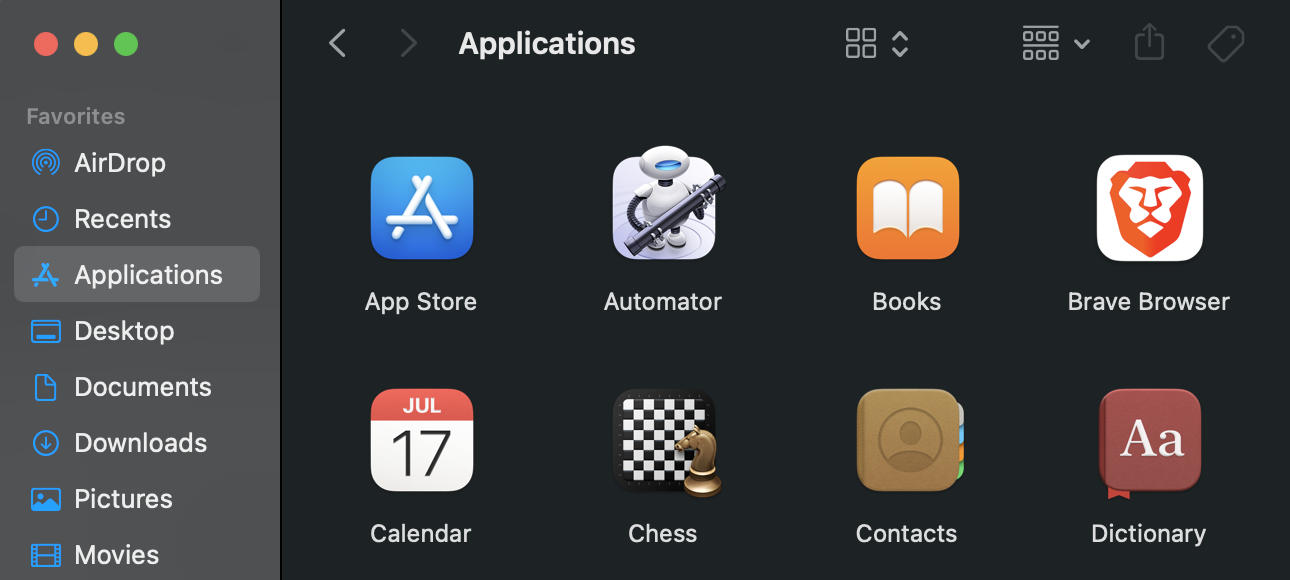
- Ouvrez le Finder et accédez au dossier Applications dans la barre latérale.
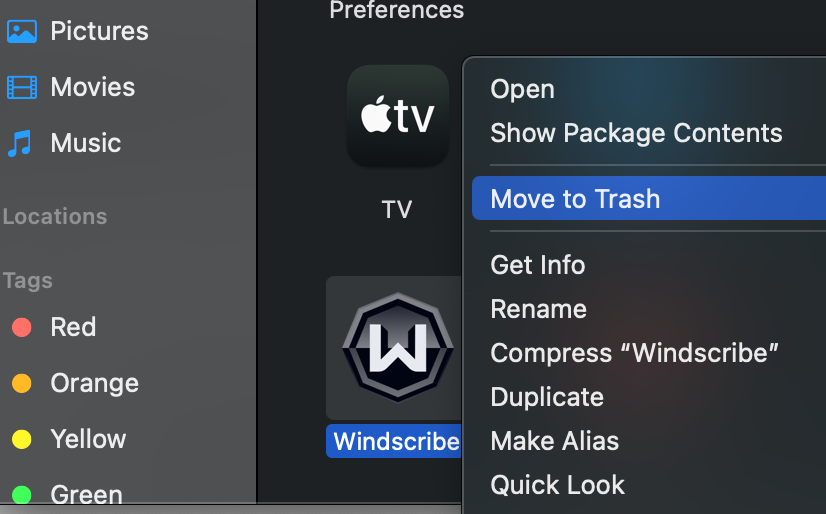
- Faites glisser l'application Windscribe vers la Corbeille dans le Dock, ou sélectionnez l'application et choisissez Fichier > Mettre à la Corbeille. Vous pouvez également faire un clic droit sur l'application et sélectionner Mettre à la Corbeille.
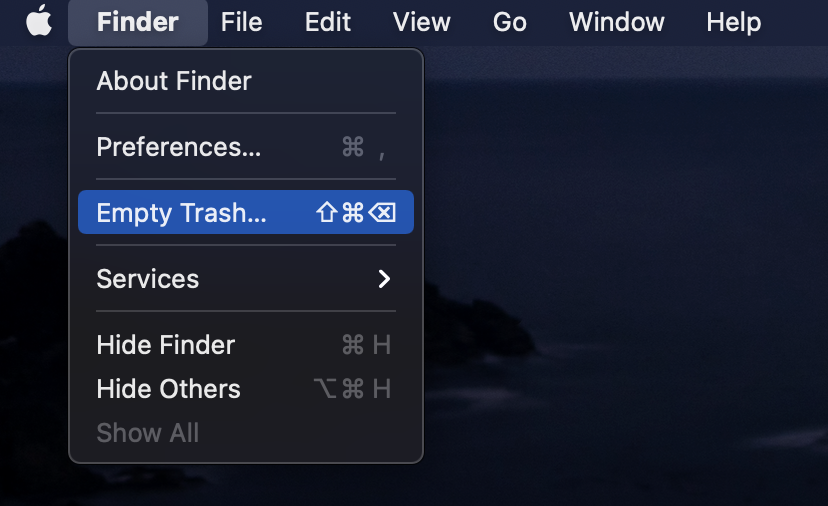
- Une fois l'application déplacée vers la Corbeille, pour la supprimer complètement, choisissez Finder > Vider la Corbeille. Vous pouvez également redémarrer votre système à ce stade pour supprimer tout fichier temporaire potentiel.
- Téléchargez l'application VPN de bureau Windscribe pour Mac
- Cliquez sur le fichier d'installation téléchargé pour lancer l'installation.
- Une fois l'installation terminée, vous pouvez rouvrir Windscribe, vous connecter et vous connecter au VPN.