

Comment puis-je changer mon nom d'utilisateur ?


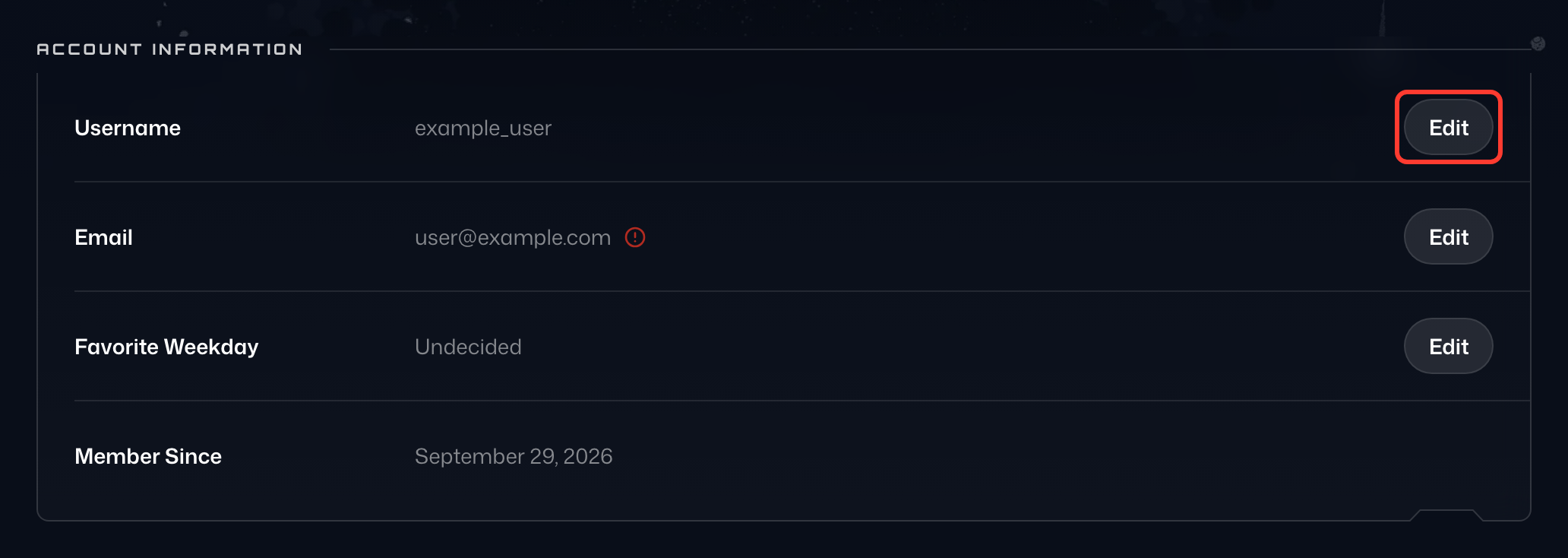
Depuis novembre 2025, les utilisateurs Pro peuvent modifier eux-mêmes leur nom d’utilisateur dans l’onglet Compte de Mon compte :
- Dans la carte Informations du compte, cliquez sur Modifier (l’icône en forme de crayon) sur la ligne Nom d’utilisateur.
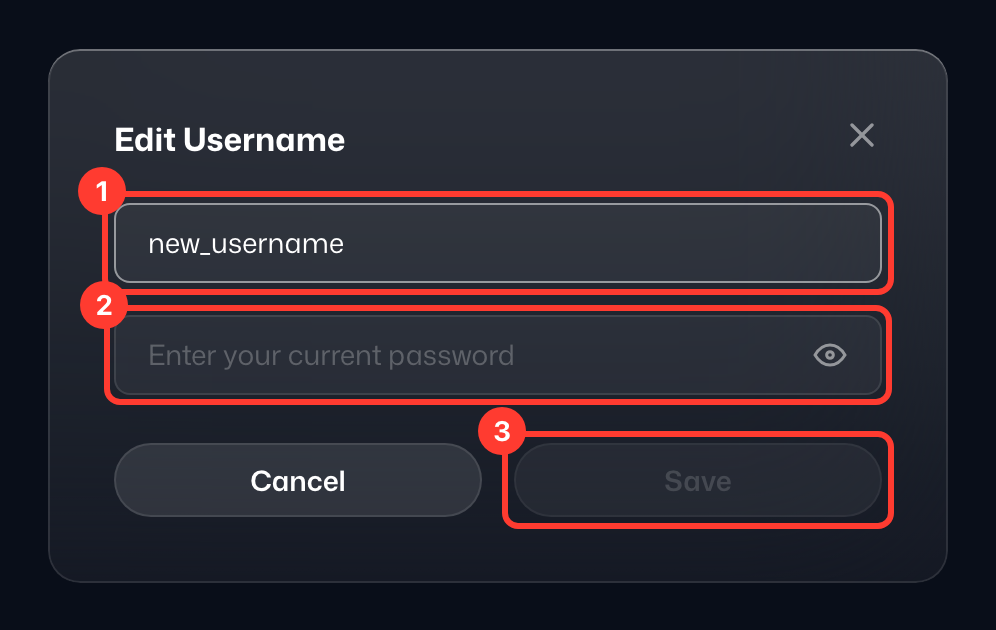
- Dans la fenêtre Modifier le nom d’utilisateur, saisissez votre Nouveau nom d’utilisateur (1) et votre Mot de passe actuel (2).
- Cliquez sur Enregistrer (3).
- Le message Nom d’utilisateur mis à jour confirme la modification.
Sur un compte gratuit, la ligne Nom d’utilisateur affiche Mettez à niveau pour modifier à la place.
En cas de problème, ou si vous n'avez pas le forfait Pro, veuillez contacter notre équipe de support (https://windscribe.com/contact-support) via Garry (notre bot de support) avec 3 choix pour votre nouveau nom d'utilisateur, par ordre de préférence. Nous appliquerons celui qui est disponible.
Veuillez noter que nous avons des millions d'utilisateurs enregistrés, donc les noms les plus courants seront déjà pris (essayez d'ajouter des chiffres).
Si votre compte contient un abonnement payant, veuillez également inclure les détails de votre dernier paiement comme preuve de propriété si demandé.