

Your PrivateWindscribeEntry
A private entry point on your own server. Hydra is a small, open-source Linux tool that turns any server with a public IP into your own way in to Windscribe.
The Path
How It Works
Your Hydra server passes encrypted traffic between the Windscribe app and Windscribe without decrypting it. It needs no keys or settings, and works with WireGuard and AmneziaWG.
- Your Windscribe AppWith a Hydra profile imported
- Your Hydra ServerForwards the bytes unchanged
- WindscribeDecrypts and sends your traffic out
- The InternetThe sites you visit
Why Use It
- Unblock
Reach Windscribe Where It's Blocked
Some networks and countries block known VPN server addresses. Your Hydra server's address isn't on any public list, so it usually keeps working. If it gets blocked, start a new one in minutes. - Privacy
Split Who Knows What
Your Hydra server sees your IP address but not your traffic. The Windscribe server sees only the Hydra server's IP, never yours. No single machine on the path sees both. - Control
Your Infrastructure, Your Rules
Any Linux VPS or home server with a public IPv4 address works. It stores no accounts, keys or VPN credentials, andhydra downremoves everything it added.
Guided Setup
Map Your Addresses to Locations
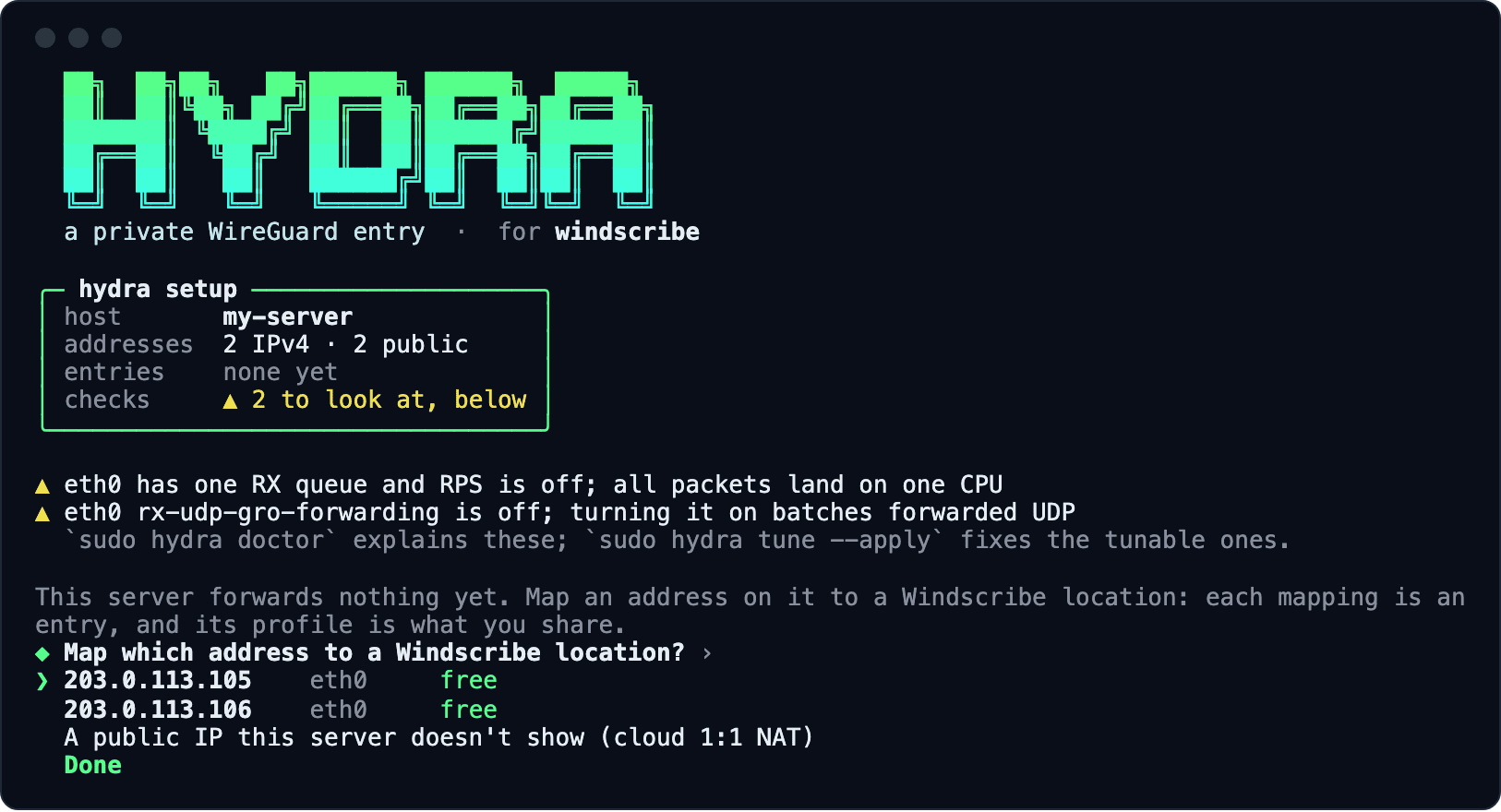
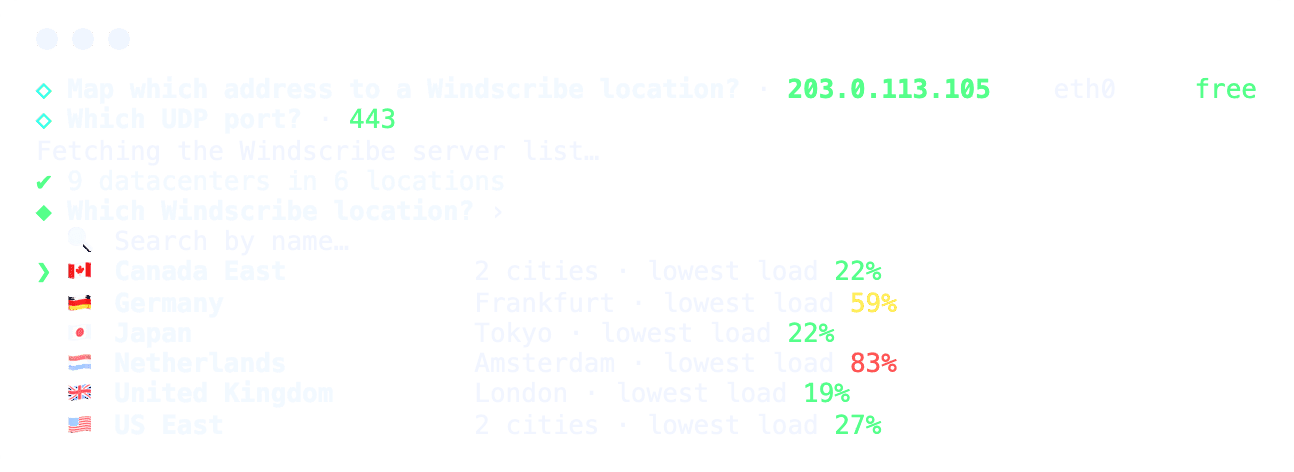
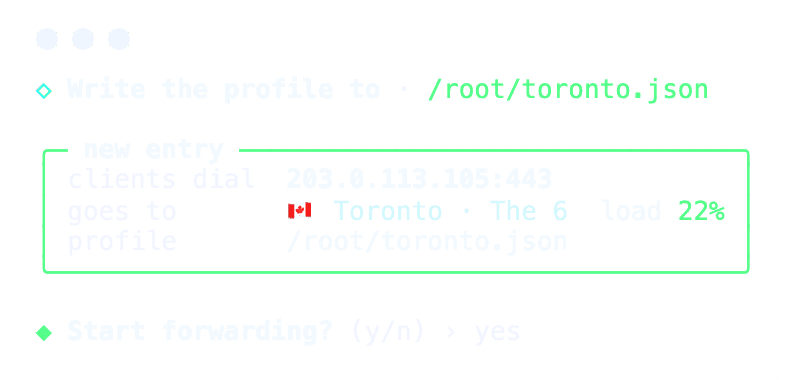
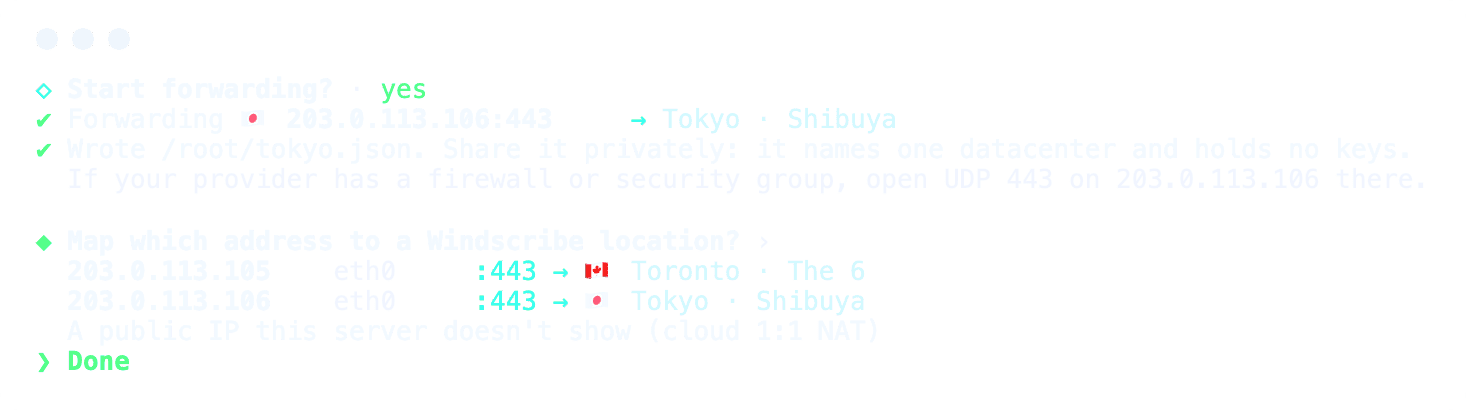
sudo hydra setup checks the server and lists its addresses. Pick an IP address, then a Windscribe location, least loaded first.- Give each IP address its own location.
- Each mapping writes a profile you can share.
- Hydra restarts after reboots and stays up to date.


Privacy
No Single Server Sees Both
With a normal VPN, one server can see both your real IP address and where your traffic goes. Hydra adds a separate hop in front of it, run by you or someone you trust.
The Hydra Server
Can see your real IP address.
Can't see the sites you visit. The tunnel stays encrypted to Windscribe.
The Windscribe VPN Server
Sees the Hydra server's IP address, never yours.
Can technically see where your traffic goes, like any VPN server. Windscribe doesn't inspect or log it (see our privacy policy).
What Each Party Can Technically See
What each party is technically able to see on the network, which isn't the same as what anyone looks at or keeps.
| Party | Your real IP address | Who you are (account) | Which Windscribe location you use | Where your traffic goes |
|---|---|---|---|---|
| Hydra Server | Can see | Cannot see | Can see | Cannot see (encrypted) |
| Windscribe VPN Server | Cannot see (sees the Hydra IP) | Cannot see (sees only an anonymous WireGuard key) | Not applicable | Technically can see, not inspected or logged |
| Your Local Network or ISP | Can see | Cannot see | Cannot see (sees the Hydra IP) | Cannot see (encrypted) |
Who You Are
Neither server receives your username, email or account details. The VPN server knows your connection only by its WireGuard public key.
Where Your Traffic Goes
Traffic leaves the tunnel at the VPN server, so it's the one point that could see destinations, as with any VPN. With Hydra, it can't also see your IP.
Logs
Hydra logs nothing. Windscribe doesn't log your source IP, sites or sessions (see the privacy policy). An operator's own logs are up to them.
Before You Start
Things to Know
Hydra hides your IP from the VPN server. Here's what it doesn't cover.
- The App Still Talks to the Windscribe APISign-in, the server list and WireGuard settings go over the normal API, outside the Hydra hop, from your real IP address.
- The Hydra Server Knows Your Exit Location but Not What IP You're UsingIt forwards to that Windscribe location, which usually reveals the country or city you exit from.
- The Two Hops Can Be LinkedAnyone watching both could match timing and volume, as could anyone running both. Use a Hydra server you run or trust.
Quick Start
Set up your own Hydra server in a few minutes.
You Need:
- Root access
- A Linux server with a public IPv4 address (any small VPS works)
nftablesandconntrack(apt install nftables conntrack)- The chosen UDP port (443 by default) open in your provider's firewall
1. Install
Download the latest Hydra release for Linux from GitHub.
Optional: Build From Source
Prefer to build it yourself? You'll need a recent Rust toolchain.
git clone https://github.com/Windscribe/hydra
cd hydra
cargo build --release
sudo install -m 0755 target/release/hydra /usr/local/bin/hydra
2. Check the Server
Fix anything marked
FAIL. sudo hydra tune --apply fixes most warn items for you.sudo hydra doctor sudo hydra tune --apply
3. Pick a Windscribe Location and Start Hydra
Use
sudo hydra setup, or the commands below. Hydra picks the least-loaded datacenter, starts forwarding and writes hydra.json. On cloud servers (AWS, GCP, Azure, Oracle), add --listen <public IP>.hydra lookup Toronto sudo hydra up --location Toronto
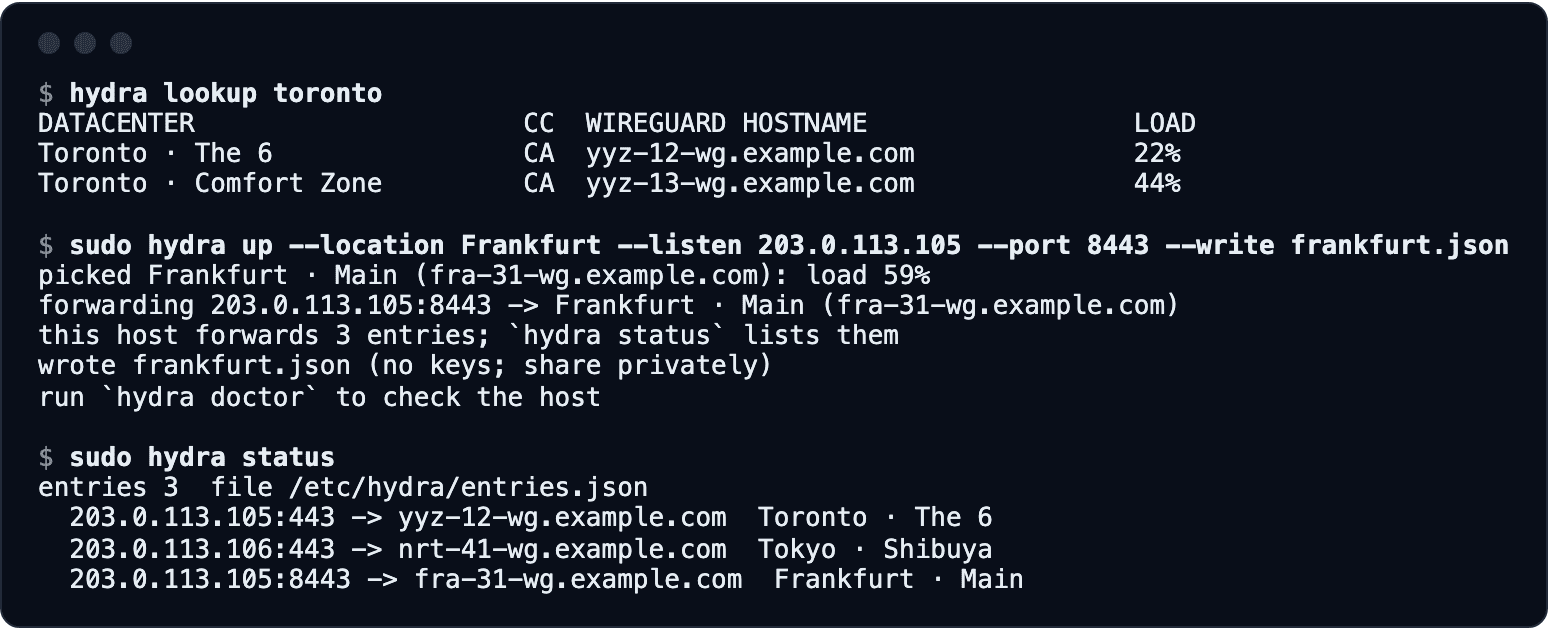
4. Share the Profile
Send
hydra.json privately to the people who should use it. It holds only your entry address and location, no keys or secrets.{
"version": 2,
"kind": "windscribe.hydra.profile",
"hydra_id": "my-server",
"created_at": "2026-10-28T19:00:00Z",
"fronts": [
{
"location": "Toronto · The 6",
"datacenter": "yyz-12-wg.example.com",
"datacenter_id": 12,
"exit_port": 443,
"entry_ip": "203.0.113.5",
"entry_port": 443,
"protocol": "wireguard"
}
]
}5. Keep It Running After a Reboot
sudo hydra setup installs systemd units that restore your entries at boot and keep them current. To set them up by hand:sudo cp contrib/hydra.service contrib/hydra-refresh.service \ contrib/hydra-refresh.timer /etc/systemd/system/ sudo systemctl daemon-reload sudo systemctl enable --now hydra hydra-refresh.timer
To stop Hydra, run
sudo systemctl disable --now hydra, or sudo hydra down if you aren't using systemd.How to Set Up
Connect Through Hydra in the Windscribe App
Hydra profiles work in the Windscribe apps for Windows, macOS, Linux, Android and iOS.
 1. Get a ProfileRun your own Hydra server, or get a profile from someone you trust.
 2. Import ItIn the app, open Preferences → Connection → Hydra profile and import the file.
 3. ConnectPick the location that matches your profile. The app routes through Hydra automatically.
Limits
What Hydra forwards, and what it doesn't.
- IPv4 only.
- UDP only (WireGuard, AmneziaWG). No OpenVPN, IKEv2 or TCP.
- Linux with nftables only.
- No logging, rate limiting or access control: anyone with the profile can use your server, though Windscribe still requires an account.
- Bandwidth counts against your provider's quota, both ways.


Start Your Own Hydra.
Start Hydra on a server, share the profile privately, and connect through it in the Windscribe app.
Questions
Frequently Asked Questions
Is Hydra a VPN server?


No. Hydra forwards encrypted WireGuard traffic to Windscribe without decrypting it. Windscribe does the VPN part, and no keys or credentials are stored on the Hydra server.
Can the person running the Hydra server see what I do online?
No. The tunnel stays encrypted to Windscribe, so the Hydra server can't see the sites you visit. It can see your real IP address and which Windscribe location you use.
Does Hydra make me anonymous?
No. It's a two-hop design like Tor's first two relays, but simpler and not anonymous. It's only as private as the people running each hop, and your app still reaches the Windscribe API from your real IP.
Do people using my Hydra server need a Windscribe account?
Yes. Each person signs in with their own account. The profile holds only addresses, no keys or secrets.
Which Windscribe apps support Hydra profiles?
The Windscribe apps for Windows, macOS, Linux, Android and iOS. Import the profile under Preferences → Connection → Hydra profile.
Can one Hydra server offer several locations?
Yes. Each IP address on your server forwards to one Windscribe location. Map them with
sudo hydra setup and share each profile separately.What if my Hydra server gets blocked?
Start Hydra on a new server and share the new profile. That takes a few minutes.
What happens if my Hydra server is down?
The app tells you it can't reach your Hydra server and won't connect to that location any other way, so your IP never reaches Windscribe's server. Restart Hydra, or remove the profile in Preferences → Connection → Hydra profile.
Does it keep working as Windscribe changes its servers?
Yes. Hydra checks your locations for changes every minute and follows them, so shared profiles keep working.
Does Hydra keep logs?
Hydra logs nothing. What an operator logs is up to them, so run your own or use one you trust. Windscribe doesn't log your source IP, sites or sessions.
How do I remove Hydra from a server?
Run
sudo hydra down --forget. Hydra creates one nftables table, inet hydra, and nothing else: hydra down removes it and --forget deletes the saved entries. If you set up the systemd units, run sudo systemctl disable --now hydra hydra-refresh.timer first.Is Hydra open source?
Yes. Hydra is released under the MIT license, and its source code is on GitHub.