




It’s not as if a Wi-Fi owner can literally peek into your local browsing history. That’s stored privately on your device within your browser. However, there's a big difference between your local history and your network traffic.
Without a VPN, the person who owns the router acts as a middleman for every bit of data you send. While they can't see the files on your hard drive, Wi-Fi owners and ISPs can see a generic log of the domains you access, along with exactly when you accessed them and how much data you used. A VPN hides the first two and nudges the third upward, since VPN data usage runs roughly 5 to 15% above an unencrypted connection. Even if you use Incognito mode, your data still has the destination address written clearly on the outside for the router to see.
If you want to keep your online habits truly private from the person running the network, you need to hide the destination. In this article, we’ll discuss how a VPN acts as a privacy shield between your device and the Wi-Fi owner.
What Can a Wi-Fi Owner Actually See?
ISPs and Wi-Fi owners are nosy. They want to see what you’re doing, where you’re going, and how long you stayed there. The good news is they can't see everything. The bad news is they can still see more than most people realize, which is invasive, and only some of it is actually necessary to keep the internet from collapsing.
Without a VPN
Without a digital shield protecting your metadata, your ISP and Wi-Fi owner can see a lot about what you’re doing online. They may not be able to see the fine details, but they can still see the domain names you visit through DNS queries, which is the internet’s way of translating website names into something computers can actually use. Even on HTTPS sites, that part usually stays visible.
They can also see the timestamps of every connection, how much data was transferred during the session, which device you connected from, your IP address, aka where you’re located, and even the apps you used.
What they can’t see, even without a VPN, is the specific content of the sites you visit. So yes, they can see you visited Reddit, but not which cursed corner of Reddit you wandered into. They also can’t see encrypted things like messages, passwords, or form data.
So, they can see that you connected to Netflix from your Chrome browser on your MacBook at 8:22 p.m., stayed there until 10:35 p.m., and used X amount of data during that session. What they cannot see is whether you were watching Love Is Blind or Emily in Paris.
What About Incognito Mode?
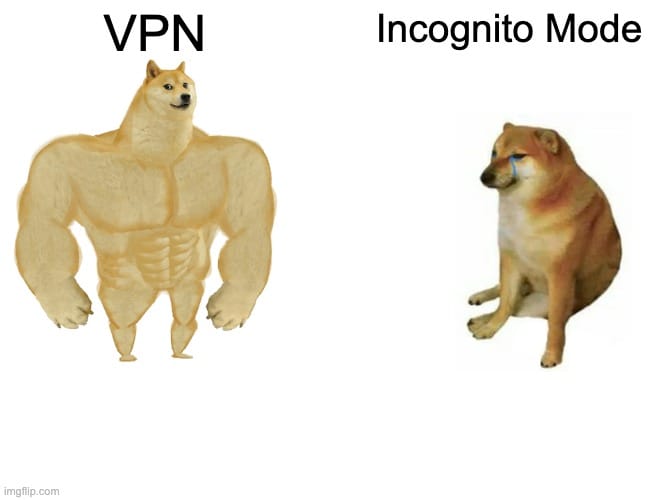
Okay, but what if I browse in incognito mode? We’re glad you asked. And sorry to disappoint, but that changes absolutely nothing.
Incognito or private browsing only stops your local browser from saving your browsing history. It does absolutely nothing at the network level. Your traffic still passes through the router in the same way. The Wi-Fi owner sees the same domains, timestamps, and data usage whether you’re in incognito or not.
Is It Necessary For Your Wi-Fi Owner to See Your Browsing History?
Yes, some of it is technically necessary. Not because they’re uniquely evil, but because that’s how internet routing works.
Your ISP or the owner of the Wi-Fi network has to carry your traffic from point A to point B. To do that, they need to see certain connection-level information, like your IP address, the destination IP, how much data is moving, and when the connection starts and stops.
What is not strictly necessary is seeing more human-readable clues than they need to. For example, traditional DNS exposes the domain names you request in plain text, which is why a network can often see that you visited Netflix or Reddit.
That is more of a legacy design problem than a hard requirement of physics. Newer systems like encrypted DNS and VPNs reduce that exposure.
How a VPN Hides Your Browsing From the Wi-Fi Owner
Don’t love the idea of your ISP or Wi-Fi owner being able to see what you’re doing online? Fair.
A VPN is your best digital shield against that kind of casual snooping. It hides a big chunk of your metadata by encrypting the traffic leaving your device and stuffing it inside a sealed tunnel that the Wi-Fi owner cannot peek into.
Instead of seeing which websites you visit, which apps you use, or what DNS requests your device is making, the Wi-Fi owner mostly just sees one encrypted connection going from your device to a VPN server.
From there, the VPN server decrypts the traffic and forwards it to the actual websites or services you’re trying to reach. To the person running the Wi-Fi, your internet activity basically turns into encrypted mush.
That said, a VPN doesn't make you invisible.
The Wi-Fi owner can still see that your device is connected to their network, that you’re using a VPN, when you connected, how long you stayed connected, how much data you used, and your device’s MAC address.
In plain English, that means they can tell you showed up and used the network, but they cannot easily see what you were actually doing on it.
Where It Matters Most: Wi-Fi Scenarios
Some Wi-Fi networks are mildly creepy. Others are running a full surveillance side quest. How much a VPN helps depends on who owns the network, what kind of device you are using, and whether the monitoring happens on the network or directly on your machine.
Your Parents' Wi-Fi
Don’t want your parents peeking into what you do online? Fair enough. Parents with basic router admin access can often see domains visited and timestamps. If they’re a little more tech-savvy, they may also be running parental control tools like Control D, Circle, or Bark, which can provide even more detailed monitoring.
A VPN encrypts your traffic and hides what you browse, but it doesn’t hide the fact that you’re browsing, or that you’re using a VPN. So yes, it blocks the details. No, it doesn’t make you look less suspicious.
If your parents check the router logs and see hours of encrypted traffic going to a VPN server, they may not know what you were doing, but they’ll know you were doing something you didn’t want them to see. Which, in parent logic, is basically a confession.
Work or School Network
Work and school networks are usually far more invasive than your average home router. They often use dedicated monitoring tools like Cisco Umbrella, Lightspeed, or Securly that go well beyond basic logs. Some also install certificates on managed devices that let them inspect HTTPS traffic. And if the laptop belongs to your employer or school, they may have endpoint monitoring software that can log activity directly on the device itself.
That part matters. A VPN protects your traffic while it moves across the network, but it cannot protect you from software running on the device before that traffic is encrypted.
If you control the device, a VPN can do a lot. If the company or school owns the laptop and has loaded it up with monitoring tools, the VPN can't save you. At that point, the call is coming from inside the house.
Hotel, Café, or Airport Wi-Fi
The Wi-Fi owner is a business, and businesses tend to enjoy making money. On public Wi-Fi networks, especially the ones that demand your email address before granting you the honor of loading a webpage, that often means logging and monetizing your data by handing it off to advertisers.
And that is only one problem. Public Wi-Fi is also a playground for hackers on the same network trying to intercept traffic, while fake “evil twin” hotspots can impersonate legitimate networks to trick people into connecting. A VPN shuts down the interception half of that, though it is worth knowing where a VPN's protection against hackers ends.
A VPN is one of the most effective tools in this situation. It encrypts your traffic before it leaves your device, making it much harder for the network owner, random creeps on the same Wi-Fi, or fake hotspot operators to see anything useful.
If there’s anything we’re going to ask of you, it’s this: please, for the love of all things digital, use a VPN on public Wi-Fi! Not sure where to start? Here's how to use a VPN on public Wi-Fi in a few clicks or taps.
What a VPN Doesn't Hide From the Wi-Fi Owner
We’d rather tell you the truth than sell you a fantasy. A VPN hides a lot, but it does not make you invisible. The Wi-Fi owner is the only one of the parties that can still identify you while a VPN is running.
Think of it like an envelope for your data. The mailman cannot read the letter inside, but he can still see that you sent something, when you sent it, and roughly how big the envelope was.
So yes, a VPN can stop your Wi-Fi owner from seeing the websites you visit, your DNS queries, and the contents of your traffic. But there are still a few things that remain visible, either because they are required for the network to function or because they happen outside the VPN tunnel entirely.
| Still Visible to Wi-Fi Owner | Why | What You Can Do |
|---|---|---|
| VPN usage itself | Your router can see that your device is connected to a VPN server IP, even if it cannot see what is inside that connection. | Use obfuscation. Windscribe's Stealth protocol helps disguise VPN traffic so it looks less obviously like VPN traffic. |
| Your device's MAC address | Your MAC address is used on the local network itself, which means it is exposed below the VPN layer. | Use MAC randomization. Windscribe desktop apps support this, and many operating systems do too. |
| Connection timestamps | The router can still log when your device connected and disconnected from the network. | Nothing, really. That is just part of how networks work. |
| Total data volume | Even when traffic is encrypted, the network can still see how much data was transferred. | Nothing directly, but volume alone usually reveals very little without the contents. |
| Local browser history | A VPN protects traffic moving across the network, not the stuff your browser stores on your device. | Clear your browser history or use private browsing if you do not want local traces left behind. |
| Logged-in account activity | Sites like Google, Facebook, and Amazon track you through your account, cookies, and browser fingerprinting, not just your IP address. | Log out when possible, block trackers, or use more privacy-focused services and browsers. |
In plain English, a VPN hides what you do on the network, but not everything around it. Your Wi-Fi owner may still know that you were online, that you used a VPN, and that your laptop moved a suspicious amount of data at 1:14 a.m. They just cannot easily see whether that was work, streaming, doomscrolling, or your tenth visit to the same Wikipedia page.
How Windscribe Goes Further Than a Standard VPN
Not to toot our own horn, but after 10 years in this weird little industry, we’ve had plenty of time to notice where standard VPNs fall short. So we built features to close those gaps. Here’s how Windscribe goes a few steps further than the usual “we encrypt stuff” routine.
Firewall (Kill Switch)
When a VPN drops, even for a split second, your traffic can leak to the Wi-Fi network in plain text. Most VPNs rely on a kill switch, which reacts after the connection fails and then shuts it down. That works, but there is still a small delay, and a small delay is all a leak needs.
That’s why Windscribe’s Firewall works at the OS level and blocks all non-VPN traffic at all times. It does not wait for the VPN to fail and then panic. It keeps the gate shut unless the VPN tunnel is active, which means your traffic never gets the chance to leak to the router unencrypted.
R.O.B.E.R.T. (DNS-Level Protection)
Even with a VPN, DNS requests can still leak if the VPN does a bad job of handling them. R.O.B.E.R.T. is Windscribe’s DNS-level protection system, which keeps DNS resolution inside the encrypted tunnel while also blocking ads, trackers, malware domains, and custom categories.
For Wi-Fi privacy, that means your DNS queries never hit the network’s own DNS servers, so the Wi-Fi owner doesn’t get a nice little list of sites you were trying to visit.
MAC Address Spoofing
A VPN doesn’t hide your MAC address, aka your device’s local network ID. Your MAC lives on the local network layer, so a VPN cannot encrypt or conceal it. But, you guessed it, we have a fix for that. Windscribe’s desktop app can spoof your MAC address on each network connection, making it harder for a Wi-Fi owner to recognize your device across sessions or track it every time you reconnect.
Clear Wi-Fi History
Did you know that your device keeps a stored list of Wi-Fi networks you’ve ever connected to? If someone were to access that list, they could see the exact places where you’ve been. Windscribe has a Clear Wi-Fi History feature that can clear the saved Wi-Fi history in one click, shutting down a sneaky little privacy leak that most VPNs omit.
 Karolina Assi
Stealth Protocol (Obfuscation)
Even if a VPN hides your traffic, the network can still see that you’re using one. And on some networks, that’s enough to get blocked. Windscribe’s Stealth protocol disguises VPN traffic as regular HTTPS traffic, making it much harder for routers and monitoring tools to spot and interfere with your connection.

Other Ways to Protect Your Browsing on Wi-Fi
A VPN is the best way to protect your browsing data from Wi-Fi owners and ISPs, but it’s not the only one. If you do not want to use one, these alternatives can reduce what the network sees. Just know they each solve one part of the problem.
Use Encrypted DNS (DoH/DoT)
Encrypted DNS hides your DNS requests, which are one of the easiest ways a Wi-Fi owner can see which sites you’re trying to visit. It’s a real privacy upgrade, but not a full one. The network can still see connection metadata like timing, data volume, and destination IPs.
Switch to Mobile Data
This is the simplest workaround. If you’re not on Wi-Fi, the Wi-Fi owner sees nothing because your traffic never touches their router. Of course, that visibility doesn’t disappear; it just moves to your mobile carrier.
Use HTTPS-Only Mode
HTTPS protects the contents of what you do online, like passwords, messages, and page data. That helps, but it doesn’t hide the domains you visit or other connection metadata. Good baseline protection, not a complete privacy fix.
Use Tor Browser
Tor routes your traffic through multiple encrypted relays, which gives you stronger anonymity than a standard browser setup. The downside is that it’s much slower and less convenient, which si the core trade-off in the VPN vs Tor decision. It’s great for maximum privacy when you’re doing sensitive stuff (like accessing the Dark Web, if ever), but it would be overkill for checking email at the airport.
 Rebecca Rosenberg
Does a VPN Hide Browsing History From Wi-Fi Owners? Frequently Asked Questions
Can the Wi-Fi owner see my browsing history if I use a VPN?
No. When a VPN is active, all your internet traffic is encrypted. The Wi-Fi owner can see that you are connected to a VPN server and how much data you are using, but they cannot see which websites you visit, the content you view, or your specific online activities.
Can you see search history on a Wi-Fi bill?
Nope! Wi-Fi bills only contain administrative and billing information, such as your data plan, monthly charges, and total data consumption. They never include a list of visited websites or search queries. While your ISP has access to your browsing data, it doesn’t appear on your monthly statement.
Can my parents see my browsing history through the Wi-Fi router?
Yes, if they check the router’s admin panel or DNS logs. Most home routers automatically log the domain names visited by every device on the network. A VPN encrypts this traffic so that the router only logs a connection to a VPN server, hiding the actual websites you visit. Still, your parents will be able to see that you’re using a VPN, and in parent logic, that’s kinda suspicious. They’ll know you’re hiding something you don’t want them to see!
Does incognito mode hide your browsing from the Wi-Fi owner?
No, that’s a myth. Incognito mode only prevents your local browser from saving history, cookies, and form data to your device. Your network traffic still travels through the router exactly like normal. The Wi-Fi owner can still see every domain you visit and when you visited it, regardless of the tab type.
Can the Wi-Fi owner see that I’m using a VPN?
Yup, they know! Router logs will show a connection to a specific IP address belonging to a VPN provider. However, they cannot see what you’re doing while connected. If you want to hide the fact that you’re using a VPN, you can use obfuscation tools like Windscribe’s Stealth protocol.
Does a VPN hide browsing history from my employer?
Well, it depends. It does hide your browsing history from your employer if you’re using a personal device on the office Wi-Fi. However, if you’re using a company-owned device, a VPN may not be enough. Employers often install endpoint monitoring software directly on the hardware, which can record your screen or keystrokes before the VPN even encrypts the data.
Does deleting my browser history hide it from the Wi-Fi owner?
No, it doesn’t work like that. Deleting your browser history only removes the records stored locally on your phone or computer. The Wi-Fi owner’s logs are stored on the router or by the ISP. Once the router logs your visit to a domain, deleting the history on your device has no effect on their records.
Can a VPN hide my browsing from my ISP?
Yup! That’s really the whole point. A VPN creates an encrypted tunnel between you and the VPN server. Your ISP can see that you are sending data to a VPN, but the encryption prevents them from seeing the websites you visit, the videos you stream, or the files you download.
Does a VPN delete my browsing history?
It doesn’t. A VPN is a real-time privacy tool that encrypts data as it leaves your device. It doesn’t have the ability to go back and delete existing history, cookies, or cached files already stored on your device. To remove those traces, you must clear your browser settings manually.
Yes, a VPN Hides Your Browsing History From the Wi-Fi Owner
Your Wi-Fi owner doesn't need a front-row seat to your browsing habits. Neither does your ISP, your employer, or whichever random network you connected to.
A VPN like Windscribe encrypts your traffic, hides the parts that matter, and makes casual snooping a lot less useful. It won't make you invisible, but it will make you a much harder person to spy on, which is really the point.



