



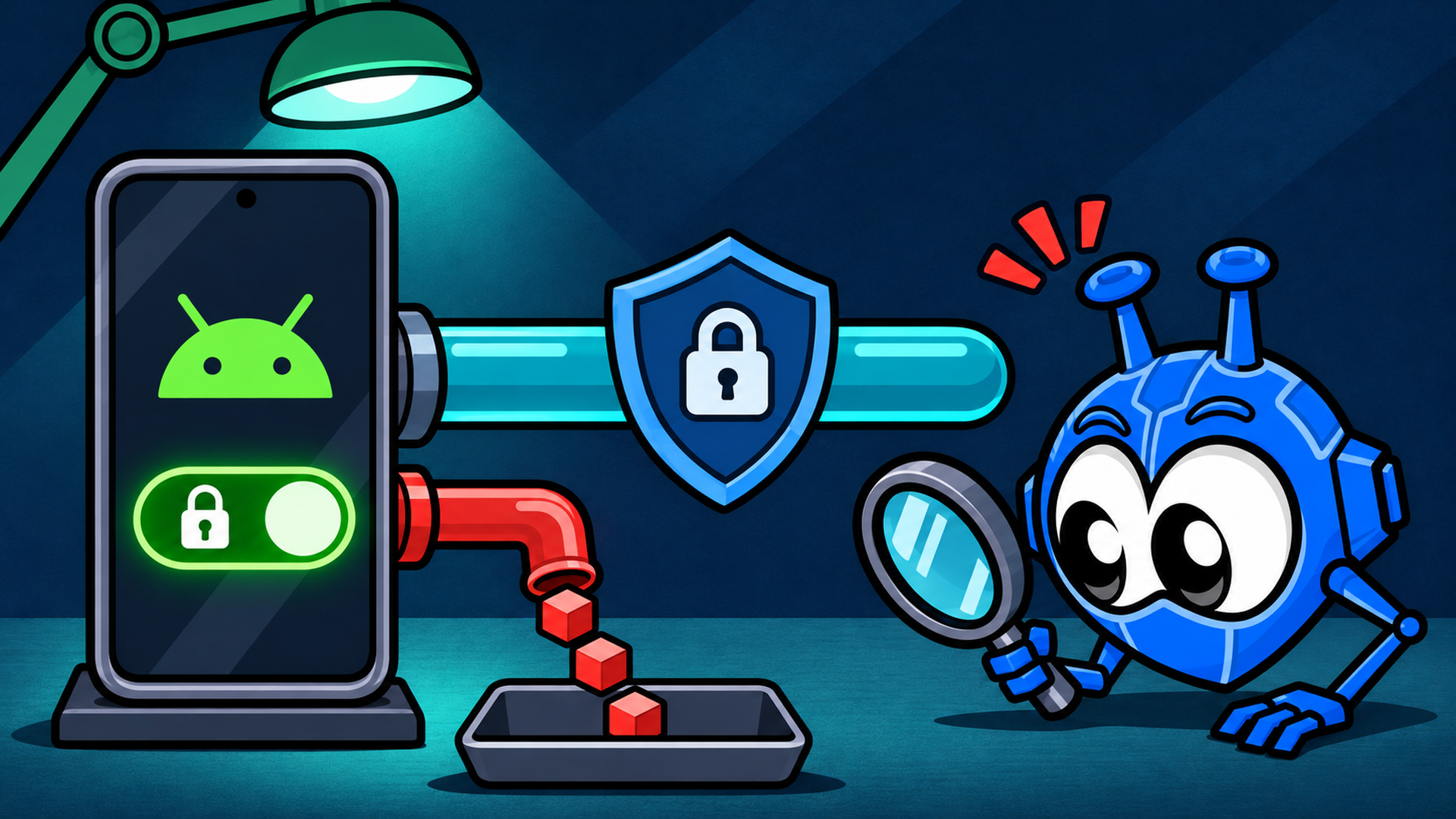
Look, you probably saw an alarming headline recently and started sweating. If you came here looking for an absolute confirmation that your device is completely exposed and your life is an open book to online thieves, take a breath.
Yes, the core discovery is true: Android can leak your traffic past your VPN even if you have the absolute strictest security settings enabled. But the real-world risk for the vast majority of people is modest, and you are almost certainly not in immediate danger.
The problem is that the internet is currently screaming about two entirely separate flaws spanning four years and mashing them together into one giant ball of panic.
What Actually Leaked: The 2022 Issue vs. The 2026 Bug
To understand how you’re being tracked, you must first realize that you’re dealing with two completely different plumbing problems inside the Android operating system. One was a deliberate, stubborn design choice by Google. The other is an active, aggressive bug.
Here’s exactly how they stack up against each other:
| Dimension | 2022 Connectivity-Check Leak | 2026 Tiny UDP Cannon Bug |
|---|---|---|
| What triggers it | Your device joins a Wi-Fi network automatically. | A malicious app you installed abuses a QUIC teardown feature. |
| Who sends the leak | The OS itself via connectivity checks. | A privileged system process (system_server) on the app's behalf. |
| What data escapes | Source IP, DNS lookups, HTTPS requests, and likely NTP data. | A specifically crafted payload exposing your real IP address. |
| Needs a malicious app? | No. | Yes, the attacker's app must already be sitting on your device. |
| By design or a bug? | Deliberate design choice. | A bug. |
| Google's response | "Working as intended" and declined to change it. | Closed as "Won't Fix (Infeasible)" via their Vulnerability Reward Program. |
| Current status | Open and completely unchanged. | Patched by GrapheneOS: Google notes it only impacts devices with a malicious app. |
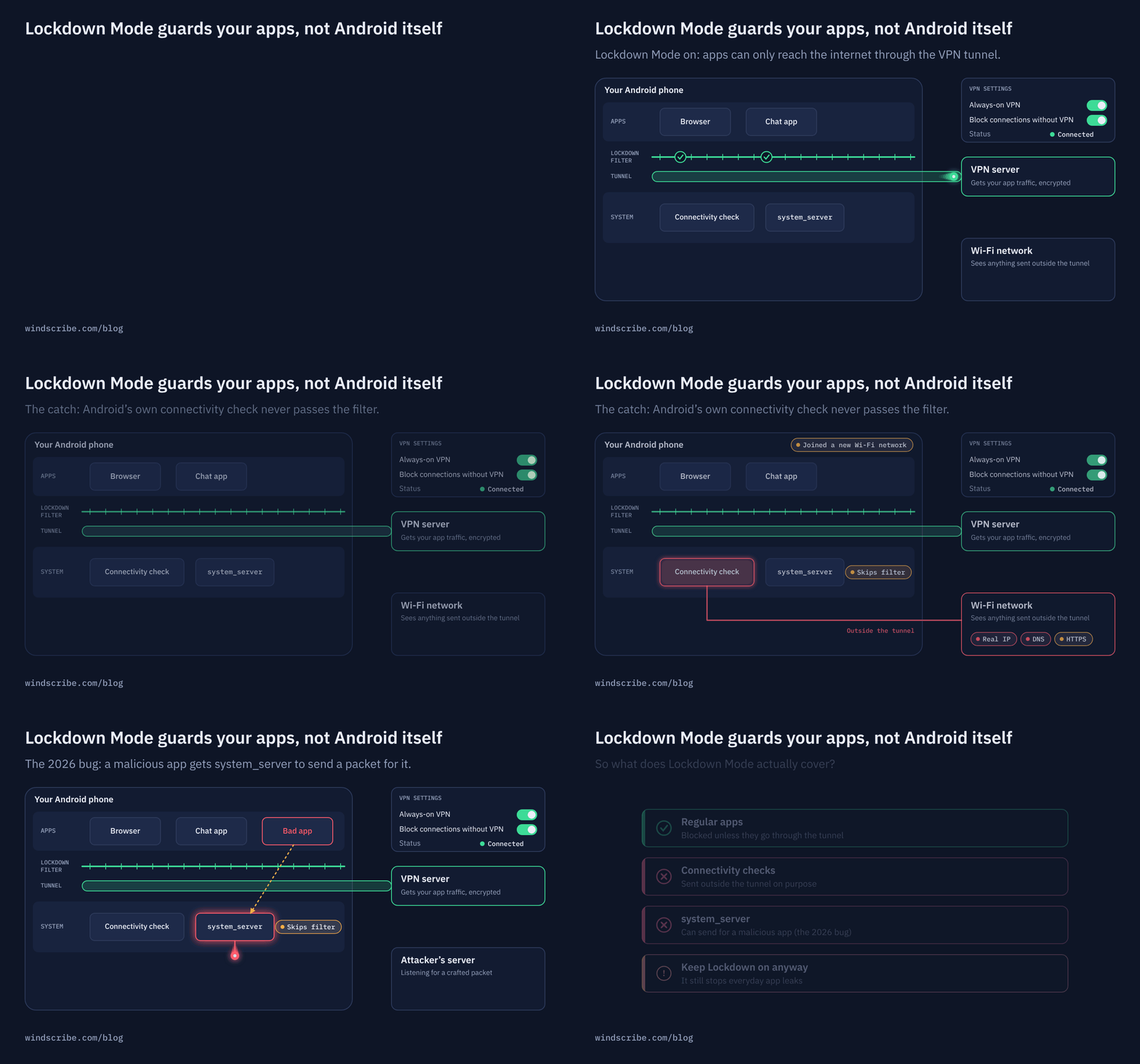
Back in 2022, security researchers (originally highlighted by Mullvad) discovered that the moment your phone hooks into a new Wi-Fi network, Android sends out connectivity-check traffic completely outside the secure VPN tunnel.
Google did this on purpose, so your phone can easily spot public Wi-Fi login pages. Because it's baked straight into the system design, it requires zero malicious apps to trigger. It simply spits out your real source IP, DNS requests, and HTTPS metadata into the local airwaves before your VPN even gets a chance to stand up.
Fast forward to 2026, and a brand-new monster called the Tiny UDP Cannon appeared. This one is an outright bug where a malicious app can intentionally abuse a QUIC connection-teardown function.
By doing this, it tricks a privileged, background system process known as system_server into bypassing your VPN boundaries and blasting a crafted payload out over physical Wi-Fi, handing your true IP address directly to an attacker on a silver platter.
Google ultimately slammed the door on fixing it, claiming a patch was infeasible, while noting that Google Play Protect is supposed to stop these malicious apps from getting onto your device in the first place.
A Short History of Android VPN Leaks
If you think this is just a couple of unfortunate, isolated incidents, you’re missing the broader picture. This isn’t a series of random bad luck but a structural pattern. Let’s take a look.
- 2022: The OS leaks your source IP, DNS, and HTTPS data automatically every time you join a Wi-Fi network because Google wants seamless captive-portal checks.
- 2024: Apps like Google Chrome successfully bypass VPN tunnels by making direct getaddrinfo system calls, resulting in raw DNS leaks. Android suffers a massive DNS leak during server switches or sudden tunnel reconnections, completely ignoring the user's explicit lockdown settings.
- 2026: The Tiny UDP Cannon utilizes system_server to allow bad apps to smuggle your real IP address past the firewall using QUIC.
The common thread binding this whole timeline together is simple: when you turn on Android’s lockdown mode, the operating system filters traffic based on an app's unique user ID (UID).
But the OS routinely exempts its own core system-level functions and connectivity operations from these routing rules. Because of those baked-in exceptions, the absolute security promises you read in the documentation have always had massive asterisks next to them.
We saw this firsthand at Windscribe. Like every other provider on the market, our Android app was subjected to those 2024 reconnection and DNS-leak structural issues, forcing us to build our own app-level workarounds just to patch over the holes Google left behind.
But if the system settings keep letting data slip through the cracks, we need to talk about what those settings are actually doing.
What Always-On VPN and Block Connections Without VPN Actually Guarantee
Let's break down the two main security toggles in your Android network settings so you know exactly what they’re promising:
- Always-On VPN: This tells the phone that your VPN app should launch automatically the millisecond the device boots up and try to stay alive indefinitely.
- Block connections without VPN (Lockdown Mode): This is supposed to act as a definitive gatekeeper, completely dropping all data traffic that attempts to move over the web without going through the VPN tunnel.
On paper, turning both of these on should create an airtight seal. In reality, Lockdown Mode is heavily misunderstood. It was explicitly designed to restrict app-level identities (UIDs). It looks at an app like your browser or a social media feed and says, "You cannot speak to the internet unless the tunnel is active."
But it does absolutely nothing to stop Android's privileged system processes.
When the operating system itself decides to ping a server, or when a system utility acts on behalf of an app using low-level communication mechanics, it relies on underlying framework settings that completely outrank the VPN.
The system packet essentially flashes a golden badge at the gatekeeper, walks right past the lock you turned, and routes straight over your raw physical Wi-Fi connection. The takeaway is simple: Lockdown Mode was always built to block apps; it was never built to block everything.
This reality highlights a massive, ongoing confusion in the privacy industry: the difference between a reactive kill switch and a proactive firewall.
A traditional kill switch is reactive. It sits around, notices a VPN connection has dropped, and then scrambles to shut down traffic after the fact, which naturally leaves a tiny window for data to escape. A proactive firewall blocks everything by default at the root layer before it can ever leave your device.
On desktop platforms like Windows, Mac, and Linux, our Windscribe app features a built-in Firewall that fails closed at the OS level, completely owning the routing table and preventing leaks entirely.
But here’s the catch: On Android and iOS, no VPN app can actually do that.
That’s because Android limits every single provider to the exact same operating system primitives, meaning we all ultimately answer to Android's built-in exceptions. Lockdown Mode is still absolutely worth keeping turned on because it shuts down basic, accidental background leaks from normal apps, but it was simply never the absolute barrier the documentation implied.
Should You Worry? Honest Risk Calibration
So, are you actually exposed right now? The answer is a direct verdict based entirely on who you are and what you do on your phone.
The Everyday User: You’re Fine
If you use your phone to scroll through videos, check your bank account, and use public Wi-Fi, you can stop sweating. You’re fine.
Think about how these leaks actually work. An attacker has to trick you into downloading a malicious app onto your phone first. As long as you stick to normal app stores and don't download sketchy files from random forums, security filters block these threats.
And when your phone connects to a network, the tiny bit of data that slips past the VPN is just boring background footprinting. It basically tells the router: "An Android phone just logged on." It doesn’t reveal your passwords, your emails, or your bank details. Your day-to-day risk is incredibly low.
The High-Risk User: Take This Seriously
If you’re a journalist, an activist, a whistleblower, or someone whose safety depends on your true location remaining completely invisible, the math changes entirely.
To a sophisticated adversary, boring background data is a weapon. When a rogue network logs your raw IP address alongside exactly where and when you connected, they can easily map out your physical movements.
If your life depends on Android’s Lockdown Mode being a bulletproof vest, you’re operating with a false sense of security. The system-level loopholes we talked about mean your defense has holes. You need to take control and plug them manually.
What You Can Do About It
If you’ve decided you want to close these gaps, here’s exactly what you can and can’t do today.
Check Whether Your Own Traffic Is Leaking
Before you panic, do a basic sanity check on your connection:
- Open your VPN app and make sure it says Connected.
- Leave the app running and open your web browser.
- Go to our What Is My IP tool to check your visible IP address.
If the tool shows your real-world location or your home internet provider's name instead of the VPN server, your traffic is actively escaping.
The ADB Mitigation for the 2026 Bug
If you want to block the 2026 Tiny UDP Cannon flaw right now, you can turn off the vulnerable feature using a developer tool called Android Debug Bridge (ADB). Enable USB Debugging in your phone's hidden Developer Options menu, plug your phone into a computer, and run this command:
device_config put connectivity connectivity_keep_alive_on_disconnect false
Running this means your phone loses a minor networking feature that cleanly closes background connections when you disconnect from a network, so you do this at your own risk. While this survives a normal phone restart, a major system update or factory reset will completely wipe it out. It is a temporary stopgap, not a permanent fix.
Use a Hardened OS or Accept the Residual Risk
If you want a permanent solution, your options depend on the phone you own. GrapheneOS completely patched this bug at the system layer. If you use a Google Pixel, switching to GrapheneOS is the most complete fix available, though changing your phone's operating system is a massive commitment.
For everyone else, the honest choices are to use the temporary ADB workaround, practice strict app hygiene by only downloading trusted apps from official stores, or simply accept the tiny bit of remaining risk and live with a slightly less airtight lockdown until Google decides to change course.
Does Switching VPNs Fix This? An Honest Answer From a VPN Company
We’re a VPN company, and we’re telling you bluntly: No, switching VPNs will not fix this.
Any provider claiming their specific Android app is immune to these leaks is lying to your face. The vulnerability lives deep within the plumbing of the Android operating system, far below where any app from the store is allowed to operate. Every single VPN app on Android is forced to build upon the same internal framework. If the operating system decides to exempt a piece of data, no app can magically override that command.
The reality comes down to how different devices work:
- On Windows, Mac, and Linux: Our desktop app features a built-in Firewall. It completely owns the routing table and genuinely blocks everything outside the tunnel.
- On Android and iOS: No VPN provider gets that kind of root control. Mobile systems force every single one of us to rely on the OS's built-in Always-On VPN framework, leaving us subject to the platform loopholes we described earlier.
The right question isn't "Which VPN is leak-proof on Android?" because the factual answer is none of them. Instead, ask: "Which provider is actually honest enough to tell me where the limits of the technology sit?"
App-layer engineering still matters. While a VPN cannot stop a privileged system process from bypassing the tunnel, a responsive provider can still minimize damage by patching sudden DNS-reconnect leaks and setting up a strict blocking DNS.
But we cannot force a broken operating system to behave.

Frequently Asked Questions
Is Always-On VPN still worth turning on?
Yes, absolutely. While it isn’t an absolute, bulletproof guarantee against low-level system loopholes, it still successfully blocks the vast majority of common, accidental background data leaks from your everyday apps. Leaving it turned off leaves your data completely unprotected.
Does the 2026 bug affect iPhones?
No, because this specific flaw is strictly an Android 16 system architecture issue. With that said, iOS has its own separate, equally frustrating history of letting first-party Apple services bypass active VPN tunnels.
Will a factory reset or update undo the ADB mitigation?
Yes. Because the ADB command just tweaks a temporary system configuration setting rather than rewriting the phone's core firmware, any major operating system update or standard factory reset will wipe it out, meaning you’ll have to reapply the command manually.
Can a website or public Wi-Fi trigger the 2026 leak by itself?
No, a rogue public Wi-Fi network or a shady website cannot force this leak to happen on its own. The exploit strictly requires a malicious app to be downloaded and running locally on your device to trick the system.
Has Google fixed it?
As of mid-2026, Google has formally closed the main vulnerability report as "Won't Fix," stating a patch is infeasible for their current framework. While independent, hardened platforms like GrapheneOS have patched it on their own, vanilla Android remains unchanged for now, though that could pivot if public pressure mounts.


