如何重新安装 Android 应用

Winder S
Feb 4, 2026

以下是重新安装 Android 应用的分步指南。
- 在设备上找到 Windscribe 应用,长按应用,然后点击“i”图标:
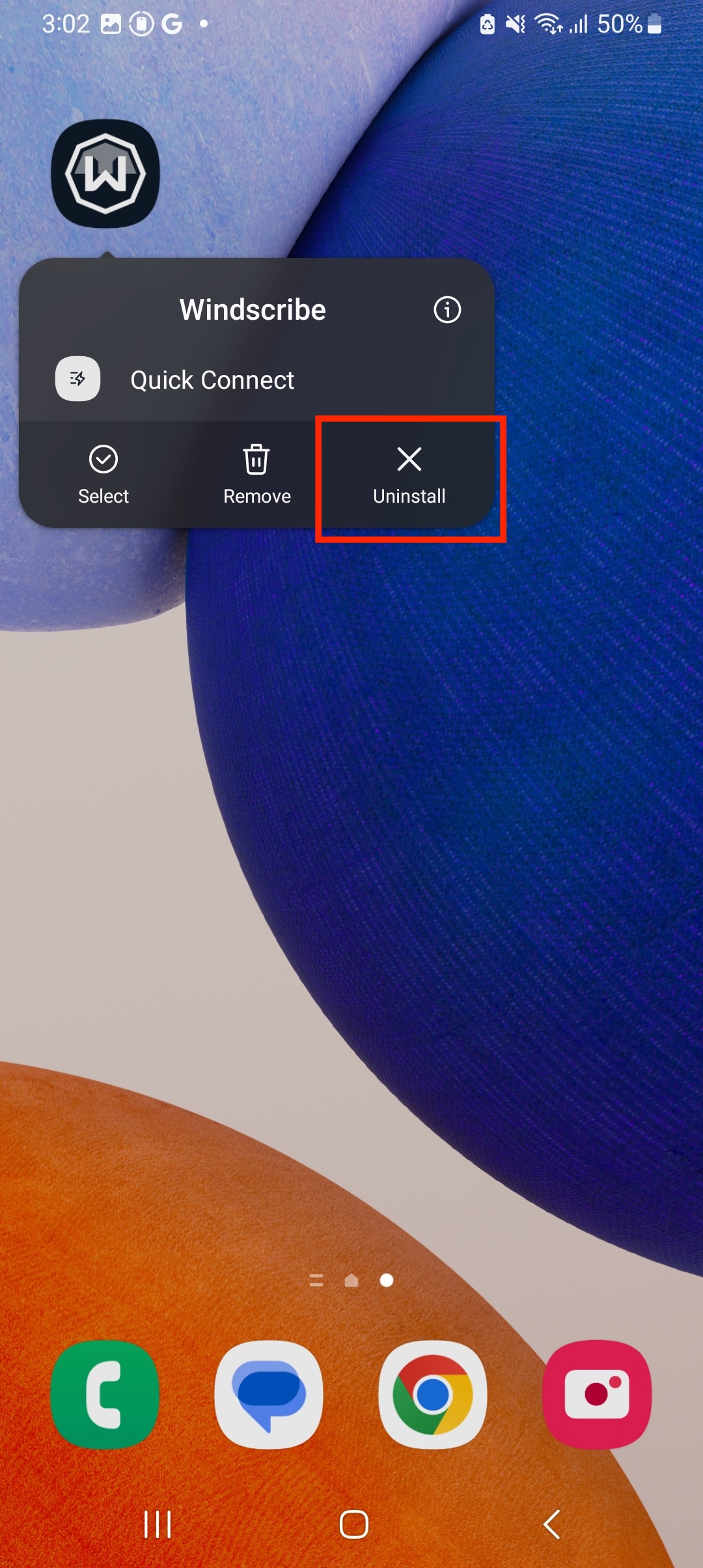
- 点击“卸载”:
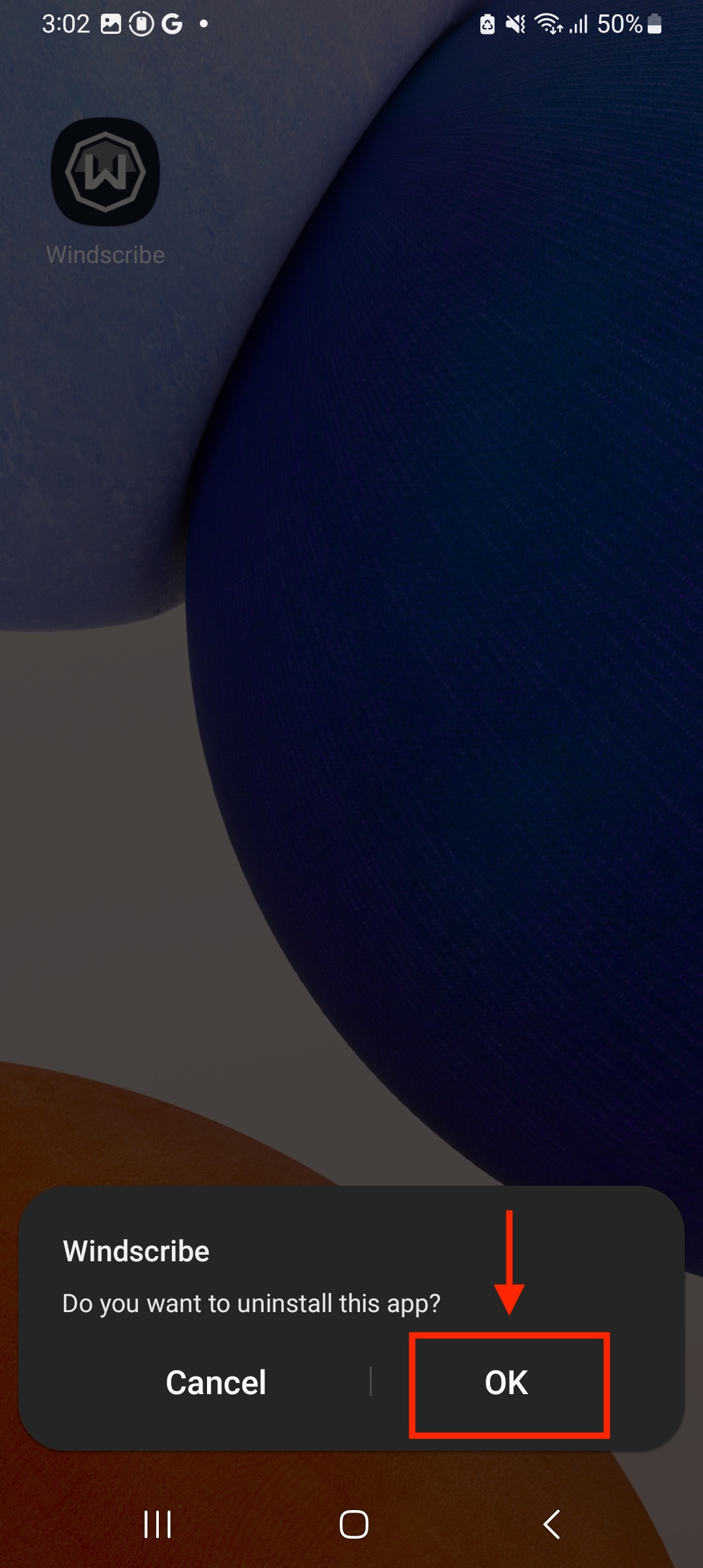
- (可选)重启 Android 设备
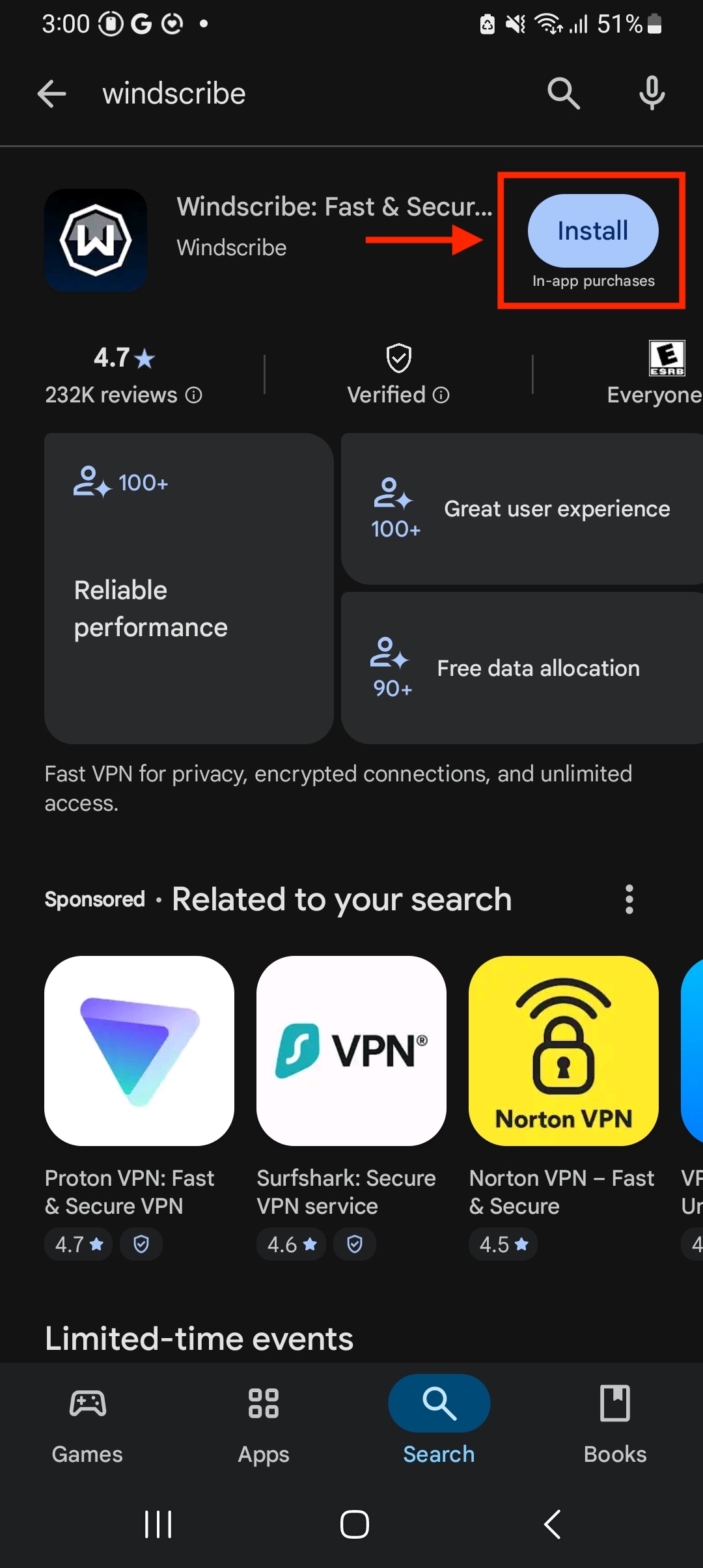
- 前往 Google Play 商店并重新安装 Windscribe 应用
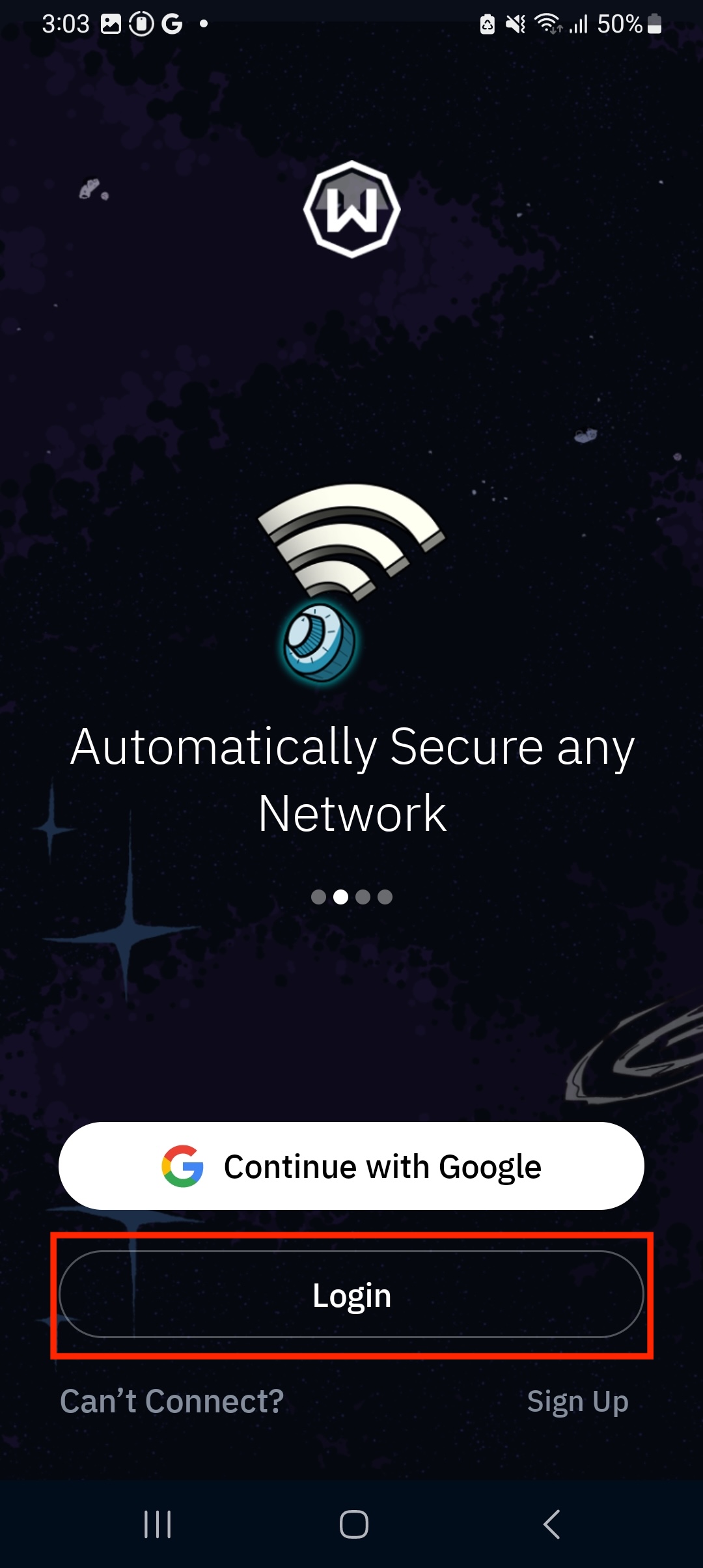
- 登录应用
- 连接到一个位置,并在 Android 系统提示时允许添加 VPN 配置
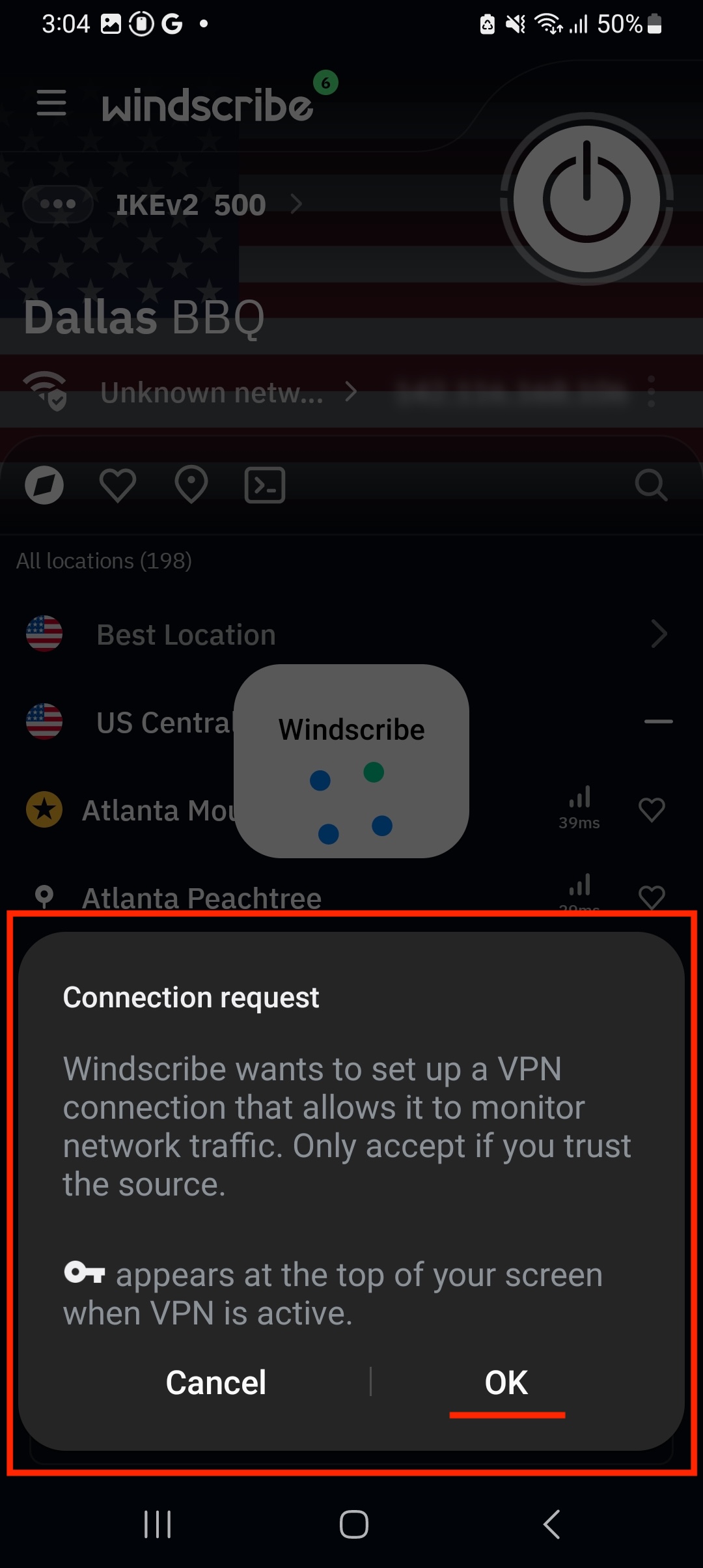
现在,你已在 Android 设备上成功重新安装 Windscribe 应用。


以下是重新安装 Android 应用的分步指南。
现在,你已在 Android 设备上成功重新安装 Windscribe 应用。