



Imagine walking into a coffee shop wearing a generic hoodie and a surgical mask. You don’t give your name, you pay in cash, and you leave through the back door. But the barista still knows exactly who you are because they noticed your limited-edition sneakers, the specific way your left shoulder slumps, and the fact that you’re the only person in the tri-state area still using a 2014 Blackberry.
That's browser fingerprinting. You can clear your cookies and hide behind an incognito tab all you want, but your browser is still shouting a highly specific list of tells to every website you visit. Most privacy advice is five years out of date: cookies were the old fight, but fingerprinting is the new one.
If you’ve ever wondered why that one specific ad for an ergonomic keyboard is still haunting you across the internet, it's because your current defenses, if any, are leaking. In this guide, we’ll explain how browser fingerprinting actually works in 2026 and what a real, layered defense looks like.
How Browser Fingerprinting Actually Works
When you land on a page, the site isn't just sitting there waiting for you to click something. It starts asking your browser a barrage of personal questions. It does this by running a small script that basically conducts an immediate, silent interview. It asks which fonts you have installed, how big your screen is, what time zone you’re in, and even how your graphics card handles a specific image.
Your browser, being the polite software it is, answers every single question automatically because that’s just how the modern web functions. The script takes all those answers, bundles them together, and crunches them into a long string of letters and numbers called a hash. This hash is sent back to the server, and just like that, you’ve been tagged.

3 layers of data collection
Data collection happens across three main layers to build a distinct profile:
- Passive data (basic network info): That's the information your browser automatically hands over just to load the page, including your user agent (OS and browser version), preferred language, and accepted file types.
- Active hardware & system specs: Details queried by scripts poking around your system, such as your screen resolution, exact timezone, installed plugins, and hardware concurrency (CPU core count).
- Rendering signatures (hardware fingerprints): The most devious layer, where scripts force your browser to perform subtle tasks like rendering a hidden Canvas/WebGL image or processing an audio snippet. Microscopic differences in your GPU, drivers, and software produce a file output unique to your machine.
When you mix these three layers, the resulting profile is incredibly stable. Research shows that 80% to 90% of desktop browsers are uniquely identifiable the moment they land on a website, turning your device into a data signature that is nearly impossible to mistake for anyone else.
You don’t own your fingerprint
The most important thing to understand is that this process is entirely stateless. In the old days of tracking, sites used cookies, which meant they left a little file in your pocket so they could recognize you later. Fingerprinting is different. It doesn't leave anything on your machine. The record of your visit lives entirely on the server you visited.
This is why wiping your cookies or clearing your browsing history feels like trying to erase a shadow by scrubbing the floor. You can’t delete your fingerprint because you never owned it in the first place. You can only attempt to change it, but that often makes the problem even worse.
Which leads to the obvious question: just how unique is your fingerprint, really?
How Unique Is Your Fingerprint, Really?
Very unique, really… Like a neon-colored fish in a bowl of grey ones. Research into browser uniqueness suggests that the vast majority of desktop users possess a fingerprint that’s unique among hundreds of thousands, if not millions, of other users. Pretty creepy, yeah.
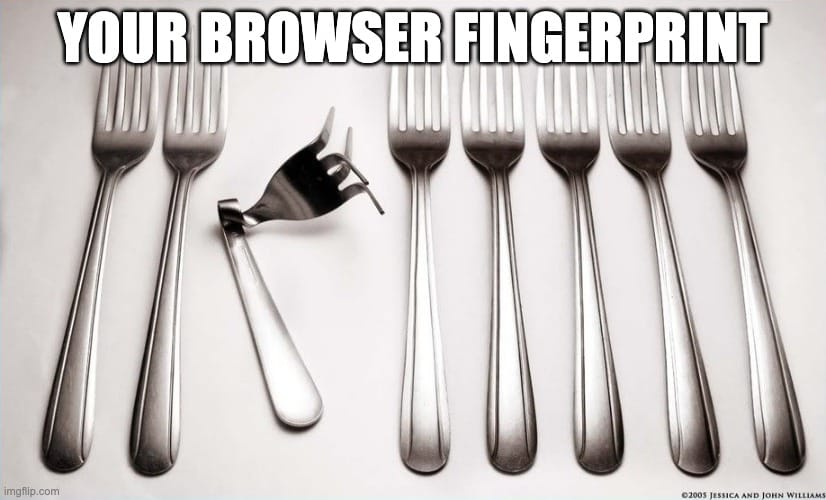
This happens because of a concept called entropy, which is just a measure of how much surprise a data point provides. If you use the most popular version of Chrome on a standard Windows 11 laptop, you provide very little surprise. But the moment you add a niche browser extension, install a rare font for a graphic design project, or set a custom screen resolution, you add a layer of uniqueness.
Each of these tells narrows the search. It’s the difference between telling a private investigator you’re looking for "a guy in a blue shirt" versus "a guy in a blue Hawaiian shirt with a coffee stain, wearing one red sock and a monocle."
Ironically, the most boring setup is often the most private. A completely default, uncustomized browser installation is actually harder to track because it lacks the specific quirks that make a fingerprint stick. It blends into a crowd of millions of other boring users. The second you try to make your browser yours, you accidentally make it easier for a script to say, "Gotcha!"
You don’t have to take our word for it, though. You can see your own "monocle and red sock" combination in real-time. Tools like the EFF’s Cover Your Tracks or the academic database AmIUnique can show you exactly how much you stand out. These tests are a snapshot of your current entropy, not a permanent certificate of safety. Your fingerprint can shift as your browser updates or your settings change, but the goal is rarely to be invisible: it’s to be unremarkable.
Why The Things You're Already Doing Don't Work
Most people realize the internet is a giant surveillance machine, so they do the sensible thing: they use the tools they’ve been told will protect them. The problem is that most of those tools were designed to fight yesterday’s war. They’re excellent at stopping stateful tracking (cookies) but often leave the door wide open for the stateless, invisible tracking of fingerprinting.
Incognito mode
Many users think incognito or private browsing modes act like a cloaking device. In reality, incognito simply tells your computer not to save your history or cookies locally once the session ends. It does absolutely nothing to change the information your browser broadcasts to the outside world.
Your hardware specs, fonts, and GPU rendering remain exactly the same as they are in a normal tab, meaning your fingerprint is functionally identical. Some major browsers began testing canvas-readback blocking in incognito mode in late 2025, which is a nice gesture, but it only addresses one of dozens of potential signals.
Clearing cookies
If you think of cookies as digital crumbs you leave behind, it makes sense to sweep them up. However, fingerprinting doesn’t use crumbs. It looks at the shape of the person walking.
Because fingerprinting doesn't store any data on your device, there’s nothing for you to delete. You can wipe your cookies every five minutes, but the moment you land on a site, the script re-reads your browser's technical signature and realizes you’re the same person who was there five minutes ago.
Using a different browser
So, if one browser is compromised, just switch to another… right? Seems logical, but it’s a temporary fix. If a tracker sees you in one browser, they build a profile for that browser. When you switch, you give them a new profile to track.
Within a session or two of normal use, that new browser’s fingerprint stabilizes as the tracker identifies your specific resolution, hardware, and OS quirks again. Simply hopping between browsers doesn't solve the underlying problem. It just gives the trackers more data points to correlate.
VPN alone
A VPN hides your IP address from websites and encrypts your traffic so your ISP can’t see what you’re doing. That’s real, tangible value. However, an IP address is only one signal among forty or more. Hiding it leaves your canvas output, audio stack, hardware concurrency, and system fonts completely exposed.
Ad blockers
Ad blockers are fantastic for performance and for blocking known tracking scripts. They operate on blocklists, which are basically just giant lists of bad URLs and scripts. If a fingerprinter is on that list, the blocker stops it.
But if the tracking script is new, cleverly disguised, or served directly from the website’s own domain (first-party), it slips right through the net. Ad blockers are a great first line of defense, but they aren't a complete solution.
The Paradox: More Privacy Can Mean More Identifiable
When you realize your browser is leaking information, the intuitive reaction is to add more armor. You install five different privacy extensions, switch to an obscure browser you found on a forum, and manually tweak your settings to be as restrictive as possible. Paradoxically, this often makes you much easier to track.
Remember the concept of entropy: trackers are looking for the combination of signals that narrows you down. If you install a rare anti-tracking extension that only 500 other people use, you’ve just handed the tracker a massive clue. Now, instead of looking for "a Windows user," they’re looking for "a Windows user with this specific, rare extension."
Every customization you make, whether it's a custom font, an unusual screen resolution, or aggressive script-blocking that breaks site behavior in a unique way, acts like a fingerprint of its own.
This is why some of the most effective anti-fingerprinting browsers take the opposite approach: standardization. Rather than trying to hide everything, they try to make every single one of their users look identical. They force the same fonts, the same screen size buckets, and the same canvas output for everyone. In this model, you give up some personal customization in exchange for real anonymity.

What Actually Works Against Browser Fingerprinting?
In the same way you don’t secure a house with just a deadbolt while leaving the windows wide open, you can't secure your digital presence with a single piece of software. Real defense is about layering protections that cover different attack surfaces. To get this right, you have to look at your connection in two distinct layers: the network and the browser.
Layer 1: The network
The network layer is your baseline. This is what a VPN actually does well: it masks your IP address from the websites you visit and encrypts your data so your ISP cannot keep a running log of your habits. While your IP address is just one data point in a fingerprint, it’s a significant one. It’s often used for location-based tracking, allowing sites to guess your city or zip code even if you’ve denied them access to your GPS.
Our VPN handles this layer by replacing your home IP with one of ours, cutting off the most direct link between your activity and your physical identity. It’s necessary, but on its own, it’s not enough to stop a script from reading your browser's internal tells.
Layer 2: The browser
If the network layer protects the "where," the browser layer protects the "who." A real browser-layer defense handles the granular details that scripts use to build your hash.
First, it blocks known fingerprinting scripts from running in the first place, though like any blocklist, this is a game of cat-and-mouse. Second, it tackles high-entropy signals like canvas, WebGL, and audio processing by either standardizing the output or adding a tiny bit of noise so your hardware doesn't return a unique signature.
Third, it plugs technical holes like WebRTC leaks. WebRTC is a browser feature that can leak your real IP even when a VPN is connected, bypassing your network defense entirely. Finally, it cleans up smaller identifiers like your timezone and language headers.
Why both layers together matter
These two layers are actually complementary. The network layer hides your location and connection details, while the browser layer scrambles the hardware and software signals that remain. Running only one is an incomplete strategy.
If you use a VPN without browser protection, your IP is hidden, but your hardware signature still marks you. If you use browser protection without a VPN, your personal tell-tale signs might be scrambled, but your real-world IP still gives you away.
So, using both is the only way to prevent fingerprinting because the problem itself is multi-dimensional. That’s why at Windscribe, we’ve got both our apps and our browser extensions. Because you shouldn't have to hunt down separate tools from separate companies and hope they don't break each other.
But even a perfectly configured, layered defense doesn’t offer 100% prevention. Anyone promising total invisibility is selling you a fantasy. The goal is to reduce your uniqueness to the point where you blend into a massive, boring crowd of other users. That’s when you become uninteresting to trackers, and that’s where true privacy lives.
What’s Changing at the Browser Level in 2026
Browser engines are finally building privacy into their code instead of relying on third-party extensions. The updates are moving slowly, but the direction is clear:
- Canvas readback blocking: Chrome has tested blocking canvas readbacks in Incognito mode. Preventing sites from inspecting how your GPU draws hidden images is a direct admission that Incognito mode previously did little to stop hardware-level tracking.
- Audio randomization: Modern private sessions now inject subtle, imperceptible noise into your computer's audio stack, scrambling audio fingerprints without affecting your sound playback.
- Aggressive fingerprinter lists: Firefox continues to expand its Suspected Fingerprinters list, preemptively cutting off data-harvesting scripts before they can be formally cataloged.
- TLS handshake defenses: To fight TLS fingerprinting (like JA3/JA4), which identifies you during the encryption setup before a single page pixel loads, browsers are experimenting with randomized handshake signatures. However, trackers are already adapting by using sorted signatures to see through the noise.
Engine progress is a welcome shift, but it moves at the speed of a committee meeting. A proper, layered defense remains your best protection today.
The Bottom Line
Browser fingerprinting has made traditional privacy tricks like clearing cookies or toggling on basic incognito mode largely obsolete. By combining your browser's default settings, hardware quirks, and rendering signatures, trackers can construct a digital identity that follows you across the web.
While browser makers are slowly rolling out built-in defenses, anti-fingerprinting technology remains an active cat-and-mouse game. Your best protection today isn't a single silver bullet, but a layered defense: use a privacy-focused browser, leverage anti-fingerprinting extensions, keep your connection encrypted through a trusted VPN, and don't rely on incognito mode alone to keep you invisible.

Frequently Asked Questions
Can browser fingerprinting be completely prevented?
No. There’s no off switch for browser fingerprinting because the signals being collected are the same ones required to make the modern web function. A realistic goal is to reduce your uniqueness rather than trying to eliminate it entirely. By using a layered defense that combines a VPN for your network and anti-fingerprinting tools for your browser, you can blend into the crowd effectively enough to become uninteresting to trackers.
Does using Tor stop fingerprinting?
The Tor Browser is one of the most aggressive tools available for fighting fingerprinting because it uses extreme standardization: every user is forced into the same window size and font set. However, while the browser is effective, the Tor network itself is often too slow for daily streaming or heavy browsing. For most people, a combination of a fast VPN and a dedicated anti-fingerprinting browser extension (like ours) is the more practical, everyday compromise.
Is browser fingerprinting legal?
Mostly, yeah. It currently exists in a regulatory gray zone. While frameworks like GDPR and CCPA technically require websites to get consent before tracking you, fingerprinting is much harder to detect and regulate than cookies. Because it doesn't store data on your device, many companies argue it doesn't fall under the same storage rules. However, enforcement is beginning to tighten in some privacy-conscious jurisdictions.
What is canvas fingerprinting?
Canvas fingerprinting is a specific technique where a website asks your browser to draw a hidden image or text using the HTML5 canvas element. Because your computer’s hardware, drivers, and software render that image in a microscopically unique way, the resulting pixel data can be turned into a stable ID.
What is device fingerprinting and how is it different from browser fingerprinting?
Device fingerprinting is a broader category that includes hardware-level signals beyond what a standard web browser can see, such as your battery serial number or internal MAC address. It is most commonly used in mobile apps and specialized fraud-detection software. Browser fingerprinting is a web-specific subset of this, relying only on the information your browser is willing to share with a website.
Will disabling JavaScript stop fingerprinting?
Disabling JavaScript will block the majority of active fingerprinting scripts, but it isn’t a practical solution for most people. Nearly every modern website relies on JavaScript to function; turning it off will break everything from your email to your favorite video player. It’s like removing the engine from your car to prevent people from tracking your license plate: you’ve achieved privacy, but you’re no longer going anywhere.
How often does my browser fingerprint change?
Your fingerprint is a mix of the temporary and the permanent. Some signals, like your IP address or your current timezone, might shift from session to session. Others, like your GPU model, screen resolution, and audio stack, usually stay stable for years. Professional trackers don't need your fingerprint to stay 100% identical; they just need enough stable signals to correlate your new identity with your old one.
Does Windscribe stop browser fingerprinting?
The Windscribe VPN handles the network layer by masking your IP address and location. The Windscribe browser extension handles the browser layer using our Anti-Fingerprinting feature to randomize rendering signals and our WebRTC Slayer to prevent IP leaks. While no tool offers 100% prevention, running the VPN and the extension together covers both major attack surfaces, making you much harder to uniquely identify.


