




Both tools get lumped under online security tools, but they protect you in completely different ways.
A VPN encrypts your internet connection, which helps stop your ISP, network admins, and other snoops from seeing what you do online. It can also change your virtual location. Antivirus, on the other hand, scans files, apps, and downloads for malware and other malicious software.
So no, they are not interchangeable. But the gap between them has started to shrink. Some modern VPNs now include malware and malicious domain blocking, which overlaps with part of what antivirus software does. That still doesn’t make a VPN a replacement for antivirus, and antivirus doesn’t give you the privacy benefits of a VPN.
In this guide, we’ll break down what each tool does, what it cannot do, where they overlap, and when it makes sense to use both.
What Does a VPN Actually Do?
Imagine you’re sending a postcard. Without a VPN, everything gets sent out in the open. Your ISP, the owner of the Wi-Fi network, and other nosy middlemen can still see where it came from, where it’s going, and some of the metadata around it.
A VPN is more like putting that postcard into a sealed envelope, handing it to a private courier, and having that courier send it on your behalf. Whoever receives the message sees the courier’s return address, not yours.
In practice, a VPN encrypts your internet traffic while it travels between your device and the VPN server. It hides your real IP address and replaces it with the IP of the VPN server, which makes it look like you’re browsing from somewhere else.
That encryption also helps stop your ISP from easily seeing the sites and services you connect to. It makes public Wi-Fi much safer by protecting your connection from the usual airport café goblins. And yes, it can help you get around geo-restrictions, network blocks, and some forms of censorship.
What it doesn’t do is scan your downloads for viruses, remove malware already living on your device, or stop you from clicking a phishing link at 2 am (that one’s entirely on you, buddy).
What Antivirus Actually Does
If a VPN is the private courier that hides your mail in transit, antivirus software is the security guard at your front door, checking every package before it gets inside. It looks at files, downloads, email attachments, and apps before or while they run. If something matches a known threat or starts acting like malware, antivirus steps in, blocks it, and throws it into quarantine like the digital biohazard it is.
In practice, antivirus scans files and downloads for known malware signatures and suspicious behavior. It provides real-time protection by monitoring your system as things happen, not just when you remember to click “scan.” It can quarantine or remove infected files before they spread or do more damage.
Some antivirus tools also block known malicious websites before you even get that far. And yes, it’s built to defend against more than just old-school viruses, including ransomware, trojans, spyware, and other malware types that would love to ruin your week and your device.
What antivirus doesn’t do is encrypt your internet traffic, hide your IP address, or make you look like you’re browsing from another country. It won’t stop your ISP from seeing which websites you visit. And if you’re on public Wi-Fi, it won’t protect your traffic from network-level snooping. That’s a VPN’s job.

VPN vs. Antivirus: The Key Differences
Comparing a VPN to an antivirus is like comparing apples to oranges. Both are fruits, sure, but they’re completely different. A VPN protects your personal information from leaking online and ending up in the wrong hands. An antivirus protects your device from catching a virus.
In case you’re a visual reader, here’s a quick comparison table:
| Feature | VPN | Antivirus |
|---|---|---|
| What it protects | Data in transit (internet traffic) | Data at rest (files on device) |
| How it works | Encrypts the connection, masks the IP | Scans files, quarantines threats |
| Protects against | ISP tracking, Wi-Fi snooping, geo-blocks | Malware, ransomware, trojans, spyware |
| Where it works | Network level (between device and internet) | Device level (on your computer/phone) |
| Public Wi-Fi protection | Yes (core use case) | No (can't encrypt network traffic) |
| Stops malware downloads? | No* | Yes |
| Hides your IP/location? | Yes | No |
| Blocks phishing websites? | Some VPNs (DNS filtering) | Some antivirus products |
| Free version risks | Data logging, ads, weak encryption | Incomplete scanning, outdated databases |
The biggest difference is where each tool does its job. A VPN works at the network level, which means it protects your data while it’s moving between your device and the internet. Antivirus software works at the device level, which means it checks what lands on your phone or computer after it gets there. One protects data in transit. The other protects data at rest.
This is why a VPN is the obvious winner on public Wi-Fi. If you’re connected to sketchy airport internet, your main problem is network exposure: snooping, interception, and the fact that you’re trusting a shared connection with the digital equivalent of raccoons in a trench coat. A VPN encrypts that traffic and helps keep it private. Antivirus doesn’t. Your antivirus won’t stop the coffee shop Wi-Fi from being nosy, and it won’t hide your browsing activity from your ISP either.
Now flip the scenario. You download a fake invoice, a cracked app, or an email attachment called totally-not-malware.pdf.exe. This is where antivirus earns its paycheck. It can scan the file, flag suspicious behavior, quarantine it, and potentially stop the damage before it spreads. A VPN cannot do that. It will happily encrypt the connection that delivered the file, but it won’t inspect what’s inside.
What Neither Tool Can Protect You From
Even if you’ve got both a VPN and an antivirus program working in unison to protect you from data exposure, online threats, and malware you may inadvertently download on your laptop, there are still things they can’t protect you from.
Bad Online Habits
If you reuse the same password across sixteen different sites and one of them gets breached, a hacker can try that login everywhere else. That is called credential stuffing, and neither a VPN nor antivirus software can stop it if the password is valid.
The same goes for oversharing personal information online. Your birthday, phone number, email, street number, or a photo with your license plate in the background might seem harmless on their own, but together they make it much easier for someone to impersonate you, reset your accounts, or answer security questions.
Falling into Online Traps
No software can save you if you willingly hand over the keys to your sensitive information. If someone calls pretending to be your bank and you give them your login details, game over. If you click a phishing link and type your password into a fake website that looks real enough, a VPN will definitely not stop that, and an antivirus won’t either. Security tools can reduce risk, but they cannot override social engineering or terrible judgment.
Browser Fingerprinting & Cookies
A VPN hides your IP address, but it doesn’t make you completely anonymous online. It isn’t an invisibility cloak you can just switch on. Websites can still track you through cookies, browser fingerprinting, and your own logins. According to stats, 38% of people mistakenly believe a VPN makes them fully anonymous, which tells you this confusion is still very much alive.
That’s where browser-level privacy tools matter, and that’s why Windscribe’s browser extension includes Anti-Fingerprinting, Split Personality, and Cookie Monster to make that kind of tracking a lot harder. It can also block ads, trackers, malicious domains, and WebRTC leaks, which fills in some of the privacy gaps a VPN alone doesn’t cover.
Zero-Day Exploits
Unfortunately, hackers and cybercriminals are getting smarter by the day, and some threats are too new for either tool to recognize properly. A zero-day exploit is a brand-new vulnerability or malware strain that has not been cataloged yet, which means it can slip past both signature-based antivirus and DNS-level blocking. More advanced antivirus tools may catch some of these through behavioral analysis, but that is still not foolproof. Sometimes the bad guys get a head start.
Where VPN and Antivirus Are Starting to Overlap
For years, the answer to the VPN vs. antivirus debate was simple: they’re entirely different tools. That’s still mostly true, but the line is blurring. While a traditional VPN only cares about your data in transit, modern providers are building features that step into traditional antivirus territory.
You’ll see this across the industry, and you’ll see this with us. At Windscribe, we have R.O.B.E.R.T., which is our built-in malware blocker that works at the DNS level. Instead of waiting for a file to land on your device so an antivirus can scan it, R.O.B.E.R.T. simply refuses to let your browser connect to malicious domains, phishing sites, and botnet command-and-control servers in the first place. And we include it on all plans, including free.
However, R.O.B.E.R.T. is a bouncer, not a doctor. He stops threats at the door, but he doesn’t scan files already on your hard drive or quarantine a virus hiding in a ZIP file you opened from an old email. For that, you still need antivirus software. Think of Windscribe with R.O.B.E.R.T., or any VPN with threat blocking, as the security team preventing a break-in, while your antivirus is the specialist who finds the intruder if they manage to sneak through a window.
| Capability | Traditional VPN | VPN + R.O.B.E.R.T. | Antivirus |
|---|---|---|---|
| Encrypts internet traffic | ✓ | ✓ | X |
| Masks IP address | ✓ | ✓ | X |
| Blocks malware domains | X | ✓ | Some |
| Blocks phishing sites | X | ✓ | Some |
| Blocks ads & trackers | X | ✓ | Some |
| Scans local files | X | X | ✓ |
| Quarantines infections | X | X | ✓ |
| Real-time file monitoring | X | X | ✓ |
So, Do You Actually Need Both?
Yes, you actually do, and we’ve already told you why: these are two different security tools that address two different problems, and neither replaces the other completely (not even if your VPN comes with a malware blocker).
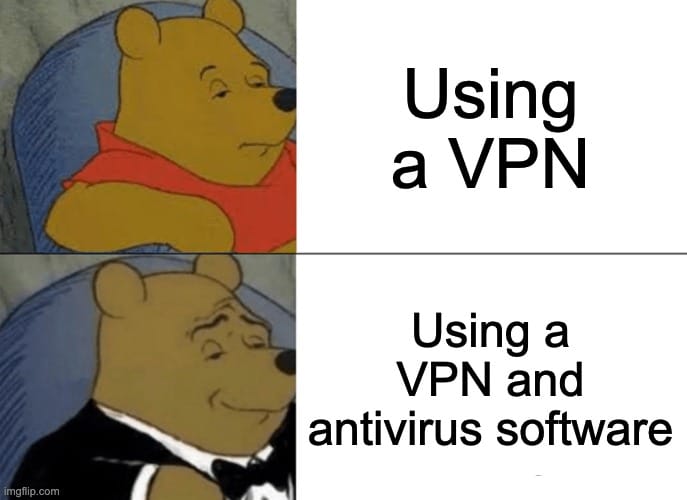
The real question isn't whether you need both, but how much work each one has to do.
If your VPN doesn’t have threat blocking (and most don't), your antivirus is doing all the heavy lifting. If you use a VPN with DNS-level blocking like R.O.B.E.R.T., a massive chunk of threats never even reach your device. This means your antivirus has a much lighter job, catching only the rare invader that manages to bypass the perimeter.
But here’s a secret most VPN companies won't tell you because they want to sell you an expensive security bundle: you might already have a great antivirus. Windows Defender comes built into every Windows PC, and in 2026, it’s genuinely excellent. If you pair a solid, free tool like Defender with a VPN that offers aggressive threat blocking, you have world-class security without a monthly antivirus subscription.
To make it easy, here’s how we recommend structuring your defense:
- Minimum Viable Security: Windows Defender (Free) + Windscribe Free (10GB/mo + R.O.B.E.R.T. access).
- The Sweet Spot (Recommended): Windows Defender + Windscribe Pro (Unlimited data, all server locations, and full R.O.B.E.R.T. customization).
- The Digital Bunker: A premium paid antivirus (like Bitdefender or Norton) + Windscribe Pro.
This setup gives you an honest look at your risk level. Most people find the sweet spot setup is more than enough to stay safe without the bloatware feel of traditional security suites.
VPN vs Anti Virus | Frequently Asked Questions
Can a VPN replace antivirus software?
No, a VPN isn’t a one-for-one replacement for antivirus software. While a VPN encrypts your connection to keep prying eyes out, it doesn't scan your local files for dormant malware or neutralize viruses that are already there. However, Windscribe’s R.O.B.E.R.T. does offer DNS-level threat blocking, which stops you from landing on the malicious domains antivirus programs usually flag. It makes your life a lot safer, but you should still keep a basic antivirus around for device-level deep cleans.
Do I need an antivirus if I have a VPN?
Yes, you definitely still need both. A VPN is like a secure armored tunnel for your data while it’s traveling across the internet, making sure nobody can intercept it. Antivirus, on the other hand, is like a security guard for your actual device, hunting down threats that have already arrived via shady downloads or infected email attachments. They operate at completely different layers of your digital life, so having one doesn’t make the other redundant. It just makes you twice as hard to hack, and, ultimately, that’s the goal, isn’t it?
Is antivirus better than a VPN?
Neither is better because they aren't competing for the same job. It’s like comparing apples to oranges. Both are fruits, but they’re completely different. Antivirus stops code from wrecking your hard drive, while a VPN stops ISPs and hackers from snooping on your browsing. For a setup that actually keeps you private and your hardware healthy, you really shouldn't be choosing one over the other. You should be using both.
Do VPNs and antivirus software conflict with each other?
Usually, they work well together, but occasionally your antivirus might get a bit overzealous and flag VPN traffic as a false positive. If your antivirus starts acting like your VPN is the enemy, you just need to add Windscribe to your antivirus's whitelist or exclusions. We even have a dedicated guide to help you navigate those rare, awkward introductions. Most of the time, though, they’re designed to run simultaneously without any drama at all.
What does R.O.B.E.R.T. do that antivirus doesn't?
R.O.B.E.R.T. blocks online threats at the DNS level before they even touch your device. It stops connections to known phishing sites, botnets, and even cryptominers that try to hijack your CPU. While a traditional antivirus scans a file after it has already landed on your machine, R.O.B.E.R.T. prevents you from ever visiting the shady site where that file lives in the first place. They’re the perfect pair: one keeps the junk out, and the other sweeps the floor inside.
It’s Not VPN vs. Antivirus. It’s VPN and Antivirus.
Comparing a VPN and antivirus as if you have to pick one is the wrong question. They do different jobs, and the safest setup is using both, once you're clear on what a VPN can and cannot protect you from.
A VPN protects your connection and your privacy while your data is in transit. Antivirus protects your device by scanning files, monitoring for suspicious behavior, and stopping malware that makes it onto your system. One covers the network. The other covers the device.
Even though that line has started to blur a little, you still need both. Sure, features like Windscribe’s R.O.B.E.R.T. can block malicious domains, phishing sites, ads, trackers, and other junk before it ever reaches your browser. That means fewer threats make it to your device in the first place. But it still doesn’t replace antivirus software, because a VPN with a malware blocker still doesn’t scan local files, quarantine infected downloads, or remove malware already on your machine.
Think of it this way: antivirus is the cleanup crew, but Windscribe is the reason they don’t have much to clean up.


