




Travel internet has three favorite tricks.
First, it gets expensive. You use your phone for maps, rideshares, translation, hotel check-in, restaurant panic-googling, and one innocent video from your group chat. Then your carrier sends a roaming bill that has way too many numbers.

Second, it gets sketchy. Airport Wi-Fi, hotel Wi-Fi, cafe Wi-Fi, train Wi-Fi, conference Wi-Fi, and networks named things like Free_Public_THIS_IS_SAFE_I_SWEAR_WiFi_2 all want you to trust them.
Third, it gets restrictive. You land somewhere new and suddenly your usual websites, apps, news, sports, work tools, streaming services, or account logins behave differently.
That is the actual travel internet problem: it is expensive, risky, and weirdly territorial.
A VPN helps with the risky and restrictive parts. A travel eSIM helps with the expensive and "how do I even get online?" part. Together, they make a much better travel kit than standing in an airport trying to decide whether the Wi-Fi network called Airport_Free_Official_Real_2026 is about to ruin your life.
What a travel eSIM actually does
An eSIM is a digital SIM card. Instead of buying a physical SIM card in another country, swapping tiny plastic chips, and praying you didn’t just drop your regular SIM into an airport floor crack, you install a digital eSIM on a compatible phone, and use it to connect to the internet all over the world.
aloSIM lets you buy prepaid eSIM data plans for 200+ destinations, and they start working as soon as you arrive. The useful part is not complicated:
• You can get mobile data when you land.
• You can avoid surprise roaming fees from your regular carrier.
• You can reduce your dependence on random public Wi-Fi.
• You can top up when you need more data.
• You don’t need to hunt for a SIM kiosk while jet-lagged and holding a coffee that costs more than lunch.
That solves a very real problem. A VPN is not an internet provider. Windscribe needs an existing internet connection to work, whether that is mobile data, home Wi-Fi, hotel Wi-Fi, or a tiny hotspot with a heroic battery. An eSIM helps provide that connection while you travel.
But an eSIM is not a VPN. It gets you online. It does not replace encryption, virtual location control, or a privacy tool built for suspicious networks.
That is where Windscribe comes in.
What a VPN does while you travel
Windscribe encrypts your internet traffic and routes it through a VPN server, which helps keep your browsing more private from the network you are using. That matters most when the network is not yours.
At home, you probably know who runs your Wi-Fi. Abroad, you are constantly borrowing internet from airports, hotels, cafes, transit stations, coworking spaces, conference venues, and rental apartments with passwords taped to the router like a cry for help.
Why a VPN and eSIM are better together
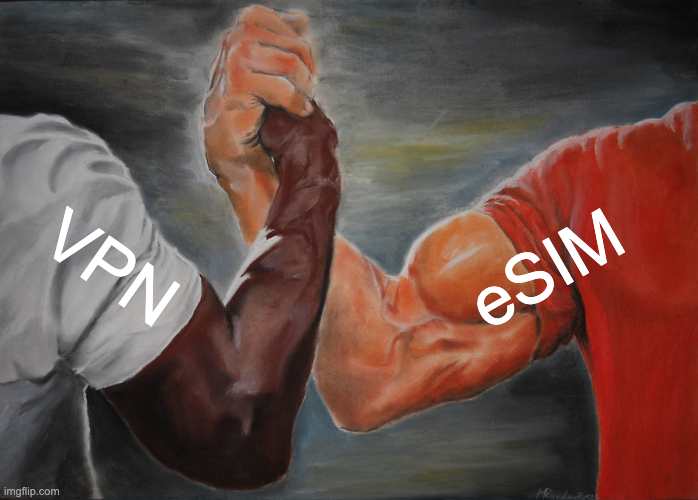
Think of it like this:
• aloSIM helps you get connected.
• Windscribe helps protect and control that connection.
• Your carrier gets fewer chances to introduce you to roaming-fee violence.
• Public and hotel Wi-Fi gets fewer chances to inspect your digital life.
• Regional internet weirdness gets fewer chances to derail your trip.
The pairing works because the tools do different jobs.
An eSIM gives you prepaid mobile data abroad. That is especially useful when you land, when you are between Wi-Fi networks, when you need maps or rideshares immediately, or when public Wi-Fi looks sketchy enough to have a villain origin story.
A VPN protects your traffic once you are online. That is especially useful on public Wi-Fi, unfamiliar networks, restrictive networks, and anywhere you would prefer your browsing not become a group activity.
One gets you internet. The other makes that internet less cursed.
The before-you-fly checklist
I’m sure you have a go-to checklist before you head on a trip - now’s the time to juice it up so you can connect worry-free.
1. Check that your phone supports eSIM and is carrier-unlocked.
2. Claim the aloSIM offer through Windscribe's Gang. Windscribe Pro users can get 5GB of free aloSIM travel data.
3. Choose your destination and install your aloSIM eSIM before you leave.
4. Install Windscribe on your phone, laptop, tablet, and any other device you plan to use.
5. Sign into Windscribe and test a few VPN locations before departure.
6. Download offline maps, hotel confirmations, boarding passes, transit routes, and translation packs.
7. Save two-factor authentication backup codes somewhere secure.
8. Pack a power bank, because all privacy tools become decorative at 0 percent battery.
9. When you land, activate aloSIM for mobile data.
10. Turn on Windscribe on public Wi-Fi, unfamiliar networks, sensitive logins, and anywhere regional restrictions start acting dramatic.
This is not glamorous travel hacking. It is basic preparation. Which is why it works.
Claim 5GB of free aloSIM travel data
Travel internet does not need to be a roaming bill, a sketchy hotspot, and missing your favourite TV shows.
If you are a Windscribe Pro user, you can claim 5GB of free aloSIM travel data through Windscribe's Gang. Use aloSIM to get prepaid mobile data when you travel, then use Windscribe to keep public Wi-Fi and regional internet weirdness from becoming the main character of your trip.
Frequently Asked Questions
Do I still need a VPN if I use an eSIM?
Yes. An eSIM gives you mobile data. A VPN helps protect your internet traffic and privacy once you are online, especially on public Wi-Fi or unfamiliar networks. Different jobs, same suitcase.
Can I use Windscribe without internet?
No. Windscribe is a VPN, not an internet provider. You need an existing connection first, such as mobile data, Wi-Fi, Ethernet, or a hotspot. A travel eSIM is one way to get that connection abroad.
Does an eSIM replace public Wi-Fi?
Not always, but it can reduce how much you depend on public Wi-Fi. Use eSIM data when you need mobile internet on the go. Use public Wi-Fi when it makes sense, especially for heavier usage, but turn on Windscribe first if the network is unfamiliar.
Will Windscribe always unblock every app or streaming service while I travel?
No. Windscribe gives you more control over your virtual location, which can help with regional restrictions and home-content access while traveling. But access depends on the service, destination, network, and whatever rules a platform is enforcing that week.
Should I set up my VPN and eSIM before I leave?
Yes. Install Windscribe, install your aloSIM eSIM, sign into everything, and test the basics before departure. Doing this at home is calmer than doing it beside a baggage carousel while your phone has 6 percent battery.
Who can claim the aloSIM offer?
Windscribe Pro users can claim 5GB of free aloSIM travel data through Windscribe's Gang. This offer expires October 31, 2026.


