



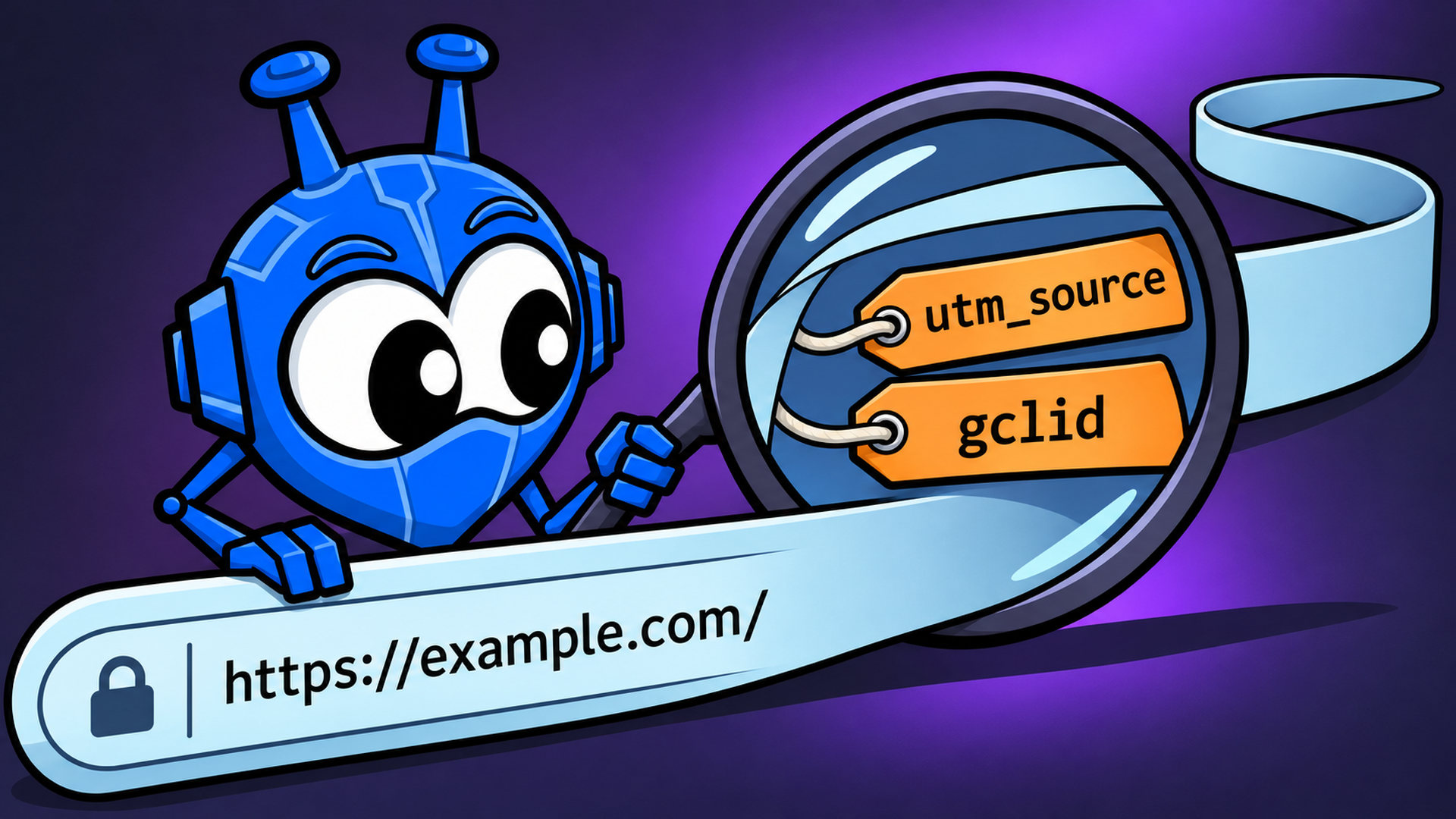
Copy a link to a song, a video, or a pair of shoes you're thinking about buying. There’s the address you expected, and then there’s a long tail starting with a ? that looks like a cat walked across the keyboard. Sometimes the tail is three times longer than the actual address.
That tail isn't random. Some of it does a real job, like picking a shoe color or loading a search result. But most of it was added by someone who wants to record where the click came from. Sometimes it notes which newsletter sent you. Sometimes it records an ad interaction. And sometimes it tags the exact share event that put the link in front of you.
Let’s take a link apart, see who’s writing on it, and figure out what’s actually worth erasing.
Anatomy of a Link
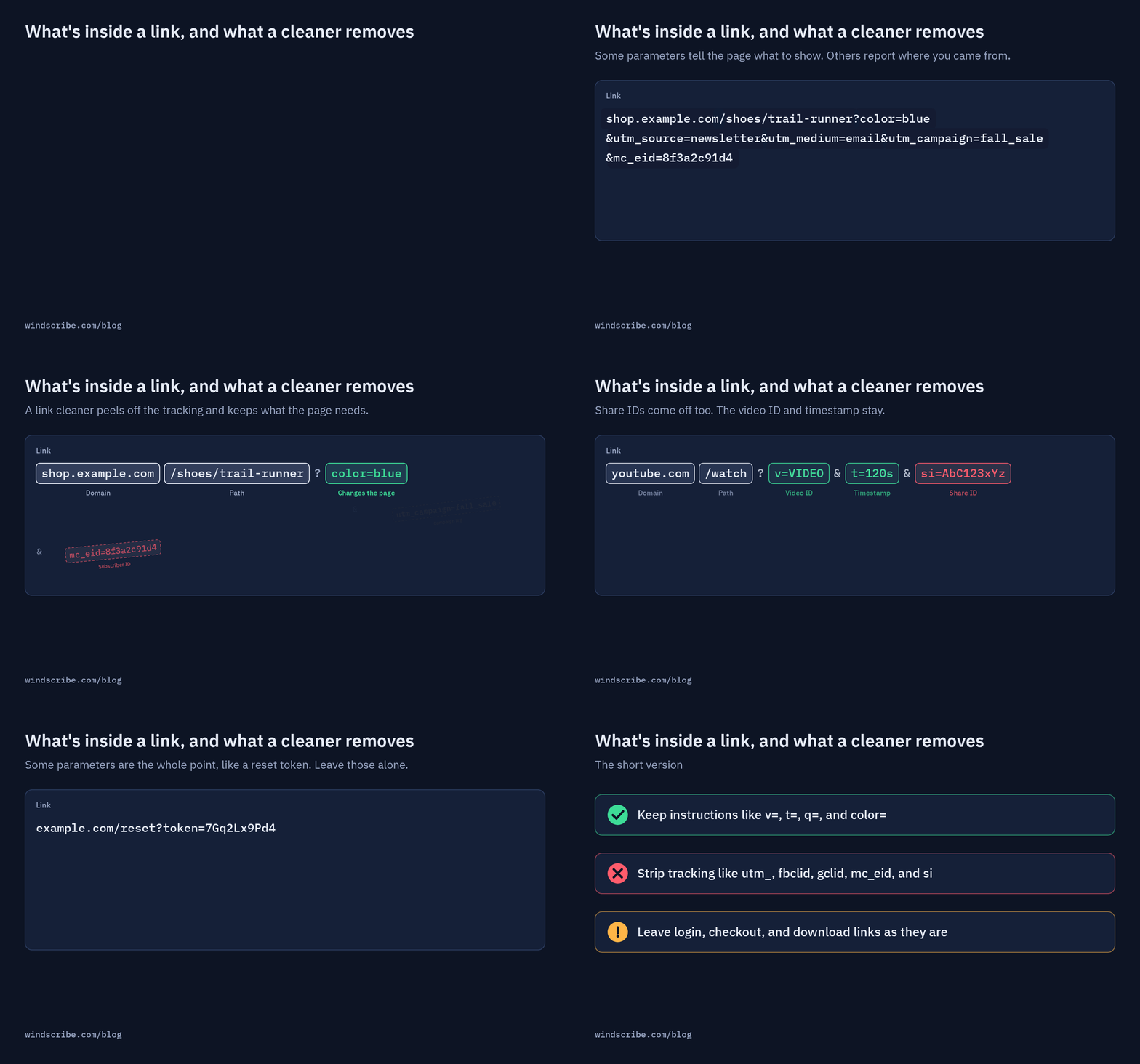
Here's a made-up link of the kind that lands in your inbox every week:
https://shop.example.com/shoes/trail-runner?color=blue&utm_source=newsletter&utm_medium=email&utm_campaign=fall_sale&mc_eid=8f3a2c91d4
It breaks down into four parts:
| Part | In the example | What it does |
|---|---|---|
| Domain | shop.example.com | Which website you're going to |
| Path | /shoes/trail-runner | Which page on that site |
| Functional parameter | color=blue | Changes what the page shows; remove it and you get the default color |
| Tracking parameters | utm_source, utm_medium, utm_campaign, mc_eid | Does not change page content; reports where the click came from |
Everything after the ? is called the query string. Each name=value pair is a parameter, separated by &. The destination server reads them, and analytics or ad scripts on the page read them as well.
The trick is telling functional parameters (color=blue) apart from tracking parameters (utm_campaign=fall_sale). One is an instruction for the website; the other is a sticky note for the marketing department. A good link cleaner removes the sticky notes and leaves the instructions alone.
The Main Kinds of Tracking Parameters
Not all tracking parameters do the same thing. Some are aggregate campaign bookkeeping, while others act as a specific fingerprint for an individual click.
Campaign Tags (UTMs)
UTM stands for Urchin Tracking Module, named after the web analytics software Google acquired in 2005 to build Google Analytics. The standard tags are:
- utm_source
- utm_medium
- utm_campaign
- utm_term
- utm_content
UTMs describe the campaign, not you personally. Every person who opens the same newsletter gets the exact same utm_source=newsletter. They’re broad campaign markers rather than personal identifiers, but they still add clutter and report exactly which email or post brought you in.
Ad Click IDs
This is where tracking becomes granular. Major advertising platforms attach a unique click ID when you tap an ad or sponsored post:
Unlike UTMs, a click ID is typically unique to that specific ad click. While it does not display your name in plain text, it allows the ad platform to match your subsequent purchases or page visits directly back to your ad interaction. That is how advertisers track conversions.
Email Marketing IDs
Email platforms often append individual recipient tokens:
- mc_eid: Mailchimp’s subscriber identifier
- _hsenc: HubSpot encoded tracking parameter
- mkt_tok: Marketo tracking token
These parameters can map directly to individual email subscribers on the sender's dashboard. If you forward an email newsletter to a group chat and someone clicks that link, they are browsing with your subscriber tag attached.
Share IDs: The Part Nobody Fully Explains
Campaign tags describe a campaign, and click IDs describe an ad click. Share IDs are different: mobile and web apps attach them when you tap the "Share" button to attach metadata about the sharing action itself.
Here is what they look like in the wild:
| App | What the share link looks like | The parameter |
|---|---|---|
| YouTube | youtu.be/VIDEO?si=AbC123xYz | si |
| instagram.com/reel/POST/?igsh=MWx0... | igsh (formerly igshid) | |
| Spotify | open.spotify.com/track/TRACK?si=4f9e... | si |
Platforms like Google and Meta rarely document what these opaque strings actually encode. But here is what we do know: the video, reel, or song loads identically without them.
When you send a link into a work chat, a Discord channel, or a public forum under a handle you prefer to keep separate, there is no reason to send extra platform attribution data along with it. If the link functions without the tag, stripping it is common sense.
Who Strips What (and Who Can't)
There are four places a tracking parameter can be removed: your browser, a browser extension, your network, or manually by you.
Your Browser
Browsers have introduced native parameter stripping, but coverage varies:
- Firefox: Strips select tracking parameters when Enhanced Tracking Protection is set to Strict, and offers a right-click "Copy Clean Link" option.
- Brave: Automatically strips known click IDs like fbclid and gclid by default on desktop and Android before requests are sent.
- Safari: Employs Link Tracking Protection across Private Browsing, Apple Mail, and Messages.
- Chrome: Does not offer comparable native query-string stripping; Chrome users must rely on extensions.
Most browser protections rely on fixed lists of known marketing parameters. If a parameter isn't on that list, it stays.
Browser Extensions
Extensions can strip far more than browsers do, because they can use bigger, faster-updating lists. The Windscribe browser extension includes Link Sanitizer, which removes supported tracking parameters before you visit the page.
It's on by default, groups trackers by type (analytics, advertising, social, email marketing, affiliate, attribution), lets you add your own parameters, and lets you allowlist sites that break. It works whether or not you're connected to the VPN.
A word of caution on extensions in general: a link-cleaning extension may need access to the pages you visit so it can inspect and rewrite links. That's a lot of trust to hand a one-person extension with a few dozen installs. Pick one from a company whose business model you understand.
Your VPN and DNS Filter (Spoiler: They Can't)
This surprises people, but it is an architectural reality: A VPN does not remove tracking parameters. Neither does a DNS blocker like R.O.B.E.R.T.
A VPN changes your public IP address and encrypts your network traffic between your machine and the VPN server. A DNS filter blocks requests to known ad-serving domains.
However, on modern HTTPS websites, the entire URL path and query string, aka everything after the domain name, including the ? and its parameters, travels entirely inside end-to-end HTTPS encryption. The DNS resolver only sees the domain being requested, and the VPN tunnel only sees encrypted data packets. Neither tool can read or modify the full URL in transit without breaking HTTPS security.
Link cleaning must occur locally in your browser before the request is dispatched over the web.
| Tool | Can it remove tracking parameters? | Why |
|---|---|---|
| Browser (built-in) | Some, in some modes | Uses a fixed list, mostly for links you open |
| Browser extension | Yes, for links you open | Rewrites the URL before the page loads |
| Manual link cleaner | Yes, for links you share | You paste, it strips, you copy |
| VPN | No | Changes the IP sites see; can't read the full HTTPS link |
| DNS filter | No | Sees the domain only, not the query string |
How to Clean a Link Yourself
You do not need special tools to clean a basic link. You just need to know what to cut:
- Find the ?: Everything before the question mark is the page destination; everything after it is parameter data.
- Identify the tracking tags: Look for parameters starting with utm_, as well as fbclid, gclid, msclkid, ttclid, mc_eid, igsh, and si.
- Delete them cleanly: Remove the parameter and the preceding & separator. If you remove all parameters, delete the ? as well.
- Preserve functional parameters: Keep variables required for the page to work, such as video IDs (v=), timestamps (t=), search queries (q=), page numbers (p=), or product attributes (color=, size=).
- Verify: Open the cleaned URL in an incognito or private browsing window. If it resolves to the exact same page, the link is clean and ready to share.
For long strings or nested URLs, manual editing can be tedious.
When You Shouldn't Strip a Link
Link cleaning is safe for general content, but certain transactional links depend on parameters to function:
- Login and Password Reset Links: The long random string in an authentication email is the actual security token. Stripping it breaks the login attempt.
- Checkout & Cart Links: E-commerce platforms frequently pass temporary cart state or discount codes through URL parameters.
- Signed Download Links: Cloud platforms (such as AWS S3, Google Drive, or Dropbox) use temporary cryptographic signatures in the URL to grant time-limited access to files.
- Search and Filter Queries: Removing q= or filter IDs will return you to an empty search form.
If a cleaned link ever fails to load the expected content, return to the original version.
The Affiliate Question
When a creator or independent reviewer links to a product, an affiliate tag is often appended to the URL. If you make a purchase, the platform pays them a commission at no additional cost to you.
Stripping the tag allows the purchase to proceed, but removes attribution for the referral. If you want to support a creator whose work helped you, keeping their affiliate tag intact is a reasonable choice.
So, Should You Clean Every Link?
Tracking parameters aren't the biggest privacy threat on the internet. Cookies, fingerprinting, and the data you hand over when you sign in to things all do a lot more damage. Cleaning a link won't fix any of that.
But it's one of the few privacy habits that costs you nothing, usually leaves ordinary public links working, and takes a moment. And share IDs add a newer wrinkle: they can be added when you share, and what they carry isn't fully documented.
So here's the habit. Before you paste a link anywhere public, or anywhere you'd rather not be connected to, look at the tail. If it contains tracking parameters you recognize, clean those. If you'd rather not think about it, let the Windscribe extension handle the links you open, and use the Link Cleaner for the ones you send.

Frequently Asked Questions
What is a tracking parameter?
A tracking parameter is a label added after the ? in a link, like utm_source=newsletter or fbclid=.... It often doesn't change the page you see. It tells the site, and sometimes an ad platform or app, where the click came from.
Are UTM parameters a privacy risk?
Usually a small one. Standard UTM tags describe the campaign, not the individual, so thousands of people might share the same tags. Ad click IDs and some email marketing tags are more specific, because they're commonly tied to a single ad interaction or subscriber.
What does fbclid mean?
fbclid stands for Facebook click ID. Facebook began adding it to outbound links in late 2018. It's commonly used to connect what you do on a website to the Facebook ad or post you clicked.
Does YouTube's si parameter show who shared a video?
YouTube doesn't fully document what si does. It's an opaque value that can be added when you share, so we won't claim it identifies you. Removing it usually doesn't change which video plays, and it strips sharing context you don't need to send.
Will removing tracking parameters break a link?
Rarely. Login links, checkout links, signed download links, and search results can depend on their parameters. If a cleaned link doesn't work, use the original.
Does a VPN remove tracking parameters?
No. A VPN normally changes the IP address sites see and encrypts your traffic, but the full link travels inside the encrypted HTTPS connection to the site. Link cleaning has to happen in your browser.
Does Chrome remove tracking parameters?
As of this writing, Chrome doesn't offer a comparable built-in link-cleaning control that we could verify. Firefox, Brave, and Safari all strip some parameters in certain modes. Chrome users can use an extension, like the Windscribe extension's Link Sanitizer.
Is it rude to strip affiliate links?
Not rude, but it does mean the creator who recommended the product won't get credit for the sale. If you want to support them, keep the affiliate tag.


