



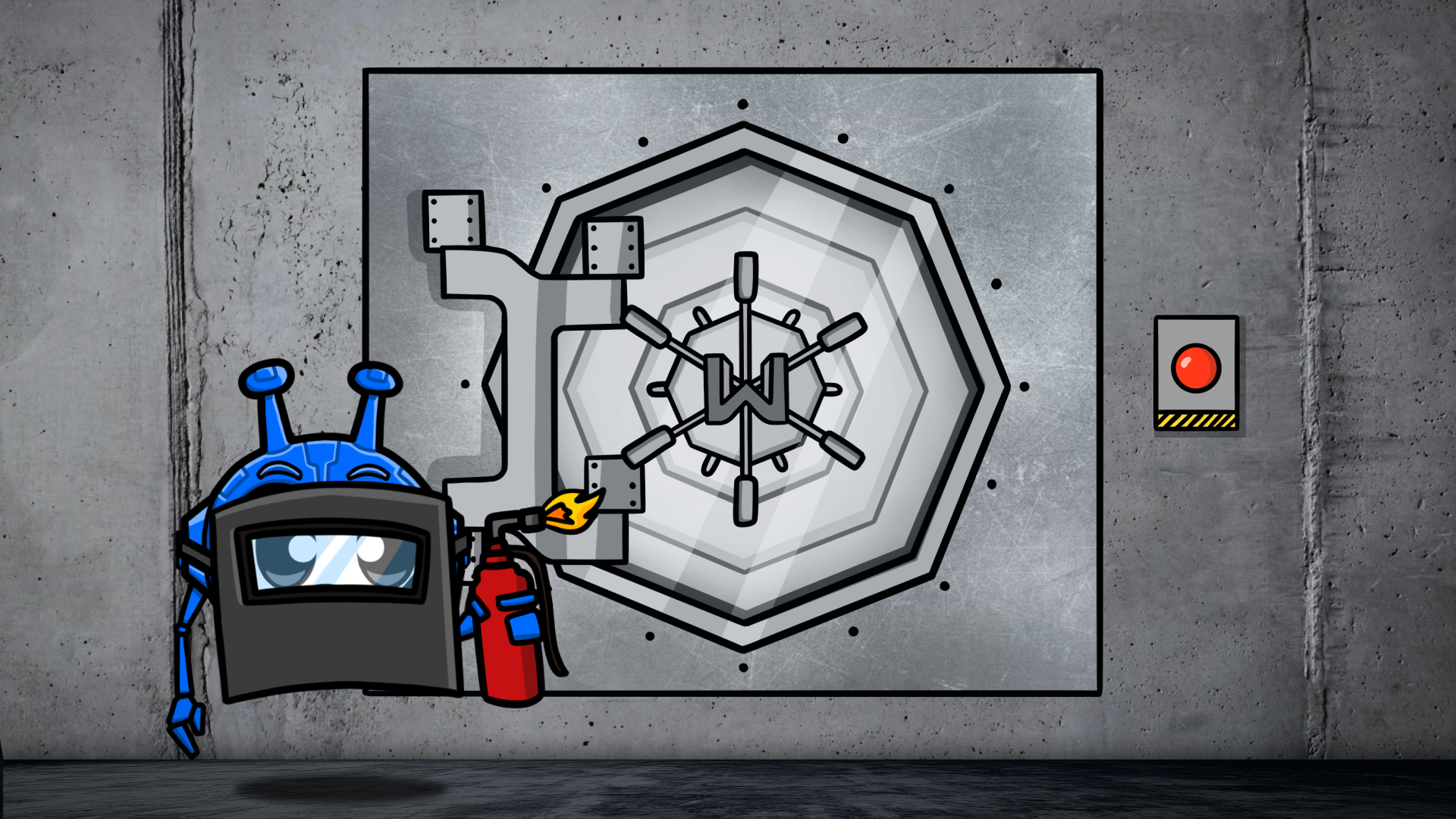
We’re a VPN company, so we could just tell you that yes, VPNs are safe, now go buy ours. But we won't. Not because VPNs aren't safe, because they are, but because the honest answer to this question has a few asterisks attached.
There are some things you need to pay attention to when choosing a VPN provider, and some VPNs should be avoided altogether.
Then, there are limits to what a VPN can actually protect you from, and will a VPN protect you from hackers is the question that trips most people up. A good one can encrypt your traffic, hide your IP address, and make it much harder for ISPs, Wi-Fi owners, advertisers, and other random creeps to snoop on you.
What it cannot do is stop you from falling for scams, downloading malware, or typing your data directly into a sketchy website that absolutely doesn't deserve it.
So yes, VPNs are safe. You just need to know which ones are actually worth trusting, and what they can and cannot do. And we're going to tell you. Safety is only one reason to run one, so it's worth knowing why you actually need a VPN in the first place.
How VPN Safety Actually Works (The 60-Second Version)
At the most basic level, a VPN creates an encrypted tunnel between your device and the VPN server. That means your traffic becomes unreadable to your ISP, hackers on public Wi-Fi, or anyone else sitting in the middle trying to snoop on it.
It also replaces your real IP address with the VPN server’s IP. So when you visit a website, the site sees the VPN server, not your home connection.
From a safety standpoint, three things matter most: the encryption standard, the VPN protocol, and the provider’s logging policy.
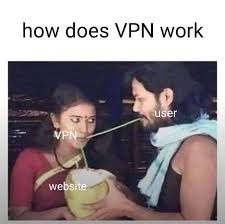
Strong VPNs use trusted encryption like AES-256 (the same one used by banks and governments, by the way), modern protocols like WireGuard or OpenVPN, and a strict no-logs policy so your identifiable data isn’t being quietly stored away.
5 Things a VPN Will Never Protect You From
As safe as a VPN can be, it won’t protect you from everything. It encrypts your connection, hides your IP address, and helps keep your data from leaking across insecure networks. That part is great. But there are still plenty of threats lurking in the darker corners of the internet that a VPN can’t save you from.
Malware, Phishing Sites & Viruses
A VPN isn't the same thing as antivirus software. It doesn't scan your device for malware, and if you download a malicious file, most VPNs will happily encrypt that malware on its journey to your laptop.
If you land on a fake bank login page and hand over your username and password, a VPN isn’t going to jump out of the screen and slap your hand away. There is, sadly, no software patch for bad judgment.
Windscribe does go further than most VPNs, though. Our R.O.B.E.R.T. helps with this by blocking known malicious domains and phishing sites at the DNS level, which means it can stop threats before they even load.

Data You Give Away Voluntarily
A VPN can hide your traffic from your ISP and the local network, but it can’t protect you from the websites and apps you willingly log into.
If you sign in to Facebook, Gmail, Netflix, or Apple TV, those services know exactly who you are.
Using a VPN changes the IP address they see, but it doesn’t erase your account, your login session, or the pile of personal data you already handed over when you signed up.
So yes, a VPN adds privacy. No, it doesn’t turn your Netflix account into an anonymous one.
Cookies & Browser Fingerprinting
Websites have plenty of ways to track you besides your IP address. Cookies are the obvious ones.
Every time you click “accept,” you’re basically agreeing to let a site remember you and follow you around the web.
Then there’s browser fingerprinting, which identifies you based on things like your browser version, device type, screen size, language settings, installed fonts, and other weirdly specific details.
A VPN usually can’t do much about that on its own. It hides your IP, but it doesn’t stop your browser from tracking you.
Windscribe’s browser extension helps here with cookie blocking and anti-fingerprinting features. But the larger point still stands: a VPN isn’t a complete anti-tracking solution by itself.
Weak or Reused Passwords
If you use the same password everywhere, please stop. And while you’re at it, retire “password123” your dog’s name, and anything else a bored teenager could guess in under ten seconds.

A VPN can’t protect you from credential stuffing attacks, which happen when leaked usernames and passwords from one breach get tried across a bunch of other sites.
If your login details are weak, reused, or already floating around in some crusty breach database, the VPN isn’t going to save you. This is a password hygiene problem, not a traffic encryption problem.
Are Free VPNs Safe?
Okay, but what about free VPNs, can I use those? No. Please don’t. Most free VPNs aren’t safe. Remember: when a service is free, you’re the product.
A lot of free VPNs make money by selling your data, stuffing their apps with trackers, injecting ads, or doing other deeply shady nonsense. Some are even crawling with malware. There is, however, one important exception: free tiers from paid, reputable VPN companies.
Why Most Free VPNs Are Dangerous
A study by ICSI/CSIRO found that 75% of free VPN apps embed third-party tracking libraries and that 84% of free Android VPNs leak user data.
And then there’s the growing pile of real-world messes: in 2020, seven free VPNs leaked 1.2 TB of user data, in 2021, three more exposed credentials for 21 million users, and in 2023, another one leaked 360 million records.
See the pattern? If you’re not paying, they’re probably making money some other way, whether that means monetizing your data, injecting ads, or turning your bandwidth into a residential proxy.
The Exception: Freemium Done Right
There is a difference between a sketchy free VPN and a legitimate VPN with a free tier. A small number of reputable providers offer limited free plans funded by paid subscribers, not by selling user data: if you're weighing that free tier against a paid plan, is a VPN worth the money walks you through the math.
That’s the model we use with Windscribe. Our free tier gives you 10 GB a month, access to servers in 11 countries, and the same AES-256 encryption and a no-logs policy as the paid version. In other words, it’s limited in usage, not gutted in security.
 Yegor Sak
How to Know If Your VPN Is Safe?
Every VPN claims it’s secure, private, and built by saints. That means nothing. If you want to know whether a VPN is actually safe, you need to stop reading the homepage fluff and start asking better questions. Here’s a simple honesty test you can use on any VPN provider:
1. Is the code open-source?
Can independent researchers inspect the VPN client, or do you just have to trust the company’s marketing team? If the code is public on GitHub (ours is), that doesn’t automatically make the VPN perfect, but it does mean outside experts can look for problems instead of taking the provider’s word for it.
2. Has the no-logs claim been independently audited?
Every VPN says it doesn’t log. Cool. Words on a website are free. What matters is whether an independent auditor has verified that claim.
A third-party audit from a reputable firm carries a lot more weight than a bold sentence on a landing page.
Our no-logs policy has been independently audited 3 times, and we’re also super transparent about all data requests from copyright and law enforcement agencies in real-time.
3. Has the provider been tested in court or by seizure?
It’s easy to say “we keep no logs” when nobody is asking questions. It’s more convincing when a government agency, court, or law enforcement request shows up and there’s still nothing to hand over.
In our case, the no-logs policy hasn’t just been reviewed on paper, it’s also held up in court.
In 2025, our CEO was brought to court in Greece. The case was dismissed because when the authorities came looking for data, there was nothing to hand over. We didn’t have any logs to give.
4. What encryption standard does it use?
AES-256 should be the baseline. Non-negotiable. If a provider is vague about encryption, uses weaker standards, or buries the details, that’s a red flag. Of course, we use AES-256 encryption, in case you were wondering.
5. Is there a kill switch?
If the VPN connection drops, does the app immediately block internet traffic, or does your real IP just spill out onto the network?
A VPN without a kill switch is basically privacy with an asterisk. Needless to say, we’ve got one, and it’s an even better option than the standard kill switch. It matters most if you plan to use a VPN all the time, since that is when a dropped tunnel is most likely to catch you unaware.
6. Where is the company incorporated?
Jurisdiction matters. Some countries have aggressive data retention laws or broader legal powers to demand user information. Others are less invasive. A VPN’s headquarters won’t tell you everything, but it does tell you which legal system it has to answer to.
Windscribe is based in Canada, and yes, Canada is part of the Five Eyes. But jurisdiction only matters if there is actually data to seize in the first place.
 Yegor Sak
If a VPN keeps no activity logs, there is far less for any government, alliance, or overexcited authority to demand.
7. What’s the business model?
Follow the money. If the VPN is completely free and there’s no paid tier, how is it paying for servers, bandwidth, development, and support? If the answer is fuzzy, your data may be helping cover the bill. Windscribe has a free tier that is funded by our paid users, not your data.
VPN Safety by Use Case
VPN safety isn’t one big yes-or-no question. It depends on what you’re doing, where you’re doing it, and what problem you’re actually trying to solve.
A VPN is extremely useful in some situations, less important in others, and never a replacement for basic common sense.
Public Wi-Fi
This is where a VPN matters most. On an open or poorly secured network, other people on the same Wi-Fi may be able to intercept your traffic or snoop on what you’re doing.
A VPN encrypts everything leaving your device, which makes that traffic unreadable even on a sketchy coffee shop network.
Our Firewall adds another layer by blocking all connectivity outside the tunnel, so nothing leaks even if the VPN drops.
Online Banking and Shopping
A VPN helps protect the connection, especially on public Wi-Fi, but the bigger risk with banking apps and shopping sites usually isn’t network snooping. It’s phishing for your credit card information and login credentials.
A VPN can encrypt your traffic, but it can’t stop you from logging into a fake banking site. Always check the website address carefully, and don’t be surprised if your bank gets suspicious when you log in from a server halfway across the world, which is the one thing to get right if a VPN is safe for online banking is what you actually care about.
Streaming
Streaming isn’t really a VPN safety issue. A VPN won’t make streaming dangerous. The question is usually whether it works well enough to avoid buffering, blocks, or endless error messages.
Some streaming platforms actively block known VPN IPs, so the difference between a decent VPN and a useless one often comes down to server quality, rotation, and whether the provider can stay one step ahead of the ban hammer.
Remote Work
If your company uses an enterprise VPN like Cisco or Palo Alto, that’s a different thing entirely from a consumer VPN like Windscribe. One is for accessing company systems, the other is for protecting your internet traffic more broadly.
For freelancers and remote workers without a corporate VPN, a consumer VPN is still useful. It protects your data on shared networks and keeps your ISP from building a little scrapbook of your work habits.
Traveling to Censored Countries
In countries with heavy internet restrictions, standard VPN protocols are often easy to detect and block. That means the question isn’t just whether the VPN is safe, but whether it can stay usable at all.
Features like obfuscation matter here because they make VPN traffic look more like regular HTTPS traffic. Windscribe’s Stealth mode and WStunnel, and built-in WireGuard Amnezia implementation are designed for exactly that problem.
VPN vs Incognito Mode vs Proxy: Quick Comparison
People mix these up constantly, mostly because the internet has done an incredible job of making three very different tools sound like the same thing. They’re not.
A VPN protects your traffic on the network level, incognito just stops your browser from saving local history, and a proxy mainly changes your visible IP for specific traffic without giving you much real privacy. We cover the difference between a VPN and a proxy in full detail in a separate article.
| Feature | VPN | Incognito | Proxy |
|---|---|---|---|
| Encrypts traffic | Yes (all traffic) | No | No (usually) |
| Hides IP from ISP | Yes | No | Yes (from websites only) |
| Hides browsing from the ISP | Yes | No | No |
| Clears local history | No | Yes | No |
| Works across all apps | Yes | Browser only | Per-app config |
| Blocks trackers | Some (with ROBERT) | No | No |
Frequently Asked Questions
Can you be tracked if you use a VPN?
Yes, but not in the way you might think. A VPN prevents your ISP and WiFi owners from tracking your activity, but it isn't a cloaking device for your identity. If you log into services like Google, Facebook, or Amazon while connected, those companies still know exactly who you are. A VPN hides your IP address and location, but it cannot stop tracking via browser cookies or accounts you voluntarily sign into.
Is it legal to use a VPN?
Yes, using a VPN is legal in the vast majority of countries, including the U.S., the UK, Canada, and throughout the European Union. However, some countries with strict censorship laws, such as China, Russia, Iran, North Korea, and Turkey, either restrict or outright ban the use of non-government-approved VPNs. New to all of this? Our beginner's guide to using a VPN covers the basics, but always check the local regulations of your destination if you are traveling abroad.
Can a VPN be hacked?
While the AES-256 encryption used by top-tier VPNs is effectively uncrackable by today’s computers, the provider’s infrastructure is a potential target. A hacker might not break the encryption, but they could target a VPN's servers to intercept data. This is why it is critical to choose a provider that uses RAM-only servers (which wipe data upon reboot) and undergoes regular third-party security audits.
Should I leave my VPN on all the time?
Ideally, yes. Keeping your VPN active 24/7 ensures that you never accidentally leak data on an unsecured network or forget to encrypt a sensitive session. Modern protocols like WireGuard are efficient enough that you likely won't notice a hit to your battery life or performance. With a reliable kill switch enabled, staying always-on is the only way to guarantee a continuous tunnel of privacy.
Do VPNs slow down your internet?
Technically, yes, but usually not enough to notice. Because your data has to be encrypted and routed through a remote server, there is always a small amount of overhead or latency. However, with high-speed servers and modern protocols like WireGuard, the speed loss is typically only 5% to 15%. On a standard broadband or 5G connection, you can still stream 4K video and game without any perceptible lag.


